1. Giriş
Satın aldığınız için teşekkür ederizasing the ZEBRONICS Sound Feast 55 Portable Bluetooth Speaker. This manual provides detailed instructions for the proper use, setup, and maintenance of your device. Please read this manual carefully before operation to ensure optimal performance and longevity of your speaker.
The Sound Feast 55 is designed to deliver powerful audio with its 14W RMS output, dual 5.7cm drivers, and dual passive radiators for enhanced bass. It features multiple connectivity options including Bluetooth v5.3, USB, microSD, AUX, and a built-in FM radio. Enjoy hands-free calls, vibrant RGB lighting, and up to 10 hours of playback on a single charge. The TWS function allows for pairing two speakers for a true stereo experience.

Resim 1.1: The speaker on a wooden surface, illustrating its dual 5.7cm drivers and 14W RMS output for dynamic sound.

Resim 1.2: The speaker near water, highlighting its deep bass capabilities and dual passive radiators.
2. Paket İçeriği
- ZEBRONICS Sound Feast 55 Speaker - 1 unit
- Charging cable (Type-C) - 1 unit
- QR Code Guide - 1 unit
3. Ürün Bittiview
Hoparlörün bileşenlerini ve kontrollerini tanıyın.

Resim 3.1: Ön view of the ZEBRONICS Sound Feast 55 speaker, showcasinsilindirik tasarımı ve kontrol paneli.
Kontrol Paneli ve Bağlantı Noktaları:

Resim 3.2: Top panel showing media and volume controls, and an end view highlighting the RGB light mode and fabric finish.

Resim 3.3: Arka view displaying the multi-connectivity ports: TF (microSD) card slot, USB port, AUX input, and Type-C charging port.
- Güç Düğmesi: Açmak/kapatmak için basılı tutun.
- Oynat/Duraklat Düğmesi: Müziği çalmak veya duraklatmak için basın.
- Sesi Aç/Sonraki Parça: Kısa basışla sesi açabilir, uzun basışla bir sonraki parçaya geçebilirsin.
- Sesi Kısma/Önceki Parça: Kısa basışta ses kısılır, uzun basışta önceki parçaya geçilir.
- Mod Düğmesi (M): Press to switch between Bluetooth, USB, MicroSD, AUX, and FM radio modes.
- RGB Işık Düğmesi: Press to cycle through RGB light modes or turn them off.
- Mikrofon: Eller serbest görüşme için.
- TF Kart Girişi: MicroSD karttan oynatma için.
- USB Bağlantı Noktası: USB bellekten oynatma için.
- AUX Bağlantı Noktası: Kablolu ses girişi için.
- C Tipi Şarj Bağlantı Noktası: Hoparlörü şarj etmek için.
4. Kurulum
4.1 Hoparlörü Şarj Etme
İlk kullanımdan önce hoparlörü tamamen şarj edin. Kutu içeriğinde bulunan Type-C şarj kablosunu kullanın.
- Şarj kablosunun Type-C ucunu hoparlörün şarj portuna bağlayın.
- Connect the USB-A end of the cable to a 5V DC power adapter (not included) or a computer's USB port.
- Şarj gösterge ışığı şarj esnasında yanacak ve tam şarj olduğunda sönecektir.
Charging time is approximately 2.5 hours. A full charge provides up to 10 hours of playback at 50% volume with LED lights off.
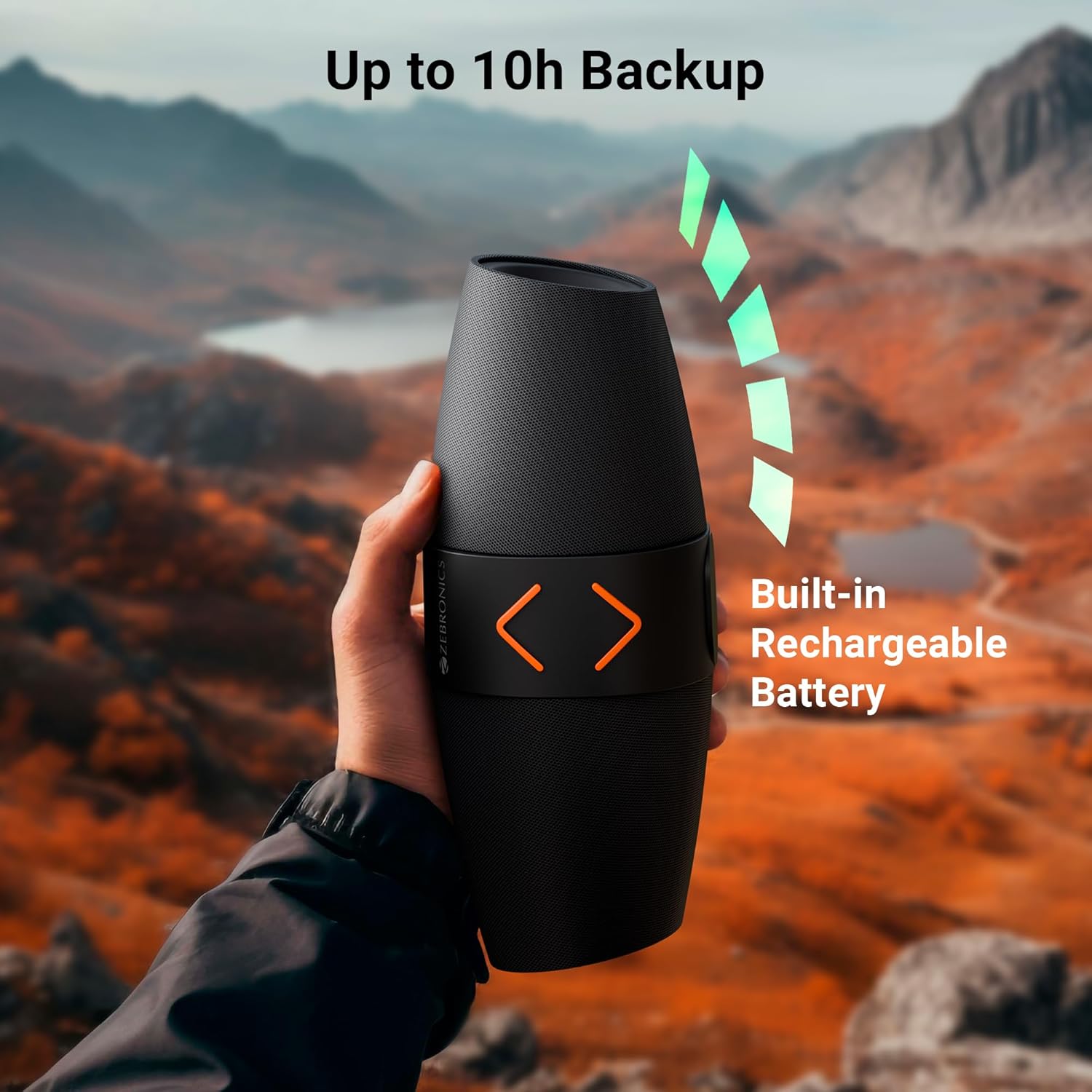
Resim 4.1: The speaker being held outdoors, illustrating its portability and highlighting the built-in rechargeable battery and up to 10 hours of backup.
4.2 Güç Açma/Kapatma
- Cihazı açmak için, sesli bir uyarı duyana kadar Güç düğmesini basılı tutun.
- Cihazı kapatmak için, sesli bir uyarı duyana kadar Güç düğmesini tekrar basılı tutun.
4.3 Bluetooth Eşleştirme
- Hoparlörü açın. Yanıp sönen LED ışığıyla belirtildiği gibi otomatik olarak Bluetooth eşleştirme moduna girecektir.
- Mobil cihazınızda Bluetooth'u etkinleştirin ve mevcut cihazları arayın.
- Select "ZEB-SOUND FEAST 55" from the list of devices.
- Once paired, you will hear a confirmation tone, and the LED light will stop flashing.
Hoparlör, menzil içinde olması ve Bluetooth'un etkinleştirilmiş olması durumunda en son eşleştirildiği cihaza otomatik olarak yeniden bağlanacaktır.
4.4 Gerçek Kablosuz Stereo (TWS) Eşleştirme
TWS allows you to connect two ZEB-SOUND FEAST 55 speakers for a stereo audio experience.
- Ensure both ZEB-SOUND FEAST 55 speakers are powered on and in Bluetooth mode, but not connected to any device.
- On one of the speakers (this will be the primary speaker), press and hold the Play/Pause button for a few seconds. You will hear a prompt indicating TWS pairing mode.
- İki hoparlör otomatik olarak birbirine bağlanacaktır. Bağlantı kurulduktan sonra bir onay sesi duyacaksınız.
- Şimdi, mobil cihazınızı 4.3 bölümünde açıklandığı gibi Bluetooth aracılığıyla ana hoparlöre bağlayın.
- Ses artık her iki hoparlörden de stereo olarak çalacak.

Resim 4.2: Top image shows the speaker on a desk with a phone displaying a call, indicating the call function. Bottom image shows two speakers paired, illustrating the TWS function for stereo sound.
5. Kullanım Talimatları
5.1 Mod Seçimi
Basın Mod (M) button to cycle through available input modes: Bluetooth, USB, MicroSD, AUX, and FM Radio.
5.2 Bluetooth Modu
- Ensure the speaker is paired with your device (refer to section 4.3).
- Bağlı cihazınızdan ses oynatın.
- Use the speaker's Play/Pause, Volume Up/Next Track, and Volume Down/Previous Track buttons to control playback.
5.3 USB/MicroSD Mode
- Insert a USB drive or MicroSD card into the respective port.
- The speaker will automatically switch to USB or MicroSD mode and begin playing audio fileEğer değilse, s'ye basın. Mod (M) Doğru modu seçmek için düğmeye basın.
- Use the speaker's Play/Pause, Volume Up/Next Track, and Volume Down/Previous Track buttons to control playback.
5.4 AUX Modu
- Connect an audio device (e.g., smartphone, MP3 player) to the speaker's AUX port using a 3.5mm audio cable (not included).
- Basın Mod (M) AUX modunu seçmek için kullanılan düğme.
- Control playback from your connected audio device. Volume can be adjusted on both the speaker and the connected device.
5.5 FM Radyo Modu
- Basın Mod (M) FM Radyo modunu seçmek için kullanılan düğme.
- To auto-scan and save available FM channels, press the Play/Pause button once. The speaker will scan and store channels.
- Use the Volume Up/Next Track and Volume Down/Previous Track buttons to navigate between saved channels.
5.6 Arama İşlevi
- When a call comes in during Bluetooth mode, press the Play/Pause button to answer the call.
- Aramayı sonlandırmak için Oynat/Duraklat düğmesine tekrar basın.
- Gelen aramayı reddetmek için Oynat/Duraklat düğmesini basılı tutun.
5.7 RGB Işık Modu
- Press the RGB Light button to cycle through different light modes.
- Continue pressing the button to turn the RGB lights off.
6. Bakım
- Temizlik: Hoparlörü temizlemek için yumuşak, kuru bir bez kullanın. Sert kimyasallar veya aşındırıcı temizleyiciler kullanmayın.
- Depolamak: Hoparlörü serin, kuru ve doğrudan güneş ışığından ve aşırı sıcaklıklardan uzak bir yerde saklayın.
- Pil Bakım: Pil ömrünü uzatmak için hoparlörün şarjını sık sık tamamen boşaltmaktan kaçının. Uzun süre kullanılmasa bile düzenli olarak şarj edin.
- Suya Maruz Kalma: Bu hoparlör su geçirmez değildir. Suya veya aşırı neme maruz bırakmaktan kaçının.
- İşleme: Do not drop, disassemble, or attempt to repair the speaker yourself. This may void the warranty and cause damage.
7. Sorun Giderme
| Sorun | Olası Neden | Çözüm |
|---|---|---|
| Hoparlör açılmıyor. | Pil zayıf. | Hoparlörü tam olarak şarj edin. |
| Bluetooth üzerinden eşleştirme yapılamıyor. | Cihazda Bluetooth etkin değil; hoparlör eşleştirme modunda değil; cihazdan çok uzakta. | Ensure Bluetooth is enabled. Put speaker in pairing mode. Move device closer to speaker (within 10 meters). |
| Ses yok. | Volume too low; incorrect mode selected; device not playing audio. | Increase speaker and device volume. Ensure correct input mode (BT, USB, mSD, AUX, FM) is selected. Verify audio is playing on the source device. |
| Zayıf FM alımı. | Zayıf sinyal. | Move the speaker to a location with better signal reception. Re-scan channels. |
| TWS eşleştirmesi başarısız. | Speakers already connected to a device; incorrect pairing procedure. | Ensure both speakers are disconnected from other devices. Follow TWS pairing steps precisely (section 4.4). |
8. Özellikler
| Model Adı | ZEB-SES ŞÖLENİ 55 |
| Çıkış Gücü (RMS) | 14 Watt |
| Sürücü Boyutu | Dual 5.7 cm |
| Bluetooth Sürümü | v5.3 |
| Bağlantı Seçenekleri | Bluetooth, USB, MicroSD, AUX, FM Radio |
| Oynatma Süresi | Up to 10 hours (at 50% volume, LED off) |
| Şarj Süresi | Yaklaşık 2.5 saat |
| Şarj Tipi | Tip-C |
| Frekans Tepkisi | 18 KHz |
| Ürün Boyutları (D x G x Y) | 13.7D x 29.2G x 19Y Santimetre |
| Ürün Ağırlığı | 678 Gram |
| Özellikler | Dual Passive Radiators, Call Function, RGB Light Modes, TWS Function |
9. Güvenlik Bilgileri
- Hoparlörü aşırı sıcaklıklara, doğrudan güneş ışığına veya açık aleve maruz bırakmayın.
- Hoparlörü düşürmekten veya sert darbelere maruz bırakmaktan kaçının.
- Do not immerse the speaker in water or expose it to rain or excessive moisture.
- Hoparlörü çocuklardan ve evcil hayvanlardan uzak tutun.
- Yalnızca verilen şarj kablosunu veya sertifikalı bir eşdeğerini kullanın.
- Do not attempt to disassemble, repair, or modify the speaker. This may result in electric shock, fire, or product damage.
- Ürünü yerel yönetmeliklere uygun şekilde, sorumlu bir biçimde imha edin. Evsel atıklarla birlikte atmayın.
10. Garanti ve Destek
The ZEBRONICS Sound Feast 55 comes with a limited warranty. Please refer to the warranty card included in your package or visit the official ZEBRONICS webAyrıntılı garanti şartları ve koşulları için siteyi ziyaret edin.
For technical support, service, or inquiries, please contact ZEBRONICS customer service through their official website veya ürün dokümantasyonunuzda sağlanan iletişim bilgileri.
Üretici: AJZ Industries Pvt. Ltd.
İthalatçı: AJZ Industries Pvt. Ltd. Survey No 508/2, Door No 50/2, Inner Ring Road, Madhavaram, Chennai - 600060


