giriiş
This manual provides detailed instructions for the setup, operation, and maintenance of your Transformers TF-T31 Bluetooth TWS Wireless Earbuds. Please read this manual thoroughly before using the product to ensure proper function and longevity.
Ürün Bittiview
Paket İçeriği
- Transformers TF-T31 Wireless Earbuds (Left and Right)
- Şarj Kutusu
- USB Type-C Şarj Kablosu
- Kullanıcı Kılavuzu (Bu Belge)
Temel Özellikler
- Bluetooth 5.4: Provides a stable, fast, and low-power connection.
- Çift Mod İşlevselliği: Switch between Gaming Mode for low latency audio and Music Mode for HiFi sound.
- Yüksek Kaliteli Ses: Features 13mm magnetically levitated drivers for rich, detailed sound with deep bass.
- Çevresel Gürültü Engelleme (ENC): Ortam gürültüsünü azaltarak arama netliğini artırır.
- Sezgisel Dokunmatik Kontroller: Manage music playback, calls, and mode switching directly from the earbuds.
- Uzun Pil Ömrü: Up to 5 hours of playback per charge, with the charging case providing up to 50 hours total.
- Ergonomik Tasarım: Lightweight and comfortable for prolonged wear.
- Mechanical Shell Design: Unique aesthetic inspired by Transformers.

Image: The Transformers TF-T31 wireless earbuds and their distinctive mechanical shell charging case, shown in yellow.

Image: Close-up of the Transformers TF-T31 charging case, highlighting its unique mechanical shell design and the Transformers logo.
Kurmak
1. Kulaklıkları ve Kutuyu Şarj Etme
İlk kullanımdan önce kulaklıklarınızı ve şarj kutusunu tamamen şarj edin.
- Her iki kulaklığı da şarj kutusuna yerleştirin. Doğru şekilde oturduklarından emin olun.
- Connect the provided USB Type-C cable to the charging port on the case and plug the other end into a USB power source (e.g., wall adapter, computer).
- The LED digital display on the charging case will indicate the battery status during charging.
- Tam şarjın gerçekleşmesi genellikle yaklaşık 1.5 saat sürer.
Not: The charging case has a 3.7V/300mAh battery, and each earbud has a 3.7V/30mAh built-in battery.
2. Bluetooth Eşleştirme
Kulaklığınızı Bluetooth özellikli bir cihazla eşleştirmek için şu adımları izleyin:
- Güç Açık: Şarj kutusunu açın. Kulaklıklar otomatik olarak açılacak ve eşleştirme moduna girecektir. Sesli bir uyarı duyabilirsiniz.
- Bluetooth'u etkinleştirin: Cihazınızda (akıllı telefon, tablet, bilgisayar) Bluetooth ayarlarına gidin ve Bluetooth'un etkinleştirildiğinden emin olun.
- Cihaz seç: Look for "TF-T31" in the list of available Bluetooth devices and select it to connect.
- Onay: Once connected, you will hear a confirmation sound from the earbuds, and your device will show "TF-T31" as connected.
Not: Kulaklıklar, cihazda Bluetooth etkinse, kutudan çıkarıldığında son eşleştirilen cihaza otomatik olarak yeniden bağlanacaktır.

Image: Diagram illustrating the advanced Bluetooth 5.4 technology, emphasizing stable and fast connection.
Kullanım Talimatları
Güç Açık/Kapalı
- Güç Açık: Şarj kutusunu açın veya her iki kulaklığın dokunmatik alanına 3 saniye boyunca uzun süre basın.
- Kapat: Kulaklıkları şarj kutusuna geri yerleştirin ve kapağı kapatın veya her iki kulaklığın dokunmatik alanına 5 saniye boyunca uzun süre basın.
Dokunmatik Kontroller
The TF-T31 earbuds feature intuitive touch controls on the outer surface of each earbud. The functions are as follows:
| Aksiyon | İşlev |
|---|---|
| Tek Dokunuş (Sol/Sağ) | Müziği çal/duraklat, Çağrıyı cevapla/bitir |
| Çift Dokunma (Sağ Kulaklık) | Sonraki Parça |
| Çift Dokunma (Sol Kulaklık) | Önceki Parça |
| Üçlü Musluk (Sol/Sağ) | Switch between Gaming Mode and Music Mode |
| Uzun Basış (Sol/Sağ, 2 saniye) | Reject incoming call, Activate Voice Assistant |
Switching Modes (Gaming/Music)
The TF-T31 earbuds offer two distinct audio modes:
- Oyun Modu: Provides ultra-low latency audio synchronization, ideal for gaming and video playback to minimize delay between audio and visuals.
- Müzik Modu: Delivers rich HiFi sound with enhanced bass and clear highs, optimized for an immersive music listening experience.
To switch between modes, üçlü musluk the touch area on either earbud. You will hear an audible prompt indicating the current mode.
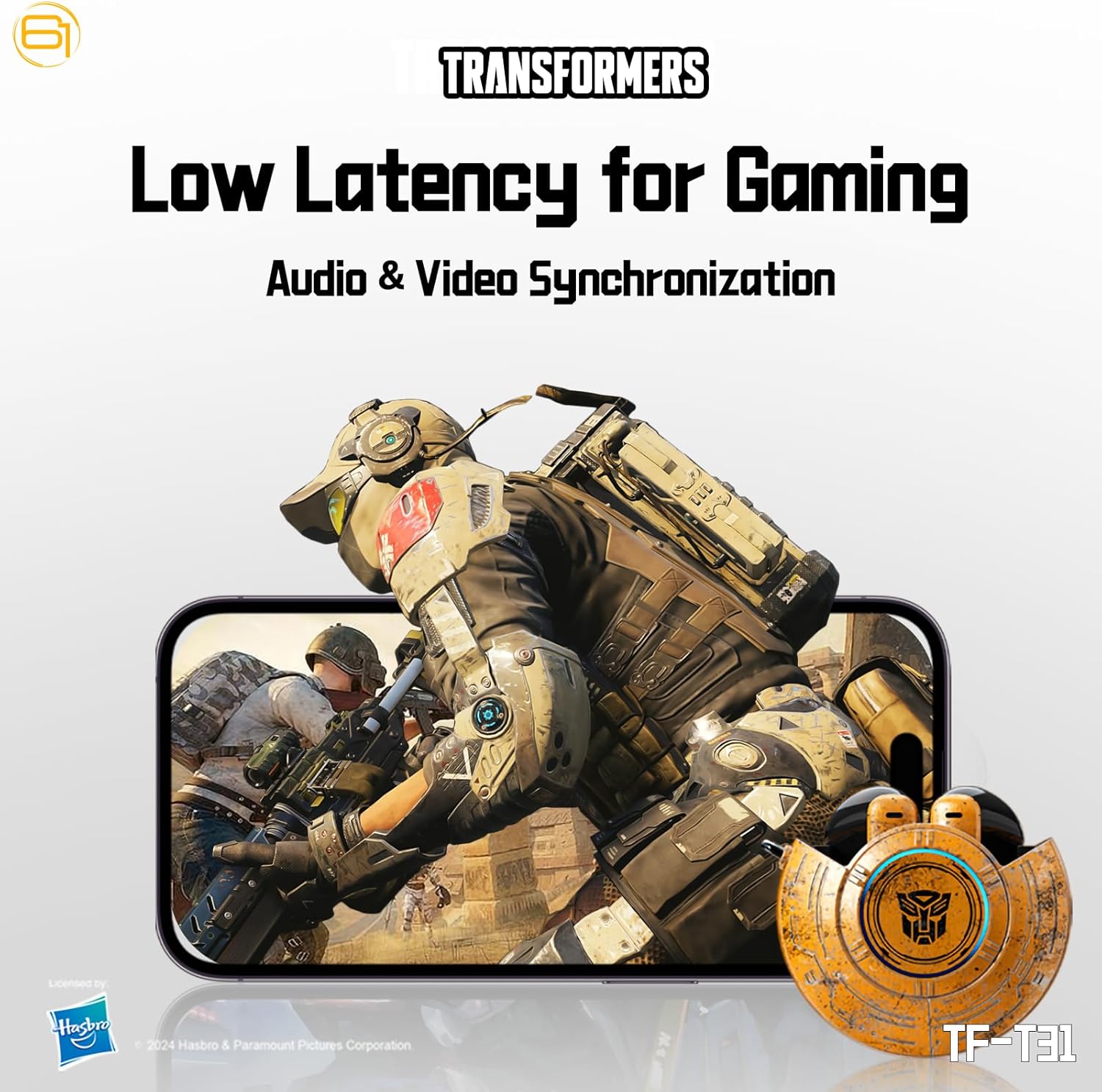
Image: Illustration of the earbuds providing low latency audio for gaming, showing a mobile gaming scenario.
Bakım
Temizlik
- Kulaklıklarınızı ve şarj kutusunu yumuşak, kuru ve tiftiksiz bir bezle düzenli olarak temizleyin.
- Aşındırıcı temizleyiciler, alkol veya kimyasal çözücüler kullanmayın.
- Kulaklık telinin içindeki kulak kiri veya kalıntıları küçük, yumuşak bir fırça veya pamuklu çubuk kullanarak nazikçe temizleyin.
- Ensure the charging contacts on both the earbuds and the case are clean and dry to maintain proper charging.
Depolamak
- Kullanmadığınız zamanlarda kulaklıklarınızı şarj kutusunda saklayarak hem koruyun hem de şarjlı kalmasını sağlayın.
- Ürünü serin, kuru bir yerde, aşırı sıcaklıklardan ve doğrudan güneş ışığından uzakta saklayın.
- Avoid exposing the earbuds or case to water or excessive moisture. While the product is water-resistant, it is not waterproof.
Sorun giderme
If you encounter issues with your TF-T31 earbuds, please refer to the following common problems and solutions:
Kulaklıklar Eşleşmiyor veya Bağlanmıyor
- Her iki kulaklığın da şarjlı olduğundan emin olun.
- Cihazınızda Bluetooth'un etkin olduğundan emin olun.
- Kulaklıkları şarj kutusuna geri yerleştirin, kapağı kapatın, birkaç saniye bekleyin ve ardından eşleştirme moduna yeniden girmek için kapağı tekrar açın.
- On your device, forget or delete "TF-T31" from your Bluetooth device list, then attempt to pair again.
- Cihaza özgü sorunları elemek için farklı bir cihazla eşleştirmeyi deneyin.
Ses Yok veya Düşük Ses Seviyesi
- Hem bağlı cihazınızdaki hem de kulaklıklarınızdaki ses seviyesini kontrol edin.
- Kulaklıkların kulağınıza tam oturduğundan emin olun.
- Clean any debris from the earbud mesh that might be obstructing sound.
- Kulaklıkları cihazınıza yeniden bağlayın.
Şarj Sorunları
- Şarj kablosunun hem kılıfa hem de güç kaynağına güvenli bir şekilde bağlı olduğundan emin olun.
- Ensure the charging contacts on the earbuds and inside the case are clean and free of obstructions.
- Farklı bir USB Type-C kablosu veya güç adaptörü kullanmayı deneyin.
- Güç kaynağının aktif olduğundan emin olun.
Earbuds Disconnect Frequently
- Ensure your device is within the Bluetooth transmission distance (26-32 feet or 8-10 meters) without significant obstacles.
- Güçlü elektromanyetik girişimin olduğu ortamlardan kaçının.
- Hem kulaklıkları hem de şarj kutusunu tamamen şarj edin.
Özellikler
| Özellik | Detay |
|---|---|
| Model Adı | TF-T31 |
| Bluetooth Sürümü | Bluetooth 5.4 |
| Bluetooth İletim Mesafesi | 26-32 feet (8-10 metre) |
| Kulaklık Pil Kapasitesi | 3.7V/30mAh (each earbud) |
| Şarj Kutusu Pil Kapasitesi | 3.7V/300mAh |
| Şarj Portu | Tip-C |
| Şarj Süresi | Yaklaşık 1.5 saat |
| Battery Talk/Music Time | 5 saate kadar (kulaklık), 50 saate kadar (şarj kutusuyla birlikte) |
| Frekans Tepki Aralığı | 20Hz-20KHz |
| Hoparlör Empedansı | 32Ω |
| Hassasiyet | 109dB±3dB |
| Kontrol Türü | Dokunmatik Kontrol |
| Su Direnç Seviyesi | Su geçirmez |
| Ürün Boyutları | 3.15 x 3.15 x 4.72 inç |
| Ürün Ağırlığı | 5.3 ons (0.15 Kilogram) |
Güvenlik Bilgileri
- İşitme Koruması: İşitme hasarını önlemek için uzun süre yüksek ses seviyesinde dinlemekten kaçının.
- Sürüş güvenliği: Do not use earbuds while driving or operating machinery where the inability to hear ambient sounds could pose a danger.
- Suya Maruz Kalma: The earbuds are water-resistant, not waterproof. Do not submerge them in water or expose them to heavy rain. Dry them thoroughly if they get wet.
- Çocuklar: Keep earbuds and small parts away from children to prevent choking hazards.
- Pil Güvenliği: Do not attempt to replace the built-in batteries. Do not expose batteries to excessive heat or direct sunlight. Dispose of batteries according to local regulations.
- Temizlik: Use only recommended cleaning methods. Avoid harsh chemicals.
Garanti ve Destek
For warranty information or technical support, please refer to the documentation provided at the time of purchase or contact the retailer/manufacturer directly. Keep your proof of purchase for warranty claims.
You can visit the official Transformers store on Amazon for more product information: Transformers Mağazası


