1. Giriş
This manual provides instructions for the safe and proper installation, operation, and maintenance of your suptek Single Monitor Mount MD01AW. Please read this manual thoroughly before installation and keep it for future reference.
The suptek MD01AW is a single monitor desk mount featuring a gas spring arm for smooth and effortless adjustments. It is designed to enhance your ergonomic workspace by allowing flexible positioning of your monitor.
Uyumluluk
- Ekran Boyutu: 13 ila 32 inç
- Ağırlık Kapasitesi: 4.4 ila 19.8 lbs (2 ila 9 kg)
- VESA Uyumluluğu: 75x75mm ve 100x100mm

Figure 1: suptek Single Monitor Mount MD01AW with a monitor. This image illustrates the product's load capacity (2-9kg), screen size compatibility (13"-32"), and VESA pattern (75x75/100x100mm).
2. Paket İçeriği
Please verify that all parts are present and undamaged before installation. If any parts are missing or damaged, contact suptek customer support.
- Monitör Kolu Tertibatı
- Masa Clamp Temel
- Grommet Mount Base (optional)
- VESA Plakası
- Donanım Kiti (vidalar, rondelalar, ara parçalar)
- Allen Anahtarları
- Kullanım Kılavuzu
3. Güvenlik Bilgileri
UYARI: Failure to read and follow these instructions may result in serious personal injury, property damage, or voiding of your warranty.
- 19.8 lbs (9 kg) maksimum ağırlık kapasitesini aşmayın.
- Ensure your desk surface is strong enough to support the combined weight of the mount and your monitor.
- Use only the provided hardware. If you are unsure about any part of the installation, consult a qualified professional.
- Montaj sırasında çocukları ve evcil hayvanları uzak tutun.
- Tüm vidaların ve bağlantıların sağlamlığını korumak için periyodik olarak kontrol edin.
4. Kurulum ve Kurulum
The suptek MD01AW offers two installation methods: C-clamp and Grommet mount.

Figure 2: Two installation options for the monitor mount. The C-clamp option is suitable for desk thicknesses of 10-70mm, and the grommet mount option is for desk thicknesses of 10-70mm with a hole diameter of 10-60mm.
4.1 C-CIamp Kurulum
- C-cl'yi takınamp base to the edge of your desk. Ensure the clamp is securely tightened to prevent movement. The C-clamp fits desks with a thickness of 10-70mm.
- Insert the main pole of the monitor arm into the C-clamp base. Tighten the securing screw.
4.2 Kablo Geçmeli Montaj
- If your desk has a grommet hole (10-60mm diameter) and a thickness of 10-70mm, use the grommet mount option.
- Thread the grommet base through the desk hole. Secure it from underneath the desk using the provided plate and nut.
- Insert the main pole of the monitor arm into the grommet base. Tighten the securing screw.
4.3 Monitörün Takılması
- VESA plakasını, donanım kitinde bulunan uygun vidaları ve ara parçaları kullanarak monitörünüzün arkasına takın. Vidaların iyice sıkıldığından emin olun, ancak aşırı sıkmayın.
- Slide the monitor (with the attached VESA plate) onto the VESA head of the monitor arm. Ensure it clicks into place or is secured with the locking screw.
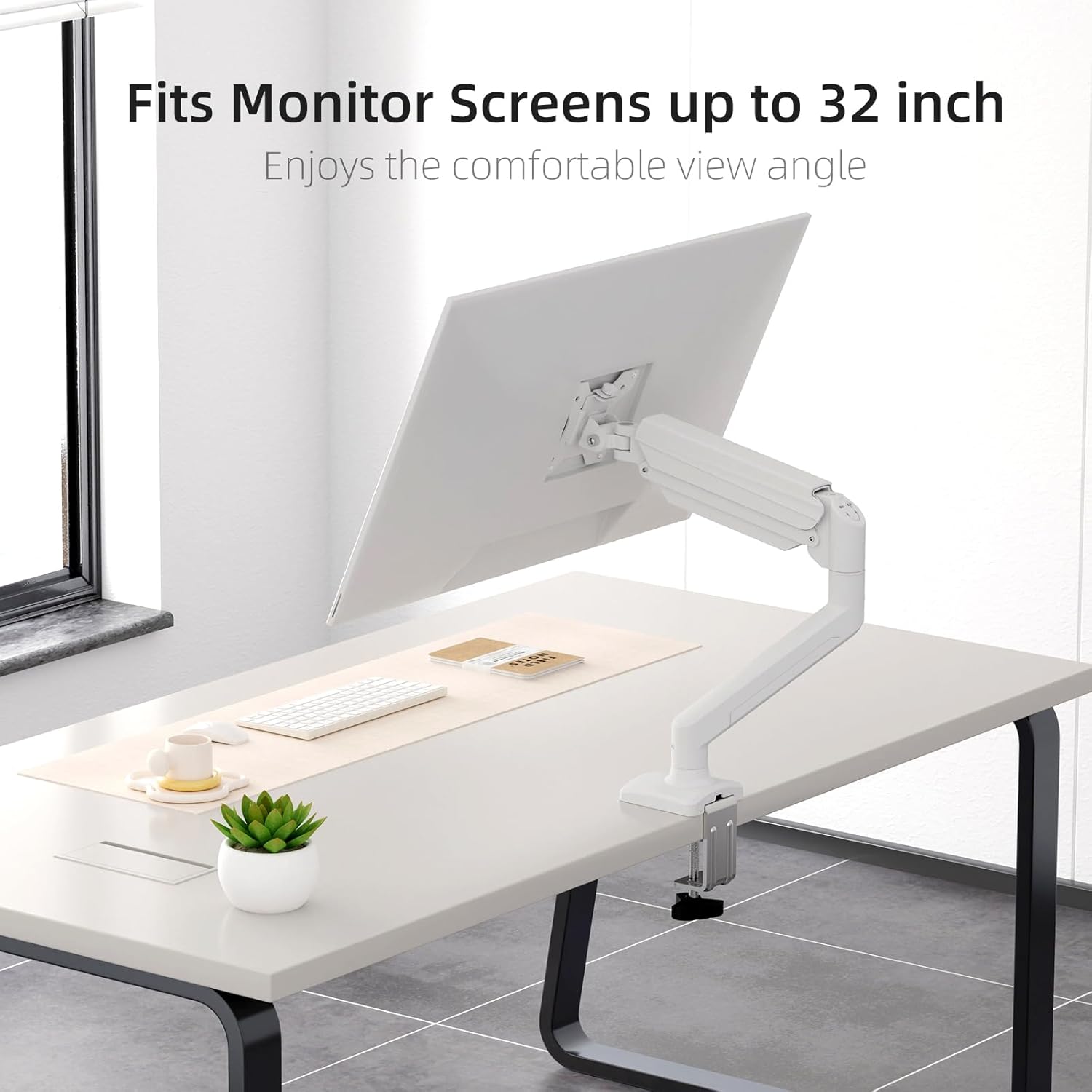
Figure 3: Monitor attached to the suptek monitor arm. This image demonstrates how the mount accommodates monitor screens up to 32 inches, providing a comfortable viewaçı.
5. Çalıştırma ve Ayarlamalar
The gas spring arm allows for flexible and smooth adjustments to achieve your desired monitor position.

Figure 4: Full adjustability of the monitor arm. The arm allows for tilt (±90°), swivel (±90°), and 360° rotation for optimal viewIng.
5.1 Gaz Yay Gerilimi Ayarı
The gas spring tension needs to be adjusted according to the weight of your monitor. Use the provided Allen key to adjust the tension screw located on the arm.
- If the monitor falls down, turn the screw saat yönünde (+) Gerilimi artırmak için.
- If the monitor rises up too easily, turn the screw saat yönünün tersine (-) to reduce tension.

Figure 5: Easy gas spring adjustment. Turn the screw clockwise (+) to increase tension if the equipment falls down, or counter-clockwise (-) to reduce tension if the equipment raises up too easily.
5.2 Height, Tilt, Swivel, and Rotation
- Yükseklik Ayarı: Gently push or pull the monitor to the desired height. The gas spring will hold it in place once tension is correctly set.
- Tilt: Tilt the monitor screen up or down (±80°) to reduce glare and optimize viewaçı.
- Döner: Swivel the monitor left or right (±90°) to share your screen or adjust your viewpozisyon.
- Rotasyon: Rotate the monitor 360° between landscape and portrait orientations.
5.3 Kablo Yönetimi
Route your monitor cables through the integrated cable management clips on the arm to maintain a tidy workspace.

Figure 6: Integrated cable management. Cables can be routed along the arm to keep the workspace neat and prevent wire entanglement.
6. Bakım
Düzenli bakım, monitör standınızın uzun ömürlü ve güvenli çalışmasını sağlar.
- Temizlik: Montajı yumuşak bir bezle silin.amp Bez. Aşındırıcı temizleyicilerden veya çözücülerden kaçının.
- Bağlantıları Kontrol Edin: Periodically check all screws and bolts, especially those securing the mount to the desk and the monitor to the VESA plate, to ensure they are tight.
- Gazlı Yay: If the gas spring tension feels off, re-adjust it according to Section 5.1.
7. Sorun Giderme
If you encounter issues with your monitor mount, refer to the following common problems and solutions.
| Sorun | Olası Neden | Çözüm |
|---|---|---|
| Monitor sags or falls down | Gaz yayının gerginliği monitör ağırlığına göre çok düşük. | Ayar vidasını saat yönünde (+) çevirerek gaz yayının gerilimini artırın. Bölüm 5.1'e bakınız. |
| Monitor floats up or is hard to push down | Gaz yayının gerginliği monitör ağırlığına göre çok yüksek. | Ayar vidasını saat yönünün tersine (-) çevirerek gaz yayının gerilimini azaltın. Bölüm 5.1'e bakın. |
| Mount is wobbly or unstable | masa clamp/grommet yuvası yeterince sıkılmamış. | Masa temizliğinin sağlanmasıamp veya gromet yuvasının masaya güvenli bir şekilde sabitlendiğinden emin olun. Tüm bağlantı noktalarını kontrol edin. |
| Monitor does not attach to VESA plate | Incorrect VESA screws or plate orientation. | Ensure you are using the correct VESA screws for your monitor and that the VESA plate is oriented correctly. |
8. Özellikler
- Marka: suptek
- Modeli: MD01AW
- Malzeme: Alaşımlı Çelik
- Renk: Beyaz
- Montaj Tipi: Masaüstü Montajı (C-cl)amp veya Halka)
- Hareket Türü: Döndürme, Eğme, Çevrilebilir Hareket, Yükseklik Ayarı
- Uyumlu Cihazlar: Monitors 13-32 inches
- Ağırlık Kapasitesi: 4.4 - 19.8 lbs (2 - 9 kg)
- VESA Uyumluluğu: 75x75mm, 100x100mm
- Maksimum Eğim Açısı: 80 Derece
- Masa Kalınlığı (C-cl)amp): 10-70 mm
- Masa Kalınlığı (Kablo Deliği): 10-70 mm
- Grommet Hole Diameter: 10-60 mm
- Ürün Ağırlığı: Yaklaşık 4.76 pound (2.16 kg)
- Paket Boyutları: Yaklaşık 15.12 x 7.99 x 4.25 inç
9. Garanti ve Destek
suptek products are manufactured with quality and care. For warranty information or technical support, please refer to the contact details provided with your purchase or visit the official suptek website. Please have your model number (MD01AW) and purchase date available when contacting support.


