1. Önemli Güvenlik Talimatları
Please read all instructions carefully before using the AMEIFU PC450A Dehumidifier. Retain this manual for future reference.
- Güç adaptörünün yerel voltaj seviyenizle uyumlu olduğundan emin olun.tage (100-240V AC, 50/60Hz).
- Nem alma cihazını, güç kablosunu veya fişini suya veya başka sıvılara batırmayın.
- Herhangi bir temizlik veya bakım işlemi yapmadan önce mutlaka cihazın fişini çekin.
- Üniteyi ısı kaynaklarından, doğrudan güneş ışığından ve yanıcı maddelerden uzak tutun.
- Do not block the air inlet or outlet. Ensure proper ventilation around the unit.
- Bu cihaz, fiziksel, duyusal veya zihinsel yetenekleri kısıtlı olan veya deneyim ve bilgi eksikliği bulunan kişiler (çocuklar dahil) tarafından, güvenliklerinden sorumlu bir kişi tarafından cihazın kullanımıyla ilgili olarak gözetim veya talimat sağlanmadığı sürece kullanılmak üzere tasarlanmamıştır.
- Only use the original power adapter provided with the unit.
- Güç kablosu hasar görmüşse, tehlikeyi önlemek için üretici, servis acentesi veya benzer vasıflı kişiler tarafından değiştirilmelidir.
2. Ürün Bittiview
The AMEIFU PC450A Dehumidifier utilizes advanced semiconductor technology to efficiently remove excess moisture from the air, creating a more comfortable environment. It features a 135 oz (4000 ml) water tank and is suitable for areas up to 900 sq.ft.
Paket İçeriği:
- AMEIFU PC450A Dehumidifier x 1
- Su Deposu x 1
- Güç Adaptörü x 1
- Kullanıcı Kılavuzu x 1
Ünite Bileşenleri:
Nem alma cihazınızın ana parçalarını tanıyın.
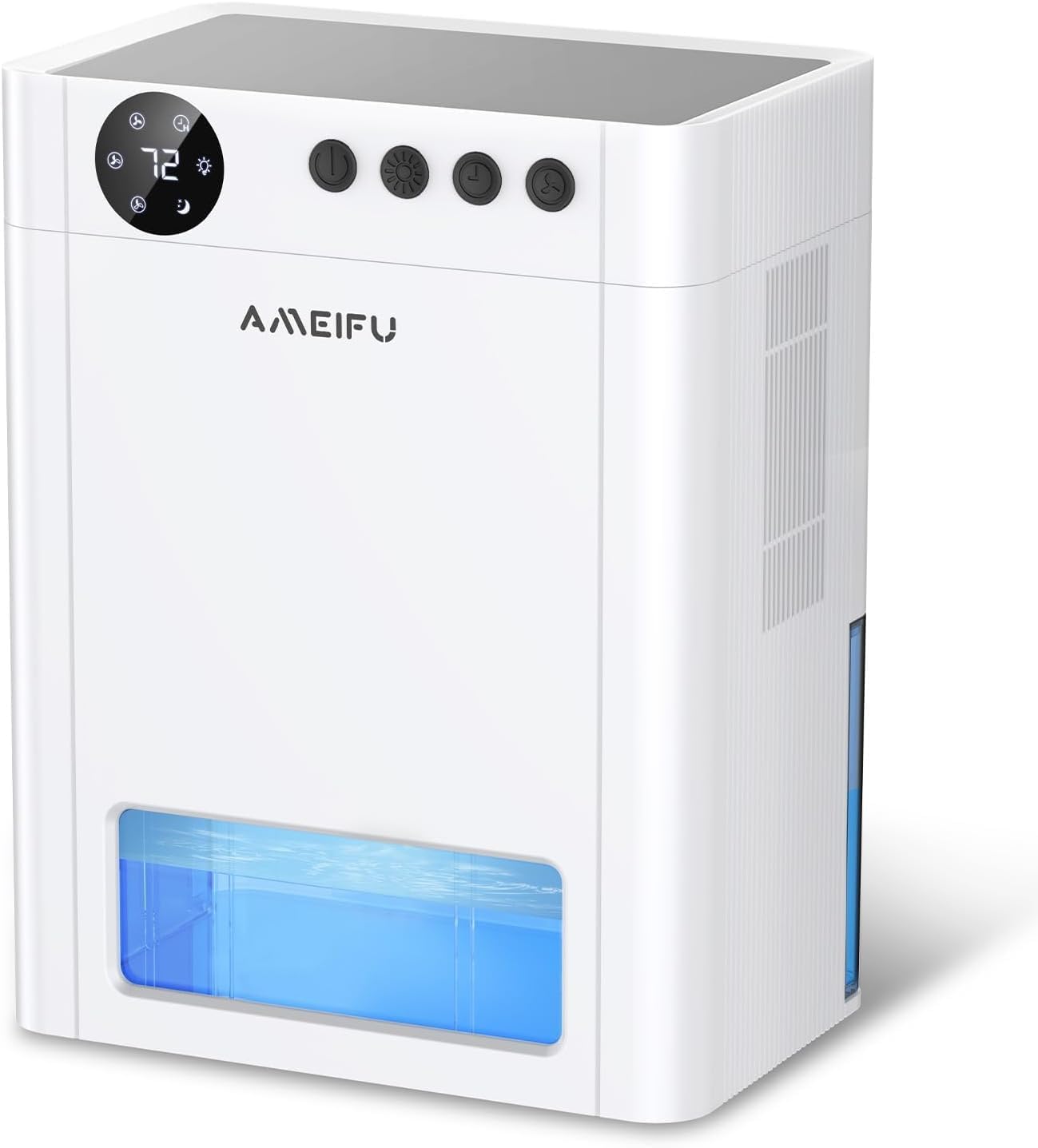
Resim 2.1: Ön view of the AMEIFU PC450A Dehumidifier, showing the digital display, control buttons, and the transparent water tank.

Resim 2.2: An internal diagram illustrating the dual semiconductor components responsible for efficient moisture removal.
Kontrol Paneli:
The control panel is located on the top of the unit and features a digital display and several buttons for easy operation.

Resim 2.3: Ayrıntılı view of the control panel, indicating the Power, Night Light, Timer, and Speed buttons, along with their respective functions and display indicators.
- Güç Düğmesi: Üniteyi açar veya kapatır.
- Gece Işığı Düğmesi: Activates or deactivates the 7-color LED ambient light. Long press to turn off the light.
- Zamanlayıcı Düğmesi: Sets the operating timer for 1H, 2H, 4H, 8H, 12H, 24H, 48H, or 72H.
- Hız Düğmesi: Adjusts the fan speed between 1-speed (low), 2-speed (medium), and 3-speed (high) modes.
- Uyku Modu Göstergesi: Activates a quiet operation mode.
- Nem Göstergesi: Shows the current humidity level.
3. Kurulum
Kutudan Çıkarma:
- Nem alma cihazını ve tüm aksesuarlarını ambalajından dikkatlice çıkarın.
- Ünitede herhangi bir hasar belirtisi olup olmadığını kontrol edin. Hasarlıysa, çalıştırmayın ve müşteri hizmetleriyle iletişime geçin.
- Cihazın üzerindeki koruyucu filmleri veya ambalaj malzemelerini çıkarın.
Atama:
For optimal performance, place the dehumidifier in an area where humidity is highest and air circulation is good. Ensure there is at least 8 inches (20 cm) of space around the air inlet and outlet for unrestricted airflow.
- Önerilen Lokasyonlar: Basements, bedrooms, bathrooms, closets, RVs, kitchens, cabinets, garages.
- Avoid placing the unit near sources of water splashes or in direct sunlight.
- Place the unit on a flat, stable surface to prevent tipping and ensure proper water collection.
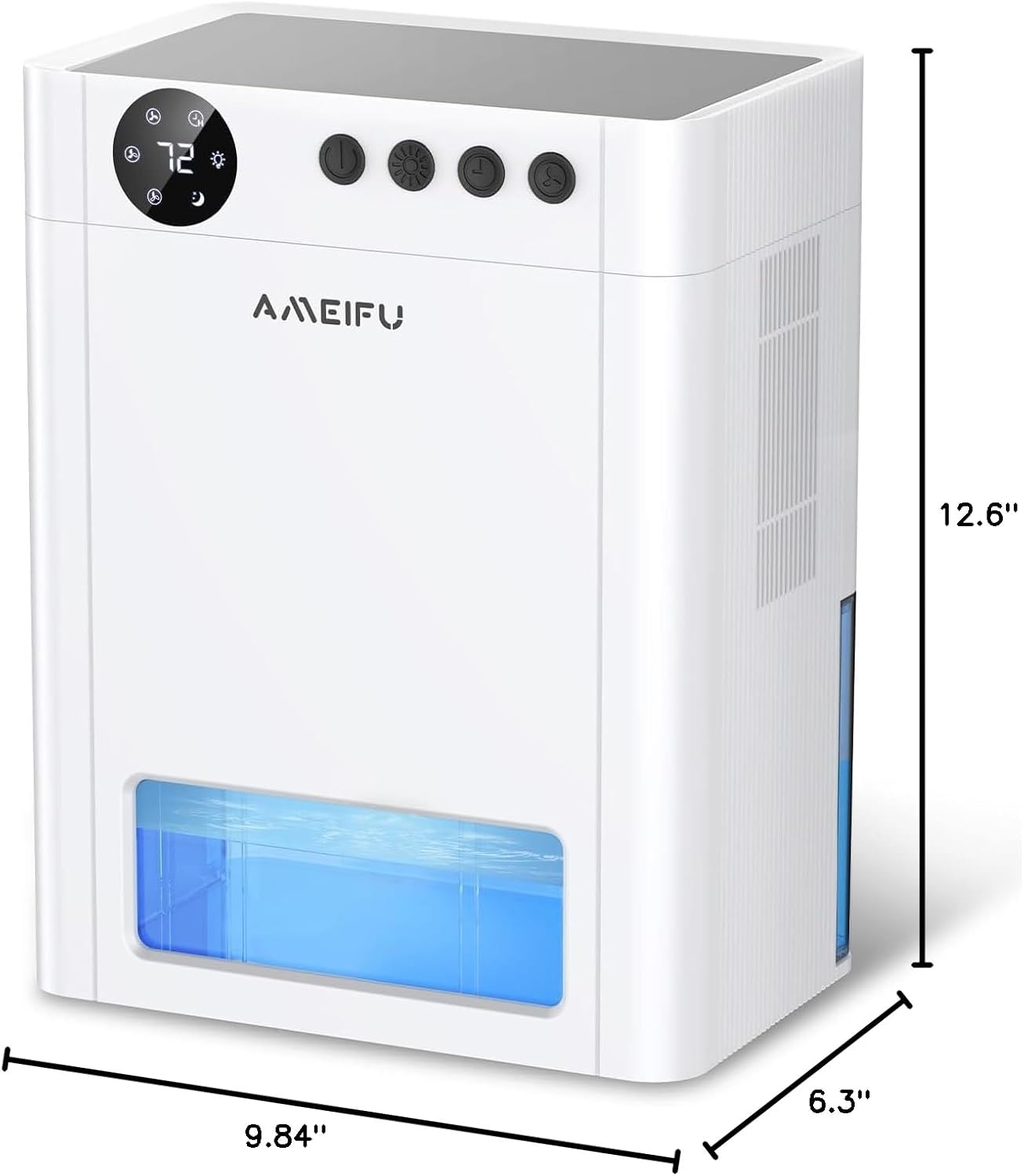
Resim 3.1: The physical dimensions of the dehumidifier, measuring 6.3 inches deep, 9.84 inches wide, and 12.6 inches high, useful for planning placement.
Güç Bağlantısı:
- Su deposunun üniteye doğru şekilde takıldığından emin olun.
- Connect the power adapter to the power input port on the dehumidifier.
- Plug the power adapter into a suitable electrical outlet. The unit will enter standby mode.
4. Operasyon
Güç Açma/Kapatma:
- Basın Güç Düğmesi once to turn the dehumidifier on. The display will light up, and the fan will start operating.
- Basın Güç Düğmesi Üniteyi kapatmak için tekrar basın.
Adjusting Fan Speed (Operating Modes):
The dehumidifier offers different fan speeds to suit your needs.
- Basın Hız Düğmesi to cycle through the available fan speeds: 1-speed (low), 2-speed (medium), and 3-speed (high).
- Uyku modu: The unit features a quiet sleep mode (approximately 35dB) for undisturbed operation during rest or study. This mode is typically activated by selecting the lowest fan speed or a dedicated sleep mode setting if available on the control panel.
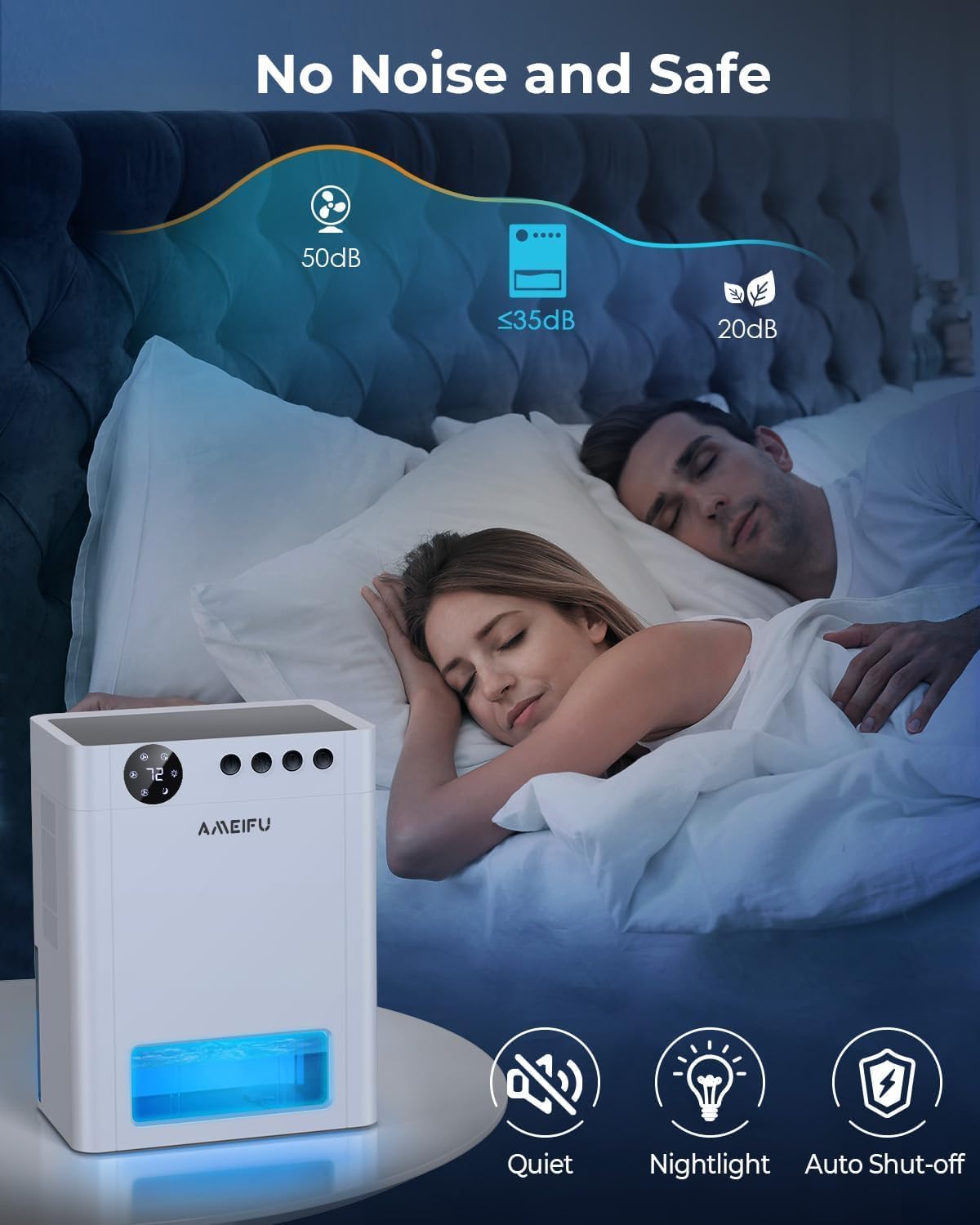
Resim 4.1: The dehumidifier operating quietly in a bedroom, demonstrating its suitability for sleep environments with noise levels below 35dB.
Zamanlayıcıyı Ayarlama:
Use the timer function to set a specific operating duration.
- Basın Zamanlayıcı Düğmesi repeatedly to select the desired operating time: 1H, 2H, 4H, 8H, 12H, 24H, 48H, or 72H.
- Cihaz, ayarlanan süre dolduktan sonra otomatik olarak kapanacaktır.
LED Ortam Işığı:
The dehumidifier includes a 7-color LED light feature.
- Basın Gece Lambası Düğmesi to cycle through the 7 available colors or to set it to auto-cycle.
- Uzun basın Gece Lambası Düğmesi to turn the LED light off.
Otomatik Kapanma:
For safety and convenience, the unit is equipped with an automatic shut-off feature.
- When the water tank is full, the dehumidifier will automatically turn off to prevent overflow.
- A red indicator light will flash to alert you that the tank needs to be emptied.
- The unit will resume operation once the water tank has been emptied and reinserted correctly.

Resim 4.2: Visual representation of the dehumidifier operating with a partially filled water tank (left) and the automatic shut-off state when the tank is full, indicated by a red warning (right).
Otomatik Defrost:
The dehumidifier includes an automatic defrost function to prevent frost accumulation on the internal components, ensuring continuous and efficient operation, especially in cooler environments.
5. Bakım
Regular maintenance ensures the longevity and optimal performance of your dehumidifier.
Su Tankını Boşaltma:
- When the water tank is full, the unit will automatically shut off, and the red indicator light will flash.
- Nem alma cihazının ön tarafındaki su tankını dikkatlice dışarı çekin.
- Toplanan suyu dökün.
- Boş su deposunu yerine oturana kadar üniteye geri kaydırın. Nem alma cihazı çalışmaya devam edecektir.
Ünitenin Temizlenmesi:
- Temizlemeden önce mutlaka nem gidericinin fişini çekin.
- Ünitenin dışını yumuşak bir bezle silin.amp bezle silin. Aşındırıcı temizleyiciler veya çözücüler kullanmayın.
- Clean the air inlet and outlet grilles regularly to prevent dust buildup, which can impede airflow. Use a soft brush or vacuum cleaner attachment.
- Clean the water tank with mild soap and water periodically to prevent mold or mildew growth. Rinse thoroughly and dry before reinserting.
Filtre Bakımı:
While this model is designed with semiconductor technology for dehumidification, it may include a basic dust filter to protect internal components. If your unit has a removable filter, it is typically located behind the air inlet grille. Gently remove and clean it with a soft brush or vacuum. If you are unable to locate a removable filter or require further assistance, please refer to the troubleshooting section or contact customer support.
6. Sorun Giderme
Nem alma cihazınızla ilgili herhangi bir sorunla karşılaşırsanız, lütfen aşağıdaki yaygın sorunlar ve çözümlere bakın:
| Sorun | Olası Neden | Çözüm |
|---|---|---|
| Nem alma cihazı çalışmıyor. | No power supply; Power adapter not connected; Water tank full or incorrectly inserted. | Check power connection and outlet; Ensure power adapter is securely plugged in; Empty and correctly reinsert the water tank. |
| Ünite çalışıyor ancak su toplamıyor. | Ambient humidity is too low; Room temperature is too low; Air inlet/outlet blocked. | Dehumidifiers are most effective in environments with relative humidity above 40% and temperatures above 50°F (10°C); Ensure proper clearance around the unit; Clean any obstructions. |
| Birim gürültülü. | Unit not on a flat surface; Fan speed set too high. | Place the unit on a stable, flat surface; Select a lower fan speed (e.g., Sleep Mode). |
| Kırmızı gösterge ışığı yanıp sönüyor. | Su deposu dolu. | Su deposunu boşaltın ve doğru şekilde tekrar takın. |
| Üniteden hoş olmayan bir koku geliyor. | Water tank needs cleaning; Dust buildup. | Clean the water tank thoroughly; Clean the air inlet/outlet and any accessible filters. |
If the problem persists after trying these solutions, please contact AMEIFU customer support for further assistance.
7. Özellikler
| Özellik | Detay |
|---|---|
| Marka | AMEIFU |
| Model Adı | 135OZ Dehumidifier |
| Ürün Model Numarası | PC450A |
| Kapsama Alanı | 900 Metrekareye kadar |
| Su Tankı Kapasitesi | 135 Sıvı Ons (yaklaşık 4000 ml) |
| Ürün Boyutları (D x G x Y) | 6.3"D x 9.84"G x 12.6"Y |
| Ürün Ağırlığı | 6.74 pound |
| Malzeme | Akrilonitril Bütadien Stiren (ABS) |
| Çalışma Modu | Sürekli |
| Özel Özellikler | Quiet Operation (35dB), Sleep Mode, Automatic Shutoff, Automatic Defrost, Timing settings, 7 Color LED Light |
| Önerilen Kullanımlar | Home, Bedroom, Basement, Bathroom, Closet, RV |
8. Garanti ve Destek
Your AMEIFU PC450A Dehumidifier comes with a manufacturer's warranty. Please refer to the warranty card included in your packaging or contact AMEIFU customer support for specific details regarding warranty coverage and terms.
Müşteri Desteği:
For any questions, technical assistance, or warranty claims, please contact AMEIFU customer support through the retailer where the product was purchased or visit the official AMEIFU webiletişim bilgileri için site.
Please have your model number (PC450A) and purchase details ready when contacting support.


