1. Giriş
Satın aldığınız için teşekkür ederizasing the ZEBRONICS PROTONE ONE Portable Bluetooth Speaker. This powerful and versatile speaker is designed to deliver an immersive audio experience with its 120W output, dual full-range drivers, and dual tweeters. It features multiple connectivity options, including Bluetooth v5.0, USB, mSD, and AUX, along with dedicated inputs for a microphone and guitar. The PROTONE ONE also includes a wireless UHF microphone for karaoke and recording functions, making it ideal for various entertainment needs. Please read this manual carefully before using the product to ensure proper operation and to maximize its lifespan.
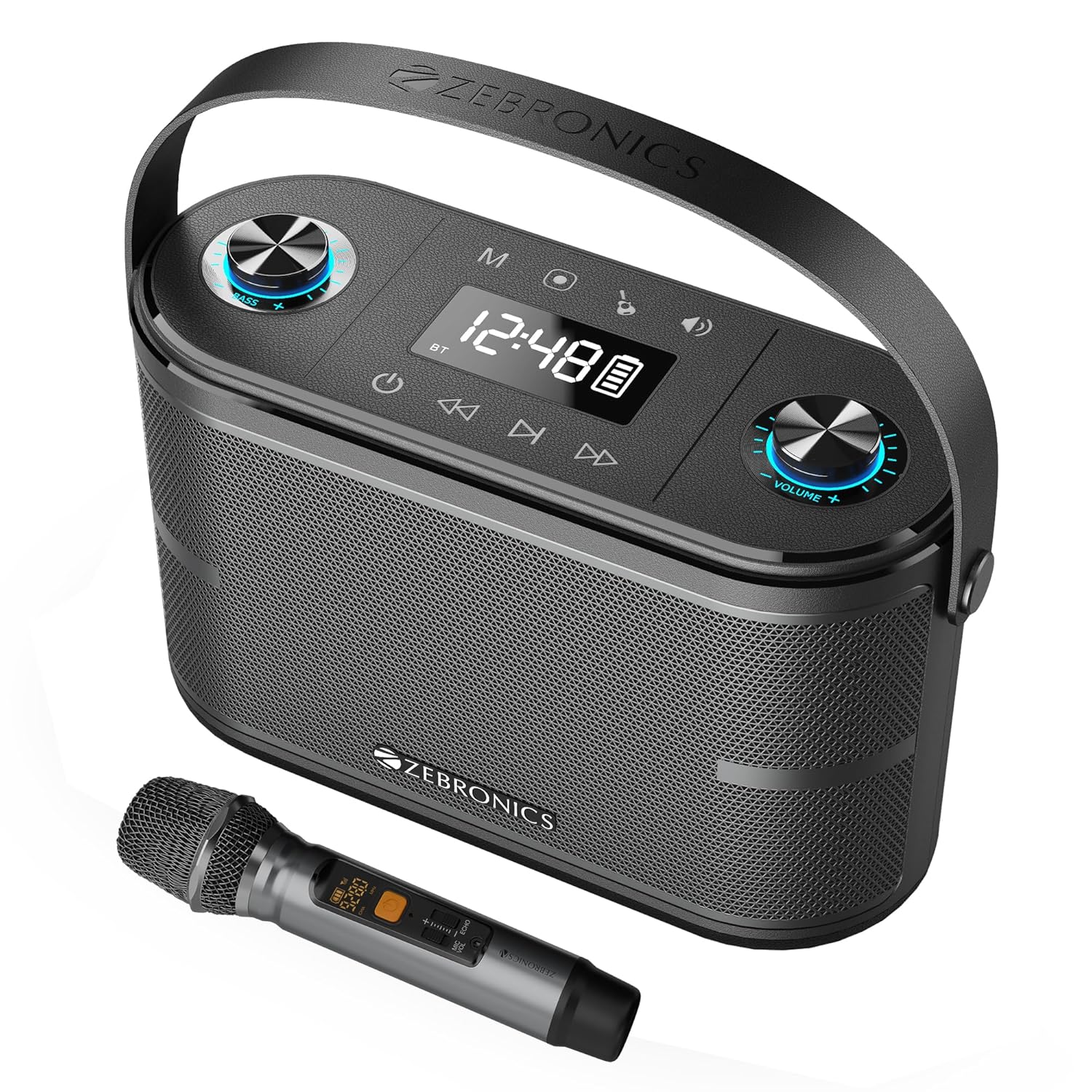
Image: The ZEBRONICS PROTONE ONE speaker shown with its accompanying wireless microphone, highlighting its portable design and integrated handle.
2. Güvenlik Talimatları
Güvenli çalışmayı sağlamak ve hasarı önlemek için lütfen aşağıdaki önlemlere uyun:
- Hoparlörü suya, neme veya aşırı sıcaklıklara maruz bırakmayın.
- Hoparlörü radyatör, soba veya diğer ısı üreten cihazlar gibi ısı kaynaklarının yakınına yerleştirmekten kaçının.
- Havalandırma açıklıklarını hiçbir şekilde kapatmayın. Hoparlörün etrafında yeterli hava akışı olduğundan emin olun.
- Yalnızca üretici tarafından belirtilen aparatları/aksesuarları kullanın.
- Yıldırımlı havalarda veya uzun süre kullanılmayacaksa hoparlörün fişini çekin.
- Tüm servisleri kalifiye servis personeline yaptırın. Cihaz herhangi bir şekilde hasar gördüğünde, örneğin güç kaynağı kablosu veya fişi hasar gördüğünde, cihaza sıvı döküldüğünde veya içine nesneler düştüğünde, cihaz yağmura veya neme maruz kaldığında, normal şekilde çalışmadığında veya düşürüldüğünde servis gereklidir.
- Do not disassemble the unit. This will void the warranty.
3. Paket İçeriği
Lütfen kutuyu açtığınızda paket içeriğini kontrol edin:
- ZEBRONICS PROTONE ONE Portable Bluetooth Speaker: 1 Unit
- Wireless UHF Microphone: 1 Unit
- Charging Adapter: 1 Unit
- AUX Cable: 1 Unit
- Kullanım Kılavuzu: 1 Adet
4. Ürün Düzeni ve Kontrolleri
Familiarize yourself with the various parts and controls of your PROTONE ONE speaker.
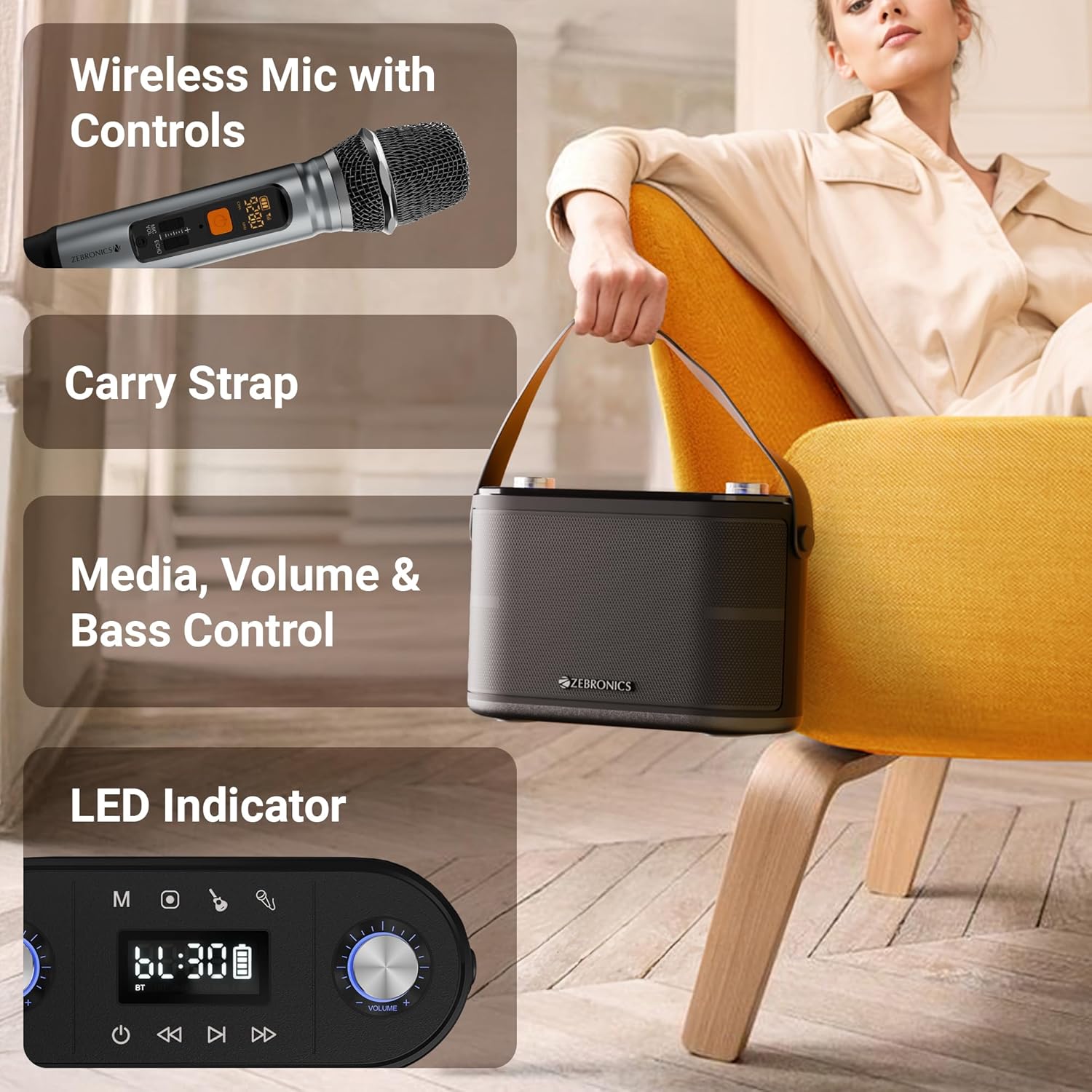
Resim: Ayrıntılı view of the speaker's top panel showing control knobs, LED display, and media controls, alongside the wireless microphone with its own display.
Üst Panel Kontrolleri:
- Güç Düğmesi: Hoparlörü açmak/kapatmak için basılı tutun.
- Mod Düğmesi (M): Press to switch between Bluetooth, USB, mSD, and AUX modes.
- Oynat/Duraklat Düğmesi: Sesi çalmak veya duraklatmak için basın.
- Önceki Parça Düğmesi: Önceki parçaya gitmek için basın.
- Sonraki Parça Düğmesi: Sonraki parçaya gitmek için basın.
- Ses Düğmesi: Rotate to adjust the main speaker volume.
- Yankı Düğmesi: Rotate to adjust the echo effect for the microphone.
- Mikrofon Ses Düğmesi: Rotate to adjust the microphone volume.
- Bas Düğmesi: Bas seviyesini ayarlamak için döndürün.
- LED ekran: Geçerli modu, parça bilgilerini ve pil durumunu gösterir.
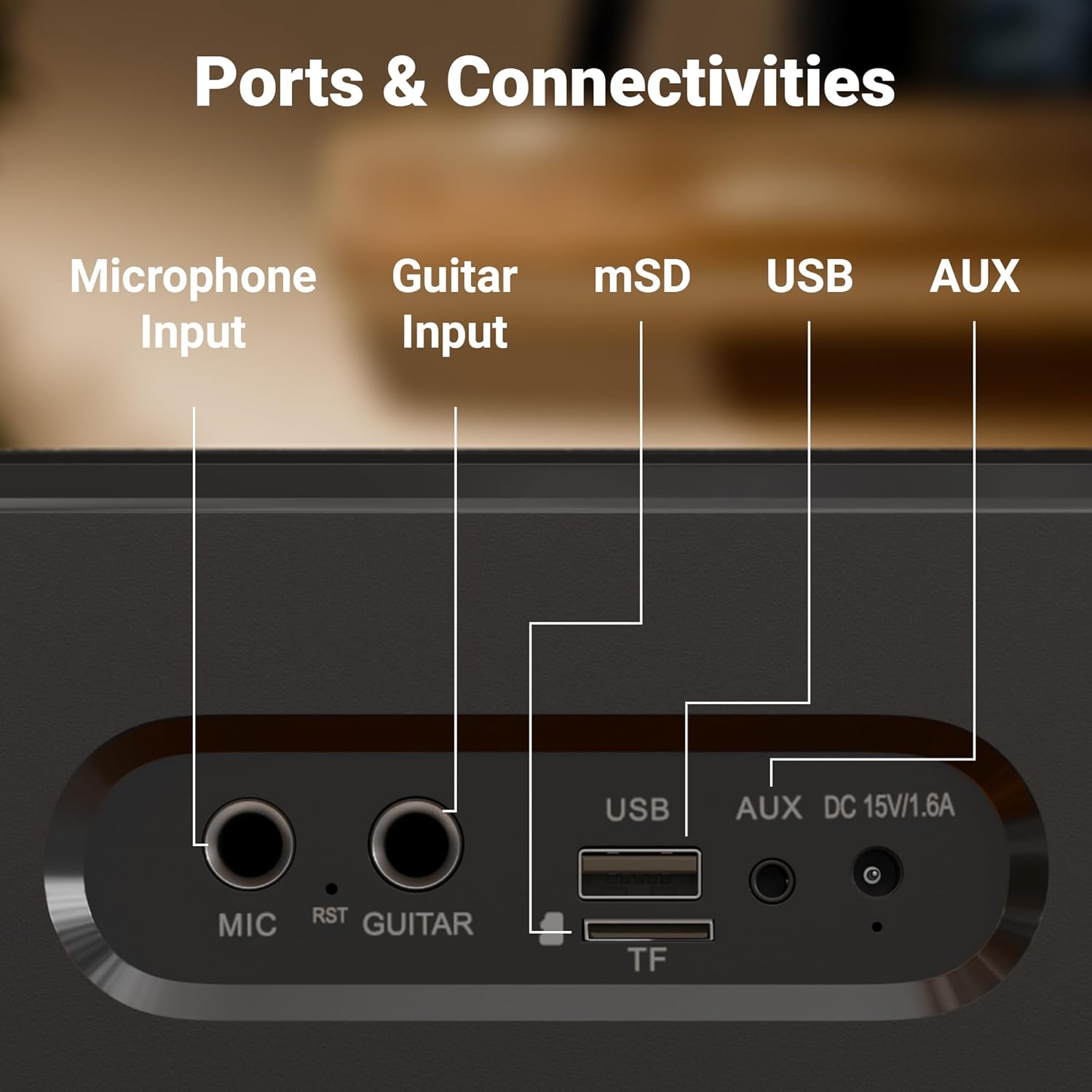
Resim: Yakın çekim view of the rear panel of the speaker, clearly labeling the Microphone Input, Guitar Input, mSD card slot, USB port, AUX input, and DC 15V/1.6A charging port.
Arka Panel Bağlantı Noktaları:
- MIC Input (6.3mm): For connecting an external wired microphone.
- GUITAR Input (6.3mm): Gitar bağlamak için.
- mSD Card Slot (TF): microSD karttan ses dosyaları oynatmak için.
- USB Bağlantı Noktası: USB flash bellekten ses çalmak için.
- AUX Girişi: Harici ses cihazlarını 3.5 mm kablo ile bağlamak için.
- DC 15V/1.6A Giriş: Hoparlörü şarj etmek için.
5. Kurulum
İlk Şarj:
Before first use, fully charge the speaker. Connect the provided charging adapter to the DC 15V/1.6A input port on the speaker and plug it into a power outlet. The LED display will indicate charging status. Once fully charged, the charging indicator will change or turn off. A full charge provides up to 8 hours of playtime at 50% volume.
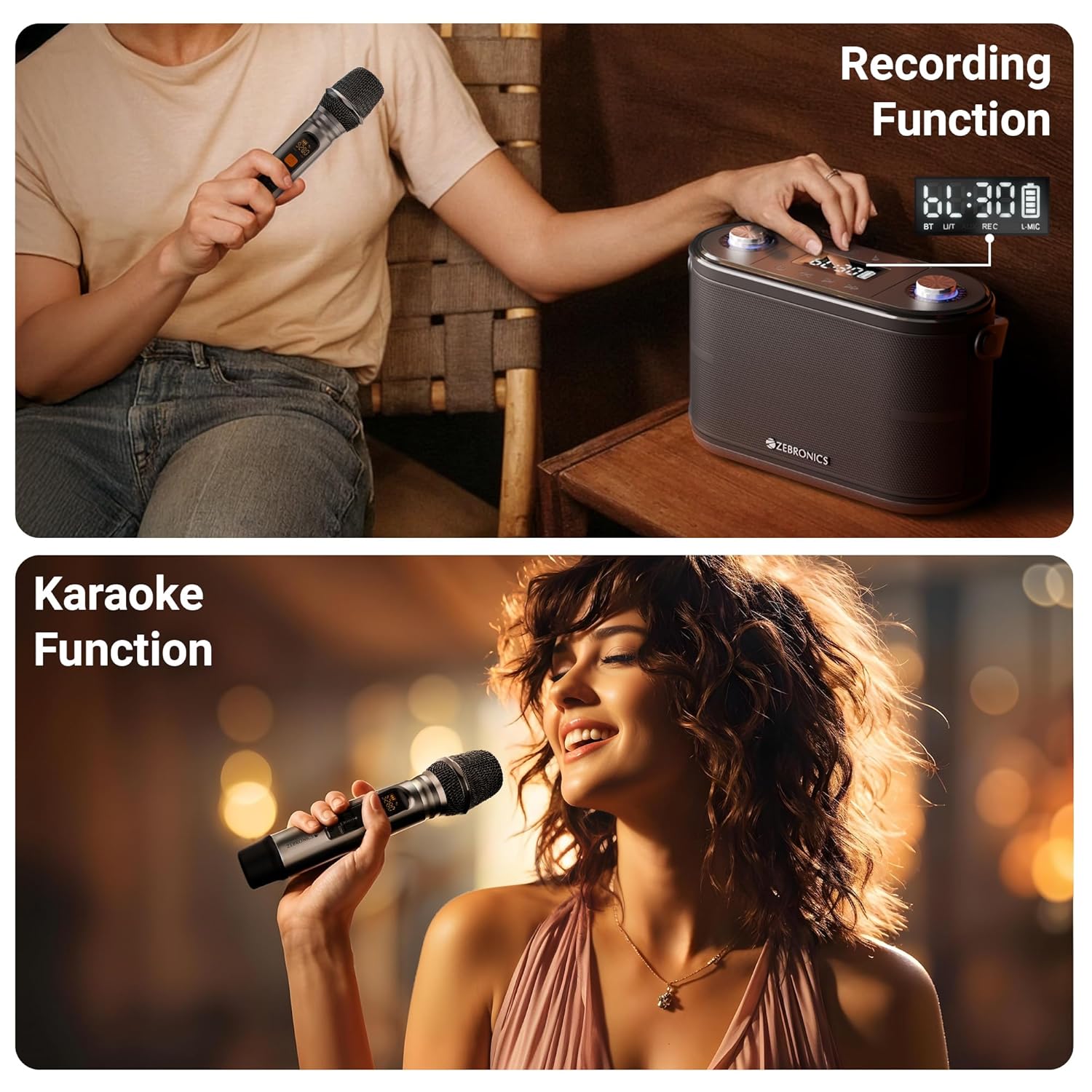
Image: The speaker is shown with an overlay indicating "Built-in Rechargeable Battery" and "Up to 8h* Backup", illustrating its portability and battery life.
Wireless Microphone Setup:
The wireless UHF microphone is pre-paired with the speaker. Simply insert batteries into the microphone (not included) and turn it on. The microphone will automatically connect to the speaker. Ensure the microphone's display shows a stable connection.
6. Kullanım Talimatları
Güç Açma/Kapatma:
Press and hold the Power button on the top panel to turn the speaker ON or OFF.
Mod Seçimi:
Press the "M" (Mode) button repeatedly to cycle through available input modes: Bluetooth, USB, mSD, and AUX.
Bluetooth Mode (BT v5.0):
- Turn on the speaker and switch to Bluetooth mode. The LED display will show "BT" and a blinking Bluetooth icon, indicating it's in pairing mode.
- Mobil cihazınızda veya bilgisayarınızda Bluetooth'u etkinleştirin.
- Arama "ZEB-PROTONE ONE" in the list of available devices and select it to connect.
- Once connected, the Bluetooth icon on the speaker's display will stop blinking, and you will hear a confirmation tone.
- Artık cihazınızdaki sesleri hoparlörünüz aracılığıyla oynatabilirsiniz.
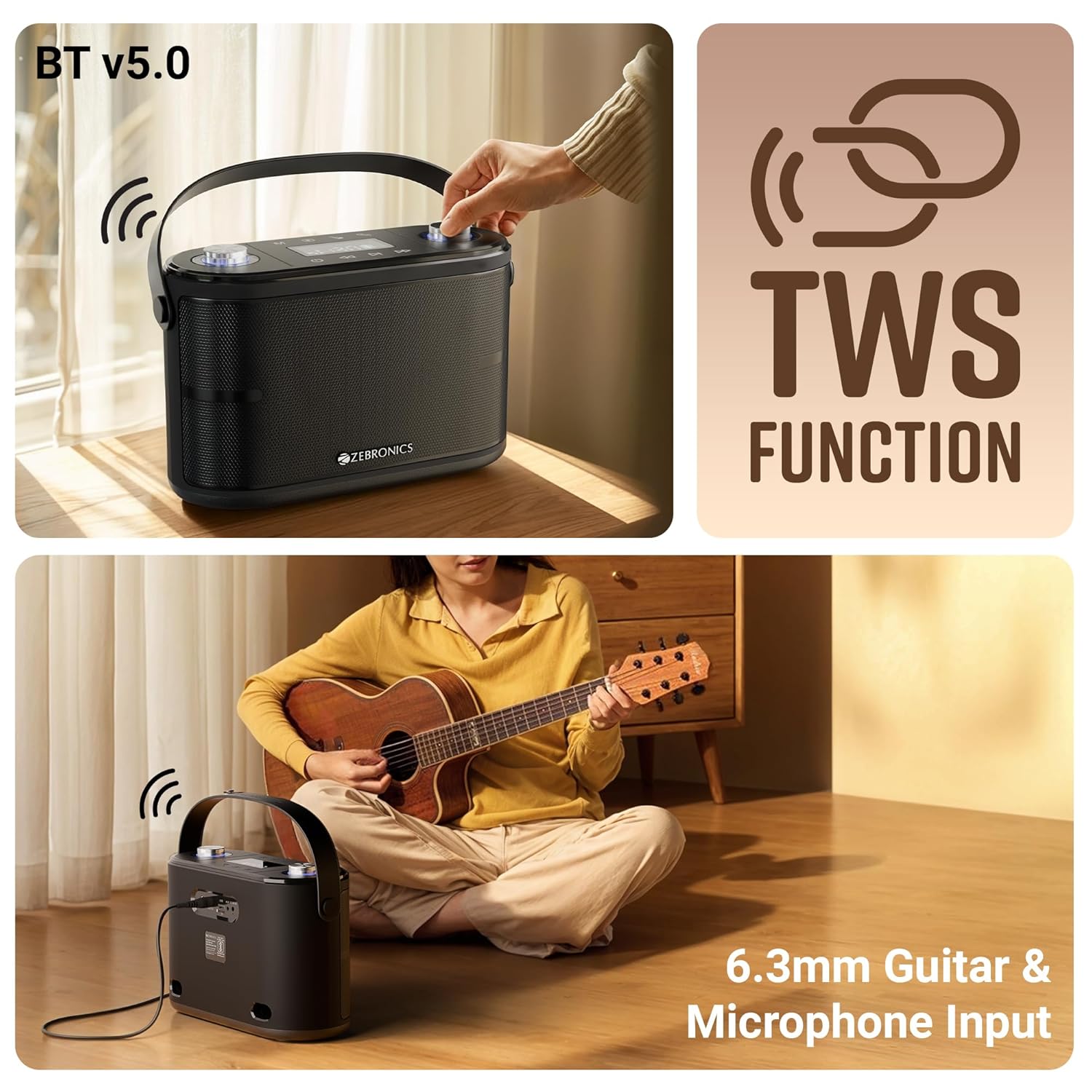
Image: This composite image illustrates the speaker's Bluetooth v5.0 connectivity, the TWS (True Wireless Stereo) function, and the 6.3mm Guitar & Microphone Input ports.
USB / mSD Mode:
Insert a USB flash drive or a microSD card (with pre-loaded MP3/WAV files) into the respective port. The speaker will automatically switch to USB or mSD mode and begin playing audio. Use the Play/Pause, Previous, and Next buttons to control playback.
AUX Modu:
Connect an external audio device (e.g., smartphone, MP3 player) to the AUX input port using the provided 3.5mm AUX cable. Switch the speaker to AUX mode using the Mode button. Audio will now play from your connected device.
Microphone Usage (Wireless & Wired):
- Kablosuz Mikrofon: Ensure the wireless microphone is powered on. It will automatically connect. Adjust microphone volume using the "Mic Vol" knob and echo effect using the "Echo" knob on the speaker.
- Kablolu Mikrofon: Plug a 6.3mm wired microphone (not included) into the "MIC" input port. Adjust volume and echo as with the wireless mic.
Gitar Girişi:
Connect your guitar to the "GUITAR" input port using a 6.3mm cable. You can play your guitar along with music from other input sources.
TWS (Gerçek Kablosuz Stereo) İşlevi:
To experience true stereo sound, you can connect two ZEB-PROTONE ONE speakers together:
- Her iki hoparlörün de açık ve Bluetooth modunda olduğundan emin olun.
- On one of the speakers (this will be the primary unit), press and hold the "Play/Pause" button for a few seconds until you hear a confirmation tone, indicating TWS pairing mode.
- Birincil konuşmacı otomatik olarak ikinci konuşmacıyı arayacak ve ona bağlanacaktır.
- Once connected, both speakers will play audio in stereo. You can control playback and volume from either speaker or your connected Bluetooth device.
Kayıt Fonksiyonu:
The speaker supports recording your microphone input directly to a USB drive or mSD card.
- Insert a USB drive or mSD card into the respective slot.
- Ensure the microphone is connected and working.
- Press the "REC" button (if available, or a combination of buttons as per specific model, typically Play/Pause or Mode button long press in recording mode) to start recording. The display may show "REC".
- Press the "REC" button again to stop recording. The recorded file will be saved on your USB drive or mSD card.

Image: This image demonstrates the speaker's recording capability, showing the display indicating recording status, and also illustrates the karaoke function with a person singing into the microphone.
Karaoke İşlevi:
To use the karaoke function, simply play music from any source (Bluetooth, USB, mSD, AUX) and use the connected microphone to sing along. Adjust the music volume, microphone volume, and echo effect to your preference for the best karaoke experience.
7. Şarj Etme
The ZEBRONICS PROTONE ONE speaker features a built-in rechargeable battery. When the battery is low, the speaker will indicate this via the LED display or an audible prompt. To charge the speaker:
- Connect the provided charging adapter to the DC 15V/1.6A input port on the rear of the speaker.
- Plug the adapter into a standard wall power outlet.
- The LED display will show a charging indicator.
- Once fully charged, the indicator will change or turn off. Disconnect the charger to preserve battery life.
Not: Do not use any charger other than the one provided by the manufacturer. Overcharging or using an incompatible charger may damage the battery and void the warranty.
8. Bakım
Proper care and maintenance will ensure the longevity of your speaker:
- Temizlik: Hoparlörün dış yüzeyini temizlemek için yumuşak, kuru bir bez kullanın. Aşındırıcı temizleyiciler, cilalar veya çözücüler kullanmayın.
- Depolamak: Uzun süre kullanılmayacaksa hoparlörü serin, kuru, doğrudan güneş ışığından ve aşırı sıcaklıklardan uzak bir yerde saklayın.
- Pil Bakım: Pil ömrünü uzatmak için pili sık sık tamamen boşaltmaktan kaçının. Pil sağlığını korumak için, kullanılmasa bile hoparlörü düzenli olarak şarj edin.
- İşleme: Hoparlörü dikkatli kullanın. Düşürmekten veya sert darbelere maruz bırakmaktan kaçının.
9. Sorun Giderme
If you encounter any issues with your ZEBRONICS PROTONE ONE speaker, please refer to the following common problems and solutions:
| Sorun | Olası Neden | Çözüm |
|---|---|---|
| Hoparlör açılmıyor. | Pil bitmiş. | Hoparlörü tam olarak şarj edin. |
| Hoparlörden ses gelmiyor. | Volume is too low or muted. Incorrect mode selected. Device not connected properly. | Increase volume. Ensure correct input mode (BT, USB, AUX). Reconnect device. |
| Bluetooth eşleştirme başarısız. | Hoparlör eşleştirme modunda değil. Cihazın Bluetooth'u kapalı. Hoparlörden çok uzakta. | Ensure speaker is in BT pairing mode. Turn on device Bluetooth. Move device closer (within 10m). Forget device and re-pair. |
| Mikrofon çalışmıyor. | Microphone not powered on. Batteries low/dead. Not connected properly. | Ensure mic is ON. Replace mic batteries. Check mic connection (for wired mic). Adjust mic volume. |
| Ses kalitesi düşük/bozuk. | Volume too high. Source audio quality poor. Interference. | Reduce volume. Try different audio source. Move away from other electronic devices. |
| USB/mSD not playing. | Desteklenmiyor file biçim. Bozuk files. Drive/card not inserted correctly. | Emin olmak files are MP3/WAV. Reinsert drive/card. Try different drive/card. |
If the problem persists after trying these solutions, please contact ZEBRONICS customer support for further assistance.
10. Özellikler
| Özellik | Şartname |
|---|---|
| Marka | ZEBRONİK |
| Model Adı | PROTONE BİR |
| Hoparlör Maksimum Çıkış Gücü | 120 Watt |
| Bağlantı Teknolojisi | Bluetooth v5.0, Auxiliary, USB, mSD |
| Ses Çıkışı Modu | Stereo |
| Montaj Tipi | Ayakta |
| Sürücüler | Dual 9.3 cm full-range drivers, Dual 3.1 cm tweeters |
| Oynatma Süresi | Up to 8 hours (@ 50% volume) |
| Mikrofon | Wireless UHF Microphone included |
| Girişler | 6.3mm Mic Input, 6.3mm Guitar Input |
| Özel Özellikler | TWS Function, Karaoke, Recording Function, Carry Strap, LED Display, Control Knobs |
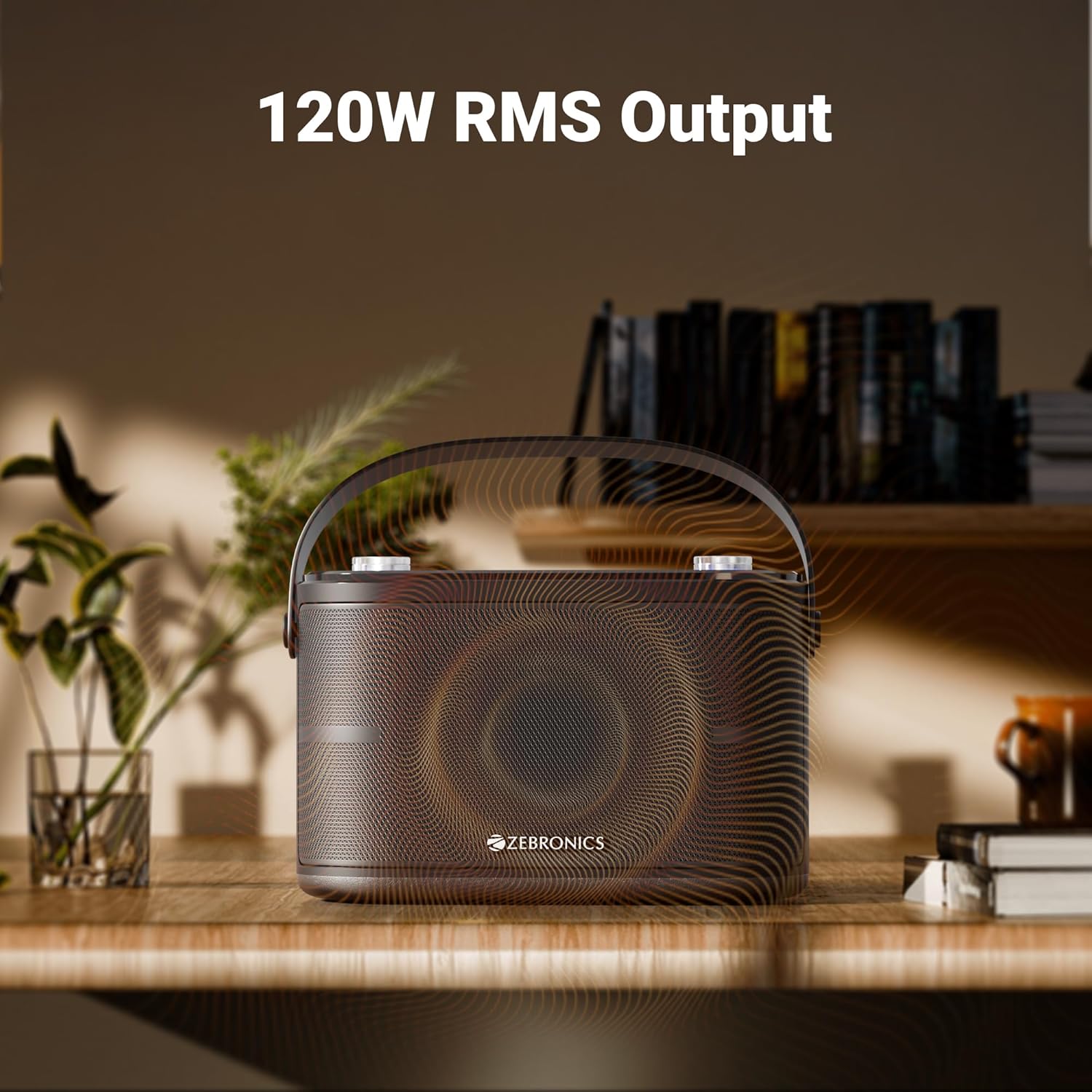
Image: The speaker is depicted with an overlay highlighting its "120W RMS Output", emphasizing its powerful audio capabilities.
11. Garanti ve Destek
For warranty information and customer support, please refer to the warranty card included in your package or visit the official ZEBRONICS webSite. Satın alma fişinizi, garanti talepleriniz için satın alma belgeniz olarak saklayın.
ZEBRONICS Customer Service:
- Webalan: www.zebronics.com
- E-posta: Başvurun webDestek e-postası için site.
- Telefon: Başvurun website for customer care numbers.


