1. Ürün Bittiview
The ShanWan Q37 Wireless Bluetooth Controller is a versatile gaming accessory designed for multi-platform compatibility. It offers a rich gaming experience with features like customizable buttons, macro functions, motion controls, linear motor vibration, and precise joysticks and triggers. This manual provides detailed instructions for setup, operation, and maintenance of your controller.

Resim: Ön view of the ShanWan Q37 Wireless Bluetooth Controller in blue.
2. İlk Kurulum
2.1 Kontrol Ünitesinin Şarj Edilmesi
Before first use, fully charge the controller. Connect the provided USB-C cable to the controller's charging port and the other end to a USB power source (e.g., computer, wall adapter). The indicator lights will show charging status and turn off when fully charged.
2.2 Eşleştirme Talimatları
The ShanWan Q37 controller supports various platforms. Follow the specific pairing instructions for your device:
- Nintendo Switch/Switch 2: Turn on your Switch console. On the HOME Menu, select 'Controllers' > 'Change Grip/Order'. Press and hold the pairing button on the controller until the indicator lights flash rapidly. Once paired, the corresponding player LED(s) will light up.
- Bilgisayar (Windows): Connect via Bluetooth in your PC's settings. Alternatively, connect directly using a USB-C cable for wired mode.
- Android/iOS/iPad/macOS: Enable Bluetooth on your device and search for 'ShanWan Q37'. Select it to pair.
- Buharlı Güverte: Follow standard Bluetooth pairing procedures for Steam Deck.
2.3 Firmware Update for Switch 2 Compatibility
For full compatibility with Switch 2 and to customize buttons, you may need to download the official 'Gamepad Space' software to upgrade the controller's firmware. Visit the official ShanWan website for the latest software version and instructions.
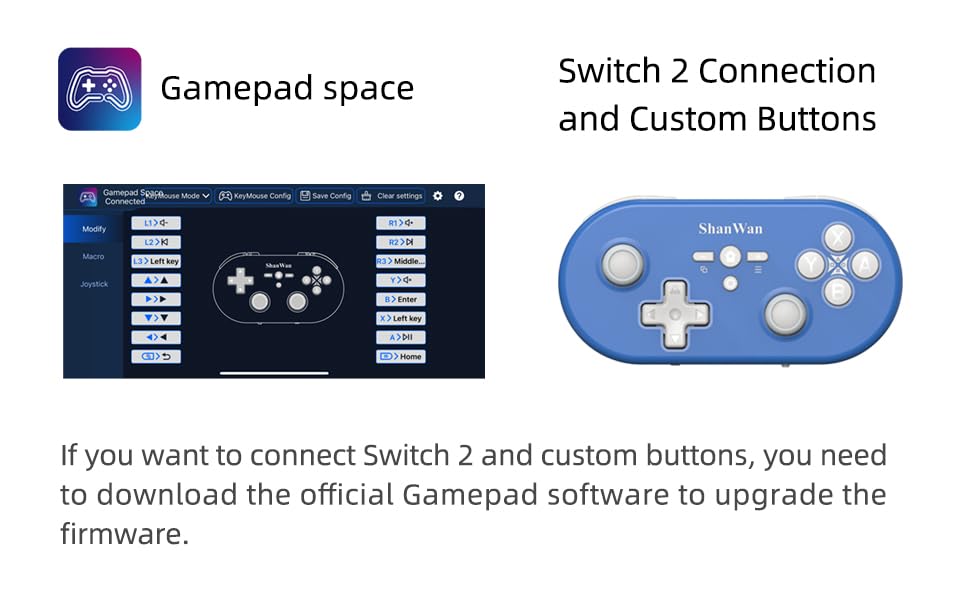
Image: Screenshot of the 'Gamepad Space' software interface for button customization and firmware updates, alongside the controller.
3. Kullanım Talimatları
3.1 Düğme Düzeni ve İşlevleri
The controller features standard gaming buttons including A/B/X/Y, D-pad, L/R, L2/R2, joysticks, and function buttons (e.g., Home, Share, Plus, Minus).
3.2 Three-Position Mode Switch
The controller is equipped with a three-position mode switch (X, S, P) allowing seamless switching between different platforms:
- X-block: For PC/Android/iOS Native Games.
- S-block: Nintendo Switch için.
- P-block: For PS4 Console (Note: PS4 compatibility may require specific setup or adapter, refer to official webAyrıntılar için site).

Image: Diagram illustrating the three-position mode switch (X, S, P) and their corresponding platform functionalities.
3.3 Software Customization (Gamepad Space)
Download the official 'Gamepad Space' software to:
- Customize button mappings.
- Set macro functions for complex commands.
- Calibrate joysticks for optimal precision.
3.4 Özel Fonksiyonlar
- One-click Reconnection: Quickly reconnect to previously paired devices.
- Switch Screenshot: Dedicated button for capturing screenshots on Nintendo Switch.
4. Temel Özellikler
- 6-axis Gyro Motion Control: Provides precise motion sensing for compatible games, enhancing immersive gameplay.
- Adjustable Dual Motor Vibration: Experience immersive haptic feedback with customizable vibration intensity.
- Customizable Buttons and Macros: Personalize your gaming experience by remapping buttons and setting up complex macro sequences via the 'Gamepad Space' software.
- Soft Rubber Non-slip Grip: Uzun oyun seansları sırasında rahat ve güvenli kullanım için tasarlanmıştır.
- Duyarlı Dokunmatik Düğmeler: Engineered for optimal tactile feedback and durability.

Image: Illustration of the 6-axis body gyroscope in action.

Image: Illustration of the dual motor vibration feature.
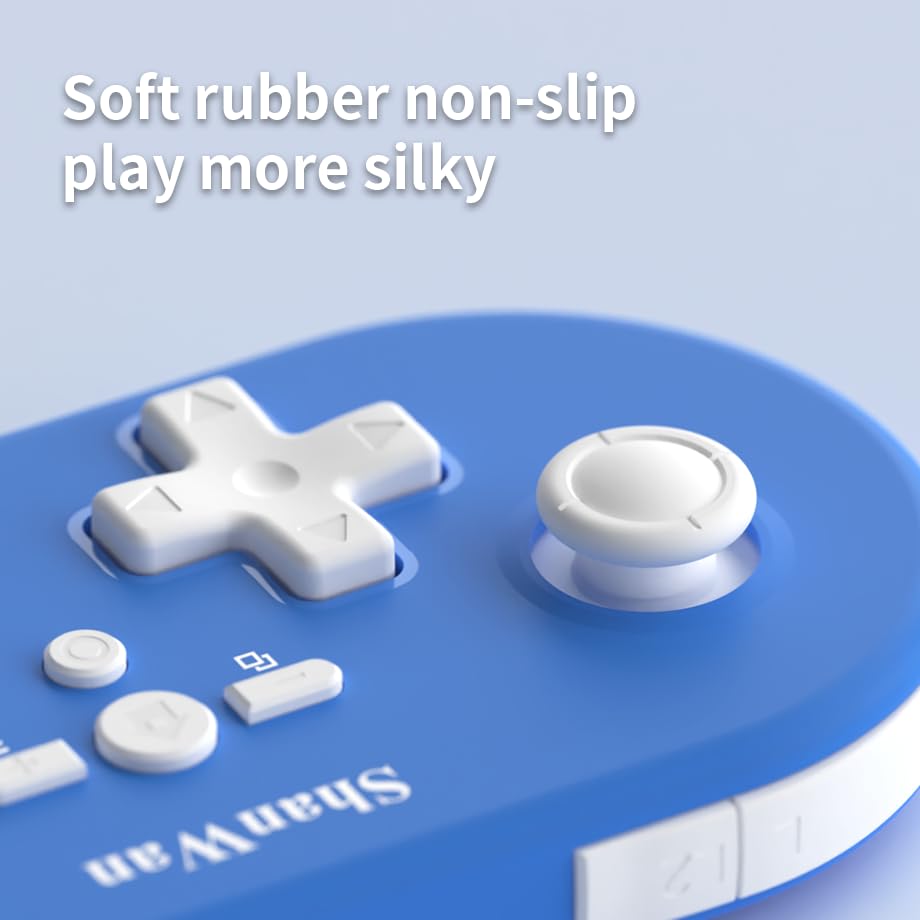
Resim: Yakın çekim view of the controller's joystick, highlighting the soft rubber non-slip material.
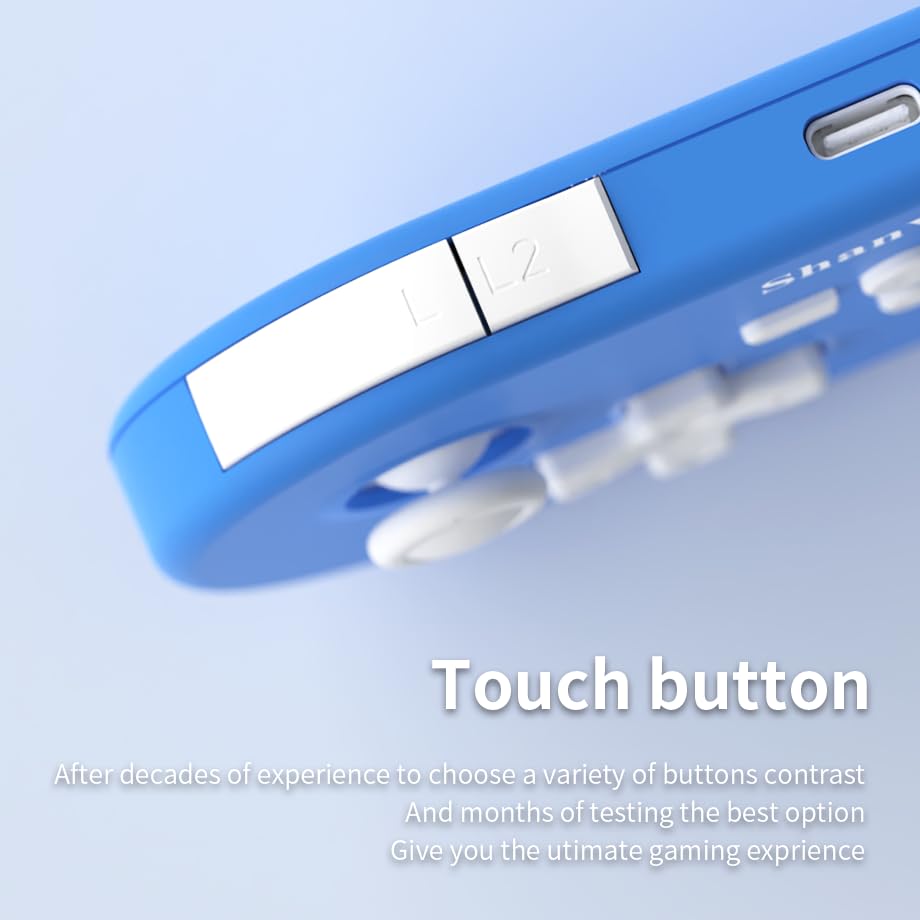
Resim: Yakın çekim view of the controller's L/L2 shoulder buttons, emphasizing their design.

Image: A visual summary of key features including 6-axis body gyroscope, one-touch reconnect/wake-up, one-touch pairing, one-touch screenshot, dual motor vibration, and Switch key printing.
5. Uyumluluk
The ShanWan Q37 controller is compatible with a wide range of gaming platforms:
- Nintendo Switch / Switch 2 / Switch Lite / Switch OLED
- Buharlı Güverte
- bilgisayar (Windows)
- Android cihazlar
- iPhone / iPad (iOS / iPadOS)
- macOS cihazları
- PS4 Console (via P-block mode, specific setup may be required)
It supports simultaneous gameplay for up to 4 players on compatible systems.
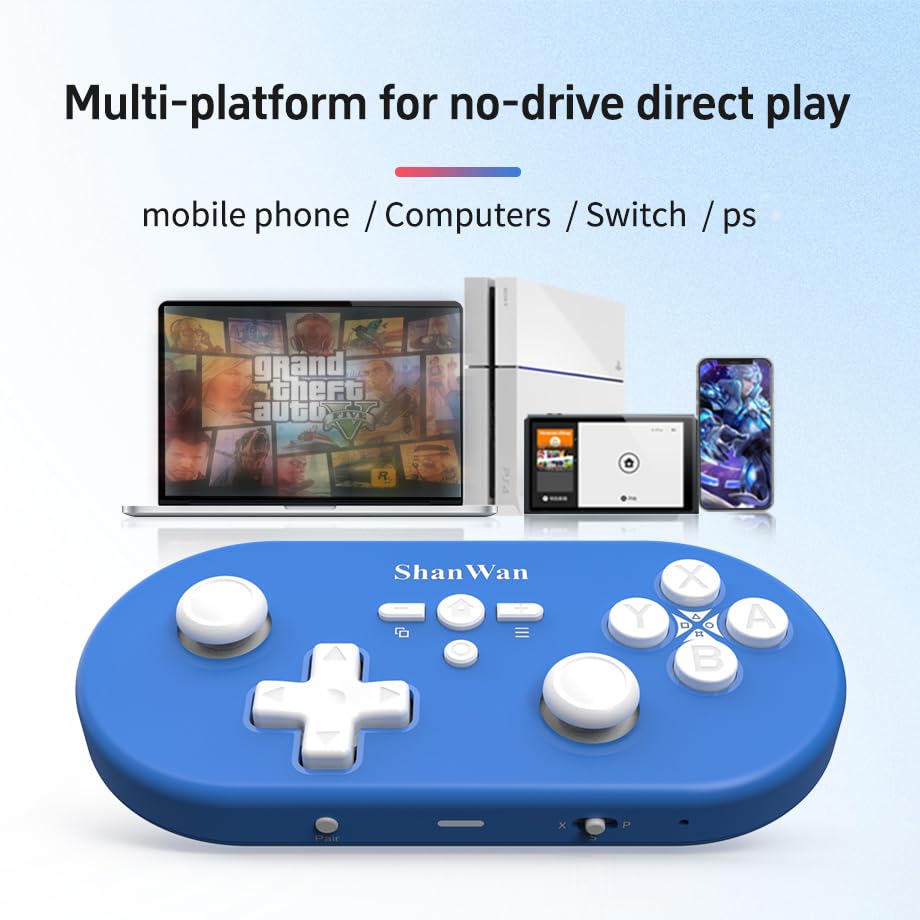
Image: Illustration showing the controller's compatibility with mobile phones, computers, Switch, and PS consoles.
6. Pil Bilgileri
The controller is equipped with a 500mAh large-capacity Lithium Polymer battery. This allows for extended play sessions and convenient portability. Battery life varies depending on usage and vibration settings.
Şarj Süresi: Tam şarj yaklaşık 2-3 saat sürüyor.
Çalışma Süresi: Up to 8-10 hours on a full charge (may vary).
7. Teknik Özellikler
| Şartname | Detay |
|---|---|
| Model Numarası | Q37XSP |
| Bağlantı | Wireless Bluetooth, USB-C (wired) |
| Pil Kapasitesi | 500mAh Lityum Polimer |
| Ürün Boyutları | 4.92 x 2.44 x 0.81 inç (12.5 x 6.2 x 2.05 cm) |
| Ürün Ağırlığı | 3.2 ons (90.7 gram) |
| Hareket Kontrolü | 6 eksenli Jiroskop |
| Titreşim | Dual Motor Vibration (Adjustable) |

Image: Diagram showing the precise dimensions of the ShanWan Q37 controller.
8. Sorun Giderme
8.1 Denetleyici Bağlanmıyor/Eşleşmiyor
- Kontrol cihazının tam şarjlı olduğundan emin olun.
- Verify the correct mode (X, S, P) is selected for your device.
- Make sure Bluetooth is enabled on your device and no other devices are interfering.
- Try restarting both the controller and your gaming device.
- If issues persist, try resetting the controller (refer to manufacturer's website for reset procedure, usually a small pinhole button).
8.2 Giriş Gecikmesi veya Bağlantı Kesilmeleri
- Ensure you are within the effective range of your Bluetooth device.
- Minimize wireless interference from other devices (Wi-Fi routers, other Bluetooth devices).
- Ensure the controller's firmware is up to date using the 'Gamepad Space' software.
8.3 Düğmeler/Joystickler Yanıt Vermiyor
- Calibrate joysticks and test button functionality using the 'Gamepad Space' software.
- Düğmelerin veya kumanda kollarının etrafında herhangi bir kalıntı birikmediğinden emin olun.
- If using wired connection, try a different USB-C cable or port.
9. Bakım ve Onarım
- Temizlik: Kumanda ünitesini temizlemek için yumuşak, kuru bir bez kullanın. İnatçı kirler için hafifçe kurulayın.ampBezi su veya hafif bir temizleme solüsyonuyla yıkayın. Sert kimyasallardan veya aşındırıcı malzemelerden kaçının.
- Depolamak: Kontrol cihazını serin, kuru ve doğrudan güneş ışığından ve aşırı sıcaklıklardan uzak bir yerde saklayın.
- Pil Bakım: Pili yüksek sıcaklıklara maruz bırakmayın veya sökmeye çalışmayın. Pilin ömrünü uzatmak için, kullanılmadığı zamanlarda bile kumandayı düzenli olarak şarj edin.
- Damlalardan Kaçının: Kumanda cihazını, iç bileşenlerine zarar verebilecek fiziksel darbelere ve düşmelere karşı koruyun.
10. Garanti ve Destek
For warranty information, technical support, or further assistance, please visit the official ShanWan webSite üzerinden satın alabilir veya müşteri hizmetleriyle iletişime geçebilirsiniz. Satın alma belgenizi saklayın.
Official ShanWan Store: https://www.amazon.com/stores/ShanWan/page/C625C726-C0DE-4DFB-8E9B-4AA41A6E200C


