giriiş
Thank you for choosing the Kamon K40 Wireless Earbuds. These earbuds are designed to provide a high-quality audio experience with advanced features such as Bluetooth 5.3 connectivity, AI Environmental Noise Cancellation (ENC), smart touch controls, and a portable charging case with an LED display. This manual will guide you through the setup, operation, and maintenance of your new earbuds to ensure optimal performance.

Image: Kamon K40 Wireless Earbuds in their charging case, displaying battery levels on the LED screen.
Paket İçeriği
Lütfen paketinizde tüm öğelerin mevcut olduğundan emin olun:
- 2 Wireless Earbuds (Left and Right)
- 1 LED Display Charging Case
- 1 USB-C Şarj Kablosu
- 3 Çift Silikon Kulaklık Ucu (S/M/L)
- 1 Kullanıcı Kılavuzu
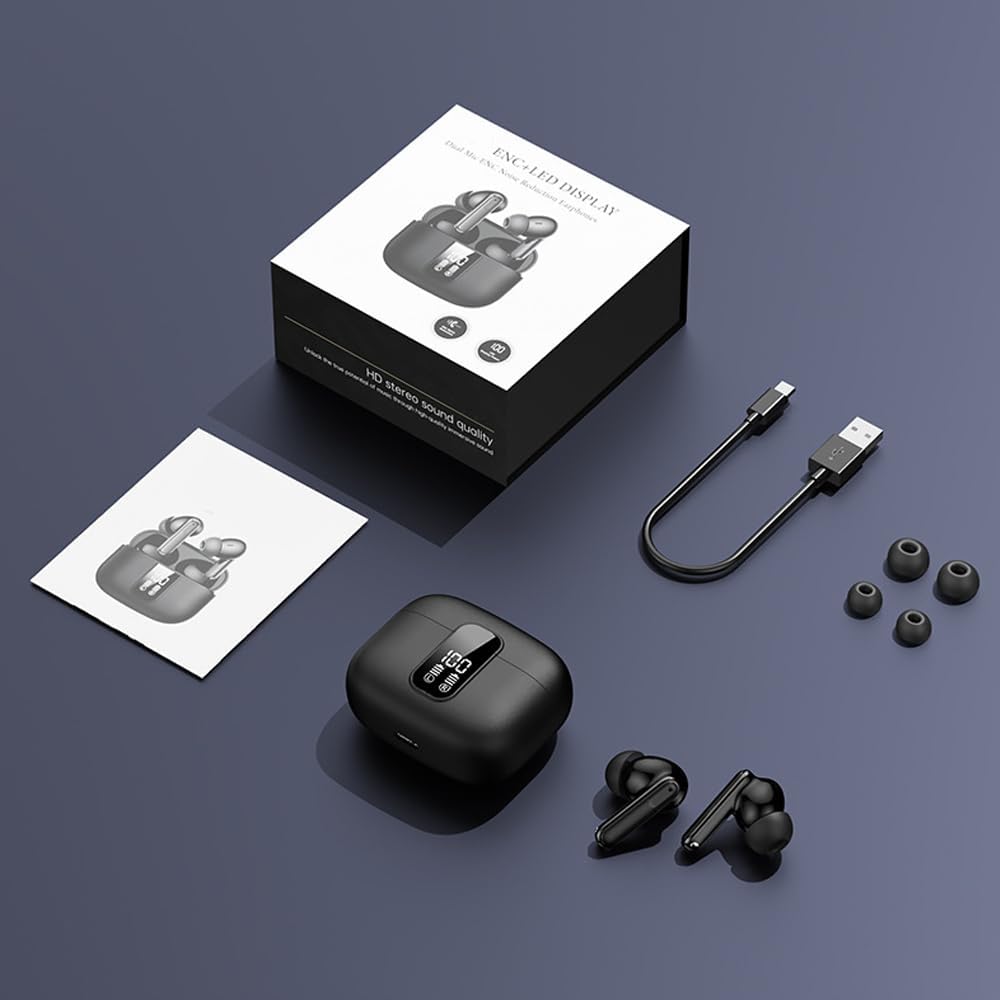
Image: All components included in the Kamon K40 Wireless Earbuds package: earbuds, charging case, USB-C cable, and three sizes of ear tips.
Ürün Bittiview
The Kamon K40 earbuds feature an ergonomic in-ear design for secure and comfortable fit. The charging case includes an LED display to show battery levels for both the case and individual earbuds. Key features include:
- Bluetooth 5.3: 15 metreye kadar istikrarlı ve hızlı kablosuz bağlantı sağlar.
- AI ENC Noise Reduction: Enhances call clarity by filtering ambient noise.
- Akıllı Dokunmatik Kontrol: Intuitive controls for music, calls, and voice assistant.
- Uzun Çalma Süresi: Up to 5 hours per charge, extended to 20 hours total with the charging case.
- Suya Dayanıklı Tasarım: Tere ve hafif yağmura dayanıklı, egzersiz için uygun.
- HiFi Stereo Bass: Equipped with 13mm speakers for immersive audio.

Image: The Kamon K40 charging case open, revealing the earbuds and an LED display indicating the charge percentage and individual earbud battery status.
Kurmak
1. Kulaklıkları ve Kutuyu Şarj Etme
İlk kullanımdan önce kulaklıklarınızı ve şarj kutusunu tamamen şarj edin.
- Kulaklıkları şarj kutusuna yerleştirin. Doğru şekilde yerleştirildiklerinden emin olun; kulaklıklardaki LED göstergeler yanacaktır.
- USB-C şarj kablosunu kılıfın üzerindeki şarj portuna, diğer ucunu ise bir USB güç adaptörüne (dahil değildir) bağlayın.
- The LED display on the case will show the charging progress. A full charge for the case takes approximately 1.5 hours.
Video: An official product video demonstrating the features of the Kamon K40 Wireless Earbuds, including charging and touch controls.
2. Cihazınızla Eşleştirme
The Kamon K40 earbuds feature one-step pairing for convenience.
- Open the charging case. The earbuds will automatically enter pairing mode, indicated by flashing lights (if applicable, refer to specific earbud light patterns).
- Cihazınızda (akıllı telefon, tablet, dizüstü bilgisayar) Bluetooth'u etkinleştirin.
- Arama available Bluetooth devices and select "K40" from the list.
- Once connected, you will hear a confirmation tone, and the earbuds' indicator lights will stop flashing.
The earbuds will automatically reconnect to the last paired device when removed from the case, provided Bluetooth is enabled on the device.
3. Kulaklıkların Takılması
For optimal sound quality and comfort, choose the correct size ear tips and ensure a proper fit.
- Select the silicone ear tips that best fit your ear canal. Experiment with different sizes (S/M/L) for the most secure and comfortable seal.
- Gently insert each earbud into your ear canal and twist slightly to secure it. The ergonomic design helps them stay in place during various activities.

Image: A Kamon K40 Wireless Earbud correctly positioned in a human ear, demonstrating its ergonomic fit.
Kullanım Talimatları
Akıllı Dokunmatik Kontroller
The Kamon K40 earbuds feature intuitive touch controls on each earbud. The following table outlines the functions:

Image: A visual guide to the smart touch controls on the Kamon K40 earbuds, detailing actions for various taps and holds.
| Aksiyon | İşlev |
|---|---|
| Hold for 3 seconds (either earbud) | Aç |
| Kulaklıklardan birine dokunup 3 saniye basılı tutun. | Kapamak |
| Tek dokunuş (Sol/Sağ) | Müzik Çal/Durdur / Çağrı Cevapla/Sonlandır |
| Double click left earbud | Önceki Parça |
| Double click right earbud | Sonraki Parça |
| Sol kulaklığa üç kez dokunun | Cilt + |
| Sağa üç kez hafifçe vurun kulaklık | Hacim - |
| Four strikes (L/R) | Sesli Asistanı Etkinleştir |
| Kulaklıklardan birine dokunup 1.5 saniye basılı tutun. | Çağrıyı Reddet |
| FTouch (either earbud) | Transparent/ANC Mode - Normal Mode Switch |
Master-Slave Anahtarı
The Kamon K40 earbuds support a master-slave switch function, allowing you to use either earbud independently or both simultaneously. This provides flexibility for various scenarios, such as taking calls with one earbud while the other charges, or sharing audio with a friend.
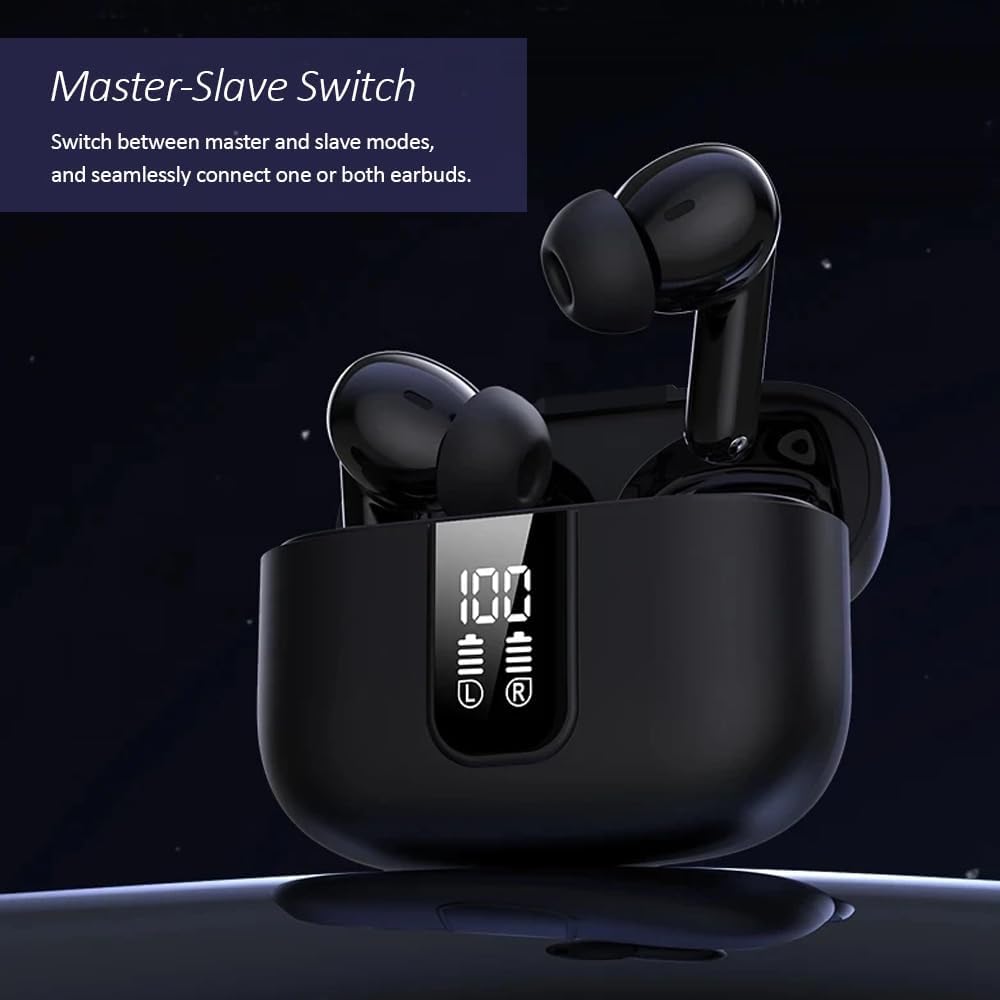
Image: The Kamon K40 earbuds in their charging case, highlighting the ability to use either earbud independently or together.
Bakım
Temizlik
- Kulaklıklarınızı ve şarj kutusunu yumuşak, kuru ve tiftiksiz bir bezle düzenli olarak temizleyin.
- Kulak uçlarını çıkarın ve hafif sabun ve suyla temizleyin, ardından tekrar takmadan önce iyice kurulayın.
- Kulaklıkların ve şarj kutusunun içindeki şarj temas noktalarını pamuklu bir çubukla nazikçe temizleyin.
Depolamak
- Kullanmadığınız zamanlarda kulaklıklarınızı korumak ve şarjlı halde tutmak için her zaman şarj kutusunda saklayın.
- Cihazı serin ve kuru bir yerde, aşırı sıcaklıklardan ve doğrudan güneş ışığından uzakta saklayın.
Sorun giderme
Kulaklıklar Eşleşmiyor/Bağlanmıyor
- Her iki kulaklığın da şarjlı olduğundan emin olun.
- Cihazınızın Bluetooth'unu kapatın, ardından tekrar açın.
- Forget/delete "K40" from your device's Bluetooth list and attempt to pair again.
- Her iki kulaklığı da şarj kutusuna geri yerleştirin, kapağı kapatın, birkaç saniye bekleyin, ardından eşleştirme modunu yeniden başlatmak için kapağı açın.
Ses Yok veya Düşük Ses Seviyesi
- Hem cihazınızın hem de kulaklığınızın ses seviyesini kontrol edin.
- Kulaklıkların kulaklarınıza düzgün bir şekilde oturduğundan ve kulaklık uçlarının iyi bir yalıtım sağladığından emin olun.
- Kulaklık hoparlörlerindeki kalıntıları temizleyin.
- Kulaklıkları cihazınıza yeniden bağlayın.
Şarj Sorunları
- USB-C kablosunun hem kasaya hem de güç kaynağına güvenli bir şekilde bağlandığından emin olun.
- Farklı bir USB-C kablosu veya güç adaptörü deneyin.
- Kulaklıkların ve kutunun içindeki şarj kontaklarını temizleyin.
Özellikler
| Özellik | Detay |
|---|---|
| Model Adı | K40 |
| Marka | Kamon |
| Bağlantı Teknolojisi | Kablosuz (Bluetooth) |
| Bluetooth Sürümü | 5.3 |
| Bluetooth Menzili | 15 Metre |
| Gürültü Kontrolü | Çevresel Gürültü Engelleme (ENC) |
| Kontrol Türü | Akıllı Dokunmatik Kontrol |
| Kulak Yerleşimi | Kulakta |
| Pil Ömrü (Kulaklıklar) | 5 Saate Kadar |
| Toplam Oynanma Süresi (Kılıflı) | 20 Saate Kadar |
| Şarj Arayüzü | USB-C |
| Su Direnç Seviyesi | Su geçirmez |
| Ses Sürücüsü Türü | Dengeli Armatür Sürücüsü |
| Ürün Ağırlığı | 2 Ons |
| Malzeme | Akrilonitril Bütadien Stiren (ABS) |
| Uyumlu Cihazlar | Cellphones, Tablets, Laptops, Televisions |
Güvenlik Bilgileri
- Ürünü sökmeyin veya üzerinde değişiklik yapmayın.
- Keep the earbuds and charging case away from water, moisture, and extreme temperatures.
- İşitme hasarını önlemek için yüksek ses seviyelerine uzun süre maruz kalmaktan kaçının.
- Çocukların ve evcil hayvanların erişemeyeceği yerde saklayınız.
- Yalnızca verilen şarj kablosunu veya sertifikalı bir eşdeğerini kullanın.
Garanti ve Destek
Kamon products are designed for reliability and performance. For warranty information, technical support, or customer service inquiries, please refer to the contact details provided with your purchase or visit the official Kamon webLütfen garanti talepleriniz için satın alma belgenizi saklayın.