giriiş
This manual provides detailed instructions for the TECKNET Wireless Mouse (Model B0DP2DCC6N). It covers setup, operation, maintenance, and troubleshooting to ensure optimal performance and user experience. This mouse offers dual connectivity (2.4G USB A and Bluetooth 5.0/3.0) and adjustable DPI settings for versatile use across various devices and operating systems.

Figure 1: TECKNET Wireless Mouse (Pink)
Paket İçeriği
- TECKNET Kablosuz Fare
- USB A Receiver (stored inside the mouse)
- Kullanım Kılavuzu (bu belge)
Not: 2 AAA batteries are not included and must be purchased separately.
Ürün Özellikleri
- Dual Device Connection: Bluetooth (5.0/3.0) and 2.4G USB A.
- 6 Adjustable DPI Levels: 800/1200/1600/2400/3200/4800.
- Silent Click Operation: Designed for quiet environments.
- Ergonomic Design: Shaped for comfortable use.
- Automatic Sleep Technology: Extends battery life.
- Wide Compatibility: Supports Windows, macOS, Chrome, Linux. (Side buttons are not compatible with macOS).

Figure 2: Dual Connection Modes (2.4G USB A and Bluetooth)

Figure 3: Adjustable DPI Settings for Precise Control
Kurulum Talimatları
1. Pil Kurulumu
- Farenin alt tarafındaki pil bölmesini bulun.
- Pil kapağını açın.
- İki adet AAA pili, kutupların doğru olmasına dikkat ederek (+/-) takın.
- Pil kapağını sıkıca kapatın.
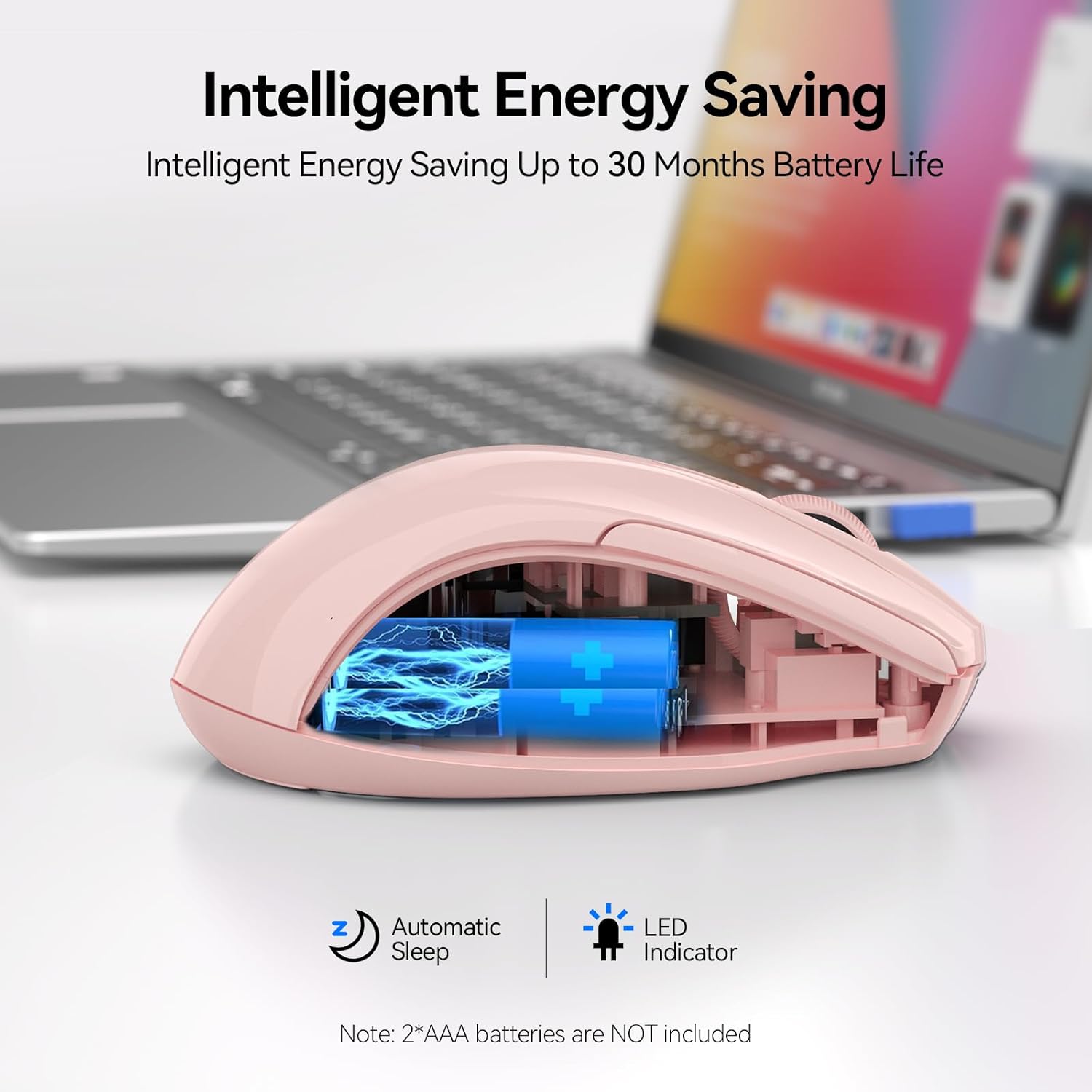
Figure 4: Battery Compartment (2 AAA batteries required)
2. Fareyi Bağlama
The TECKNET Wireless Mouse offers two connection methods: 2.4G USB A and Bluetooth.
2.1. 2.4G USB A Connection
- Locate the USB A receiver stored in the battery compartment of the mouse.
- Remove the USB A receiver.
- Plug the USB A receiver into an available USB port on your computer.
- Farenin altındaki güç düğmesini "2.4G" konumuna getirin.
- Fare otomatik olarak bağlanmalıdır.
Figure 5: 2.4G USB A Connection
2.2. Bluetooth Bağlantısı
- Farenin altındaki güç düğmesini "BT" konumuna getirin.
- Press and hold the Bluetooth pairing button (usually a small button near the power switch) until the LED indicator light starts blinking (blue).
- Bilgisayarınızda veya cihazınızda Bluetooth ayarlarını açın.
- Arama new devices and select "TECKNET Mouse" (or similar) from the list.
- Eşleştirme işlemini tamamlamak için ekrandaki talimatları izleyin.

Şekil 6: Bluetooth Bağlantısı
Video 1: Demonstration and setup of the Bluetooth wireless mouse.
Kullanım Talimatları
1. DPI Hassasiyetini Ayarlama
The mouse features a DPI switch button, typically located near the scroll wheel. Press this button to cycle through 6 adjustable DPI settings (800/1200/1600/2400/3200/4800) to match your preference for cursor speed and precision.
Figure 7: DPI Switch Button for Sensitivity Adjustment
2. Sessiz Tıklama Özelliği
This mouse is designed with silent click buttons, providing a quiet user experience. This is particularly beneficial in environments where noise reduction is desired, such as libraries or shared offices.

Şekil 8: Sessiz Tıklama İşlemi
Video 2: Yenidenview highlighting the silent click feature and ease of pairing.
3. Güç Tasarrufu Modları
The mouse incorporates automatic sleep technology to conserve battery life. After a period of inactivity, the mouse will enter a sleep mode. To reactivate, simply click any button.

Figure 9: Automatic Sleep Technology for Power Saving
Bakım
- Temizlik: Use a soft, dry cloth to clean the mouse. Avoid harsh chemicals or abrasive materials.
- Pil Değişimi: Replace batteries when the low battery indicator lights up or when performance degrades. Refer to the "Battery Installation" section for instructions.
- Depolamak: When not in use for extended periods, turn off the mouse to further conserve battery life.
Sorun giderme
1. Fare Yanıt Vermiyor
- Farenin açık olup olmadığını kontrol edin.
- Pillerin doğru şekilde takıldığından ve bitmediğinden emin olun. Gerekirse değiştirin.
- For 2.4G connection, ensure the USB A receiver is securely plugged into a working USB port.
- For Bluetooth connection, verify that Bluetooth is enabled on your device and the mouse is paired. Try re-pairing if connection is lost.
- Try connecting the mouse to a different USB port or another device to rule out port or device issues.
2. Cursor Movement is Erratic or Slow
- Farenin alt kısmındaki optik sensörü temizleyin.
- Ensure you are using the mouse on a suitable surface. Optical mice perform best on non-reflective, uniform surfaces.
- Adjust the DPI sensitivity using the DPI switch button on the mouse.
3. Side Buttons Not Working on macOS
- As noted in the product features, side buttons are not compatible with macOS. This is expected behavior.
Özellikler
| Özellik | Detay |
|---|---|
| Örnek | BM307 (Internal Model) / B0DP2DCC6N (ASIN) |
| Bağlantı Teknolojisi | Bluetooth (5.0/3.0), 2.4G Wireless (USB A) |
| DPI Seviyeleri | 800, 1200, 1600, 2400, 3200, 4800 |
| Hareket Algılama Teknolojisi | Optik |
| Özel Özellikler | Ergonomic Design, Silent Click, Automatic Sleep |
| Güç Kaynağı | 2 x AAA Piller (dahil değildir) |
| Ürün Ağırlığı | 3.52 ons |
| Paket Boyutları | 4.49 x 3.23 x 1.73 inç |
| Uyumluluk | Windows, macOS (side buttons not compatible), Chrome, Linux |
Garanti ve Destek
TECKNET offers a 36 ay garanti for registered products. If you encounter any problems using the product, please contact our professional customer service team for assistance.
İletişim Bilgileri: Refer to the product packaging or the official TECKNET webEn güncel destek iletişim bilgilerine ulaşmak için siteyi ziyaret edin.