1. Giriş
This manual provides detailed instructions for the setup, operation, and maintenance of your ATTACK SHARK X98PRO Wireless Mechanical Keyboard. The X98PRO features tri-mode connectivity (Bluetooth, 2.4GHz wireless, USB-C wired), hot-swappable switches, a customizable TFT screen, and a multi-function CNC knob, designed for both gaming and productivity across various operating systems.
2. Paket İçeriği
- ATTACK SHARK X98PRO Mechanical Keyboard
- USB-C to USB-A Braided Cable
- 2.4GHz Kablosuz Alıcı
- Tuş Çektirmesi
- Anahtar Çektirme
- Kullanım Kılavuzu (bu belge)
3. Keyboard Layout and Components
The X98PRO features a compact 98-key layout, integrating a numeric keypad while maintaining a smaller footprint than a full-size keyboard. Key components include:
- 1.14 inç TFT Ekran: Located above the numeric keypad, this screen displays various information and allows for customization.
- CNC Multi-Function Knob: Positioned next to the TFT screen, this knob controls volume, brightness, RGB effects, and connection modes.
- USB-C Bağlantı Noktası: Kablolu bağlantı ve şarj için.
- 2.4GHz Wireless Receiver Storage: Typically located in a dedicated slot on the keyboard for safekeeping.


4. Kurulum
4.1. Klavyeyi Şarj Etme
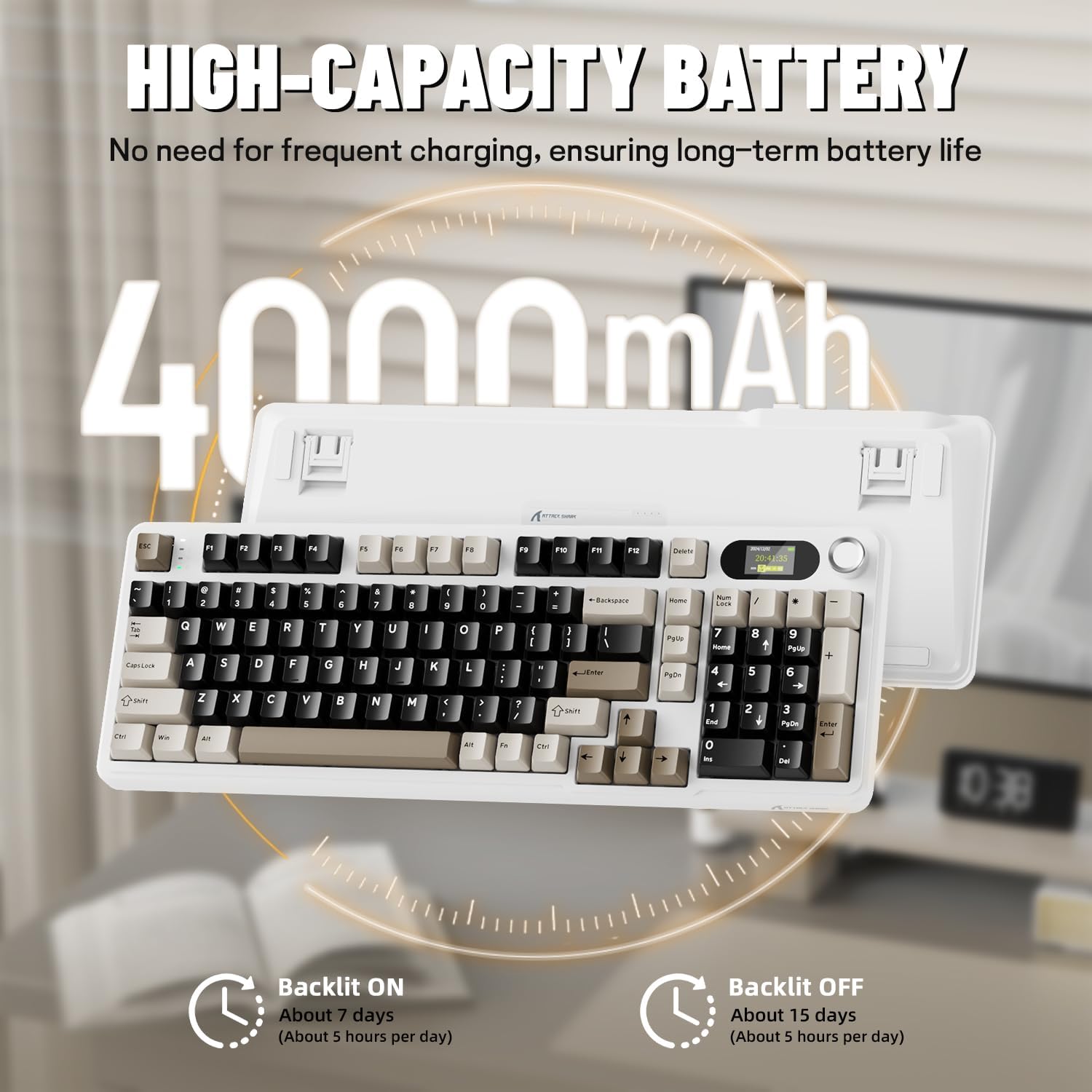
Before first use, it is recommended to fully charge the keyboard. Connect the provided USB-C cable to the keyboard's USB-C port and the other end to a USB-A power source (e.g., computer, wall adapter). The TFT screen will indicate charging status. The keyboard features a 4000mAh battery for extended wireless use.
4.2. Bağlantı Modları
The X98PRO supports three connection modes:
- USB-C Kablolu Mod: Connect the keyboard directly to your device using the USB-C cable. This mode also charges the keyboard.
- 2.4GHz Kablosuz Modu:
- Insert the 2.4GHz wireless receiver into an available USB port on your computer.
- Switch the keyboard's mode selector to 2.4G. The keyboard should automatically connect.
- Bluetooth 5.0 Modu: Klavye, en fazla üç Bluetooth cihazıyla eşleştirilebilir.
- Klavyenin mod seçicisini Bluetooth konumuna getirin.
- Basılı tutun Fn + 1, Fn + 2, veya Fn + 3 for 3-5 seconds until the indicator light flashes, indicating pairing mode.
- On your device (PC, Mac, Tablet), search for Bluetooth devices and select "ATTACK SHARK X98PRO" to pair.
- Eşleştirilmiş Bluetooth cihazları arasında geçiş yapmak için tuşuna basın Fn + 1, Fn + 2, veya Fn + 3 kısaca.

4.3. İlk Yapılandırma (Web-based Driver)
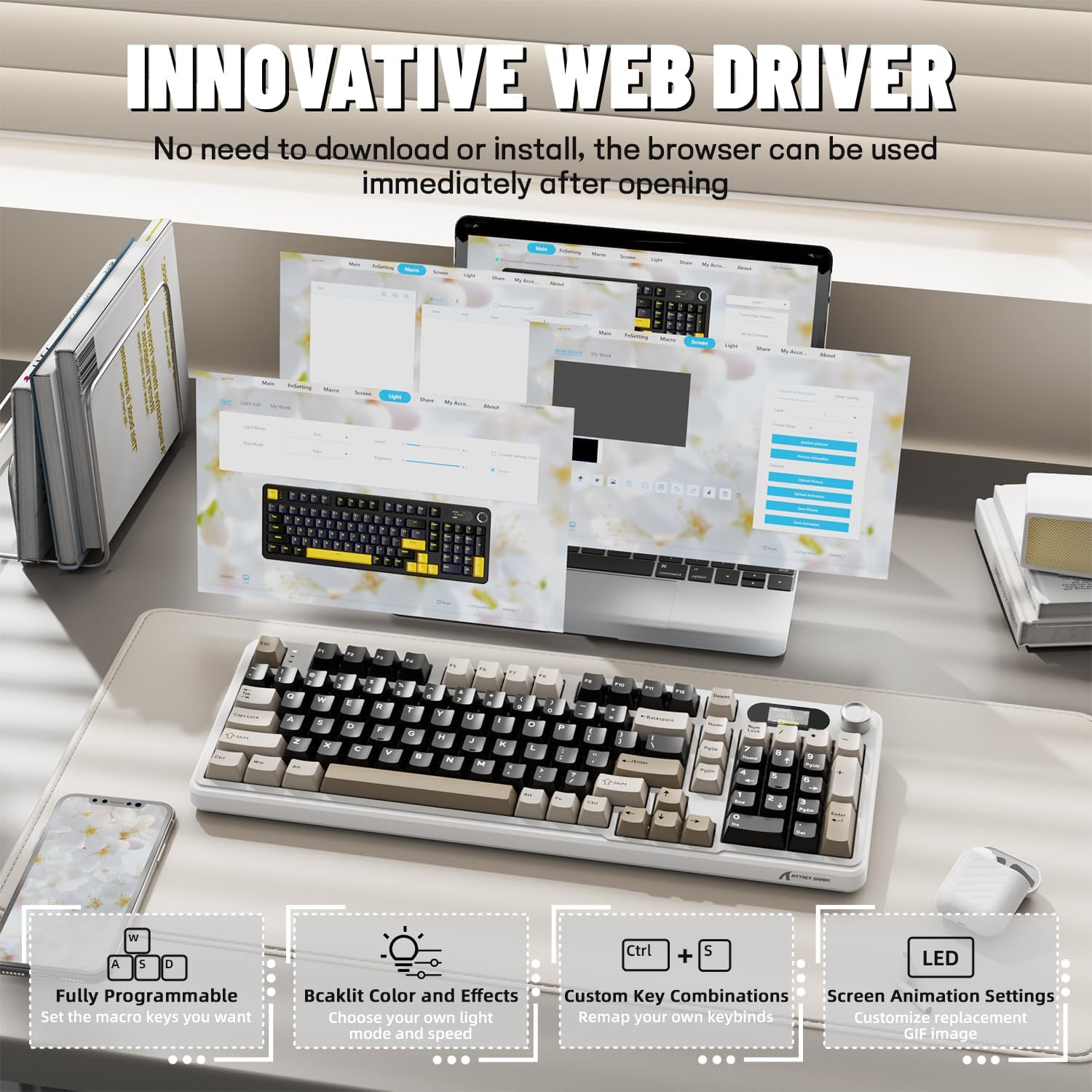
The X98PRO utilizes an intuitive web-based driver for advanced customization. This allows you to edit, upload, and switch display content for the TFT screen, customize RGB lighting, remap keys, and set macros without installing dedicated software. Access the official ATTACK SHARK website için web sürücü arayüzü.
5. Kullanım Talimatları
5.1. TFT Screen Functions
The 1.14-inch TFT screen can display various information:
- Sistem durumu: Connection mode (wired, 2.4G, BT1/2/3), operating system (Win/Mac).
- Pil Ömrü: Real-time battery level.
- Zaman: Güncel zaman.
- Custom GIFs: Upload personalized animations via the web sürücü.
To navigate the TFT screen menu, rotate the CNC knob to scroll through options and press the knob to confirm a selection.
5.2. CNC Multi-Function Knob
The CNC knob provides intuitive control over several keyboard features:
- Ses Kontrolü: By default or after switching, rotate to adjust system volume.
- Parlaklık Kontrolü: Arka ışık parlaklığını ayarlayın.
- RGB Efektleri: Farklı RGB aydınlatma efektleri arasında geçiş yapın.
- Bağlantı Modları: Switch between wired, 2.4GHz, and Bluetooth modes.
To switch the knob's function (e.g., between volume and RGB control), press Fn + Düğme (press the knob down).
5.3. RGB Arka Aydınlatma
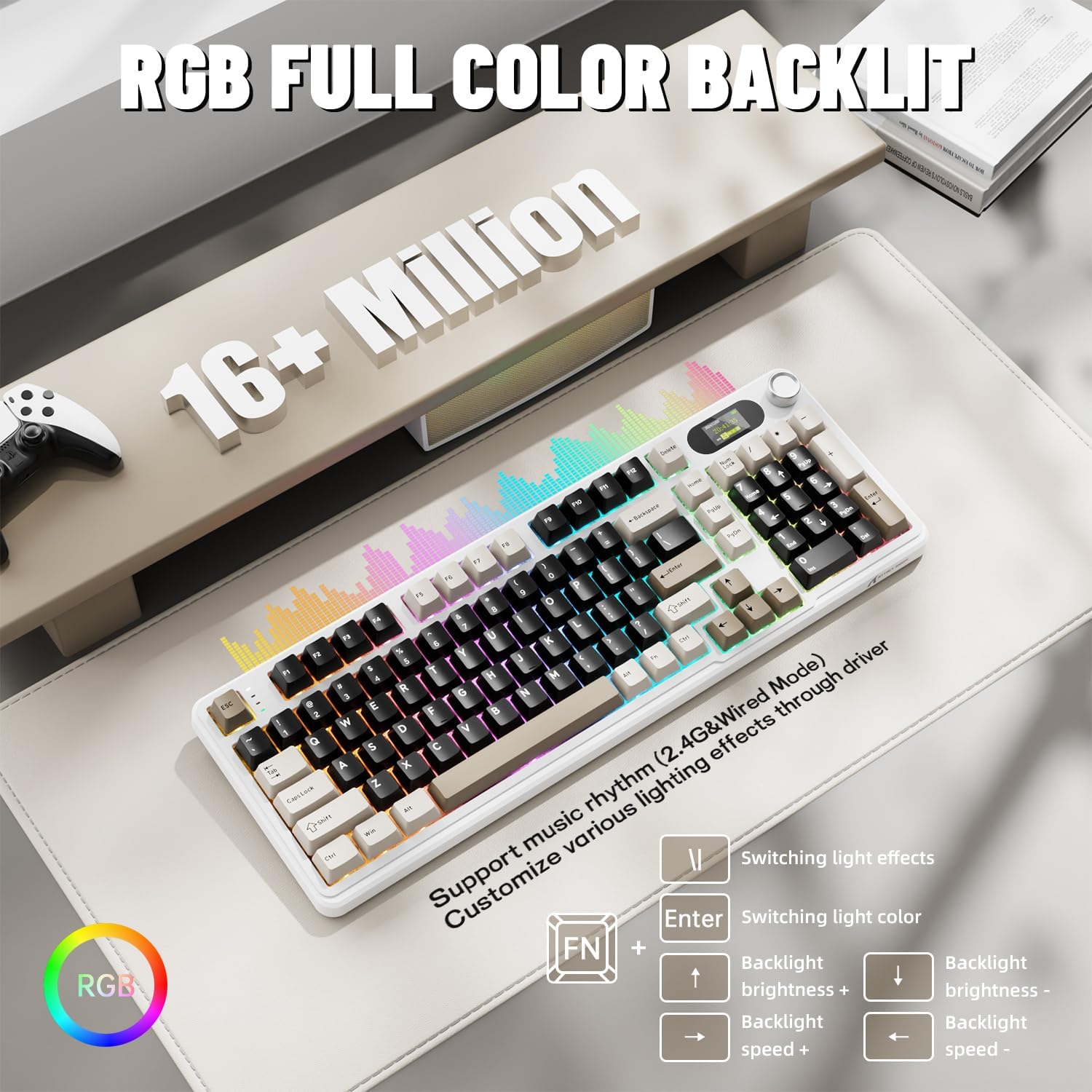
The X98PRO features full RGB backlighting with multiple effects. Control options include:
- Işık Efektlerini Değiştirme: Basmak Fn + Enter.
- Switching Light Color: Basmak Fn + \|.
- Arka Işık Parlaklığı: Basmak Fn + Yukarı Ok (artış) veya Fn + Aşağı Ok (azaltmak).
- Arka Işık Hızı: Basmak Fn + Sol Ok (azalma) veya Fn + Sağ Ok (arttırmak).
Further customization of RGB lighting, including per-key lighting and custom profiles, is available through the web-tabanlı sürücü.
5.4. Sıcak Değiştirilebilir Anahtarlar
The X98PRO features a hot-swappable PCB, allowing you to easily change mechanical switches without soldering. It is compatible with most 3-pin and 5-pin mechanical switches.
- Using the provided switch puller, carefully grip the switch and pull it straight up to remove it.
- Yeni anahtarın pinlerini PCB üzerindeki deliklerle hizalayın. Pinlerin düz olduğundan emin olun.
- Gently press the new switch into place until it clicks. Do not force it.

6. Bakım
6.1. Temizlik
- Temizlemeden önce klavyeyi tüm güç kaynaklarından ayırın.
- Tuş kapaklarını iyice temizlemek için tuş kapağı sökme aleti kullanın.
- Wipe the keyboard surface with a soft, damp bez. Sert kimyasallardan kaçının.
- Use compressed air to remove dust and debris from between keys.
6.2. Anahtar ve Tuş Takımının Değiştirilmesi
Refer to Section 5.4 for instructions on replacing switches. Keycaps can be removed using the provided keycap puller and replaced with compatible sets.
7. Sorun Giderme
- Klavye yanıt vermiyor: Ensure the keyboard is charged. Check the connection mode (wired, 2.4G, BT) and ensure it matches your device. For 2.4GHz, ensure the receiver is properly inserted. For Bluetooth, re-pair if necessary.
- TFT screen not updating/syncing: Ensure the keyboard is connected to a device. For time synchronization or custom GIFs, use the web-tabanlı sürücü.
- Kısa pil ömrü: Ensure the keyboard is fully charged. Reduce backlight brightness or disable RGB effects to conserve battery.
- Tuşlar algılanmıyor: If a specific key is not working, try removing and re-inserting its switch. If the issue persists, consider replacing the switch.
- Özelleştirme sorunları: Ensure you are using the official web-based driver. Clear browser cache or try a different browser if experiencing issues.
8. Özellikler
| Marka | SALDIRI KÖPEKBALIĞI |
| Örnek | X98PRO |
| Bağlantı Teknolojisi | 2.4GHz, Bluetooth 5.0, USB-C Wired |
| Klavye Açıklaması | Mekanik |
| Anahtar Türü | Linear (Blueberry switches) |
| Sıcak-Swap | Evet (3 pinli ve 5 pinli uyumlu) |
| Pil Kapasitesi | 4000mAh |
| Özel Özellikler | Customizable TFT Display, Multi-Function CNC Knob, RGB Backlit, Gasket Mount |
| Uyumlu Cihazlar | Laptop, PC, Tablet (Windows, Mac, Linux) |
| Boyutlar | 16.4 x 5.8 x 1.8 inç (yaklaşık) |
| Ürün Ağırlığı | 2.9 pound |
9. Garanti ve Destek
Garanti bilgileri ve teknik destek için lütfen resmi ATTACK SHARK web sitesine başvurun. webSite üzerinden satın alabilir veya müşteri hizmetleriyle iletişime geçebilirsiniz. Garanti talepleriniz için satın alma fişinizi saklayın.


