giriiş
Thank you for choosing the FLEXISPOT EC5 Plus Electric Sit-Stand Desk Frame. This manual provides essential information for the safe and efficient assembly, operation, and maintenance of your new desk frame. Designed with ergonomics in mind, this dual-motor frame offers smooth and quiet height adjustment, allowing you to effortlessly switch between sitting and standing positions for a healthier work environment.
Önemli Güvenlik Talimatları
Lütfen montaj ve kullanımdan önce tüm talimatları dikkatlice okuyun. Bu talimatlara uyulmaması yaralanmaya veya ürünün hasar görmesine neden olabilir.
- Montaja başlamadan önce tüm parçaların eksiksiz ve hasarsız olduğundan emin olun. Herhangi bir parça eksik veya hasarlıysa kullanmayın.
- Çalışma sırasında çocukları ve evcil hayvanları, hareketli parçalardan kaynaklanabilecek yaralanmaları önlemek için masadan uzak tutun.
- Do not place hands or other body parts near the lifting columns or crossbar during height adjustment to avoid pinching.
- Devrilmeyi önlemek için masanın düz bir yüzeye yerleştirildiğinden emin olun.
- Do not overload the desk. The maximum load capacity is 120 kg (265 lbs).
- Only use the provided power adapter and cables.
- Temizlik veya bakımdan önce gücü kesin.
- The anti-collision system is designed to prevent damage, but always exercise caution during operation.
Paket İçeriği
Paketinizde aşağıdaki bileşenlerin tamamının bulunduğunu doğrulayın:
- Masa Ayakları (2)
- Üst çubuk (1)
- Yan Braketler (2)
- Kontrol Kutusu (1)
- Handset/Control Panel (1)
- Güç Adaptörü (1)
- Güç Kablosu (1)
- Kablo Yönetim Tepsisi (1)
- Hardware Kit (screws, tools, etc.)
- Kullanım Kılavuzu (bu belge)

Kurulum Kılavuzu
Montaj Talimatları
Assembly typically requires two people. Follow the steps below for a successful setup. Refer to the detailed diagrams in the included printed manual for visual guidance.
- Bileşenleri Paketinden Çıkarın: Tüm parçaları ambalajından dikkatlice çıkarın ve çizilmeleri önlemek için temiz ve yumuşak bir yüzeye serin.
- Attach Side Brackets to Legs: Secure the side brackets to the top of each lifting column (leg) using the provided screws.
- Assemble Crossbar: Connect the two halves of the crossbar, ensuring the motor cables are properly routed.
- Connect Legs to Crossbar: Attach the assembled legs to the crossbar. Ensure all connections are secure.
- Install Control Box: Mount the control box to the designated area on the crossbar using the provided screws.
- Connect Motors and Handset: Plug the motor cables from each leg into the control box. Connect the handset/control panel cable to the control box.
- Güç Adaptörünü Takın: Connect the power adapter to the control box and then to the power cable.
- Mount Tabletop: Carefully place your chosen tabletop (not included) onto the assembled frame. Ensure it is centered and aligned. Secure the tabletop to the frame using appropriate screws (ensure screw length is suitable for your tabletop thickness to avoid piercing through). The frame is compatible with tabletops from 120 to 180 cm in length and 60 to 80 cm in width.
- Kablo yönetimi: Use the included cable management tray and ties to organize all cables neatly.
- İlk Güçlendirme: Plug the power cable into a wall outlet. The desk should be ready for initial calibration or operation.

Kullanım Talimatları
Kontrol Paneli Bittiview
The EC5 Plus features an intuitive control panel with an LED display and memory functions.
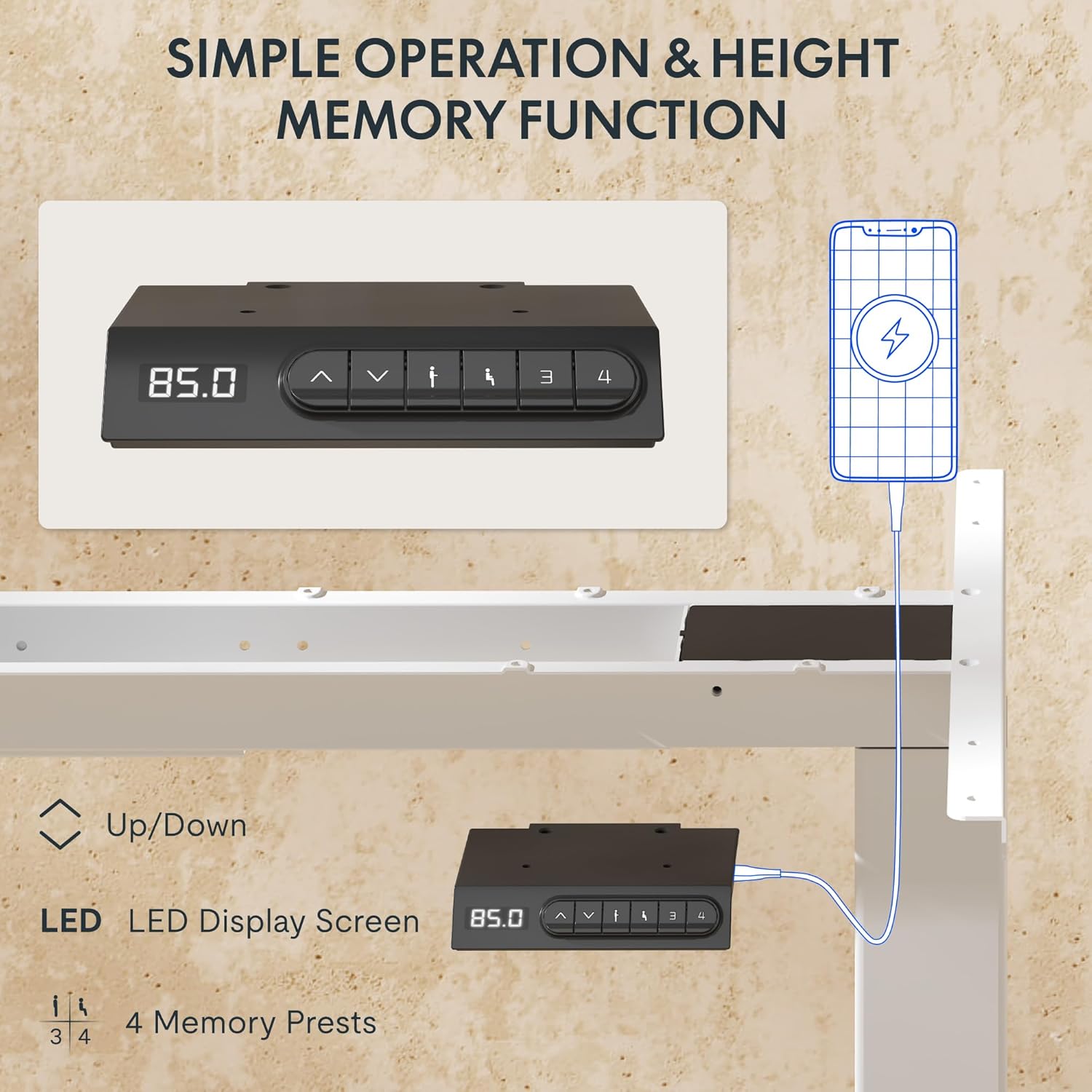
- LED ekran: Masanın mevcut yüksekliğini santimetre cinsinden gösterir.
- Yukarı/Aşağı Oklar (▲ / ▼): Masa yüksekliğini manuel olarak ayarlamak için basılı tutun.
- Bellek Ön Ayarları (1, 2, 3, 4): Tercih edilen yükseklik ayarlarını kaydedin ve geri çağırın.
- USB-A ve USB-C Bağlantı Noktaları: Integrated charging ports for your devices.
Yükseklik Ayarı
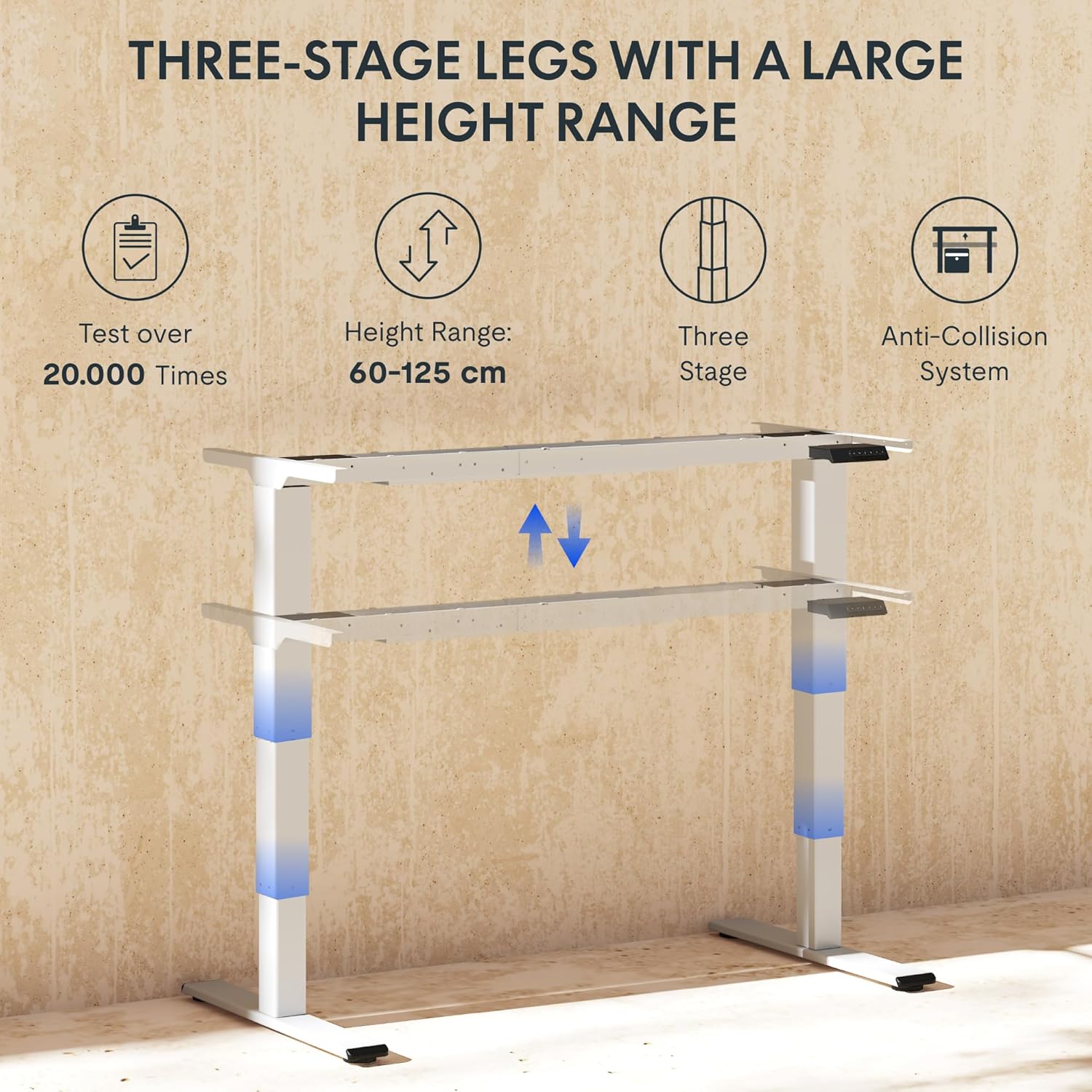
To adjust the desk height, press and hold the ▲ (Yukarı) veya ▼ (Down) arrow button until the desk reaches your desired height. The LED display will show the current height in real-time. The desk frame supports a height range of 60 cm to 125 cm.
Bellek Ön Ayarları
The desk allows you to save up to four preferred height settings for quick recall:
- Yukarı/Aşağı oklarını kullanarak masayı istediğiniz yüksekliğe ayarlayın.
- Press the "M" or "SET" button (if available, otherwise proceed to step 3).
- Press one of the numbered memory preset buttons (1, 2, 3, or 4) within 3 seconds. The LED display will show "S-" followed by the number, indicating the height has been saved.
- To recall a saved height, simply press the corresponding numbered memory preset button. The desk will automatically move to the saved position.
Çarpışma Önleme Sistemi
The EC5 Plus is equipped with an intelligent anti-collision system. If the desk encounters an obstacle during height adjustment, it will automatically stop and reverse slightly to prevent damage or injury. This system has adjustable sensitivity levels. Refer to the detailed manual for instructions on adjusting sensitivity.
USB Şarj Portları
The control panel includes integrated USB-A and USB-C charging ports. Simply connect your smartphone, tablet, or other compatible devices to these ports for convenient charging directly from your desk.
Bakım
Regular maintenance ensures the longevity and optimal performance of your FLEXISPOT EC5 Plus desk frame.
- Temizlik: Masa çerçevesini yumuşak bir bezle silin.amp cloth. Avoid using abrasive cleaners or solvents that may damage the finish. Ensure the desk is unplugged before cleaning.
- Denetleme: Tüm vidaları ve bağlantıları düzenli olarak kontrol ederek sıkı olduklarından emin olun. Gerekirse tekrar sıkın.
- Kablo yönetimi: Ensure cables are not pinched or tangled, which could affect desk operation or cause damage.
- Yağlama: The lifting columns are designed to be maintenance-free and do not require lubrication.
Sorun giderme
If you encounter any issues with your desk frame, refer to the table below for common problems and solutions.
| Sorun | Olası Neden | Çözüm |
|---|---|---|
| Masa hareket etmiyor. | Power cable disconnected; control box not connected; motor cables loose. | Check all power and motor connections. Ensure the power outlet is functional. |
| Masa dengesiz hareket ediyor veya alışılmadık sesler çıkarıyor. | Aşırı yüklenme; gevşek bağlantılar; tıkanıklık. | Reduce weight on the desk. Check all screws and connections. Ensure no obstructions are present. Perform a reset (refer to manual for specific reset procedure). |
| Anti-collision system triggers too often or not at all. | Sensitivity setting incorrect. | Adjust the anti-collision sensitivity via the control panel (refer to manual for specific steps). |
| LED ekranda hata kodu gösteriliyor. | Belirli arıza. | Hata kodları ve bunlara karşılık gelen çözümlerin listesi için lütfen kullanım kılavuzunun tamamına bakın. Sorun devam ederse, müşteri desteğiyle iletişime geçin. |
Özellikler
Detailed technical specifications for the FLEXISPOT EC5 Plus Desk Frame:
| Özellik | Detay |
|---|---|
| Marka | ESNEKLİK |
| Model Numarası | EC5W-PL-IE |
| Renk | Beyaz |
| Ürün Boyutları (U x G x Y) | 80 x 180 x 125 cm (frame dimensions, adaptable to tabletop) |
| Ürün Ağırlığı | 22.6 Kilogram |
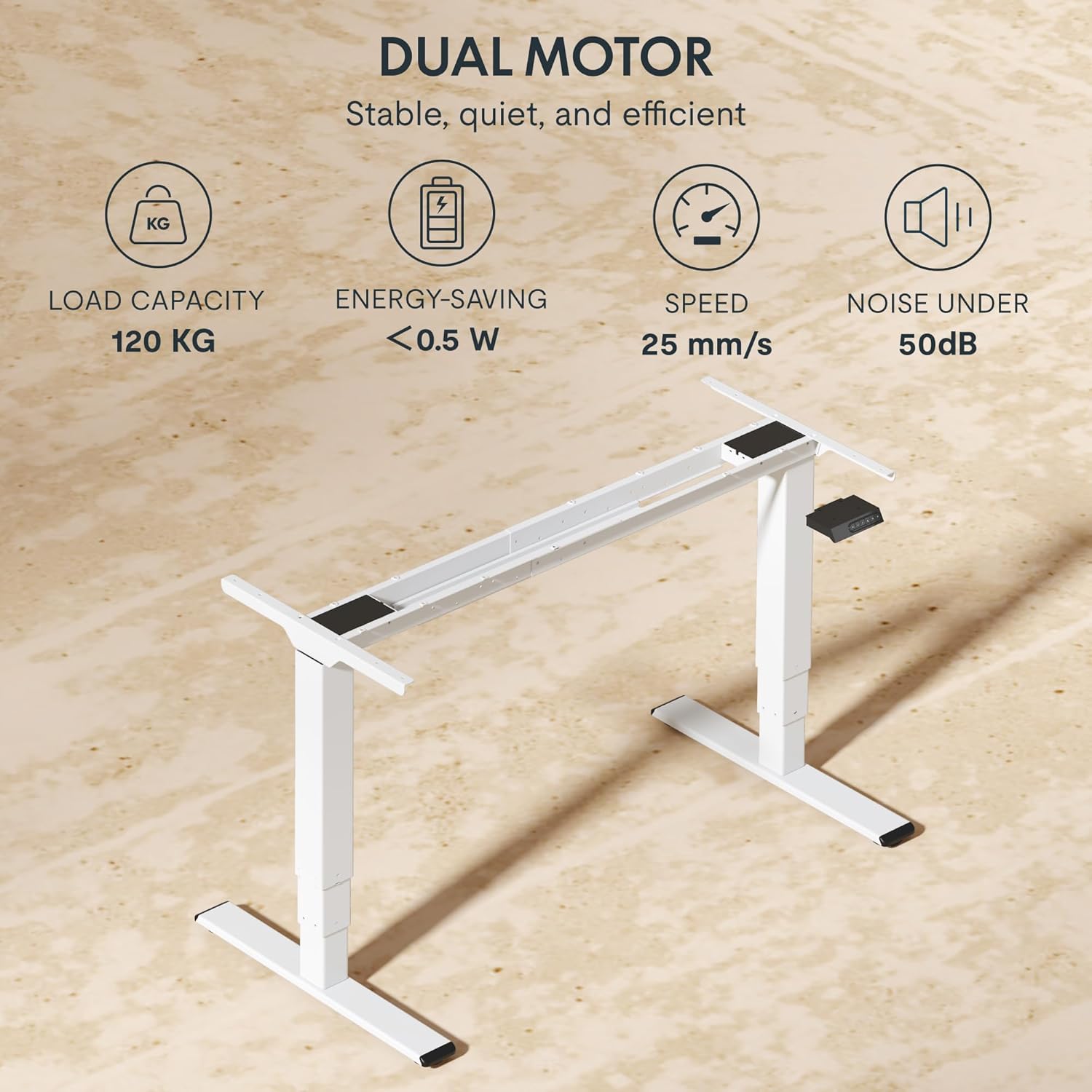
| Yük Kapasitesi | 120 kg (265 lbs) |
| Motor Tipi | Çift Motor Sistemi |
| Yükseklik Ayar Aralığı | 60 cm - 125 cm (23.6 inches - 49.2 inches) |
| Kaldırma Hızı | 25 mm/s |
| Gürültü Seviyesi | 50 dB'nin altında |
| Bacak Stages | üçlütage telescopic legs |
| Kontrol Paneli | LED display, 4 memory presets, Up/Down buttons |
| Şarj Portları | Integrated USB-A and USB-C ports |
| Özel Özellikler | Ergonomic design, Anti-Collision System, Energy-saving (<0.5W standby) |
| Compatible Tabletop Sizes | Length: 120-180 cm; Width: 60-80 cm |
| Taban Malzemesi | Metal |
Garanti ve Destek
FLEXISPOT stands behind the quality of its products. Your EC5 Plus Desk Frame comes with the following warranty:
- Çerçeve Garantisi: 5 yıl
- Motor Garantisi: 3 yıl
This warranty covers defects in materials and workmanship under normal use. For warranty claims or technical assistance, please contact FLEXISPOT customer support. Lifetime free technical support is provided.
For the most up-to-date contact information, please visit the official FLEXISPOT websiteye gidin veya satın alma belgelerinize bakın.
Webalan: www.flexispot.com


