giriiş
The Beatfoxx CDB-1016U Boombox is a versatile audio system designed for both home and portable use. It combines classic audio formats with modern connectivity options, offering a comprehensive listening experience. This manual provides detailed instructions for setting up, operating, and maintaining your device.

Şekil 1: Ön view of the Beatfoxx CDB-1016U BK Boombox, showing the speakers, control panel, and carrying handle.
Kurmak
Cihazın Güçlendirilmesi
The Beatfoxx CDB-1016U Boombox can be powered using the included AC power cable or by batteries for portable use.
- AC Gücü: Insert the AC power cable into the AC IN jack on the back of the unit and plug the other end into a standard wall outlet (AC 230V ~ 50Hz).
- Pil Gücü: For portable operation, open the battery compartment on the bottom of the unit. Insert six (6) Type C (UM-2) batteries, ensuring correct polarity (+/-). Close the battery compartment securely.

Figure 2: The boombox operating on AC power, with an illustration of the required Type C batteries for portable use.
Kullanım Talimatları
Kontroller Üzerindeview
Familiarize yourself with the main controls located on the top and front of the boombox.

Şekil 3: Ayrıntılı view of the boombox's control panel, cassette compartment, carrying handle, and CD compartment.
- Güç düğmesi: Üniteyi açar/kapatır.
- MOD Düğmesi: Switches between CD, USB, Bluetooth, Radio (FM/AM), and AUX modes.
- SES Düğmesi: Ses çıkış seviyesini ayarlar.
- AYAR Düğmesi: Used for manual tuning in Radio mode.
- OYNAT/DURAKLAT Düğmesi: Oynatmayı başlatır veya duraklatır.
- DURDUR/ÇIKAR Düğmesi: Stops playback and opens the CD compartment or ejects cassette.
- SKIP/SEARCH Buttons (<< / >>): Parçaları atlar veya ileri/geri sarar.
- TEKRARLA/PROGRAMLA Düğmesi: Repeats current track/all tracks or programs CD/USB playback order.
- FOLDER Button: Navigates through folders on USB.
- REC Düğmesi: Initiates recording to cassette.
Selecting Playback Sources
The boombox supports multiple audio sources. Use the MOD Bunlar arasında geçiş yapmak için düğmeye basın.

Figure 4: Visual representation of the seven available playback sources on the boombox.
CD Çalma
- Basın MOD CD modunu seçmek için düğmesine basın.
- Basın DUR/ÇIKAR CD bölmesini açmak için düğme.
- Place a CD (CD, CD-R, CD-RW, MP3 CD) onto the spindle with the label side facing up.
- Close the CD compartment. The display will show "READING" and then the total number of tracks.
- Basın OYNAT/DURDUR oynatmayı başlatmak için düğmesine basın.
- Kullanın ATLA/ARA Parçalar arasında gezinmek için kullanılan düğmeler.
- Basmak TEKRARLAMAK Geçerli parçayı veya tüm parçaları tekrarlamak için.
Cassette Playback and Recording
The boombox features a built-in cassette player and recorder.

Figure 5: The cassette compartment of the boombox shown open, ready for tape insertion.
Playback:
- Kaset bölmesini açın.
- Bir kaset yerleştirin.
- Bölmeyi kapatın.
- Basın OYNAMAK button on the cassette controls to start playback.
- Kullanmak İleri Çekiş or YENİDEN for fast forward or rewind.
- Basmak DUR/ÇIKAR to stop playback and eject the tape.
Kayıt:
You can record from CD, USB, Radio, or AUX input to a cassette tape.
- Bölmeye boş veya kaydedilebilir bir kaset yerleştirin.
- Select the desired source (CD, USB, Radio, or AUX) using the MOD düğme.
- Start playback on the source (e.g., play a CD, tune to a radio station).
- Basın KAYIT button on the cassette controls. The unit will automatically start recording the audio from the selected source onto the cassette.
- Basmak DURMAK on the cassette controls to end recording.
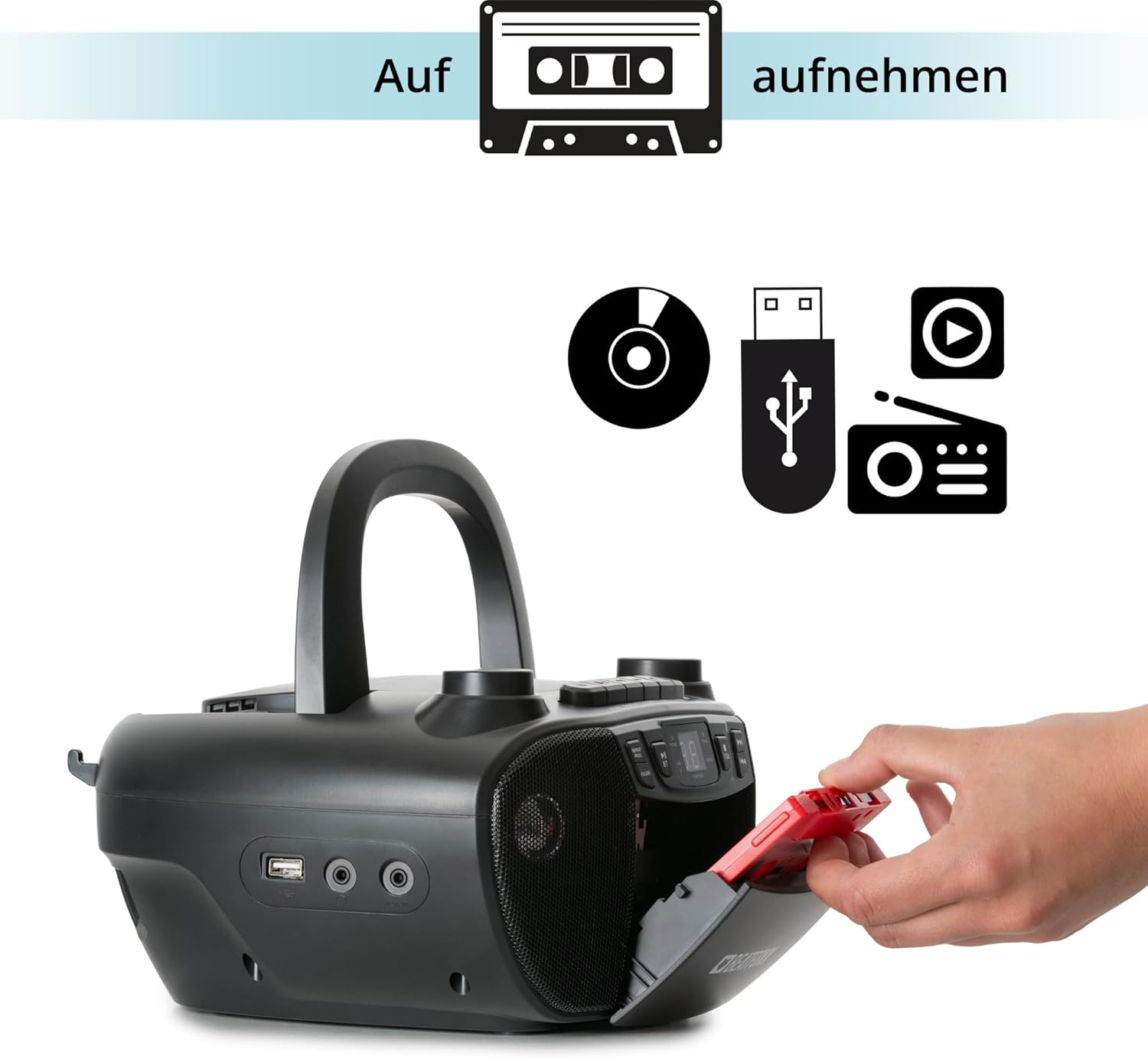
Figure 6: Illustration of the boombox's recording capability, showing a cassette tape being inserted for recording from CD, USB, or radio.
Radyo (FM/AM)
- Extend the telescopic antenna for better FM reception.
- Basın MOD button to select Radio mode (FM or AM).
- Kullanın AYARLAMA knob to manually tune to your desired radio station.
Bluetooth Bağlantısı
- Basın MOD Bluetooth modunu seçmek için düğmeye basın. Ekranda "BT" yazısı görünecek ve yanıp sönerek eşleştirme modunda olduğunu gösterecektir.
- Bluetooth özellikli cihazınızda (akıllı telefon, tablet) Bluetooth'u etkinleştirin ve kullanılabilir cihazları arayın.
- Select "Beatfoxx CDB-1016U" from the list of devices.
- Once paired, the "BT" indicator on the boombox will stop flashing and remain solid.
- Artık cihazınızdan boombox'a kablosuz olarak ses aktarımı yapabilirsiniz.
USB Oynatma
- MP3 ses dosyası içeren bir USB flash sürücü takın fileUSB bağlantı noktasına takın.
- Basın MOD button to select USB mode. The unit will automatically start playing the first track.
- Kullanın ATLA/ARA Parçalar arasında gezinmek için kullanılan düğmeler.
- Kullanın KLASÖR button to navigate through folders on the USB drive.

Şekil 7: Ayrıntılı view of the boombox's connectivity options, including the USB port, headphone output, and AUX input.
AUX Girişi
Connect external audio devices (e.g., MP3 players, smartphones without Bluetooth) to the boombox using a 3.5mm audio cable (not included).
- Connect one end of the 3.5mm audio cable to the AUX IN jack on the boombox.
- Diğer ucunu harici cihazınızın kulaklık girişine veya ses çıkışına bağlayın.
- Basın MOD AUX modunu seçmek için kullanılan düğme.
- Harici cihazınızdan ses çalın. Ses, taşınabilir müzik çalar hoparlörlerinden verilecektir.
Kulaklık Çıkışı
For private listening, connect standard 3.5mm headphones to the HEADPHONE jack. Audio will automatically mute from the speakers when headphones are connected.
Bakım
Temizlik
- Temizlemeden önce daima ünitenin fişini güç kaynağından çıkarın.
- Dış yüzeyleri temizlemek için yumuşak ve kuru bir bez kullanın.
- Cilaya zarar verebileceğinden aşındırıcı temizleyiciler, cilalar veya çözücüler kullanmayın.
- CD objektif için özel bir CD objektif temizleyici kullanın.
- For the cassette head, use a cassette head cleaning kit.
Pil Bakımı
- Ünite uzun süre kullanılmayacaksa, sızıntıyı önlemek için pilleri çıkarın.
- Eski ve yeni pilleri veya farklı pil türlerini karıştırmayın.
- Kullanılmış pilleri yerel düzenlemelere uygun şekilde sorumlu bir şekilde atın.
Sorun giderme
| Sorun | Olası Neden | Çözüm |
|---|---|---|
| Güç yok | Güç kablosu bağlı değil; piller bitmiş veya yanlış takılmış. | Ensure AC cable is securely plugged in. Check battery polarity and replace if necessary. |
| Ses yok | Volume too low; Wrong mode selected; Headphones connected. | Increase volume. Press MODE button to select correct source. Disconnect headphones. |
| CD atlıyor veya çalmıyor | CD kirli veya çizik; CD yanlış takılmış. | Clean CD with a soft cloth. Re-insert CD correctly. Try another CD. |
| Bluetooth eşleştirmiyor | Boombox eşleştirme modunda değil; Cihaz çok uzakta; Cihazda Bluetooth devre dışı bırakılmış. | Ensure boombox is in BT mode and "BT" is flashing. Move device closer. Enable Bluetooth on your device. |
| Zayıf radyo alımı | Anten uzatılmamış; Sinyal zayıf. | Fully extend the telescopic antenna. Adjust antenna position. Try tuning to a stronger station. |
Özellikler
| Özellik | Detay |
|---|---|
| Marka | Beatfoxx |
| Model Numarası | CDB-1016U (Manufacturer Ref: 00104749) |
| Renk | Siyah |
| Bağlantı Teknolojisi | Yardımcı giriş, USB, Bluetooth |
| Uyumlu Cihazlar | Portable audio devices, MP3 players, Smartphones, Tablets |
| Hoparlör Tipi | Stereo |
| Güç Kaynağı | AC Power Cable, 6 x Type C Batteries |
| Ses Çıkış Gücü | 2 x 1.2 W |
| Desteklenen Formatlar | CD, MP3, CD-R, CD-RW, Cassette, FM/AM Radio, Bluetooth, USB |
| Ürün Ağırlığı | 1.6 Kilogram |
| Boyutlar (G x Y x D) | 24 x 13 x 22.5 cm (yaklaşık) |
Garanti ve Destek
This Beatfoxx product comes with a standard manufacturer's warranty. Please refer to the warranty card included in your product packaging for specific terms and conditions.
For technical support, troubleshooting assistance, or warranty claims, please contact Beatfoxx customer service through their official webÜrünü satın aldığınız site veya perakendeciyle iletişime geçin. Garanti geçerliliği için satın alma belgenizi saklayın.


