1. Giriş ve Ürün Hakkındaview
This manual provides detailed instructions for the setup, operation, and maintenance of your ZEBRONICS Juke BAR 4100 Soundbar. Please read this manual thoroughly before using the product to ensure proper functionality and to maximize your audio experience.

Image 1.1: The ZEBRONICS Juke BAR 4100 Soundbar and its accompanying subwoofer, shown with the remote control. The soundbar is a long, slender unit, and the subwoofer is a compact, cube-shaped speaker.
Temel Özellikler:
- Dinamik Çıkış: 200W RMS total power (90W subwoofer, 110W soundbar).
- Çoklu bağlantı: Bluetooth v5.0, HDMI (ARC), Optical, USB, and AUX inputs.
- Güçlü Sürücüler: Soundbar features 4 x 5.71 cm drivers; subwoofer features a single 16.51 cm driver for enhanced bass.
- Sanal 5.1 Surround Ses: Creates an immersive, multi-channel audio environment.
- Wall-mountable: Designed for flexible placement and space efficiency.
- LED ekran: Provides clear status, volume, and connectivity mode information.
2. Kutuda Neler Var?
Tüm ürünleri dikkatlice paketinden çıkarın ve aşağıdaki bileşenleri aldığınızdan emin olun:
- Sound Bar - 1 unit
- Subwoofer - 1 unit
- Remote Control - 1 unit
- Input Cable - 1 unit
- QR Code Guide - 1 unit
3. Kurulum Talimatları
3.1 Yerleştirme
For optimal audio performance, place the soundbar centrally below your television. The subwoofer can be placed on the floor near the soundbar, ideally in a corner for enhanced bass response.

Image 3.1: The soundbar positioned below a television, with the subwoofer on the floor to the left, illustrating a typical home theater setup.
3.2 Duvara Montaj
The soundbar is designed to be wall-mountable. Use appropriate wall mounting hardware (not included) and follow the instructions provided in the QR Code Guide for secure installation. Ensure the wall can support the weight of the soundbar.
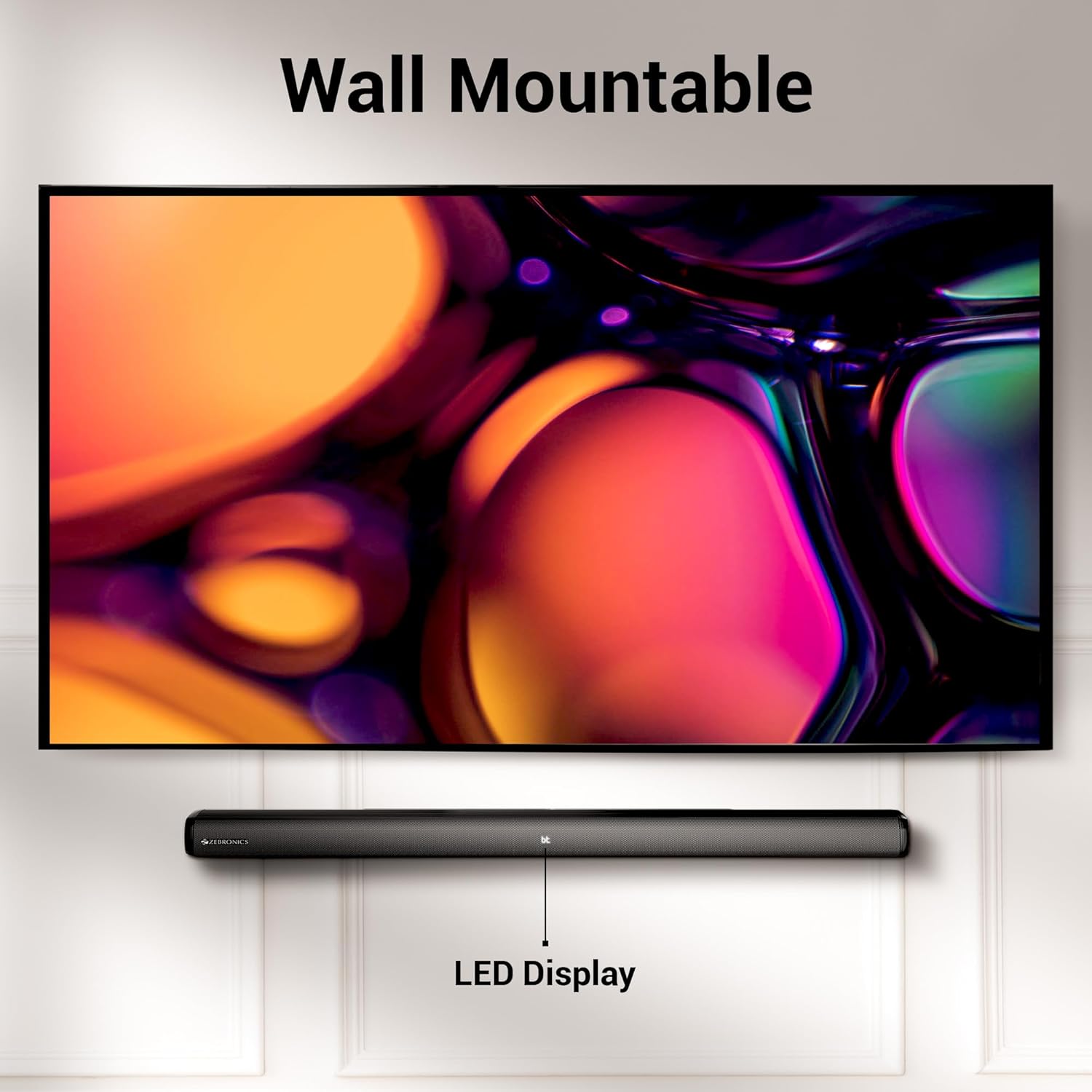
Image 3.2: The soundbar mounted on a wall beneath a television, demonstrating its wall-mountable design and integrated LED display.
3.3 Subwoofer'ın Bağlanması
Connect the subwoofer to the soundbar using the provided input cable. Ensure the connection is secure.
3.4 Güç Bağlantısı
Connect the power cables for both the soundbar and the subwoofer to a suitable power outlet. The LED display on the soundbar will illuminate.
4. Kullanım Talimatları
4.1 Güç Açma/Kapatma
Basın Güç Ses çubuğundaki veya uzaktan kumandadaki düğmeyi kullanarak cihazı açıp kapatabilirsiniz.
4.2 Mod Seçimi
Basın Mod button on the soundbar or the remote control to cycle through available input modes: Bluetooth (BT), HDMI (ARC), Optical (OPT), USB, and AUX. The selected mode will be indicated on the LED display.
4.3 Ses Kontrolü
Kullanın Cilt + Ve Hacim - Ses seviyesini ayarlamak için ses çubuğundaki veya uzaktan kumandadaki düğmeler kullanılır.
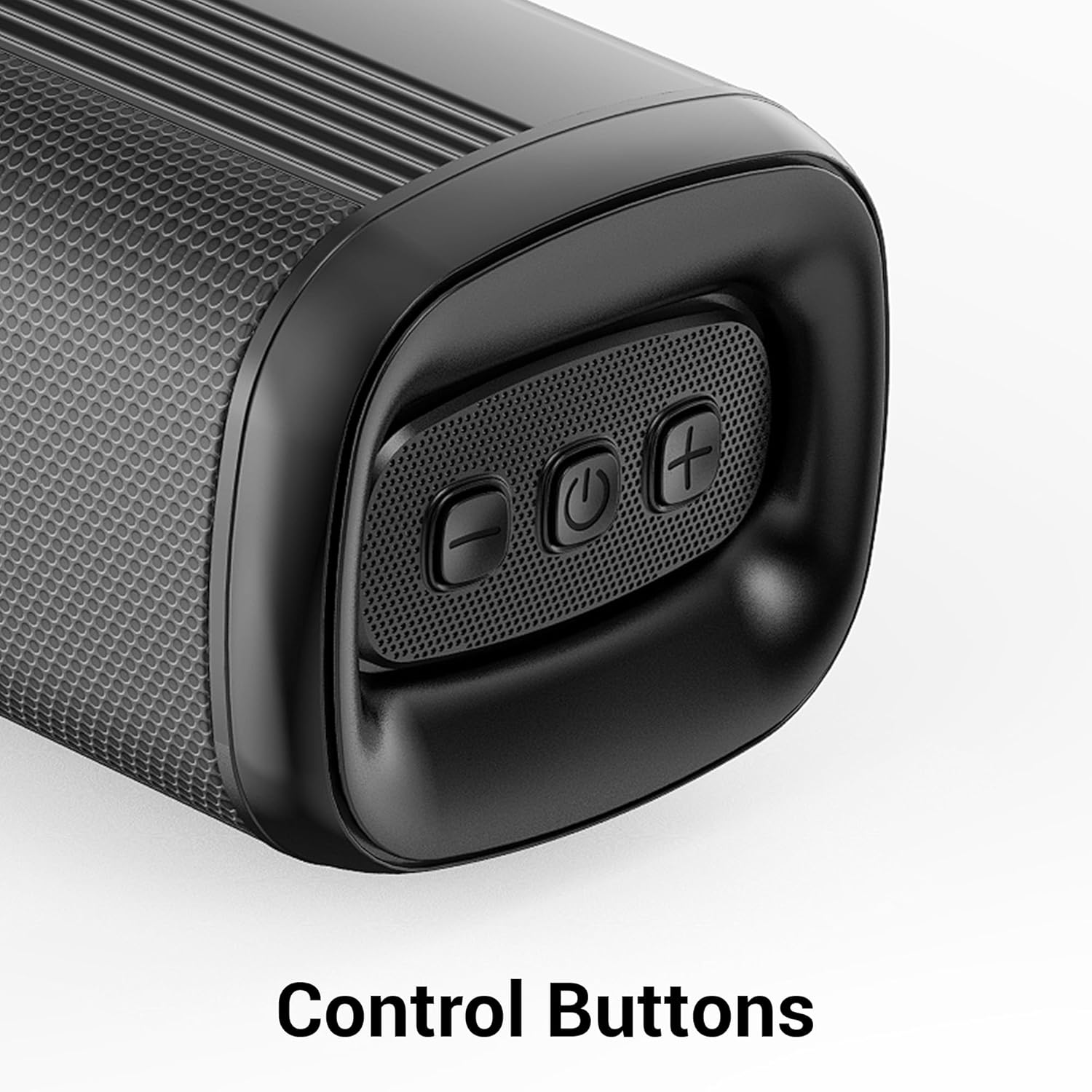
Resim 4.1: Yakın çekim view of the control buttons on the soundbar, including volume down, power, and volume up.
5. Bağlantı
The ZEB-Juke Bar 4100 offers multiple connectivity options for various devices.

Image 5.1: The soundbar with an overlay indicating its multi-connectivity features: Bluetooth v5.0, TV (ARC), Optical IN, USB, and AUX.
5.1 Bluetooth (BT) Connection
- Turn on the soundbar and select BT mode. The LED display will show "BT" and flash, indicating pairing mode.
- Enable Bluetooth on your mobile device or computer and search for "ZEB-JUKE BAR 4100".
- Select the soundbar from the list of available devices to pair. Once connected, the "BT" indicator will stop flashing.
5.2 HDMI (ARC) Bağlantısı
- HDMI kablosunu şuradan bağlayın: HDMI ARC port on the soundbar to the HDMI ARC televizyonunuzdaki bağlantı noktası.
- Seçme HDMI ARC Soundbar'da mod.
- Televizyonunuzun ses çıkışının HDMI ARC veya harici hoparlörlere ayarlandığından emin olun.
5.3 Optical (OPT) Connection
- Connect an optical cable from the Optik GİRİŞ port on the soundbar to the optical output port on your television or audio source.
- Seçme OPT Soundbar'da mod.
- Televizyonunuzun ses çıkışının Optik veya harici hoparlörler olarak ayarlandığından emin olun.
5.4 USB Oynatma
- Ses içeren bir USB flash sürücü takın files içine USB ses çubuğundaki bağlantı noktası.
- Seçme USB mode. The soundbar will automatically begin playing audio files.
- Use the remote control to navigate tracks (Play/Pause, Next/Previous).
5.5 AUX Bağlantısı
- Connect a 3.5mm audio cable from the AUX IN port on the soundbar to the audio output of your device (e.g., smartphone, MP3 player).
- Seçme Yardımcı Soundbar'da mod.
6. Bakım
Ses çubuğunuzun uzun ömürlü ve en iyi performansı göstermesi için aşağıdaki bakım yönergelerini izleyin:
- Temizlik: Ses çubuğu ve subwoofer'ın yüzeylerini temizlemek için yumuşak, kuru bir bez kullanın. Sıvı temizleyiciler veya aşındırıcı malzemeler kullanmayın.
- Havalandırma: Ünitelerin çevresinde yeterli havalandırma olduğundan emin olun. Havalandırma açıklıklarını hiçbir şekilde kapatmayın.
- Çevre: Avoid exposing the soundbar to extreme temperatures, humidity, or direct sunlight. Keep it away from water and other liquids.
- Güç: Cihaz uzun süre kullanılmayacaksa, güç kablosunu prizden çıkarın.
7. Sorun Giderme
If you encounter any issues with your ZEBRONICS Juke BAR 4100 Soundbar, refer to the following common problems and solutions:
| Sorun | Olası Neden | Çözüm |
|---|---|---|
| Güç yok | Güç kablosu bağlı değil; elektrik prizi aktif değil. | Ensure power cables are securely connected and the power outlet is functioning. |
| Ses yok | Incorrect input mode selected; volume too low; audio cable not connected properly. | Select the correct input mode (BT, HDMI, OPT, USB, AUX). Increase volume. Check all audio cable connections. Ensure TV audio output is set correctly. |
| Bluetooth eşleştirme başarısız oldu | Ses çubuğu eşleştirme modunda değil; cihaz çok uzakta; parazit. | Ensure soundbar is in BT mode and "BT" is flashing. Move device closer to the soundbar. Turn off other Bluetooth devices to reduce interference. |
| Uzaktan kumanda çalışmıyor | Batteries depleted; obstruction between remote and soundbar. | Replace remote control batteries. Ensure no objects are blocking the remote's signal path to the soundbar's sensor. |
8. Özellikler
Technical specifications for the ZEBRONICS Juke BAR 4100 Soundbar:
- Model Adı: ZEB-JUKE BAR 4100
- Toplam Çıkış Gücü: 200 Watts RMS (Soundbar: 110W, Subwoofer: 90W)
- Hoparlör Tipi: Harici subwoofer'lı ses çubuğu
- Surround Ses Kanalı Yapılandırması: Sanal 5.1
- Soundbar Sürücüleri: 4x5.71 cm
- Subwoofer Sürücüsü: 1x16.51 cm
- Bağlantı Teknolojisi: Bluetooth v5.0, HDMI (ARC), Optical, USB, Auxiliary
- Bluetooth Aralığı: 10 metreye kadar
- Frekans Tepkisi: 45 Hz (minimum, as per data)
- Montaj Tipi: Duvara monte edilebilir
- Kontrol Yöntemi: Uzaktan Kumanda, Cihaz Üzerindeki Düğmeler
- Product Dimensions (Combined unit): 30.6D x 19G x 36.7Y Santimetre
- Ürün Ağırlığı: 6 kilo
- Güç Kaynağı: Kablolu Elektrik
- Dahil Bileşenler: Sound Bar, Subwoofer, Remote, Input cable, QR code guide
9. Garanti ve Destek
The ZEBRONICS Juke BAR 4100 Soundbar comes with a limited warranty. Please refer to the warranty card included in your package for specific terms and conditions.
For technical assistance, troubleshooting, or warranty claims, please contact ZEBRONICS customer support. Contact details can typically be found on the official ZEBRONICS webSitede veya ekli belgelerde.
Ayrıca resmi web sitesini de ziyaret edebilirsiniz ZEBRONICS Mağazası Amazon'da Daha fazla ürün bilgisi ve destek kaynakları için.


