1. Giriş
This manual provides comprehensive instructions for the VILCORN R36S Retro Handheld Gaming Console. It covers device setup, operation, maintenance, and troubleshooting to ensure optimal use of your gaming device. Please read this manual thoroughly before using the console.
2. Ürün Bittiview
The VILCORN R36S is a portable gaming console designed for retro gaming enthusiasts. It features a 3.5-inch IPS screen and supports multiple emulators.

Resim: Ön ve yan view of the VILCORN R36S console, highlighting its compact design and the included 128GB TF card with pre-loaded games.
2.1. Console Components and Controls
Familiarize yourself with the console's layout and controls:

Image: Detailed diagram illustrating the various components and controls of the R36S console, including buttons, joysticks, ports, and card slots.
- 1. Polymer Lithium-Ion Battery: Dahili güç kaynağı.
- 2. Back R1/R2 Function Keys: Right shoulder buttons.
- 3. TF Card Memory Card 1 (OS): Slot for the operating system card.
- 4. Volume Up/Down Button: Ses çıkışını ayarlar.
- 5. Back L1/L2 Function Keys: Left shoulder buttons.
- 6. High Resolution HD Colour Screen: 3.5 inç ekran.
- 7. Güç Açma/Kapama Düğmesi: Controls device power.
- 8. Sıfırlama Düğmesi: Sistem sıfırlama işlemi için.
- 9. TF Card Memory Card 2 (GAME): Slot for game storage card.
- 10. Speaker Hole: Ses çıkışı.
- 11. Game Function Keys (A, B, X, Y): Birincil işlem düğmeleri.
- 12. Start/Pause Button: Initiates or pauses games.
- 13. Operation Lever (Right): Right analog joystick.
- 14. Cross Direction Keys: Yön girişi için D-pad.
- 15. FN Button: İşlev düğmesi.
- 16. Selection Key: Seç düğmesi.
- 17. Charging Port: Güç girişi için USB Type-C.
- 18. Audio Hole: 3.5 mm kulaklık girişi.
- 19. OTG to Connector: USB On-The-Go port.
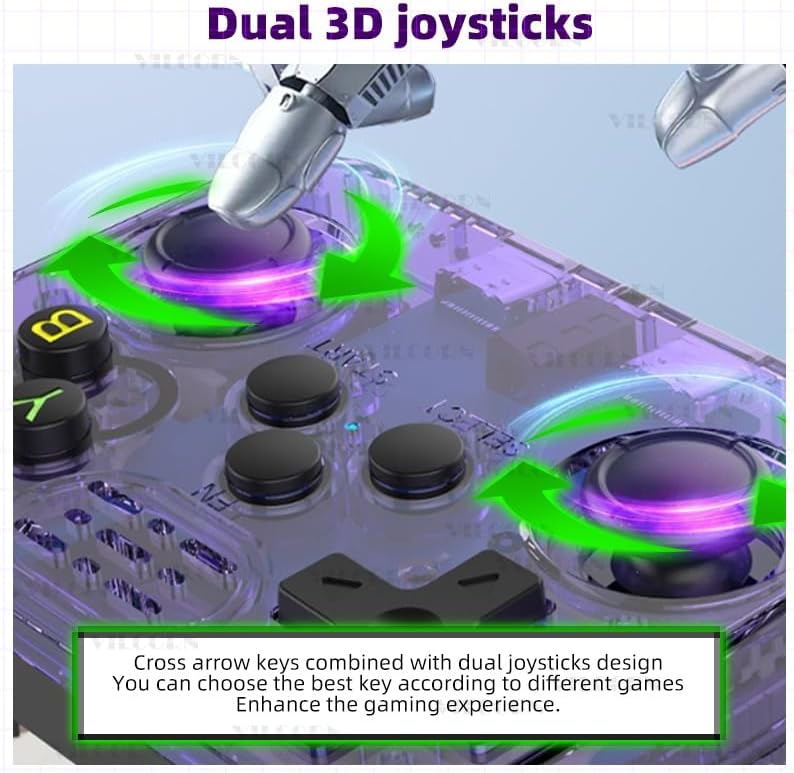
Image: The console features dual 3D joysticks and a D-pad, allowing for versatile control options depending on the game.

Image: The rear of the console features four spring-loaded L/R buttons (L1, L2, R1, R2) for enhanced gameplay.
3. Kurulum
3.1. İlk Şarj
Before first use, fully charge the console. Connect the provided USB Type-C charging cable to the console's charging port (17) and a compatible USB power adapter. The built-in 3500 mAh battery supports up to 8 hours of gameplay on a full charge. Charging time is approximately 2 hours.
3.2. TF Kart Kurulumu
The console comes with two TF card slots. One card (OS) contains the operating system, and the other (GAME) contains pre-loaded games. Ensure both cards are properly inserted into their respective slots (3 and 9) before powering on the device. The 128GB GAME card includes over 22,000 games.
4. Kullanım Talimatları
4.1. Güç Açma/Kapatma
- To power on: Press and hold the Power On/Off button (7) until the screen illuminates.
- To power off: Press and hold the Power On/Off button (7) and follow the on-screen prompts to shut down the system safely.
4.2. Menülerde Gezinme
Use the Cross Direction Keys (14) or the Operation Levers (13) to navigate through menus. Press the A button (part of 11) to select an option and the B button (part of 11) to go back.
4.3. Oyun Oynamak
The console supports over 26 emulators and comes with 22,000+ pre-loaded games on the 128GB TF card. To play a game:
- Navigate to the desired emulator or game list.
- Select a game using the A button.
- Press the Start/Pause button (12) to begin gameplay.
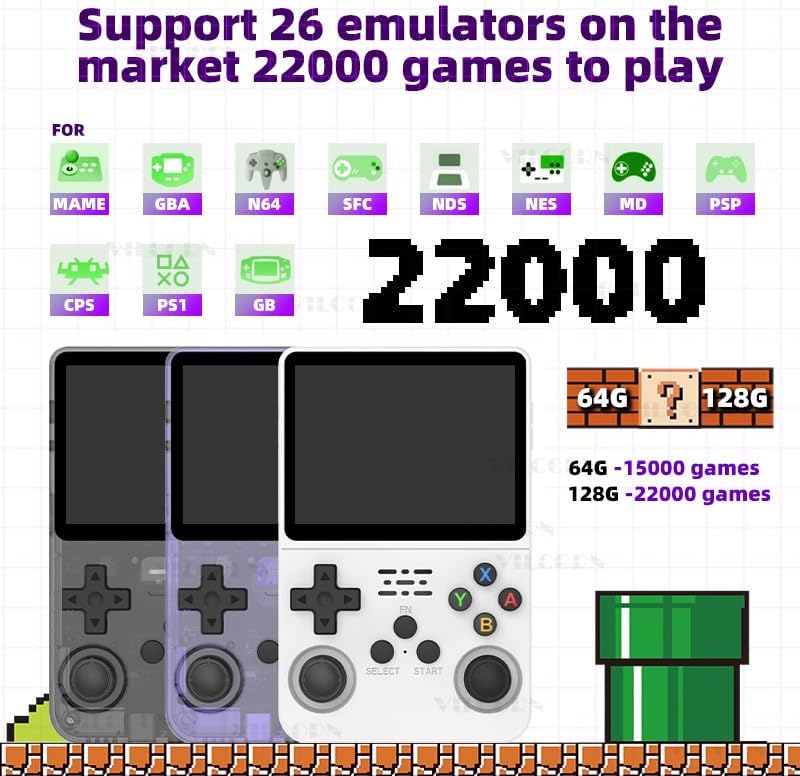
Image: The console supports a wide range of emulators, providing access to a vast library of classic games.
4.4. Wi-Fi Connectivity and Online Play
The R36S supports Wi-Fi connectivity via a Type-C interface Wi-Fi receiver (not included). This enables online battles for two players on the same local area network (LAN). For optimal performance, it is recommended that both consoles are from the same series and the core name and ROM used for the game are identical.

Image: The console supports Wi-Fi for local multiplayer gaming, requiring a separate Wi-Fi receiver.
4.5. External Display Connection
Using a Type-C OTG HD interface adapter (not included), the console can be connected to a larger screen, such as a TV or projector, for an enhanced gaming experience.
5. Bakım
5.1. Temizlik
Wipe the console with a soft, dry cloth. Avoid using liquid cleaners or abrasive materials, as they may damage the screen or casing.
5.2. Pil Bakımı
To prolong battery life, avoid fully discharging the battery frequently. Charge the console regularly, even if not in use for extended periods. Store the device in a cool, dry place.
6. Sorun Giderme
If you encounter issues with your VILCORN R36S console, refer to the following common problems and solutions:
- Cihaz açılmıyor:
- Pilinin yeterince dolu olduğundan emin olun. Konsolu bir güç kaynağına bağlayın ve tekrar açmayı denemeden önce en az 30 dakika şarj olmasına izin verin.
- Verify that the OS TF card is correctly inserted in slot 1.
- Screen remains black after powering on:
- This may indicate a system startup issue. Try pressing the Reset button (8) with a thin object (e.g., a paperclip) and then attempt to power on again.
- Ensure the OS TF card is not corrupted or improperly seated.
- Games are not loading or missing:
- Verify that the GAME TF card is correctly inserted in slot 2.
- Oyunu garantile files on the TF card are intact and not corrupted.
- Kontroller yanıt vermiyor:
- Konsolu yeniden başlatın.
- Ensure no debris is obstructing the buttons or joysticks.
7. Özellikler
Key technical specifications for the VILCORN R36S Retro Handheld Gaming Console:
| Özellik | Detay |
|---|---|
| Örnek | R36S |
| Görüntülemek | 3.5-inch IPS Screen, 640x480 pixels |
| Pil | 3500 mAh Li-polymer (approx. 8 hours battery life, 2 hours charging) |
| Depolamak | 128GB TF card (pre-loaded with 22,000+ games) |
| Desteklenen Emülatörler | 26+ (e.g., GBA, GB, MAME, NDS, NES, MD, PSP, PS1) |
| Bağlantı | Type-C interface Wi-Fi (receiver not included), Type-C OTG HD (adapter not included) |
| Boyutlar | 6.5 x 1.8 x 4.2 inç |
| Ağırlık | 12.6 ons (0.79 Pound) |
| Malzeme | Plastik |
| UPC | 794697940786 |
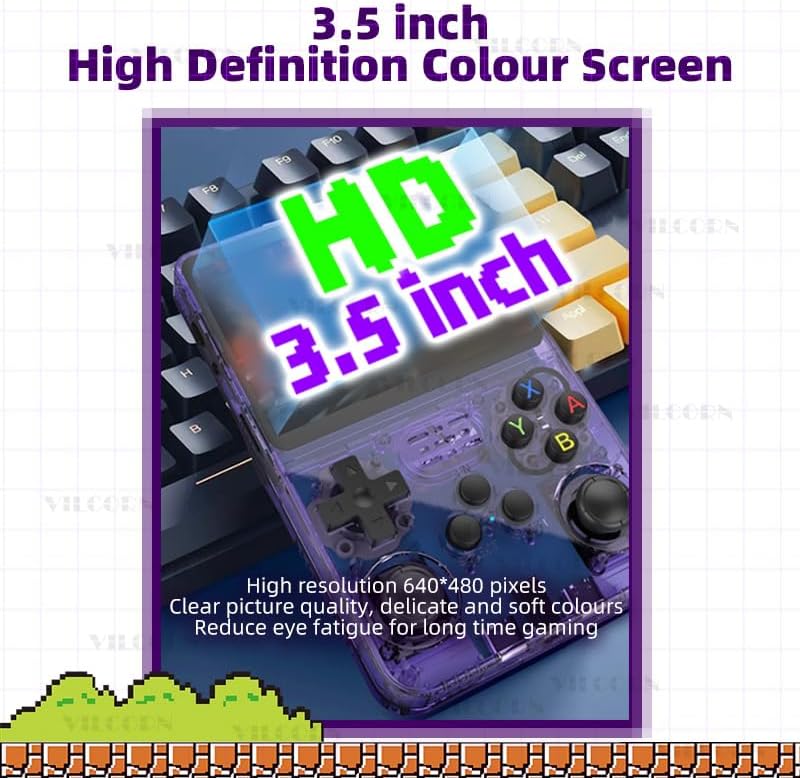
Image: The console features a 3.5-inch high-definition IPS screen with 640x480 pixel resolution for clear visuals.
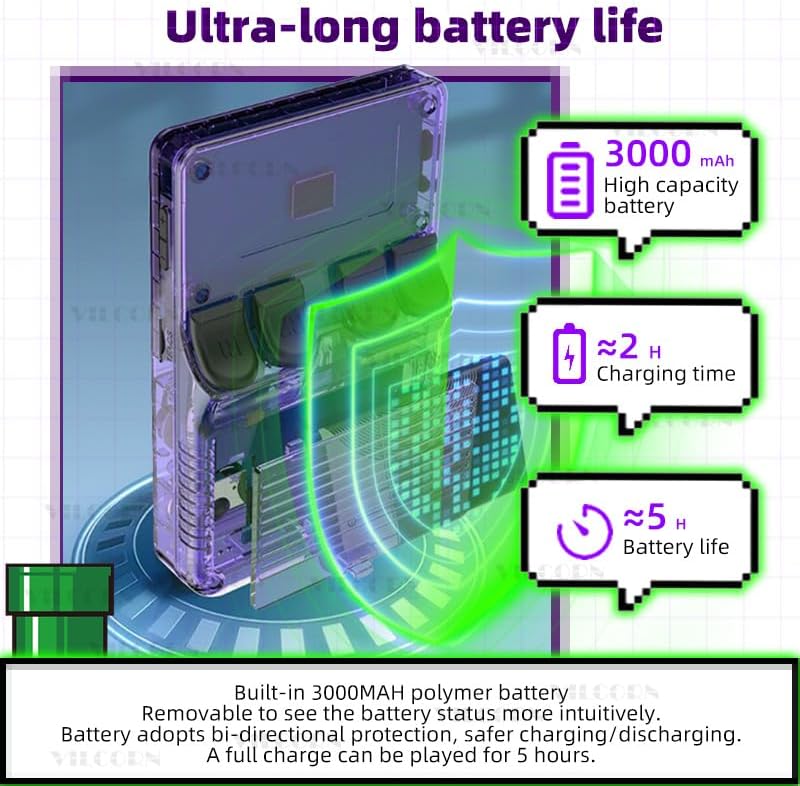
Image: Battery specifications, indicating a 3000mAh capacity, approximately 2 hours charging time, and up to 5 hours of gameplay.
Note: Product feature bullets state a 3500mAh battery with up to 8 hours of battery life, while the image indicates 3000mAh and 5 hours. Please refer to the latest product specifications for the most accurate battery information.
8. Güvenlik Bilgileri
- Suya Maruz Kalma: This device is not waterproof. Avoid contact with water or other liquids to prevent damage.
- Yaş Önerisi: 3 yaş ve üzeri için önerilir.
9. Garanti ve Destek
For warranty information or technical support, please refer to the contact details provided with your purchase or visit the VILCORN official webSite. Satın alma belgenizi garanti talepleriniz için saklayın.


