1. Giriş
This manual provides essential instructions for the safe operation and maintenance of your SuperRC L500 Pro 4K GPS Drone. Please read this manual thoroughly before operating the drone to ensure proper usage and to prevent damage or injury. Keep this manual for future reference.
2. Güvenlik Yönergeleri
Operating a drone requires responsibility. Adhere to all local regulations and guidelines for drone usage. Failure to do so may result in legal penalties or property damage.
- Uçuş Öncesi Kontrol: Always inspect the drone, remote controller, and batteries for any damage before each flight. Ensure propellers are securely attached.
- Uçuş Ortamı: Fly in open areas, away from people, animals, buildings, and power lines. Avoid flying in strong winds, rain, or fog. Maintain a clear line of sight with the drone.
- Pil Güvenliği: Yalnızca onaylı piller ve şarj cihazları kullanın. Pilleri aşırı şarj etmeyin veya delmeyin. Pillerde şişme veya hasar belirtileri görülürse kullanmayı bırakın.
- Engel kaldırma: While the drone features 360° laser obstacle avoidance, it is not foolproof. Always exercise caution and maintain awareness of your surroundings.
- Yaş Önerisi: Bu ürün yetişkinler için tasarlanmıştır.
3. Paket İçeriği
Paketinizde tüm öğelerin mevcut olduğundan emin olun:
- SuperRC L500 Pro Drone
- Uzaktan Kumanda
- Taşıma Çantası
- Pervaneler (Yedek set dahildir)
- Vidalar
- Tornavida
- USB C Tipi Kablo
- Lityum İyon Piller (2 adet dahil)
- Kullanım Kılavuzu (Bu belge)

4. İHA Bileşenleri
Familiarize yourself with the key parts of your SuperRC L500 Pro drone:
- Katlanabilir Kollar: Kompakt depolama ve taşıma için.
- Fırçasız Motorlar: Provide stable and quiet flight.
- Pervaneler: Uçuş için kaldırma kuvveti yaratın.
- 4K HD Çift Kamera: Front-facing and downward-facing cameras for aerial photography and video. Electrically adjustable shooting angles.
- 360° Laser Obstacle Avoidance Sensor: Detects obstacles in all directions.
- GPS Modülü: Enables precise outdoor positioning and intelligent flight modes.
- Optik Akış Sensörü: Provides stable hovering for indoor flight.
- Modüler Batarya: Easy to install and replace.


5. Uzaktan Kumanda
The remote controller allows you to operate the drone and access its features. It features a smartphone holder for live video feed and app control.
Refer to the included quick start guide for a detailed diagram of the remote controller buttons and their functions.

6. Pilin Takılması ve Şarj Edilmesi
6.1 Drone Bataryası
- Insert the modular battery into the drone's battery compartment until it clicks into place.
- Çıkarmak için, (varsa) serbest bırakma düğmesine basın ve pili dışarı kaydırın.
- Charge the battery using the provided USB Type-C cable and a compatible USB power adapter (not included). The charging indicator will show the charging status.
6.2 Remote Controller Battery
The remote controller typically uses internal rechargeable batteries or standard AA batteries. Refer to the remote controller's specific instructions for battery type and charging/installation procedures.
7. İlk Kurulum
- Pilleri Şarj Edin: Hem drone hem de uzaktan kumanda pillerinin tam şarjlı olduğundan emin olun.
- Unfold Drone: Carefully unfold the drone arms until they lock into position.
- Pervaneleri Takın: If not pre-installed, attach propellers according to the markings (A/B) on the propellers and motor arms. Ensure they are secure.
- Güç Açık: Place the drone on a flat, level surface. Power on the drone, then power on the remote controller.
- Eşleştirme: The drone and remote controller should automatically pair. If not, follow the pairing instructions in the quick start guide.
- Uygulama Bağlantısı: Download the SuperRC drone app to your smartphone. Connect your phone to the drone's Wi-Fi network (usually named "SuperRC-XXXX"). Open the app to view the live feed and access advanced features.
- GPS Kalibrasyonu: For outdoor flights, ensure the drone acquires sufficient GPS satellites before takeoff. Perform compass calibration as instructed by the app or quick start guide.
8. Kullanım Talimatları
8.1 Temel Uçuş
- Tek Tuşla Kalkış/İniş: Press the dedicated button on the remote or in the app for automatic takeoff and landing.
- Manuel kontrol: Use the joysticks on the remote controller to control altitude, direction, and rotation.
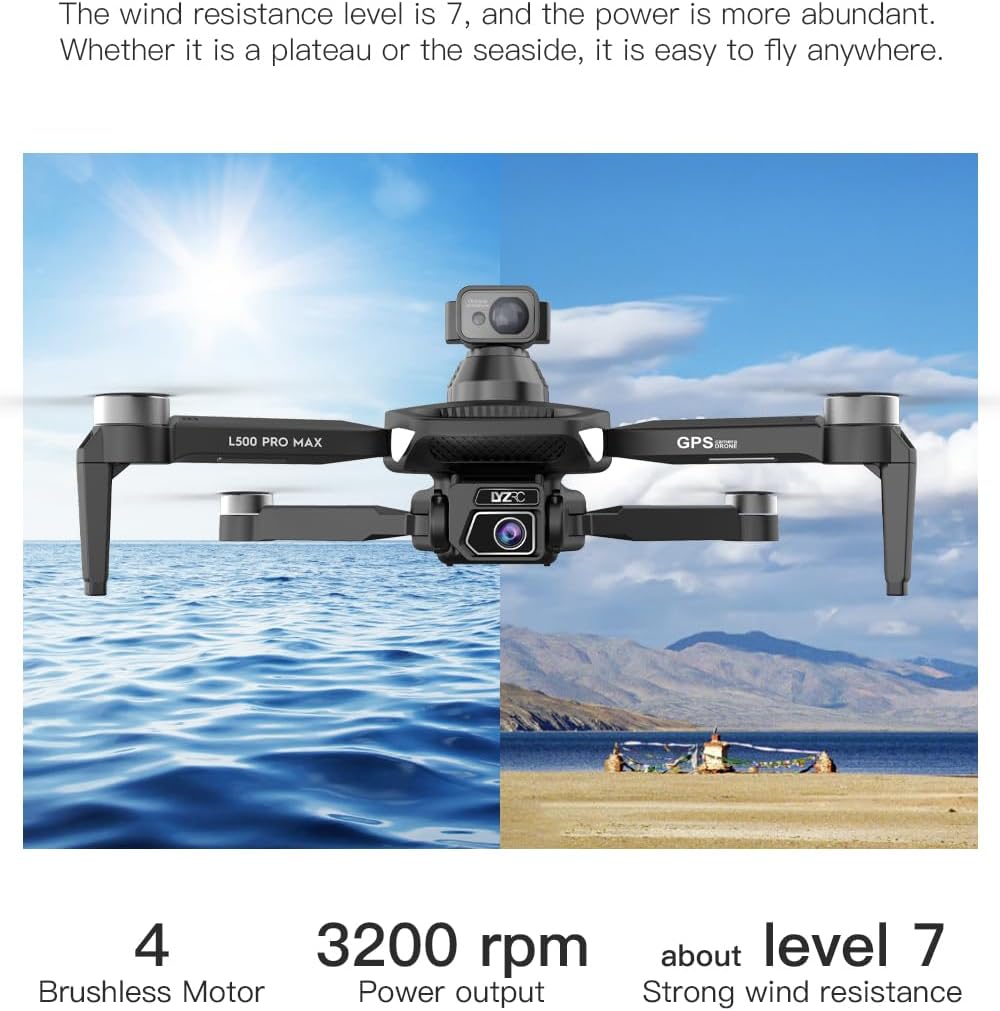
- GPS Mode (Outdoor): Provides stable flight and precise positioning, resisting wind.
- Optical Flow Mode (Indoor): Uses a downward-facing camera for stable hovering in environments without GPS signal.
8.2 Engellerden Kaçınma
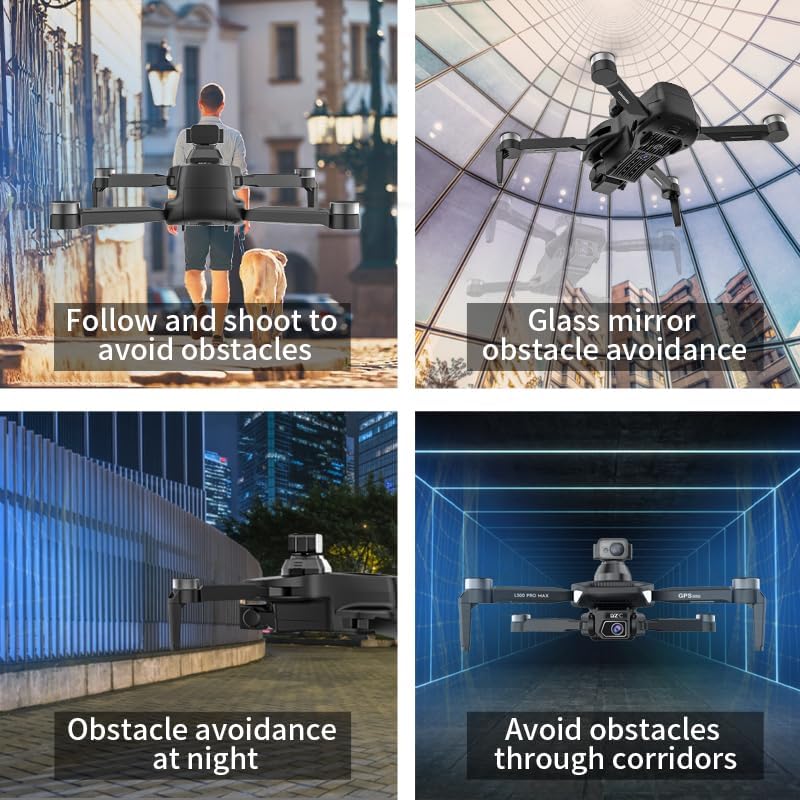
The 360° laser obstacle avoidance system helps prevent collisions by detecting objects in front, rear, left, and right directions. The drone will automatically adjust its flight path to avoid detected obstacles.
8.3 Kamera Çalışması
- 4K HD Çift Kamera: Switch between the front and bottom cameras via the remote controller or app.
- Electrically Adjustable Angles: Adjust the camera's tilt angle remotely for optimal shots.
- Fotoğraf/Video Çekimi: Use the dedicated buttons on the remote or in the app to take photos or start/stop video recording.
8.4 Akıllı Uçuş Modları
- Yol Noktası Navigasyonu: Plan a custom flight path by tapping points on the map in the app. The drone will follow the designated route.
- GPS Follow/Smart Follow: The drone can automatically follow a moving subject (e.g., a person or vehicle) using GPS and visual tracking.
- Yörünge Uçuşu: The drone will circle a designated point or subject, capturing 360° footage.
- Image Track: Similar to follow mode, but focuses on tracking a specific image or object.
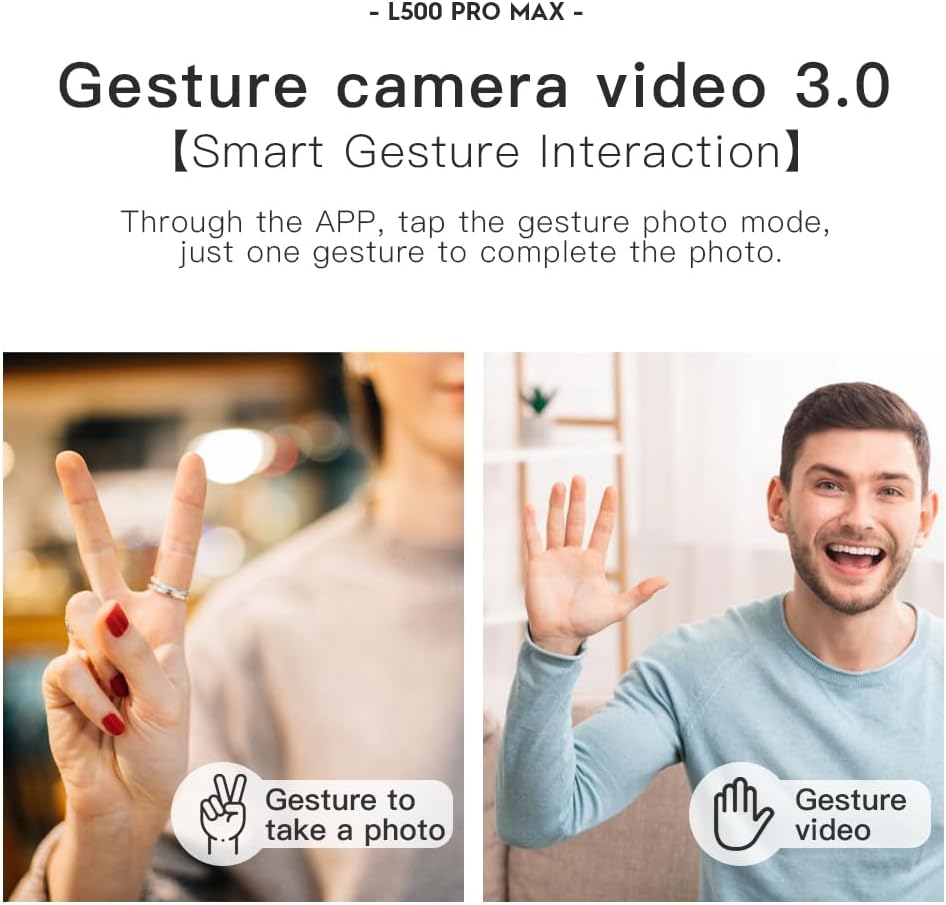
- Hareket Kontrolü: Use specific hand gestures to trigger photo or video capture.
- 4 Intelligent Return Modes:
- Lost Signal Return: Drone returns to takeoff point if signal is lost.
- Düşük Pil İadesi: Drone returns automatically when battery is low.
- Over-Distance Return: Drone returns if it flies beyond the set range.
- One-Tap Return: Manually initiate return to home with a single button press.
9. Bakım
- Temizlik: Use a soft, dry cloth to clean the drone and remote controller. Avoid water or harsh chemicals.
- Pervane Muayenesi: Regularly check propellers for cracks, bends, or damage. Replace damaged propellers immediately using the provided screwdriver and spare parts.
- Depolamak: Store the drone and accessories in the carrying case in a cool, dry place, away from direct sunlight. Remove batteries if storing for extended periods.
- Pil Bakım: Do not store batteries fully charged or completely depleted. Charge them to about 50-60% for long-term storage.
10. Sorun Giderme
| Sorun | Olası Neden | Çözüm |
|---|---|---|
| Drone açılmıyor. | Pil şarj edilmemiş veya yanlış takılmış. | Pilin tam şarjlı olduğundan ve doğru şekilde takıldığından emin olun. |
| İHA kumandaya cevap vermiyor. | Not paired, low remote battery, or interference. | Re-pair drone and remote. Charge remote battery. Move to an area with less interference. |
| Dengesiz uçuş/Sürüklenme. | Improper calibration, strong wind, or damaged propellers. | Perform compass calibration. Fly in calm conditions. Check and replace damaged propellers. |
| Canlı video yayını yok. | Phone not connected to drone Wi-Fi, or app issue. | Connect phone to drone's Wi-Fi. Restart app and drone. |
| Engellerden kaçınma işe yaramıyor. | Sensor blocked or system malfunction. | Ensure sensors are clean and unobstructed. Contact support if issue persists. |
11. Özellikler
| Özellik | Detay |
|---|---|
| Marka | SüperRC |
| Model Adı | L500 Profesyonel |
| Video Yakalama Çözünürlüğü | 1080p (Output), 4K HD (Camera) |
| Bağlantı Teknolojisi | Wi-Fi (5G Intelligent System) |
| Kontrol Türü | Uzaktan Kumanda, Uygulama Kontrolü |
| Özel Özellikler | 360° Laser Obstacle Avoidance, Dual Camera, Brushless Motor, GPS Auto Return, Optical Flow Positioning |
| Ürün Ağırlığı | 211.6 Gram (7.5 ons) |
| Pil Kapasitesi | 2200 Miliamp Saatler (Lityum İyon) |
| Uçuş Süresi | Yaklaşık 25 dakika |
| Ürün Boyutları | 12.5"U x 11.4"G x 3.9"Y |
| Malzeme | Plastik |
12. Garanti ve Destek
For warranty information, technical support, or service inquiries, please refer to the contact information provided with your purchase or visit the official SuperRC webSite. Satın alma belgenizi garanti talepleriniz için saklayın.
Ayrıca ziyaret edebilirsiniz SuperRC Store on Amazon Ek ürün bilgileri ve destek kaynakları için.


