1. Giriş
This manual provides detailed instructions for the installation, configuration, and operation of your SODOLA 6-Port 10G Web Managed Ethernet Switch. This high-performance switch is designed to enhance network connectivity with its 4x10G RJ45 ports and 2x10G SFP+ ports, supporting various speeds and advanced management features.

Figure 1: SODOLA 6-Port 10G Web Managed Ethernet Switch (Model: 4x10G RJ45+2x10G SFP+)
The switch is compliant with IEEE 802.3, IEEE 802.3u, IEEE 802.3ab, IEEE 802.3bz, and IEEE 802.3ae standards, ensuring broad compatibility and reliable performance for demanding network environments.
2. Paket İçeriği
Verify that all items are present and in good condition. If any item is missing or damaged, please contact your vendor.
- 1 x SODOLA 6-Port 10G Managed Ethernet Switch
- 1 x Kullanım Kılavuzu
- 1 x Güç Kablosu
- 4 x Ayak Dayama Yeri
- 1 x Certificate of Inspection
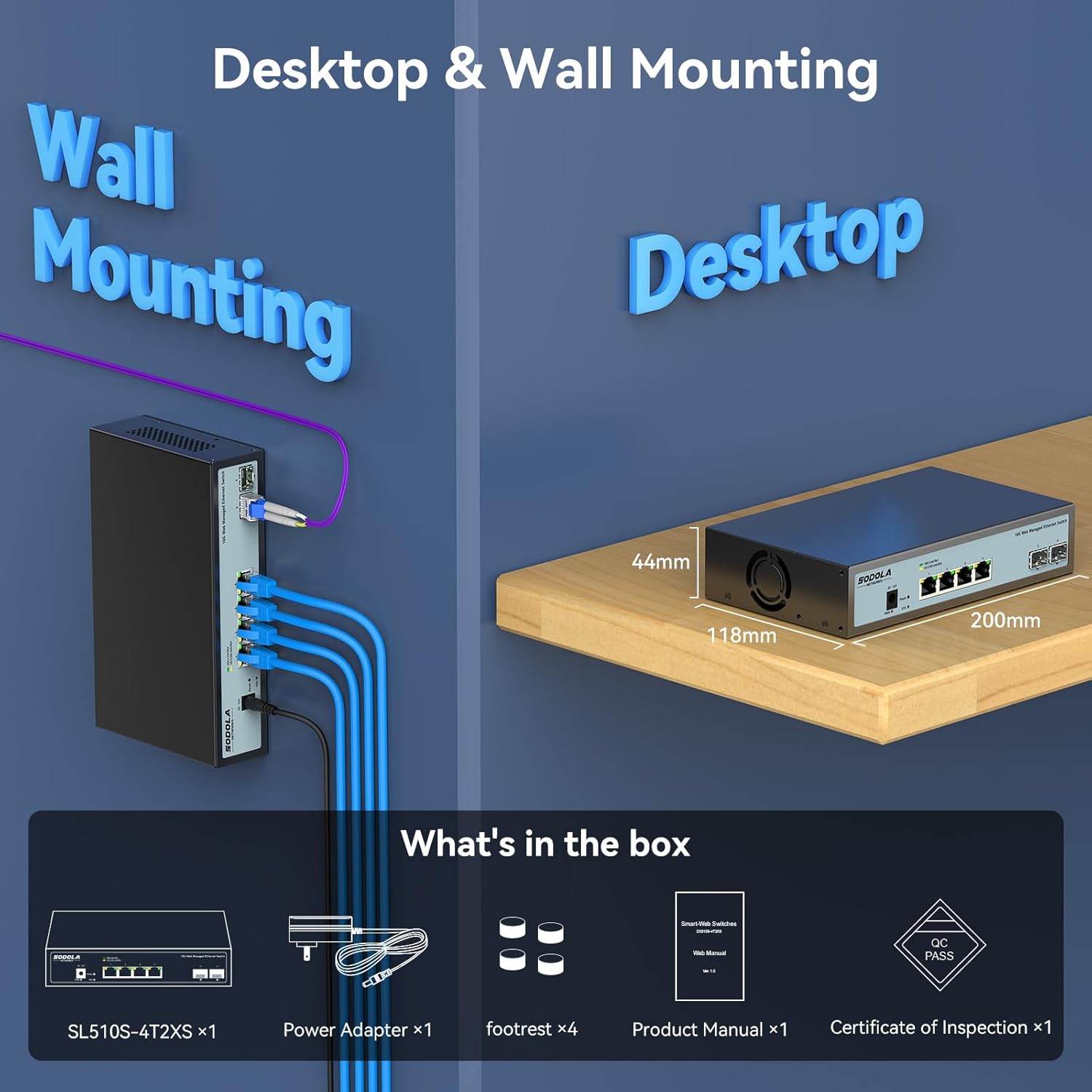
Figure 2: Included items: Switch, Power Adapter, Footrests, Product Manual, and Certificate of Inspection.
3. Donanım Bittiview
3.1 Ön Panel
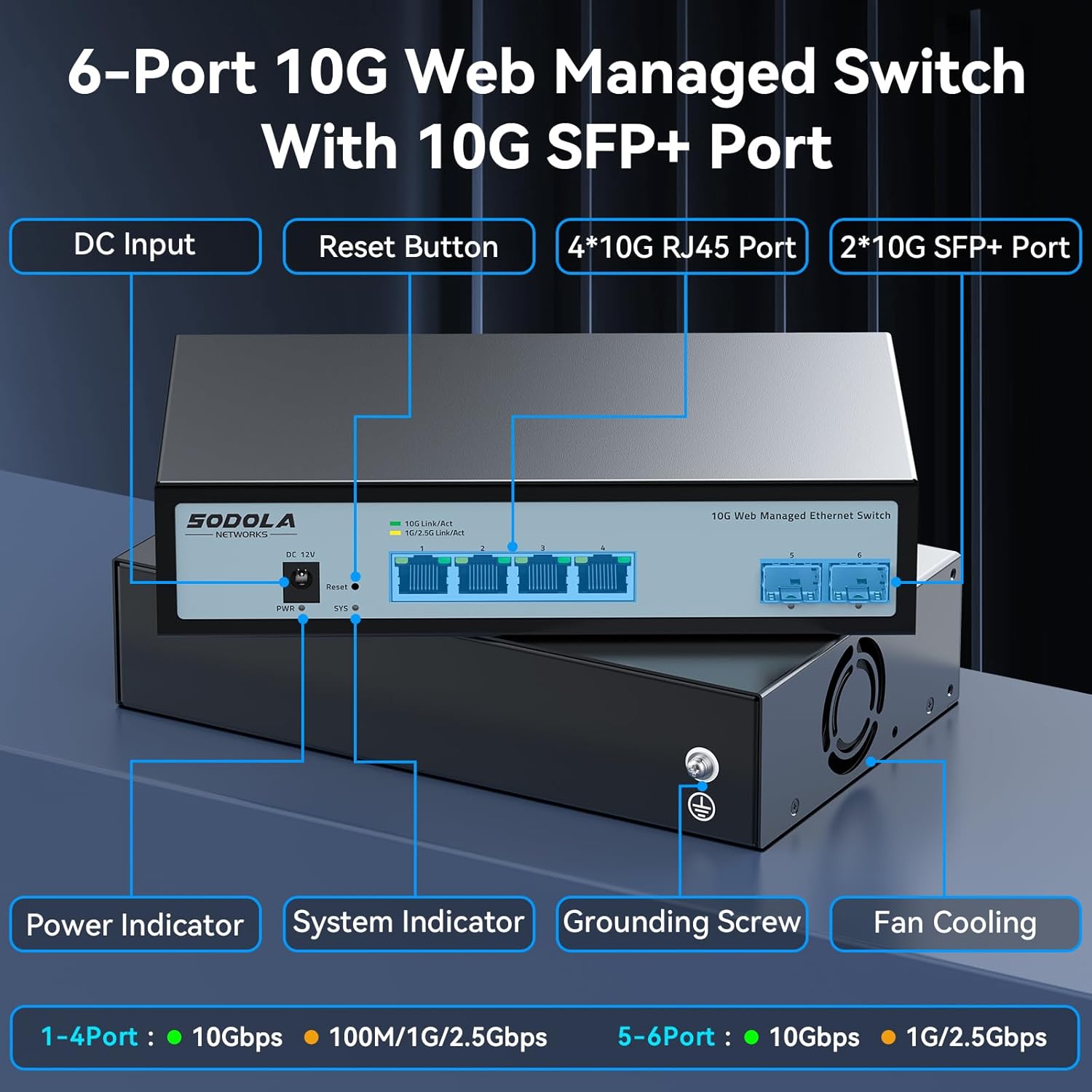
Şekil 3: Ön Panel Düzeni
The front panel features the following components:
- DC Girişi: Güç bağlantı noktası.
- Sıfırlama Düğmesi: Cihazı fabrika ayarlarına sıfırlamak için kullanılır.
- 4 x 10G RJ45 Ports: Adaptive ports supporting 100M/1G/2.5G/5G/10G speeds.
- 2 x 10G SFP+ Bağlantı Noktası: Support manual switching between 10G/1G/100M or 2.5G/1G/100M adaptive.
- Güç Göstergesi: Güç durumunu gösterir.
- Sistem Göstergesi: Sistem çalışma durumunu gösterir.
3.2 Arka Panel
The rear panel includes a grounding screw and fan cooling vents.
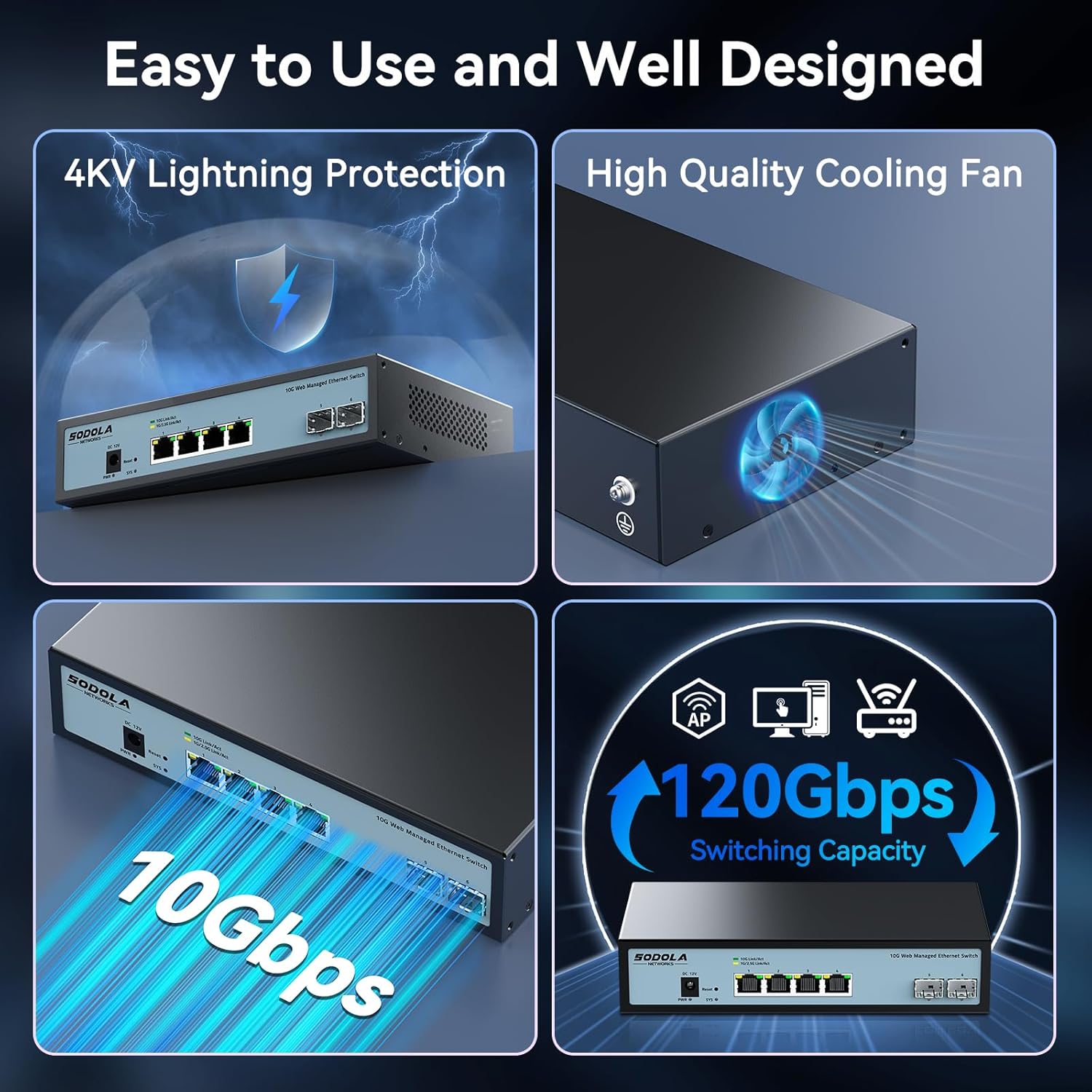
Figure 4: Rear Panel with Cooling Fan and Grounding Screw
- Topraklama Vidası: For proper electrical grounding.
- Fan soğutma: Internal cooling fan for heat dissipation.
4. Kurulum
4.1 Fiziksel Kurulum
The switch supports both desktop and wall mounting. Choose a stable, well-ventilated location for installation.

Figure 5: Desktop and Wall Mounting Options
4.2 Anahtarın Bağlanması
- Connect the power adapter to the DC input port on the switch and plug it into a power outlet.
- Connect your network devices (e.g., computers, servers, NAS, routers) to the RJ45 or SFP+ ports using appropriate Ethernet cables or SFP+ transceivers.
- Ensure proper grounding by connecting a grounding wire to the grounding screw.
Video 1: This video demonstrates the basic plug-and-play setup for a 10G Ethernet switch, showing connections to various network devices. While it features an unmanaged switch, the physical connection steps are similar.
5. Çalıştırma Web Managed Interface
This switch features a web-based management interface for advanced configuration. To access it, follow these steps:
- Initial IP Configuration: Before logging in, you must set an IP address via IPv4 on your computer to match the switch's default subnet. The default IP address for the switch is typically 192.168.2.1.
- Accessing the Interface: Bir tane aç web Tarayıcıya gidin ve anahtarın varsayılan IP adresini girin (örneğin, http://192.168.2.1) adres çubuğunda.
- Giriş yapmak: Enter the default credentials. The default username is yönetici, and there is typically no default password (leave it blank).

Figure 6: Easy Web Managed Method for Initial Access
5.1 Key Management Features
The web interface provides access to various features for network control and monitoring:
- Bağlantı Noktası Ayarları: Configure individual port speeds (auto-negotiation is recommended for RJ45 ports), enable/disable ports, and manage flow control. For SFP+ ports, manual speed setting may be required for 2.5G or 1G devices.
- VLAN Yönetimi: Create and manage Virtual Local Area Networks for network segmentation.
- Link Aggregation (LACP): Bant genişliğini ve yedekliliği artırmak için birden fazla fiziksel bağlantıyı tek bir mantıksal bağlantıda birleştirin.
- Hizmet Kalitesi (QoS): Kritik uygulamalar için ağ trafiğine öncelik verin.
- Fırtına Kontrolü: Prevent network disruptions caused by broadcast, multicast, or unknown unicast storms.
- Bağlantı Noktası Yansıtma: Bir porttan diğerine paketlerin bir kopyasını göndererek ağ trafiğini izleyin.
- DHCP Gözetleme: Enhance network security by filtering untrusted DHCP messages.
- SNMP: Merkezi bir yönetim istasyonundan ağ cihazlarını izleyin.
- RSTP (Hızlı Yayılma Ağacı Protokolü): Ağ döngülerini önleyin.

Şekil 7: Üzeriview of Web Yönetim Özellikleri
Video 2: This video provides a demonstration of the web management interface, including login and basic configuration steps for a similar 10G managed switch. It highlights how to navigate and apply settings.
Video 3: Bir overview of a 10G web managed SFP+ switch, demonstrating its features and management capabilities. This can help users understand the interface and available options.
5.2 Yapılandırmayı Kaydetme
After making any changes in the web interface, it is crucial to save the configuration to ensure your settings are retained after a reboot or power cycle. Navigate to the "Maintenance" or "System" section and select "Save Configuration" or a similar option, then apply the changes.

Figure 8: Remember to Save Configuration
6. Bakım
6.1 Soğutma Fanı
The switch is equipped with an internal cooling fan to manage heat dissipation. If fan noise is a concern, the fan can be removed by opening the case. Ensure the device remains in a well-ventilated area if the fan is removed.
6.2 Firmware Güncellemesi
Üreticinin periyodik olarak kontrol edin website for firmware updates to ensure optimal performance and access to the latest features and security enhancements. Follow the instructions provided with the firmware update package for proper installation.
7. Sorun Giderme
- Güç Yok: Ensure the power cord is securely connected to the switch and a working power outlet. Check the power indicator LED.
- Liman üzerinde bağlantı/etkinlik yok:
- Verify the Ethernet cable is correctly connected to both the switch and the network device.
- Belirtilen port için bağlantı/etkinlik LED'ini kontrol edin.
- Bağlı cihazın açık olduğundan ve düzgün çalıştığından emin olun.
- For SFP+ ports, confirm the SFP+ module is properly inserted and compatible.
- İçinde web interface, check the port status and ensure it is enabled and configured for the correct speed (especially for SFP+ ports).
- Erişilemiyor Web Arayüz:
- Ensure your computer's IP address is in the same subnet as the switch's default IP (e.g., 192.168.2.x).
- Clear your browser's cache.
- Farklı bir şey deneyin web tarayıcı.
- If you have changed the switch's IP address and forgotten it, you may need to perform a factory reset using the reset button.
- Yavaş Ağ Hızı:
- Verify that all connected devices and cables support 10G speeds for optimal performance.
- Check port speed settings in the web interface; ensure auto-negotiation is enabled for RJ45 ports or the correct speed is manually set for SFP+ ports.
- Kablolarda hasar veya uygunsuz sonlandırma olup olmadığını kontrol edin.
8. Özellikler
| Özellik | Detay |
|---|---|
| Örnek | 4x10G RJ45+2x10G SFP+ (Managed) |
| Arayüz Türü | 4 x 10G Base-T Ports + 2 x 10G SFP+ Ports |
| Veri Aktarım Hızı | Saniyede 10 Gigabit |
| Port Sayısı | 6 |
| Kasa Malzemesi | Metal |
| Ürün Ağırlığı | 2.05 pound |
| Paket Boyutları | 12.09 x 7.64 x 2.44 inç |
| Renk | Siyah |
| Uyumlu Cihazlar | Desktop, Laptop, Router |
9. Garanti ve Destek
SODOLA offers a one-year free replacement for any non-human-induced quality issues and lifetime technical support. For assistance, please contact Sodola Networks customer service.
Daha fazla bilgi ve destek için lütfen şu adresi ziyaret edin: Sodola Store on Amazon.


