1. Giriş
The UGREEN USB C to HDMI Cable with 100W Power Delivery (PD) Adapter is designed to connect USB-C enabled devices to HDMI displays, offering 4K@60Hz video output and simultaneous fast charging. This 2-in-1 solution is ideal for extending your device's display to a larger screen while ensuring it remains powered.
2. Ürün Özellikleri
- 4K@60Hz Video Output: Supports resolutions up to 4K at 60Hz, 2K at 120Hz, and 1080P at 240Hz for clear and smooth visuals.
- 100W Güç Dağıtımı: Features a dedicated USB-C PD port for fast charging your source device up to 100W while simultaneously displaying video.
- Advanced Audio & Visual Support: Compatible with 3D, HDR, HDCP 2.2/1.4, DTS 7.1, and Dolby audio for an immersive experience.
- Görüntüleme Modları: Supports both Mirror Mode (duplicate screen) and Extend Mode (separate content on external screen).
- Tak ve Çalıştır: No additional drivers or software required for operation.
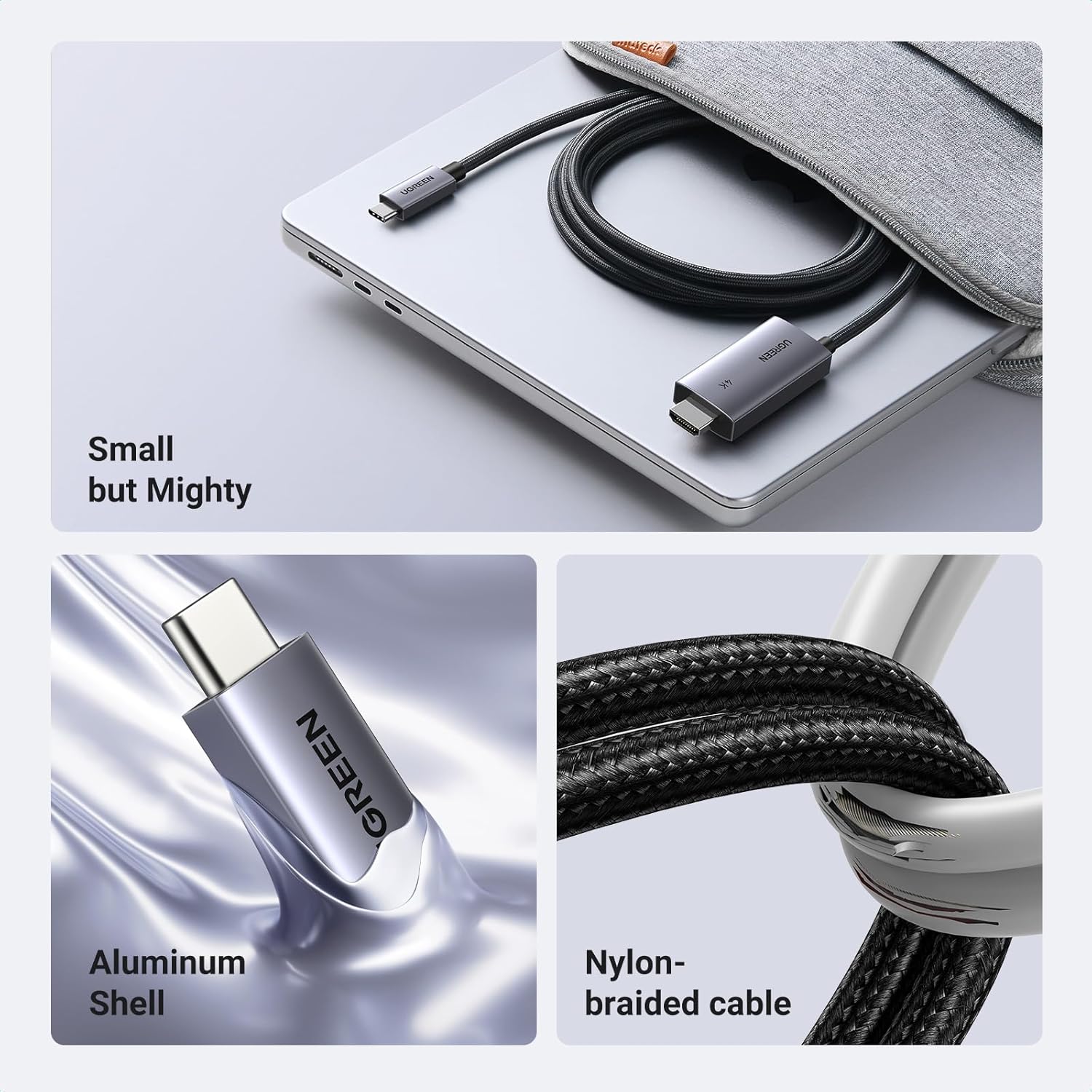
- Dayanıklı Tasarım: Constructed with an aluminum shell for heat dissipation and a nylon braided cable for enhanced durability and anti-corrosion properties.
- Tek Yönlü Sinyal Akışı: Transmits signals only from USB-C source devices to HDMI displays.
3. Paket İçeriği
- 1 x UGREEN USB C to HDMI Cable with 100W PD Adapter (Model CM675)
- 1 x Kullanım Kılavuzu
4. Özellikler
| Özellik | Detay |
|---|---|
| Model Numarası | CM675 |
| Çözüm Desteği | Up to 4K@60Hz, 2K@120Hz, 1080P@240Hz |
| Güç Dağıtımı | Up to 100W (via dedicated USB-C PD port) |
| Audio/Video Standards | 3D, HDR, HDCP 2.2/1.4, DTS 7.1, Dolby |
| Bağlayıcı Türü | USB Type C (input), HDMI (output), USB Type C PD (charging) |
| Kablo Uzunluğu | 6.6 fit (2 metre) |
| Malzeme | Aluminum shell, Nylon braided cable |
| Renk | Gri |
| Ürün Boyutları | 3.94 x 3.94 x 1.97 inç |
| Ürün Ağırlığı | 3.53 ons |
5. Uyumluluk
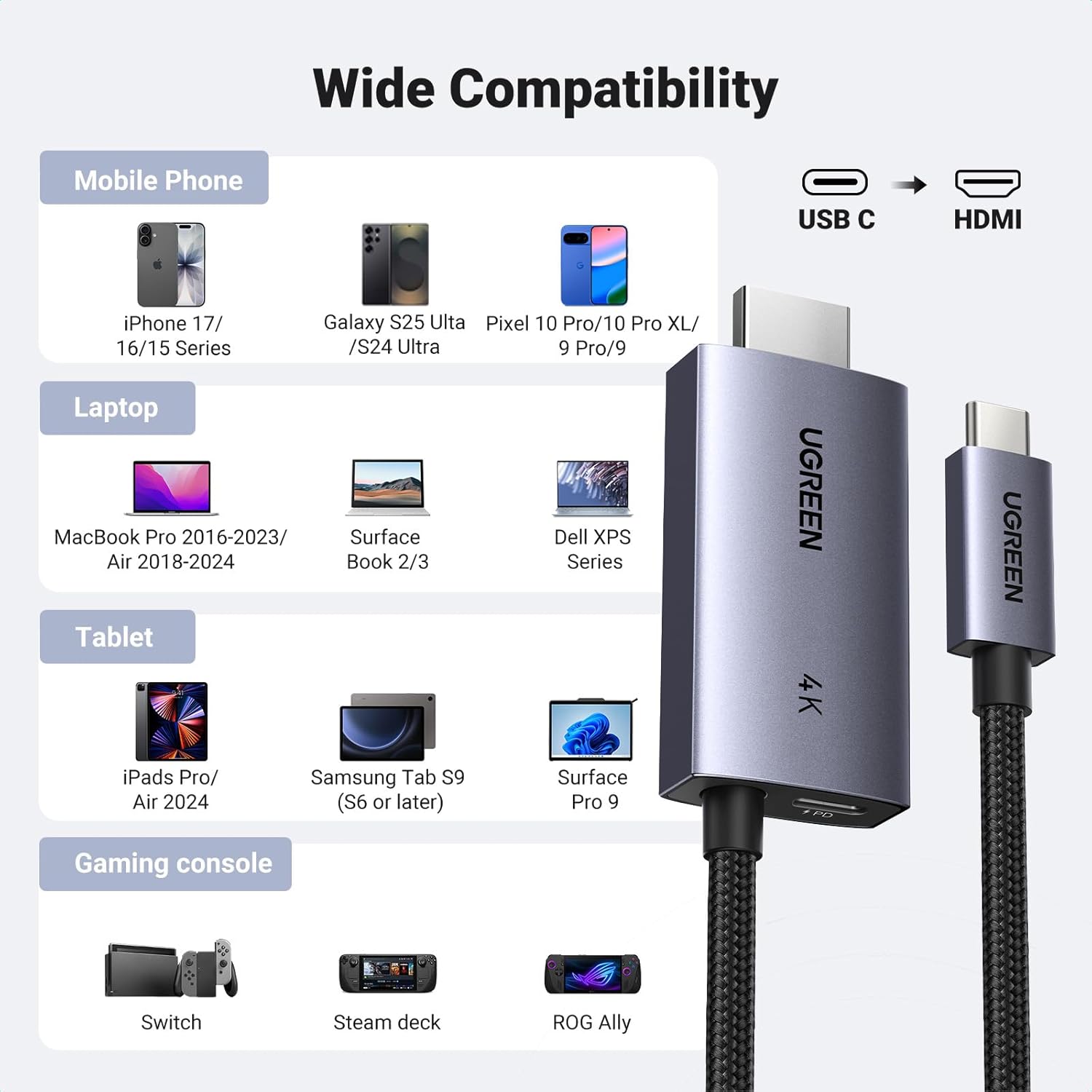
This cable is compatible with USB-C ports that support the "DP Alt Mode" video output function, as well as Thunderbolt 3 & 4 ports. It connects to any display device with an HDMI port (e.g., HDTVs, monitors, projectors).
Uyumlu Cihazlar Şunları İçerir:
- Cep Telefonları: iPhone 17 Pro Max/17 Pro/Air/17/16 Pro Max/16 Pro/16 Plus/16, Galaxy S25/24 Ultra, Note 20, LG V40, Pixel 9/9 Pro/10/10 Pro/10 Pro XL.
- Dizüstü bilgisayarlar: MacBook Pro/Air 2024, XPS 17/15, Dell, HP Chromebook, Surface Book.
- Tabletler: iPad Pro/Air 2024, Samsung Tablet S9 (S6 or later), Surface Pro 9.
- Oyun Konsolu: Valve Steam Deck, Nintendo Switch, ROG Ally.
6. Kurulum Kılavuzu
Follow these steps to connect your device to an HDMI display using the UGREEN USB C to HDMI Cable:
- HDMI'ı bağlayın: Plug the HDMI connector of the UGREEN cable into the HDMI input port of your TV, monitor, or projector.
- Connect USB-C Source: Plug the USB-C connector of the UGREEN cable into the USB-C port of your source device (e.g., laptop, tablet, phone).
- Gücü Bağlayın (İsteğe bağlı ancak önerilir): For simultaneous charging, insert your USB-C charging cable (not included) into the dedicated USB-C PD port on the HDMI adapter end of the UGREEN cable. Then, connect the charging cable to a power source (e.g., wall adapter, power bank).
- Girişi Seçin: Ekran cihazınızda doğru HDMI giriş kaynağını seçin.
7. Kullanım Talimatları
Görüntüleme Modları:
- Ayna Modu: Your device's screen will be duplicated on the external HDMI display. This is useful for presentations or sharing content.
- Uzatma Modu: The external HDMI display will act as a separate screen, allowing you to display different content or extend your desktop workspace. This mode is ideal for multitasking.
To switch between display modes, access your device's display settings (e.g., System Preferences on macOS, Display Settings on Windows, or similar options on mobile devices).
Şarj İşlevselliği:
The dedicated USB-C PD port allows you to charge your source device (laptop, tablet, phone) at up to 100W while simultaneously using the HDMI display. Ensure you use a compatible USB-C charging cable and power adapter (not included) to utilize this feature.


8. Bakım
To ensure the longevity and optimal performance of your UGREEN USB C to HDMI Cable:
- Avoid bending the cable sharply or applying excessive force to the connectors.
- Store the cable in a clean, dry environment when not in use.
- Clean the connectors periodically with a soft, dry cloth to remove dust or debris.
- Do not expose the cable to extreme temperatures or direct sunlight.
9. Sorun Giderme
Ekranda Sinyal Yok:
- Ensure both the USB-C and HDMI connectors are fully inserted into their respective ports.
- Verify that your source device's USB-C port supports "DP Alt Mode" for video output.
- Check the input source selection on your TV/monitor to ensure the correct HDMI port is selected.
- Try connecting the cable to a different HDMI port on your display or a different display altogether.
- Kaynak cihazınızı yeniden başlatın.
Şarj Çalışmıyor:
- Ensure you are using a compatible USB-C charging cable and a power adapter that supports Power Delivery (PD).
- Verify that the charging cable is securely connected to the UGREEN adapter's PD port and the power source.
- Confirm that your power adapter provides sufficient wattage (up to 100W supported by the adapter).
Ekranda Titreme veya Kararsızlık:
- Ensure the cable is not damaged and connections are secure.
- Try reducing the display resolution or refresh rate in your device's display settings.
- Ensure your display device and source device drivers are up to date.
10. Önemli Notlar
- Bu kablo tek yönlü, meaning it only transmits signals from a USB-C source device to an HDMI display. It cannot be used in reverse (HDMI to USB-C).
- The USB-C PD charging cable and wall adapter are dahil değil Bu ürünle birlikte.
- For optimal 4K@60Hz performance, ensure your source device and display both support this resolution and refresh rate.
11. Garanti ve Destek
UGREEN products come with a standard manufacturer's warranty. For specific warranty details, technical support, or customer service inquiries, please visit the official UGREEN website or contact their customer support team. You can also refer to the UGREEN store on Amazon for additional product information and support resources.
UGREEN Official Store: Visit UGREEN Store