1. Giriş
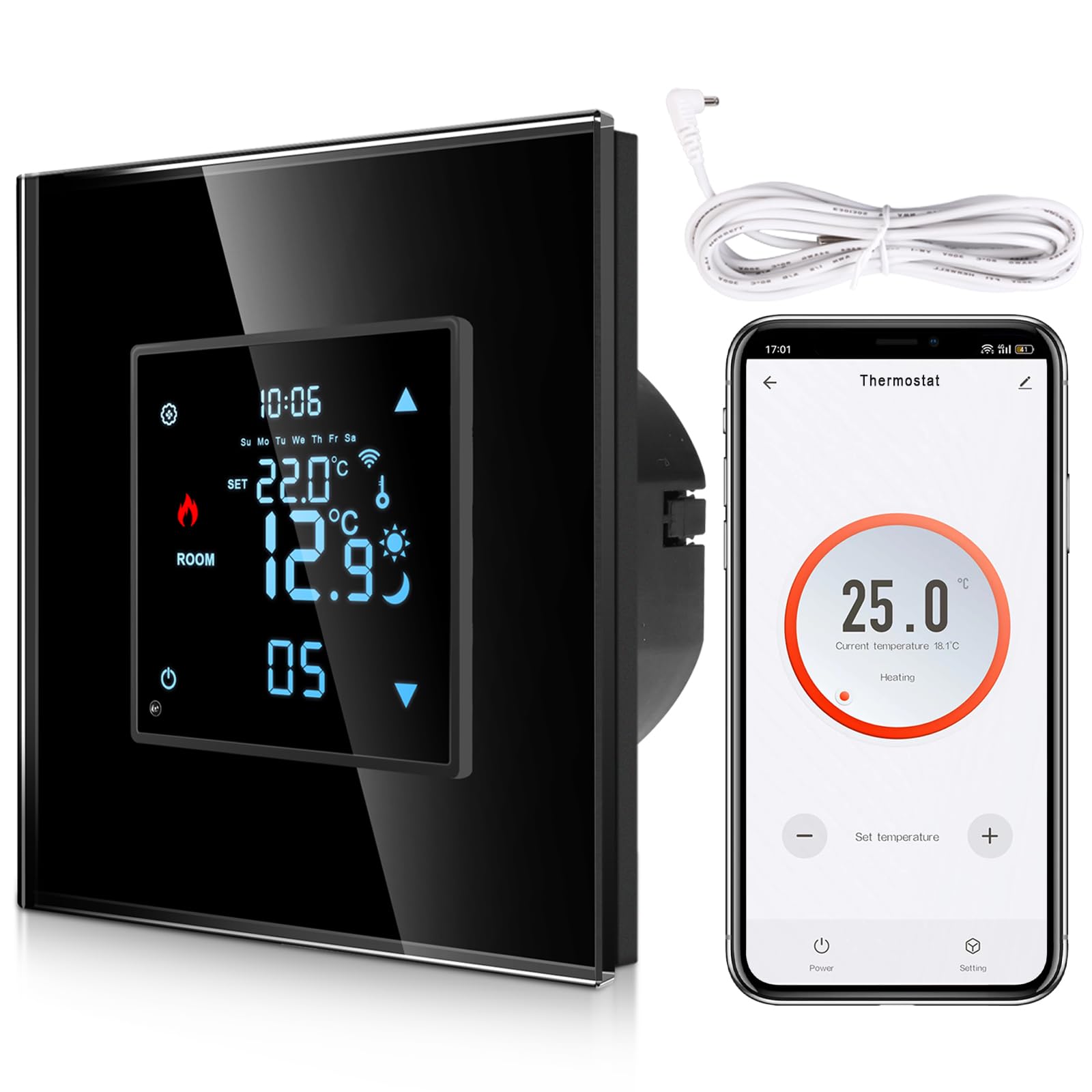
This manual provides detailed instructions for the installation, operation, and maintenance of your CNBINGO WF-WK Smart Flush-Mounted Thermostat. This digital room thermostat is designed to regulate the temperature of electric heating, hot water heating, and water/gas boilers, ensuring a comfortable indoor climate. It features smart connectivity, allowing control via a mobile application and voice commands through Alexa and Google Assistant.
2. Ürün Özellikleri
- Akıllı Kontrol: Regulates temperature for electric heating, hot water heating, and water/gas boilers. Supports maximum current 16A, voltag110-240V.
- APP Uzaktan Kumanda: Connects to 2.4G WiFi for remote control via the Smart Life/Tuya app from anywhere.
- Ses Kontrolü: Eller serbest kullanım için Alexa ve Google Asistan ile uyumludur.
- Programlanabilir Zaman Çizelgeleri: Offers 5+2 days, 6+1 days, or 7 days programming modes with 6 time windows per day for energy saving.
- Hassas Sıcaklık Ayarı: Precise to 0.5°C, with a control range of 5-99°C. Includes a calibration function.
- Çok işlevli: Features include group control, family sharing, high and low temperature protection, child lock, frost protection, power failure data backup/reset, backlight brightness adjustment, and temperature scale change (Celsius/Fahrenheit).

Şekil 2.1: Üzerindeview of the thermostat's multiple functions, including voice control, child lock, 2.4G WLAN, LED screen, programmable settings, touch buttons, app control, and sleep mode.
3. Kurulum ve Kurulum
3.1 Kablolama Şeması
Before installation, ensure the main power supply is turned off. The thermostat requires a 110-240V AC power source. Refer to the specific wiring diagram for your heating system type.
Şekil 3.1: Detailed wiring diagrams for different heating systems. The NTC floor temperature sensor cable is included in the package. In most cases, the heating system is not connected to the boiler.
Wiring for Electric Heating (Max. 16A)
- Connect the Live (L) wire to terminal 1.
- Connect the Neutral (N) wire to terminal 2.
- Connect the Load Live (L1) wire to terminal 3.
- Connect the Load Neutral (N1) wire to terminal 4.
- Connect the NTC sensor to terminals 5 and 6.
Wiring for Water Heating (Max. 5A)
- Connect the Live (L) wire to terminal 1.
- Connect the Neutral (N) wire to terminal 2.
- Connect the Open (Op) wire to terminal 3.
- Connect the Close (Cl) wire to terminal 4.
- Connect the NTC sensor to terminals 5 and 6.
Wiring for Water/Gas Boiler (Max. 16A)
- Connect the Live (L) wire to terminal 1.
- Connect the Neutral (N) wire to terminal 2.
- Connect the Dry Contact (NO) wire to terminal 3.
- Connect the Dry Contact (COM) wire to terminal 4.
- Connect the NTC sensor to terminals 5 and 6.
4. Kullanım Talimatları
4.1 APP Remote Control and Voice Control
After connecting the thermostat to your 2.4G WiFi network, you can control it remotely using the Smart Life or Tuya app on your smartphone. The thermostat also integrates with Amazon Alexa and Google Assistant, allowing you to adjust settings using voice commands.

Şekil 4.1: The thermostat supports voice commands through Google Assistant and Amazon Alexa. For example, you can say, "Alexa, set the room temperature to 22 degrees."
4.2 Programmable Underfloor Heating Thermostat
The thermostat offers flexible programming options to optimize energy consumption. You can set a weekly schedule with up to 6 time windows per day using the mobile app. Choose between 5+2 days (weekdays + weekend), 6+1 days (Monday-Saturday + Sunday), or 7 days (individual daily programming).
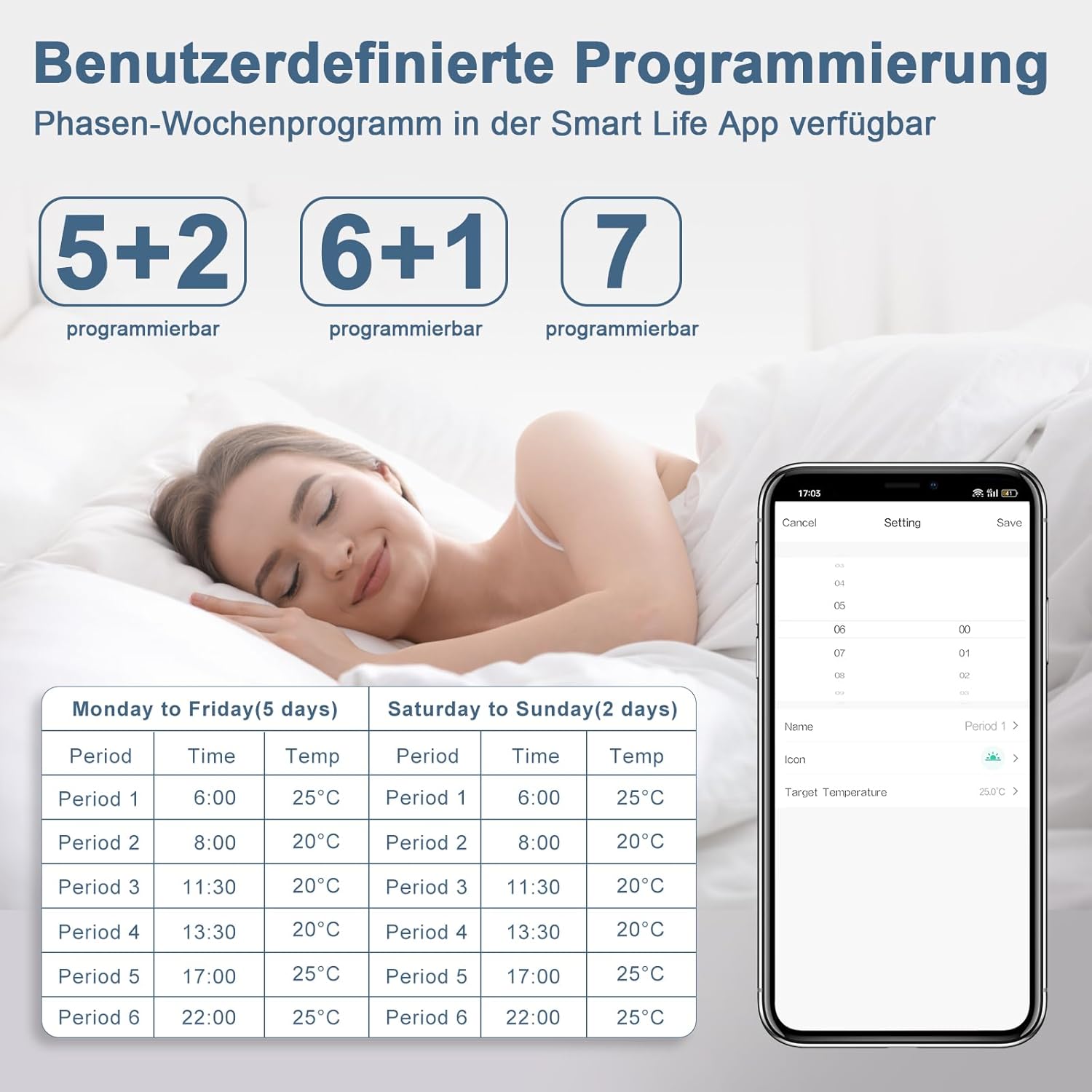
Şekil 4.2: Example of custom programming in the Smart Life App, showing 5+2, 6+1, and 7-day programmable modes with specific time and temperature settings for different periods.
4.3 Temperature Adjustment and Calibration
You can set the target temperature precisely to 0.5°C within a range of 5-99°C. If you notice a discrepancy between the thermostat's display and the actual room temperature, use the calibration function in the settings to adjust it.
5. Ekran ve Kontroller
The thermostat features a clear LED display and touch-sensitive buttons for easy operation. Below is an overview of the main display elements and controls.

Şekil 5.1: Ön ve yan view of the thermostat with labeled controls and display indicators. Key elements include Mode, Time, Up/Down buttons, Week indicator, WiFi status, Lock indicator, Floor Heating Mode, Sleeping Mode, Set Temperature, Heating On indicator, Room Temperature, and Power/Period settings.
6. Temperature Sensors
The CNBINGO thermostat supports two types of temperature sensors to ensure accurate temperature measurement based on your room size and heating setup.

Şekil 6.1: Illustration comparing the use of the built-in sensor for smaller rooms with uniform temperature distribution and the external 3-meter sensor cable for larger rooms or areas where the thermostat's location might not accurately reflect the overall room temperature.
6.1 Built-in Sensor
The thermostat includes an integrated sensor suitable for smaller rooms where temperature distribution is generally uniform. It measures the ambient air temperature directly from the device's location.
6.2 Harici Sensör
For larger rooms or specific underfloor heating applications, an external 3-meter NTC sensor cable is provided. This sensor allows for more accurate temperature readings in areas where the thermostat itself might not be optimally positioned, ensuring better temperature control and uniform heat distribution.
7. Bakım
To ensure optimal performance and longevity of your CNBINGO Smart Thermostat, follow these general maintenance guidelines:
- Temizlik: Gently wipe the thermostat's glass frame and screen with a soft, dry cloth. Avoid using abrasive cleaners or solvents, as these can damage the surface.
- Donanım Yazılımı Güncellemeleri: Periodically check the Smart Life/Tuya app for any available firmware updates for your thermostat. Keeping the firmware updated ensures you have the latest features and bug fixes.
- Güç Kaynağı: Ensure a stable power supply to the thermostat. In case of power outages, the thermostat has data backup to retain your settings.
- Sensör Kontrolü: If using an external sensor, ensure its cable is not damaged and is properly connected.
8. Sorun Giderme
If you encounter issues with your CNBINGO Smart Thermostat, refer to the following common troubleshooting steps:
- Termostat Açılmıyor: Check the main power supply and ensure all wiring connections are secure according to the installation diagrams.
- Isıtma/Soğutma Yok: Verify that the thermostat is in the correct operating mode (heating/cooling) and that the set temperature is above/below the current room temperature. Check the wiring to your heating/boiler system.
- WiFi Bağlantı Sorunları: Ensure your WiFi network is 2.4GHz. Restart your router and the thermostat. Follow the pairing instructions in the Smart Life/Tuya app carefully.
- Yanlış Sıcaklık Okuması: Use the temperature calibration function in the thermostat settings to adjust the displayed temperature if it differs from an accurate external thermometer. Ensure the sensor (internal or external) is not obstructed or exposed to direct drafts/heat sources.
- Ses Kontrolü Çalışmıyor: Confirm that your thermostat is properly linked to your Alexa or Google Assistant account in the respective apps. Check your internet connection and ensure voice commands are clear.
- Child Lock Active: If the controls are unresponsive, check if the child lock feature is enabled. Refer to the app or thermostat interface for instructions on how to disable it.
Kalıcı sorunlar için müşteri desteğiyle iletişime geçin.
9. Özellikler
| Özellik | Şartname |
|---|---|
| Model Numarası | WF-WK |
| Üretici | CNBINGO |
| Cilttage | 110-240 Volt (AC) |
| Maksimum Akım | 16A (for Electric Heating/Boiler), 5A (for Water Heating) |
| Güç Kaynağı Türü | AC |
| Sıcaklık Kontrol Aralığı | 5-99°C |
| Sıcaklık Doğruluğu | ±0.5°C |
| Bağlantı | 2.4G Wi-Fi |
| Uyumluluk | Alexa, Google Asistanı |
| Boyutlar (U x G x Y) | 8.3x8.3x5.5 cm |
| Ağırlık | 0.2 Kilogram |
| Renk | Siyah |
10. Garanti ve Destek
CNBINGO products are manufactured to high-quality standards. For information regarding warranty coverage, please refer to the warranty card included with your product or visit the official CNBINGO website. If you require technical assistance, troubleshooting, or have questions not covered in this manual, please contact CNBINGO customer support through their official channels.


