1. Önemli Güvenlik Bilgileri
Lütfen televizyonunuzu kullanmadan önce tüm güvenlik talimatlarını dikkatlice okuyun. Bu kılavuzu ileride başvurmak üzere saklayın.
- TV'yi yağmura veya neme maruz bırakmayın.
- TV'nin etrafında uygun havalandırma olduğundan emin olun.
- Havalandırma açıklıklarını gazete, masa örtüsü, perde gibi eşyalarla kapatmayın.
- Güç kablosunun üzerine basılmasını veya sıkışmasını önleyin.
- Yıldırımlı havalarda veya uzun süre kullanılmayacaksa televizyonun fişini çekin.
- Tüm bakımları yetkili servis personeline yaptırın.
2. Kutuda Neler Var?
Ambalajda tüm bileşenlerin mevcut olduğunu doğrulayın:
- Thomson 43QG5C14 QLED Google Smart TV
- Uzaktan kumanda
- Güç Kablosu
- Central Stand (and screws for assembly)
- Kullanım Kılavuzu (bu belge)
- Uzaktan Kumanda Pilleri
3. Kurulum
3.1 Standın Takılması
Carefully place the TV screen-down on a soft, flat surface to prevent damage. Attach the central stand to the bottom of the TV using the provided screws. Ensure the stand is securely fastened.
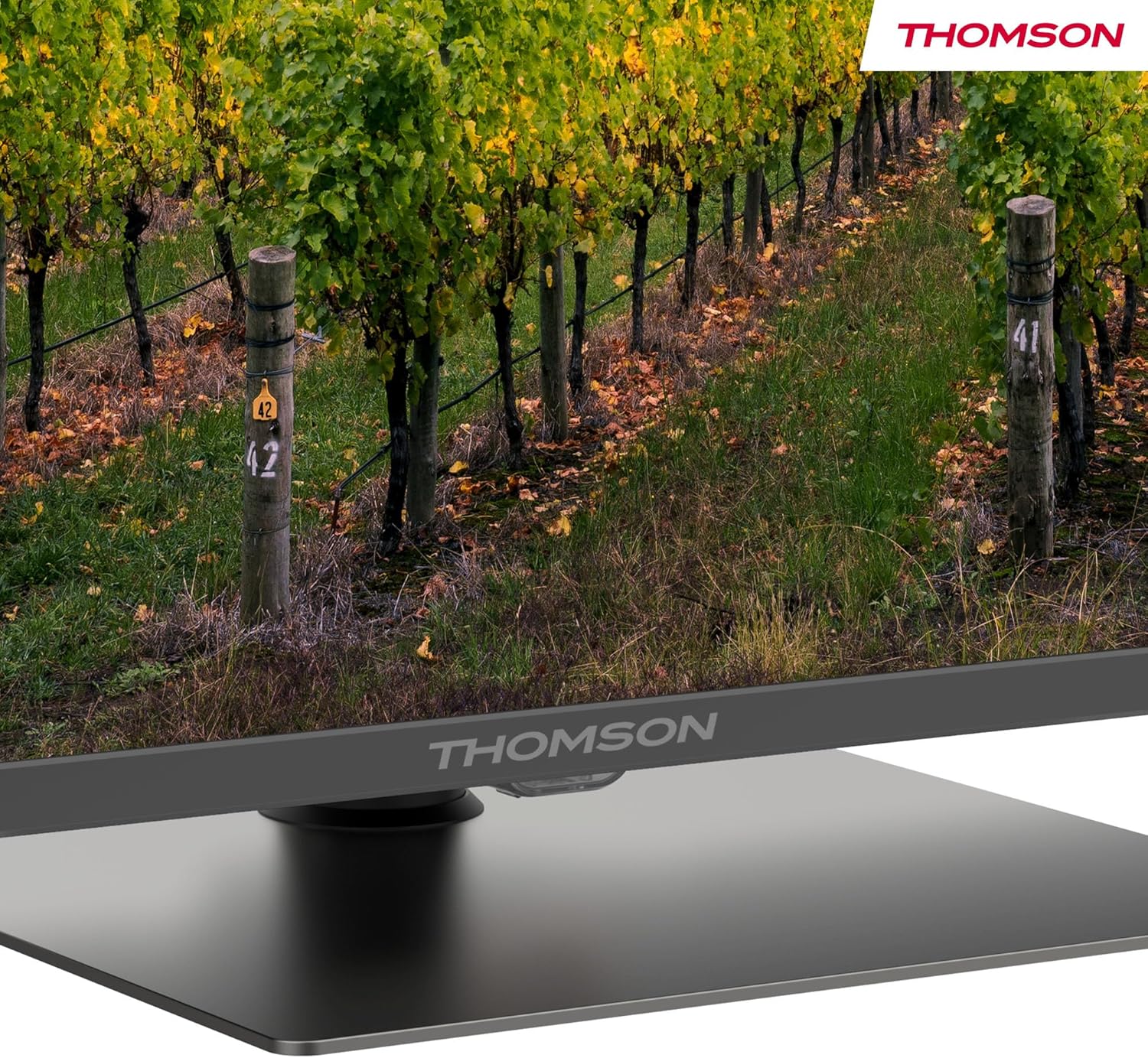
Ayrıntılı view of the central stand, featuring the Thomson branding.

This diagram provides the physical measurements of the television, including width, height, and depth, essential for placement and installation.
3.2 Duvara Montaj (Opsiyonel)
If you choose to wall mount your TV, ensure you use a VESA-compatible wall mount kit (sold separately) and follow the instructions provided with the wall mount. Professional installation is recommended.
3.3 Çevre Birimlerini Bağlama
Connect your external devices such as set-top boxes, gaming consoles, or sound systems to the appropriate ports on the TV. The TV features multiple HDMI and USB ports, as well as a LAN connection.

This image details the available connection ports on the back of the television, including HDMI, USB, LAN, and antenna inputs.
3.4 İlk Kurulum
- Güç kablosunu TV'ye ve elektrik prizine takın.
- Uzaktan kumandanın veya televizyonun güç düğmesine basarak açın.
- Dilinizi, ülkenizi seçmek ve Wi-Fi ağınıza bağlanmak için ekrandaki talimatları izleyin.
- Google TV özelliklerine erişmek ve uygulamaları indirmek için Google hesabınızla oturum açın.
4. Kullanım Talimatları
4.1 Uzaktan Kumanda
The included remote control provides easy access to all TV functions. It features backlit buttons for visibility in low light and dedicated buttons for popular streaming services.

The remote control features dedicated buttons for popular streaming services, a Google Assistant button for voice commands, and backlit keys for ease of use in low light.
4.2 Google TV Özellikleri
Your Thomson TV runs on Google TV, offering a personalized entertainment experience. Access over 400,000 movies and shows from various streaming services. Use the integrated Google Assistant for voice control and the built-in Chromecast to stream content from your smart devices.

This image demonstrates the voice control functionality, allowing users to operate the TV and search for content using spoken commands.

The Google TV home screen provides access to a wide range of streaming applications and personalized content recommendations.
4.3 Display Features: QLED, 4K UHD, HDR10
Experience vibrant and realistic colors thanks to QLED technology with Quantum Dots. The 4K UHD resolution delivers crystal-clear images, offering four times the detail of Full HD. HDR10 support ensures balanced brightness, rich contrast, and precise color reproduction.
4.4 Audio Features: Dolby Atmos
Enjoy a dynamic and immersive sound experience with Dolby Atmos technology, bringing cinematic audio directly to your living room.

This image illustrates the immersive audio experience provided by Dolby Atmos, showing sound waves emanating from the television.
4.5 Bağlantı
- Wifi: İnternet erişimi ve yayın akışı için ev ağınıza bağlanın.
- Bluetooth 5.1: Kablosuz kulaklıkları, ses çubuklarını veya diğer Bluetooth cihazlarını bağlayın.
- HDMI: Multiple HDMI ports (including HDMI 2.1 with eARC) for connecting various external devices.
- USB BAĞLANTI: USB 2.0 and USB 3.0 ports for media playback from USB drives.
- Üçlü Ayarlayıcı: Integrated tuner for Cable (DVB-C), Satellite (DVB-S2), and Antenna (DVB-T2) reception.
- CI+: Common Interface Plus slot for conditional access modules (CAM) to view şifreli kanallar
5. Bakım
- Ekranın Temizlenmesi: Gently wipe the screen with a soft, lint-free cloth. For stubborn marks, use a screen-cleaning solution specifically designed for TVs.
- Kabinin Temizlenmesi: Televizyon sehpasını temizlemek için yumuşak, kuru bir bez kullanın. Aşındırıcı temizleyiciler veya çözücüler kullanmayın.
- Yazılım Güncellemeleri: Ensure your TV's software is up to date for optimal performance and security. Updates can usually be found in the TV's settings menu.
6. Sorun Giderme
Televizyonunuzda sorunlarla karşılaşırsanız aşağıdaki yaygın çözümlere başvurun:
- Güç Yok: Check if the power cord is securely connected and the power outlet is working.
- Görüntü/Ses Yok: Verify that the correct input source is selected. Check all cable connections.
- Uzaktan Çalışmıyor: Pilleri değiştirin. Kumanda ile televizyon arasında herhangi bir engel olmadığından emin olun.
- Kötü Görüntü Kalitesi: Görüntü ayarlarını (parlaklık, kontrast, keskinlik) yapın. Anten/kablo bağlantısını kontrol edin.
- Ağ Bağlantı Sorunları: Restart your router. Reconnect the TV to the Wi-Fi network in the settings.
For further assistance, consult the full electronic manual or contact Thomson customer support.
7. Özellikler
| Özellik | Şartname |
|---|---|
| Marka | Thomson |
| Model Numarası | 43QG5C14 |
| Ekran Boyutu | 43 inç (109 cm) |
| Ekran Teknolojisi | QLED |
| Çözünürlük | 4K UHD (3840x2160) |
| Yenileme Hızı | 60 Hz |
| Özel Özellikler | QLED, Dolby Atmos, Dolby Vision, HDR10 |
| İşletim Sistemi | Google televizyon |
| Bağlantı | Bluetooth 5.1, HDMI, USB, Wi-Fi |
| En Boy Oranı | 16:9 |
| Ürün Boyutları (G x Y x D) | 96x59x9 cm |
| Ağırlık | 12.5 kilo |
Enerji Verimliliği

The energy label indicates the television's energy efficiency class and annual energy consumption.
Ayrıntılı enerji bilgileri için lütfen şuraya bakın: EPREL Product Data Sheet.
8. Garanti ve Destek
Your Thomson 43QG5C14 QLED Google Smart TV comes with a 3 yıllık garanti, ensuring clear images without dead pixels. This product is assembled in Europe, reflecting a commitment to quality.
For technical support, warranty claims, or additional information, please visit the official Thomson website or contact your local customer service.


