1. Giriş
This manual provides detailed instructions for the setup, operation, maintenance, and troubleshooting of your THOMSON Google TV Streaming Box Plus 270. Please read this manual thoroughly before using the device to ensure proper functionality and to maximize your viewDeneyim.
Paket İçeriği
- THOMSON Google TV Streaming Box Plus 270
- Uzaktan kumanda
- Güç Adaptörü
- HDMI Kablosu
- Kullanım Kılavuzu (bu belge)

Şekil 1: The THOMSON Streaming Box Plus 270, its remote control, and packaging. This image illustrates the main components included in the product package.
2. Ürün Özellikleri
The THOMSON Google TV Streaming Box Plus 270 offers a range of advanced features designed to enhance your home entertainment experience:
- 4K Ultra HD Çözünürlük: Experience stunning visuals with vibrant colors and rich contrast.
- Google TV Platformu: Access over 400,000 movies and series from popular streaming services like Netflix, Prime Video, YouTube, Disney+, and more.
- Eller Serbest Ses Kontrolü: Integrated microphones and speakers allow for voice commands from across the room using Google Assistant.
- Remote Control Finder: A dedicated function to locate your remote control by emitting a sound.
- Immersive Audio and Visuals: Supports Dolby Vision for vivid colors and rich contrast, and Dolby Atmos for dynamic, three-dimensional sound (compatible devices required).
- Yüksek Performans: Equipped with 3GB RAM, 32GB storage, and a quad-core processor for fast and smooth operation.
- Google Cast Built-in: Seamlessly stream content from your smart devices to your TV.

Şekil 2: A television screen displaying the Google TV interface with various streaming applications such as YouTube, Canal+, Disney+, Apple TV, Netflix, Prime Video, and Spotify. This illustrates the wide range of entertainment options available.
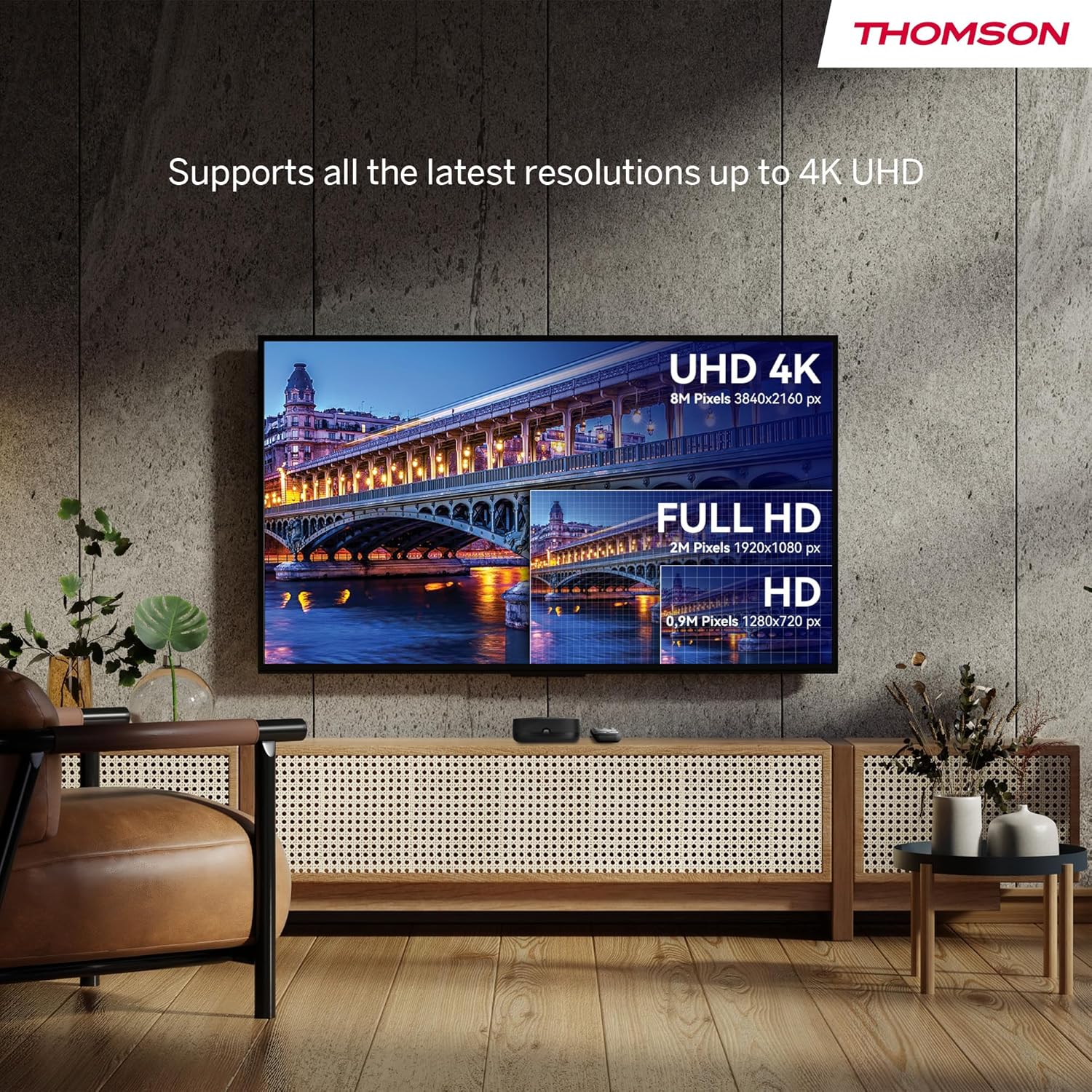
Şekil 3: A visual comparison demonstrating the difference in clarity and detail between HD (1280x720 px), Full HD (1920x1080 px), and 4K UHD (3840x2160 px) resolutions on a television screen. The Streaming Box Plus 270 supports up to 4K UHD.
3. Kurulum Kılavuzu
Follow these steps to set up your THOMSON Google TV Streaming Box Plus 270:
- Televizyona bağlanın: Use the provided HDMI cable to connect the Streaming Box to an available HDMI port on your television.
- Güç Bağlantısı: Connect the power adapter to the DC IN port on the Streaming Box and then plug it into a power outlet.
- İnternet Bağlantısı:
- Wifi: During initial setup, you will be prompted to connect to your Wi-Fi network.
- Ethernet (İsteğe bağlı): For a wired connection, connect an Ethernet cable from your router to the LAN port on the Streaming Box.
- İlk kurulum:
- Televizyonunuzu açın ve doğru HDMI giriş kaynağını seçin.
- Follow the on-screen instructions to complete the Google TV setup, including signing in with your Google account.
- Pair the remote control as instructed.

Şekil 4: Ayrıntılı view of the THOMSON Streaming Box Plus 270, highlighting its ports and buttons. These include DC IN for power, HDMI for TV connection, LAN for wired internet, USB 3.0 for external storage, a Reset button, a Microphone ON/OFF switch, and a "Find My Remote" button.
4. Kullanım Talimatları
Uzaktan Kumandayı Kullanma
Ürünle birlikte gelen uzaktan kumanda, sezgisel gezinme ve temel özelliklere hızlı erişim sağlar.

Şekil 5: An illustration of the remote control for the Streaming Box Plus 270, detailing its functions. Key features include the Google Assistant button for voice commands, a Profile Switch button to manage user profiles, Favorite App buttons for quick access, and direct access buttons for popular streaming services like YouTube, Netflix, Prime Video, and Disney+.
- Güç Düğmesi: Cihazı açar veya kapatır.
- Google Asistan Düğmesi: Press to activate voice commands.
- Navigasyon Pedi: Use the directional buttons to navigate menus and the center button to select.
- Geri Düğmesi: Önceki ekrana döner.
- Ana menü tuşu: Google TV ana ekranına geri döner.
- Ses Düğmeleri: Ses seviyesini ayarlar.
- Kanal Düğmeleri: For navigating live TV channels if applicable.
- Doğrudan Erişim Düğmeleri: Quick launch buttons for YouTube, Netflix, Prime Video, and Disney+.
- Favorite App Button: Assign an app of your choice for quick access.
- Profesyonelfile Anahtar: Create and switch between different user profiles.
Voice Control (Google Assistant)
The Streaming Box Plus 270 features hands-free voice control via Google Assistant.
- Ensure the Microphone ON/OFF switch on the device is in the ON position.
- Simply say "Hey Google" followed by your command or question.
- Examples: "Hey Google, what's the weather today?", "Hey Google, find sci-fi movies", "Hey Google, open YouTube".

Şekil 6: A person interacting with the Streaming Box Plus 270 using voice commands. Speech bubbles show example commands like "Hey Google, what's the weather today?", "Hey Google, find sci-fi movies", and "Hey Google, open YouTube". The device features 2 microphones and a 3W speaker for voice interaction.
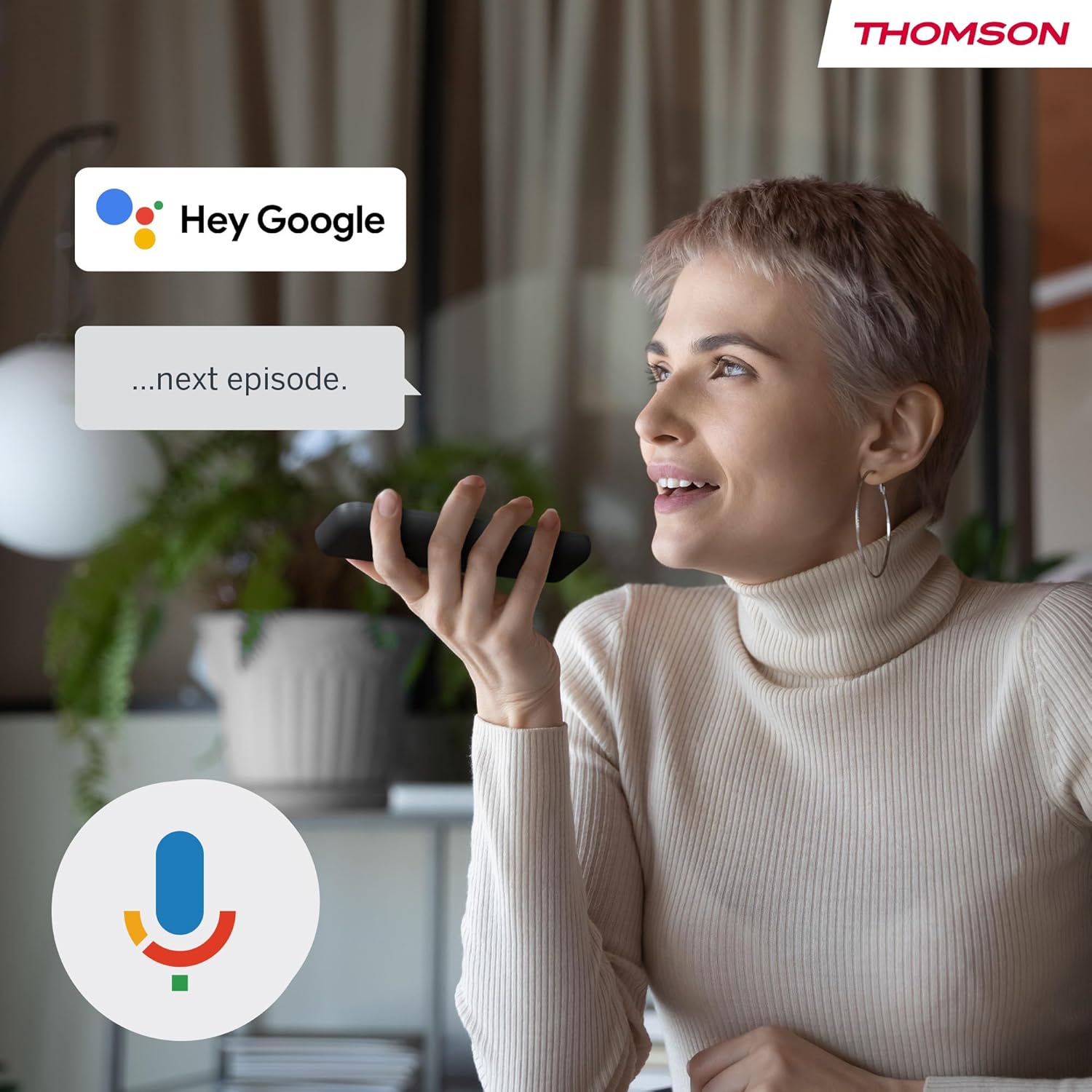
Şekil 7: A user speaking into the remote control, demonstrating the voice command feature. A "Hey Google" speech bubble indicates active listening, followed by a command like "...next episode."
Find My Remote Feature
If you misplace your remote control, you can easily locate it using the "Find My Remote" button on the Streaming Box.
- Press the "Find My Remote" button located on the side of the Streaming Box (refer to Figure 4).
- The remote control will emit a buzzer sound, guiding you to its location.

Şekil 8: A hand pressing the "Find My Remote" button on the Streaming Box. An inset shows a close-up of the button. The remote control is depicted with sound waves emanating from it, indicating it is emitting a sound to be found.
5. Bakım
To ensure the longevity and optimal performance of your Streaming Box Plus 270, follow these maintenance guidelines:
- Temizlik: Cihazı temizlemek için yumuşak, kuru bir bez kullanın. Sıvı temizleyiciler veya aşındırıcı malzemeler kullanmayın.
- Havalandırma: Aşırı ısınmayı önlemek için cihazın iyi havalandırılan bir alana yerleştirildiğinden emin olun. Havalandırma açıklıklarını kapatmayın.
- Depolamak: Uzun süre kullanılmayacaksa, cihazı serin ve kuru bir yerde, doğrudan güneş ışığından ve aşırı sıcaklıklardan uzakta saklayın.
- Yazılım Güncellemeleri: Cihaz otomatik yazılım güncellemeleri alabilir. Performansı artırabilecek ve yeni özellikler ekleyebilecek bu güncellemeleri alabilmek için cihazın internete bağlı olduğundan emin olun.
6. Sorun Giderme
If you encounter issues with your Streaming Box Plus 270, refer to the following common problems and solutions:
| Sorun | Olası Neden | Çözüm |
|---|---|---|
| Güç yok | Güç adaptörü bağlı değil veya priz arızalı. | Güç adaptörünün cihaza ve çalışan bir elektrik prizine güvenli bir şekilde bağlandığından emin olun. Farklı bir priz deneyin. |
| Televizyonda resim yok | Yanlış HDMI girişi seçilmiş veya HDMI kablosu gevşek. | Verify the TV is on the correct HDMI input. Check that the HDMI cable is securely connected to both the Streaming Box and the TV. Try a different HDMI port or cable. |
| İnternet bağlantısı yok | Wi-Fi issues or Ethernet cable disconnected. | Check your router and modem. For Wi-Fi, re-enter the password in settings. For Ethernet, ensure the cable is connected. Restart your router/modem and the Streaming Box. |
| Uzaktan kumanda yanıt vermiyor | Low batteries or remote not paired. | Replace the batteries. If the issue persists, try re-pairing the remote control according to the on-screen instructions during initial setup or in the device settings. Use the "Find My Remote" button to confirm it's powered. |
| Ses kontrolü çalışmıyor | Microphone switch off or software issue. | Ensure the Microphone ON/OFF switch on the device is in the ON position. Check Google Assistant settings. Restart the device. |
| Cihaz yavaş çalışıyor veya donuyor. | Too many apps running or insufficient memory. | Close unused applications. Restart the device. If problems persist, consider a factory reset (note: this will erase all data and settings). |
7. Özellikler
Detailed technical specifications for the THOMSON Google TV Streaming Box Plus 270:
| Özellik | Detay |
|---|---|
| Model Adı | Akış Kutusu Plus 270 |
| Marka | Thomson |
| Renk | Siyah |
| Ürün Türü | TV Set-top Box / Streaming Media Player |
| Çözünürlük | 4K UHD (3840x2160) |
| İşletim Sistemi | Google TV (Android TV) |
| Veri deposu | 3 GB |
| Depolamak | 32 GB |
| İşlemci | Dört çekirdekli |
| Bağlantı Teknolojisi | Bluetooth, Ethernet, HDMI, USB, Wi-Fi |
| Limanlar | HDMI, USB 3.0, LAN (Ethernet), DC IN |
| Özel Özellikler | Chromecast, Parental Control, DLNA, USB Recording (DVR), Browser, Hands-Free Voice Control (Google Assistant), Remote Finder |
| Desteklenen İnternet Hizmetleri | Disney+, Google TV, Netflix, Prime Video, YouTube |
| Denetleyici Türü | Voice Control, Remote Control |
| Uyumlu Cihazlar | Television, Projector, Smartphone, Personal Computer, Tablet, Laptop |
| Boyutlar (Kutu) | Approximately 12 cm x 12 cm x 4 cm (refer to Figure 9) |
| Boyutlar (Uzaktan) | Approximately 14 cm x 4 cm (refer to Figure 9) |
| Menşei ülke | Çin |

Şekil 9: Technical drawing showing the approximate dimensions of the THOMSON Streaming Box Plus 270 (12 cm x 12 cm x 4 cm) and its remote control (14 cm x 4 cm).
8. Garanti ve Destek
The THOMSON Google TV Streaming Box Plus 270 comes with a manufacturer's warranty.
- Üretici Garantisi: 3 yıl (ürün özelliklerine göre).
- Yedek Parça Bulunabilirliği: Bilgi mevcut değil.
- Yazılım Güncellemeleri Şu Tarihe Kadar Garantilidir: Bilgi mevcut değil.
For technical support or warranty claims, please refer to the contact information provided with your purchase documentation or visit the official THOMSON webalan.


