1. Giriş
Satın aldığınız için teşekkür ederizasing the ZEBRONICS Envy 2 Wireless Over-Ear Headphone. This manual provides essential information for the proper setup, operation, and maintenance of your device. Please read it carefully before use and retain it for future reference.
2. Paket İçeriği
- Headphone - 1 Unit
- Aux cable - 1 Unit
- External MIC - 1 Unit
- QR code guide - 1 Unit
- Charging cable (Type-C) - 1 Unit
3. Ürün Bittiview
The ZEBRONICS Envy 2 features a comfortable over-ear design with intuitive controls and versatile connectivity options.
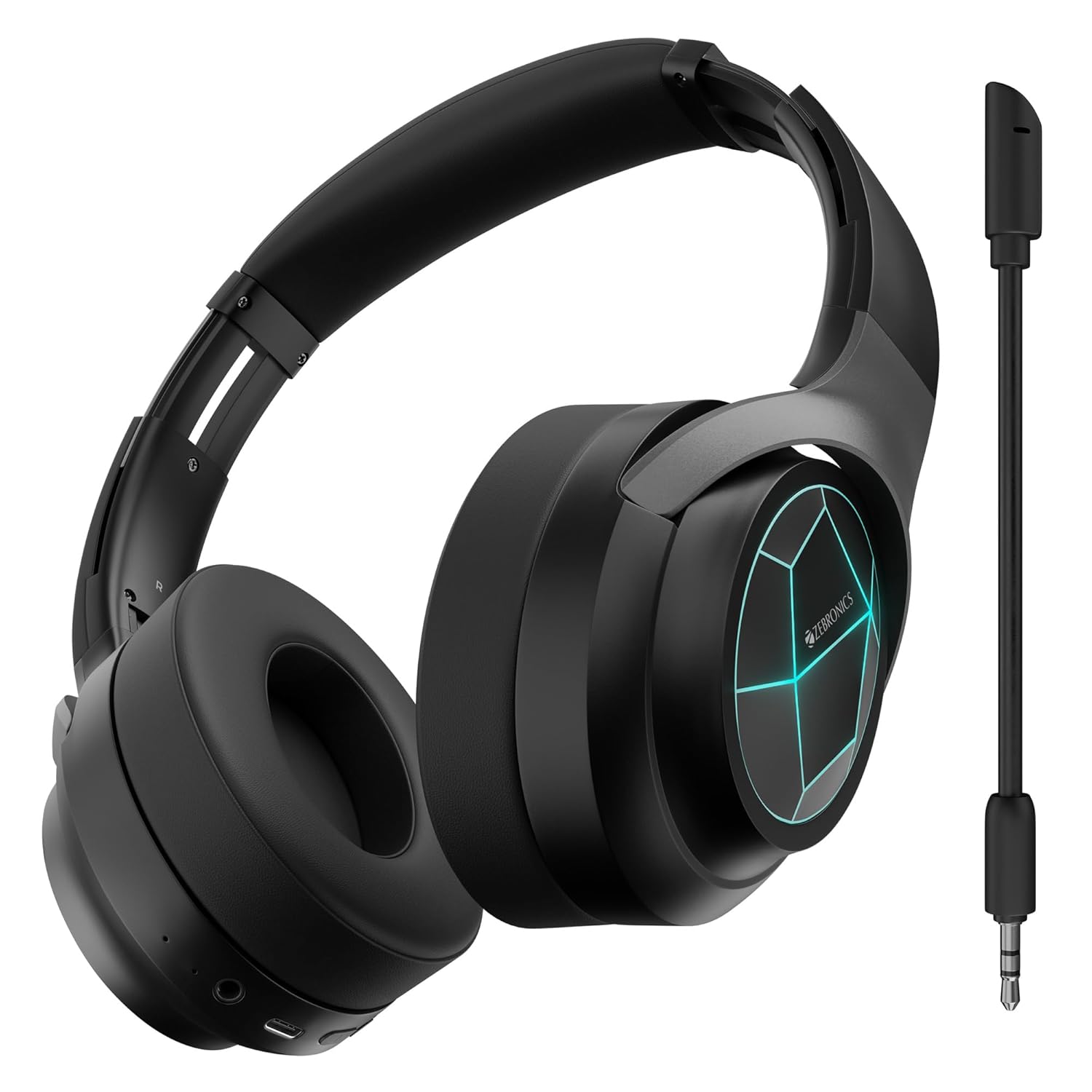
Şekil 1: Ön view of the ZEBRONICS Envy 2 Wireless Over-Ear Headphone, showcasing its sleek black design and illuminated earcups.
3.1 Bileşenler ve Kontroller
- Kulaklıklar: Padded for comfort, housing 40mm drivers.
- Kafa bandı: Adjustable and foldable for portability.
- Güç/Çok Fonksiyonlu Düğme: For power on/off, play/pause, call management.
- Sesi Aç/Sonraki Parça Düğmesi: Adjust volume or skip tracks.
- Sesi Azaltma/Önceki Parça Düğmesi: Adjust volume or go to previous tracks.
- Mod Düğmesi: To switch between modes (e.g., Gaming Mode).
- C Tipi Şarj Bağlantı Noktası: Dahili bataryayı şarj etmek için.
- 3.5 mm AUX Girişi: Kablolu ses bağlantısı için.
- Mikrofon Bağlantı Noktası: Çıkarılabilir mikrofonu takmak için.
- LED Göstergeleri: For power, pairing, and charging status.

Figure 2: Close-up showing the 40mm drivers for deep bass, media and volume controls, foldable design, and LED lights on the earcups.
4. Temel Özellikler
- Dinamik Bas: Equipped with dual 40mm powerful drivers for enhanced audio experience.
- Kablosuz bağlantı: Utilizes Bluetooth v5.3 for stable and efficient wireless connection.
- Kablolu Bağlantı: Supports 3.5mm AUX input for universal compatibility.
- Çıkarılabilir Mikrofon: Includes a flexible, detachable microphone for clear communication, especially during gaming.
- Çevresel Gürültü Engelleme (ENC): Reduces ambient noise for clearer calls.
- Uzun Oynatma Süresi: Offers up to 65 hours of playback on a single charge (at 50% volume with LED off).
- Oyun Modu: Provides a low-latency audio experience optimized for gaming.
- Çift Eşleştirme: Allows simultaneous connection to two devices, enabling seamless switching.
- Sesli Asistan Desteği: Eller serbest kontrol için sesli asistanlarla uyumludur.
- Katlanabilir Tasarım: Enhances portability and ease of storage.
- Yumuşak Kulak Yastıkları: Designed for extended comfort during long listening sessions.
- LED Işıklar: Integrated LED lights on the earcups for a distinctive visual appeal.
5. Kulaklığı Şarj Etme
Before first use, fully charge the headphone. Use the provided Type-C charging cable.
- Connect the Type-C end of the charging cable to the headphone's charging port.
- Şarj kablosunun USB-A ucunu uyumlu bir USB güç adaptörüne (dahil değildir) veya bilgisayarın USB portuna bağlayın.
- LED göstergesi şarj durumunu gösterecektir (örneğin, şarj olurken kırmızı, tamamen şarj olduğunda kapalı).
- A full charge typically takes approximately X hours (refer to product specifications for exact time).

Figure 3: Illustration highlighting the headphone's impressive battery life of up to 65 hours and its built-in rechargeable battery.
6. Bluetooth Eşleştirme
Follow these steps to pair your ZEBRONICS Envy 2 headphone with a Bluetooth-enabled device.
- Kulaklığın tamamen şarj olduğundan ve kapalı olduğundan emin olun.
- Eşleştirme modunu gösteren LED göstergesi mavi ve kırmızı renklerde dönüşümlü olarak yanıp sönene kadar Güç/Çok Fonksiyonlu düğmesine basılı tutun.
- Cihazınızda (akıllı telefon, tablet, dizüstü bilgisayar) Bluetooth'u etkinleştirin ve kullanılabilir cihazları arayın.
- Select "Zeb-Envy 2" from the list of found devices.
- Eşleştirme tamamlandığında, LED göstergesi yavaşça mavi renkte yanıp sönecektir.
6.1 Çift Eşleştirme
The headphone supports dual pairing, allowing connection to two Bluetooth devices simultaneously.
- Pair the headphone with the first device as described above.
- Disable Bluetooth on the first device. The headphone will re-enter pairing mode.
- Pair the headphone with the second device.
- Re-enable Bluetooth on the first device. The headphone should automatically connect to both devices.

Figure 4: The headphone connected to both a laptop and a smartphone, illustrating the dual pairing feature with Bluetooth v5.3.
7. Kablolu Bağlantı (AUX)
For a wired connection, use the provided 3.5mm AUX cable.
- Plug one end of the 3.5mm AUX cable into the headphone's AUX input port.
- Plug the other end into the 3.5mm audio output jack of your audio source (e.g., smartphone, computer, gaming console).
- The headphone will automatically switch to AUX mode.

Figure 5: The headphone showing the detachable and flexible microphone, along with the AUX input port for wired audio.
8. Using the Detachable Microphone
The ZEBRONICS Envy 2 comes with a detachable microphone for clear voice input.
- Locate the microphone port on the headphone.
- Insert the detachable microphone firmly into the port.
- Esnek mikrofon kolunu sesinize en uygun şekilde konumlandıracak şekilde ayarlayın.
- To remove, gently pull the microphone out of the port.
9. Call Function and Voice Assistant
Manage calls and activate your device's voice assistant with ease.
9.1 Call Function (ENC)
- Aramaları Cevaplama/Bitirme: Güç/Çok Fonksiyonlu düğmesine bir kez basın.
- Çağrıları Reddetme: Güç/Çok Fonksiyonlu düğmesine 2 saniye boyunca basılı tutun.
- Çevresel Gürültü Engelleme (ENC): The built-in ENC technology helps reduce background noise during calls for clearer conversations.

Figure 6: Visual representation of the Environmental Noise Cancellation (ENC) feature, showing the headphone surrounded by a noise-reducing field.
9.2 Sesli Asistan
- Voice Assistant'ı Etkinleştirme: Press the Voice Assistant button (if available, or typically a double-press of the Multi-function button) to activate your device's voice assistant (e.g., Siri, Google Assistant).

Figure 7: The headphone highlighting soft ear cushions for comfort, the call function, and support for voice assistants like Siri and Google Assistant.
10. Oyun Modu
The ZEBRONICS Envy 2 features a dedicated Gaming Mode for a low-latency audio experience, crucial for competitive gaming.
- Oyun Modu Etkinleştiriliyor: Press the Mode button (or refer to the QR code guide for specific button press).
- Fayda: Reduces audio delay, ensuring synchronized sound with on-screen action.
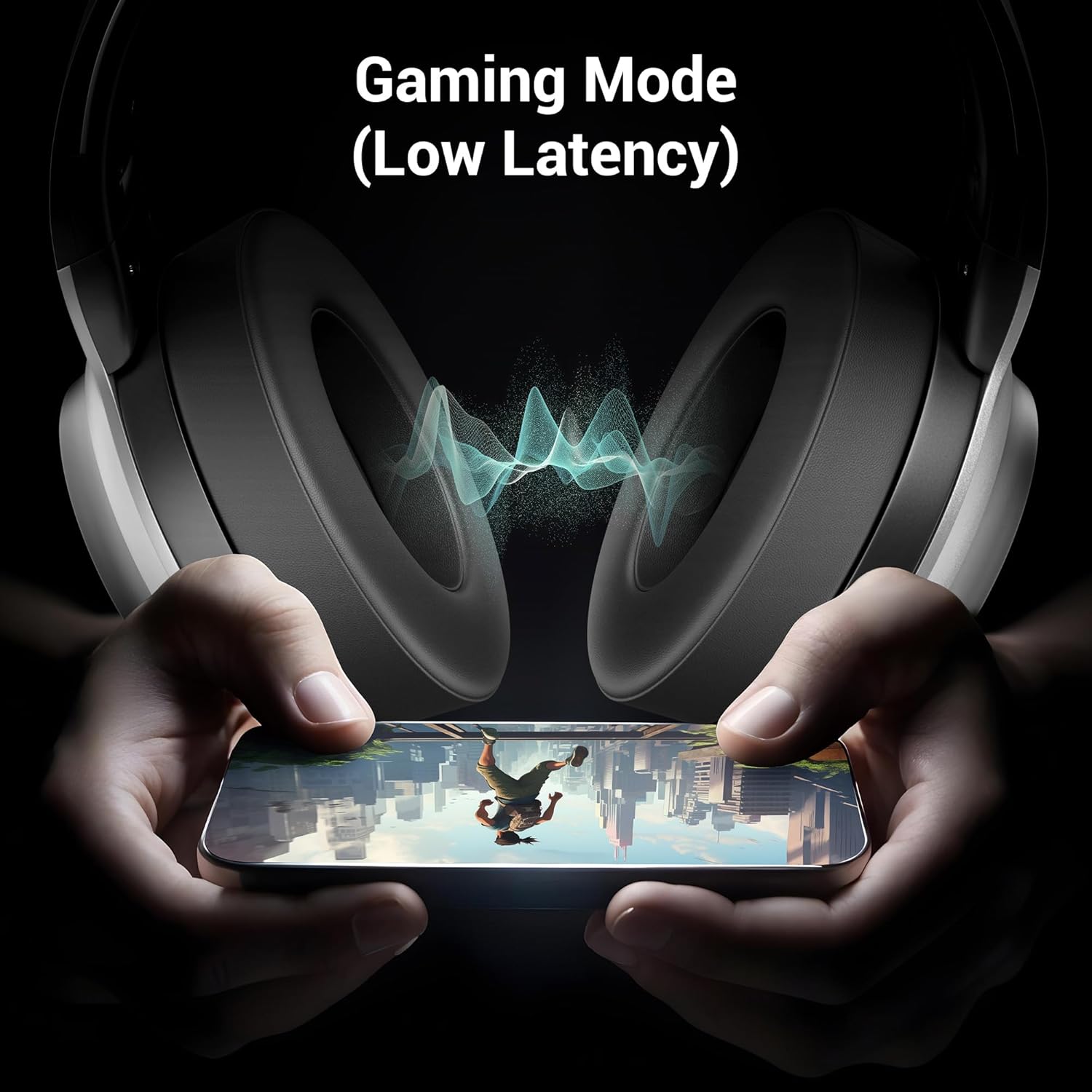
Figure 8: The headphone illustrating its Gaming Mode, emphasizing low latency for an immersive gaming experience.
11. Bakım ve Özen
- Clean the headphone with a soft, dry cloth. Do not use harsh chemicals or abrasive materials.
- Avoid exposing the headphone to extreme temperatures, humidity, or direct sunlight.
- Store the headphone in a cool, dry place when not in use. The foldable design aids in compact storage.
- Kulaklığı sökmeye veya üzerinde değişiklik yapmaya çalışmayın, aksi takdirde garanti geçersiz olur.
12. Sorun Giderme
| Sorun | Olası Neden | Çözüm |
|---|---|---|
| Headphone does not power on | Düşük pil | Charge the headphone fully. |
| Bluetooth üzerinden eşleştirilemiyor | Headphone not in pairing mode; device Bluetooth off; too far apart | Ensure headphone is in pairing mode (flashing blue/red). Turn on device Bluetooth. Keep devices within 10 meters. |
| Ses yok | Volume too low; incorrect source; headphone not connected | Increase volume on headphone and device. Check connection (Bluetooth or AUX). Ensure correct audio output is selected on your device. |
| Mikrofon çalışmıyor | Microphone not properly attached; muted; incorrect input selected | Ensure detachable mic is securely inserted. Check if mic is muted on the headphone or device. Select the correct microphone input on your device settings. |
13. Özellikler
| Özellik | Detay |
|---|---|
| Model Adı | Zeb Envy 2 |
| Bağlantı Teknolojisi | Kablosuz (Bluetooth), Kablolu (AUX) |
| Bluetooth Sürümü | 5.3 |
| Ses Sürücüsü Türü | Dinamik Sürücü |
| Sürücü Boyutu | 40mm |
| Pil Ömrü | Up to 65 Hours (at 50% Volume, LED OFF) |
| Şarj Portu | Tip-C |
| Mikrofon | Detachable & Flexible Mic with ENC |
| Kulak Yerleşimi | Kulak Üstü |
| Kontrol Yöntemi | Basmalı Düğme |
| Uyumlu Cihazlar | Laptops, Tablets, Smartphones, Gaming Consoles |
| Ürün Ağırlığı | 238 Gram |
| Ürün Boyutları (UxGxY) | 8.4x15.4x22.2 cm |
| Malzeme | Plastik |
14. Güvenlik Bilgileri
- Do not use the headphone at high volume for extended periods to prevent hearing damage.
- Do not use the headphone while driving or in situations where ambient sounds are necessary for safety.
- Keep the device away from water, moisture, and flammable substances.
- Ürünü yerel düzenlemelere uygun olarak sorumlu bir şekilde atın.
15. Garanti ve Destek
Your ZEBRONICS Envy 2 headphone is covered by a manufacturer's warranty. For detailed warranty information, technical support, or service inquiries, please refer to the QR code guide included in your package or visit the official ZEBRONICS webalan.


