1. Giriş
This instruction manual provides essential information for the safe and effective use of your GT POWER AC Adapter, model 602. This power supply is designed to be compatible with the Verizon WNC-CR200A Gateway Router. Please read this manual thoroughly before use and retain it for future reference.
2. Güvenlik Bilgileri
WARNING: To reduce the risk of electric shock, fire, or injury, observe the following safety precautions:
- Ensure the power adapter is used with devices that match its voltage ve mevcut özellikler.
- Do not expose the adapter to water, rain, or excessive moisture.
- Do not disassemble or modify the adapter. Refer all servicing to qualified personnel.
- Avoid placing the adapter in areas with poor ventilation or near heat sources.
- Inspect the adapter and cable for damage before each use. Do not use if damaged.
- Çocukların erişemeyeceği yerde saklayınız.
- Adaptörü uzun süre kullanmadığınız zamanlarda elektrik prizinden çıkarın.
This adapter features Over Voltage Protection (OVP), Over Current Protection (OCP), and Short Circuit Protection (SCP) to ensure safe operation.
3. Paket İçeriği
- 1 x GT POWER AC Adapter (Model 602)
4. Ürün Bittiview
The GT POWER AC Adapter is a compact and reliable power supply designed for specific networking equipment. It converts standard AC wall power to the DC power required by your device.

Şekil 4.1: Ön view of the GT POWER AC Adapter, showing the power prongs and the output cable.

Şekil 4.2: Taraf view of the GT POWER AC Adapter, highlighting the barrel connector at the end of the output cable.
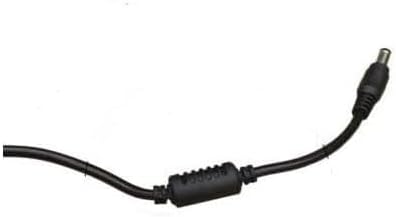
Şekil 4.3: Kapatmak view of the barrel connector, which plugs into the compatible device.
5. Kurulum
Follow these steps to properly connect your GT POWER AC Adapter to your Verizon WNC-CR200A Gateway Router.
- Cihaz Uyumluluğunu Doğrulayın: Before connecting, ensure your device is a Verizon WNC-CR200A Gateway Router. The adapter is specifically designed for this model. You can often find the model number on a label at the bottom or back of your router.

Şekil 5.1: Example of a Verizon WNC-CR200A Gateway Router's bottom label, indicating the model number for compatibility verification.
- Cihaza Bağlan: Insert the barrel connector of the GT POWER AC Adapter firmly into the power input port of your Verizon WNC-CR200A Gateway Router.
- Güç Çıkışına Bağlan: Plug the AC prongs of the adapter into a standard 100-240V AC wall outlet.
- Güç Açık: Once connected, your Verizon WNC-CR200A Gateway Router should power on automatically or can be turned on using its power button, if available.
6. Çalıştırma
The GT POWER AC Adapter operates automatically once connected. It provides a stable power supply to your compatible device. No user interaction is required for its operation beyond initial connection.
- Ensure the adapter is always connected to a functioning power outlet.
- Avoid disconnecting the adapter during critical operations of your router to prevent data loss or system instability.
7. Bakım
Doğru bakım, AC adaptörünüzün uzun ömürlü ve güvenli çalışmasını sağlar.
- Temizlik: Disconnect the adapter from the power outlet and the device before cleaning. Use a soft, dry cloth to wipe the exterior. Do not use liquid cleaners or solvents.
- Depolamak: Kullanılmadığı zamanlarda adaptörü serin, kuru bir yerde, doğrudan güneş ışığından ve aşırı sıcaklıklardan uzakta saklayın. Hasarı önlemek için kabloyu sıkıca sarmaktan kaçının.
- Kablo Bakımı: Kabloyu aşırı derecede bükmeyin, çevirmeyin veya çekmeyin. Kablonun üzerine ağır nesneler koymaktan kaçının.
8. Sorun Giderme
If you encounter issues with your GT POWER AC Adapter, refer to the following common problems and solutions:
| Sorun | Olası Neden | Çözüm |
|---|---|---|
| Cihaz açılmıyor. |
|
|
| Adaptör alışılmadık derecede sıcak. |
|
|
9. Özellikler
| Özellik | Detay |
|---|---|
| Model Numarası | 602 |
| Marka | GT GÜÇ |
| Giriş Voltage | AC 100-240V (50/60Hz) |
| Çıkış Hacmitage | Doğru Akım 12V |
| Çıkış Akımı | 3A |
| Netage | 36 Watt |
| Bağlayıcı Türü | Varil |
| Kablo Uzunluğu | 59 inç (yaklaşık 1.5 metre) |
| Koruma Özellikleri | OVP (Hacim Fazlasıtage Protection), OCP (Over Current Protection), SCP (Short Circuit Protection) |
| Uyumlu Cihazlar | Verizon WNC-CR200A Gateway Router CR200A WiFi6 NKR-LV65C-T3 |
10. Garanti ve Destek
This GT POWER AC Adapter comes with a Bir Yıl Garanti satın alma tarihinden itibaren. Ayrıca, bir 30 Günlük Para İade Garantisi sunulmaktadır.
For technical support, warranty claims, or further assistance, please contact your retailer or the manufacturer directly. Please have your purchase information and product model number (602) available when contacting support.
For more information, you may refer to the seller's contact details provided at the point of purchase.


