1. Giriş
Thank you for choosing the Mesqool CR1025 Clock Radio. This device combines an alarm clock, Bluetooth speaker, FM radio, night light, and phone charger into one compact unit. This manual provides detailed instructions for setup, operation, and maintenance to ensure optimal performance and user experience.

Figure 1: Mesqool CR1025 Clock Radio
2. Ürün Bittiview
2.1 Temel Özellikler
- Çok Fonksiyonlu Tasarım: Alarm Clock, Bluetooth Speaker, FM Radio, Night Light, and Phone Charger.
- Bluetooth 5.0: For stable and quick wireless audio streaming.
- FM Radyo: 87.5MHz-108.0MHz frequency range with 20 preset stations.
- Ayarlanabilir Parlaklık: 5 levels for the LED display.
- Ayarlanabilir Hacim: 16 levels (45dB to 116dB).
- Uyku Zamanlayıcısı: Allows automatic shutdown of audio playback.
- Erteleme İşlevi: 9-minute delay for alarms.
- Pil Yedekleme: Retains time and alarm settings during power outagee.
- Çift USB Şarj Bağlantı Noktaları: Type-C and USB-A for device charging.
- Zaman Biçimi: 12-hour and 24-hour display options.
- Yaz Saati Uygulaması (DST): Quick adjustment feature.

Figure 2: 5-in-1 Functionality
2.2 Paket İçeriği
- Mesqool CR1025 Clock Radio
- Güç Adaptörü
- USB kablosu
- CR2032 Lithium Battery (pre-installed or separate for backup)
- Kullanım Kılavuzu (bu belge)

Şekil 3: Paket İçeriği
3. Kontroller ve Ekran
Familiarize yourself with the buttons and ports on your Mesqool CR1025 Clock Radio.
3.1 Üst Panel Kontrolleri
- Sleep Timer Knob: Rotate to set sleep timer duration. Press to confirm.
- Alarm butonu: Press to set or activate/deactivate alarms.
- Time/12/24 Button: Press to set time. Hold to switch between 12/24-hour format.
- Dimmer/DST Button: Press to adjust display brightness. Hold to activate/deactivate Daylight Saving Time.
- ERTELEME/IŞIK Düğmesi: Press to snooze alarm or turn night light on/off.
- Preset/Pair Button: Press to cycle through FM presets. Hold to enter Bluetooth pairing mode.
- Play/Mode Button: Press to play/pause in Bluetooth mode. Hold to switch between FM/Bluetooth modes.
- Power/Scan Knob: Rotate to adjust volume. Press to power on/off. Hold to auto-scan FM stations.
3.2 Arka Panel Bağlantı Noktaları
- DC IN: Güç girişi bağlantı noktası.
- USB-A Çıkışı: Harici cihazları şarj etmek için.
- Tip-C Çıkışı: Harici cihazları şarj etmek için.
4. Kurulum
4.1 Güç Bağlantısı
- Connect the power adapter to the DC IN port on the back of the clock radio.
- Güç adaptörünü standart bir duvar prizine takın. Ekran yanacaktır.

Şekil 4: Güç Bağlantısı
4.2 Pil Yedekleme
The CR2032 battery provides backup for time and alarm settings during a power outage. The display will not show time, and alarms will not sound until power is restored.
- Ensure the battery insulator tab is removed if the battery was pre-installed.
- If replacing, open the battery compartment on the bottom and insert a new CR2032 battery with the correct polarity.
4.3 Saati Ayarlama
- Basılı tutun Time/12/24 Saat haneleri yanıp sönene kadar düğmesine basın.
- Döndür Güç/Tarama Saati ayarlamak için düğmeyi kullanın.
- Basın Time/12/24 button again to confirm the hour, and the minute digits will flash.
- Döndür Güç/Tarama Dakikaları ayarlamak için düğme.
- Basın Time/12/24 button to save the time setting.
4.4 12/24 Saat Formatı
12 saatlik ve 24 saatlik zaman formatları arasında geçiş yapmak için tuşuna basın. Time/12/24 Zaman görüntülenirken düğmeye kısa süre basın.

Figure 5: 12H/24H and DST Display
4.5 Yaz Saati Uygulaması (DST)
To activate or deactivate DST, press and hold the Dimmer/DST button. The 'DST' indicator will appear or disappear on the display.
5. Kullanım Talimatları
5.1 Alarmı Ayarlama
- Basılı tutun Alarm Alarm saati rakamları yanıp sönene kadar düğmesine basın.
- Döndür Güç/Tarama knob to adjust the alarm hour.
- Basın Alarm button again to confirm the hour, and the minute digits will flash.
- Döndür Güç/Tarama knob to adjust the alarm minutes.
- Basın Alarm Alarm saatini kaydetmek için düğme.
- Alarmı etkinleştirmek/devre dışı bırakmak için, Alarm button briefly. An alarm icon will appear/disappear on the display.
5.2 Erteleme İşlevi
Alarm çaldığında, düğmesine basın. ERTELEME / IŞIK button to activate the 9-minute snooze function. The alarm will sound again after 9 minutes. This can be repeated up to 9 times. To stop the alarm completely, press the Alarm düğme.

Figure 6: Snooze Function
5.3 FM Radyo Çalışması
- Basın Play/Mode FM Radyo moduna geçmek için düğmeye basın.
- Otomatik Tarama: Basılı tutun Güç/Tarama knob to automatically scan and save available FM stations (up to 20 presets).
- Manuel Ayarlama: Briefly rotate the Güç/Tarama Frekansı ince ayarlamak için düğme.
- Ön Ayarları Seçin: Basın Preset/Pair Kaydedilmiş istasyonlar arasında geçiş yapmak için düğme.
- Ses Ayarı: Döndür Güç/Tarama knob to adjust the volume (16 levels).

Figure 7: FM Radio Features
5.4 Bluetooth Hoparlör Çalıştırma
- Basın Play/Mode button to switch to Bluetooth mode. The 'BT' icon will flash on the display.
- On your mobile device, enable Bluetooth and search for 'CR1025'.
- Select 'CR1025' to pair. Once connected, the 'BT' icon will stop flashing.
- Play audio from your device. Use the Play/Mode oynatmak / duraklatmak için düğmeye basın.
- Ses Ayarı: Döndür Güç/Tarama ses seviyesini ayarlamak için düğme.

Şekil 8: Bluetooth 5.0 Bağlantısı
5.5 Gece Lambası Çalıştırma
Basın ERTELEME / IŞIK button to turn the night light on or off. The night light provides a soft, warm glow.

Figure 9: Warm Night Light
5.6 Ekran Parlaklığı Ayarı
Basın Dimmer/DST button repeatedly to cycle through 5 levels of display brightness, from off to brightest.
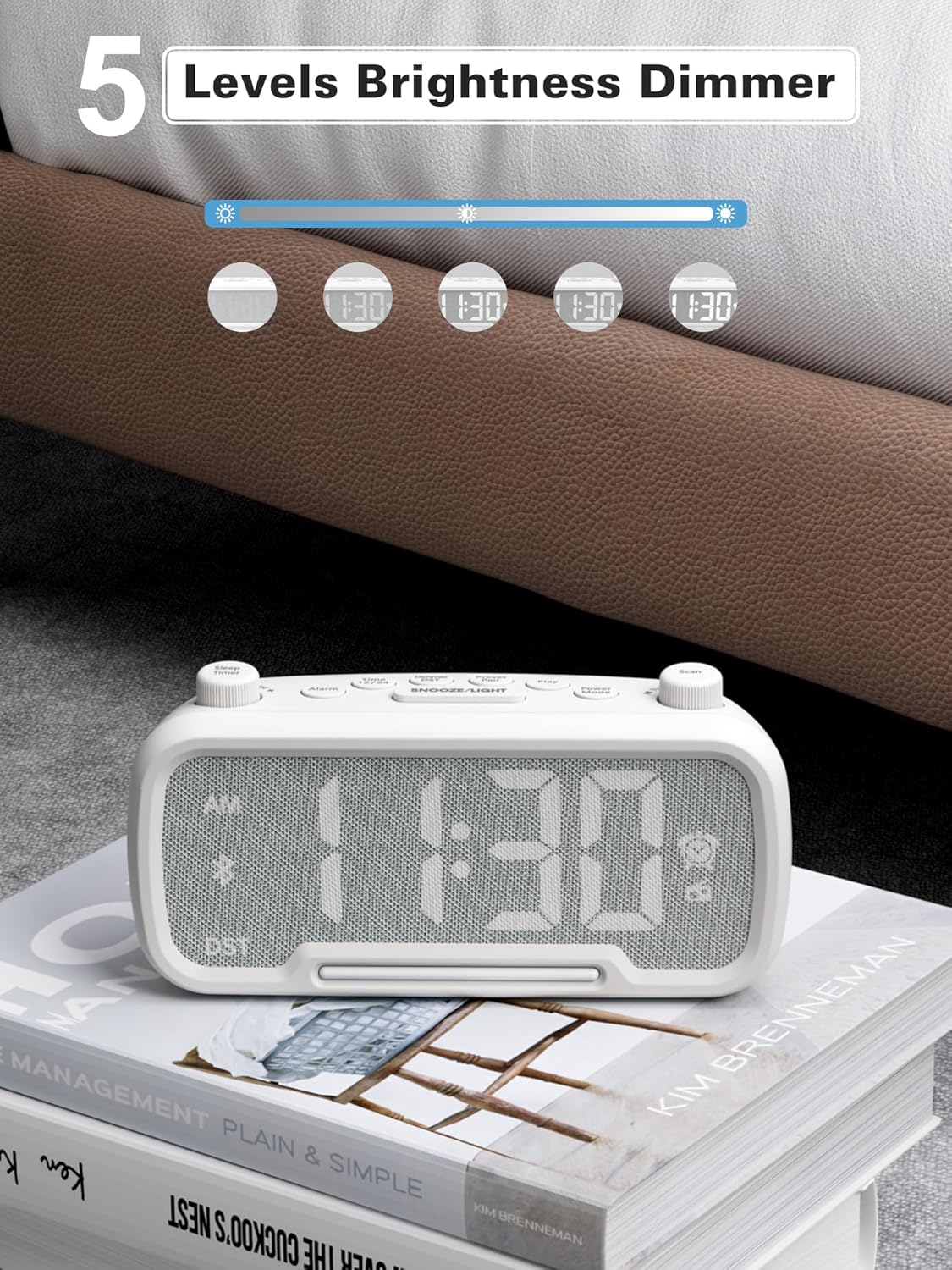
Figure 10: 5 Levels Brightness Dimmer
5.7 Uyku Zamanlayıcısı
The sleep timer allows you to set a duration after which the radio or Bluetooth audio will automatically turn off.
- While playing FM radio or Bluetooth audio, rotate the Uyku Zamanlayıcısı knob to select the desired sleep duration (e.g., 15, 30, 60, 90 minutes).
- The display will show the remaining sleep time. The audio will turn off automatically when the timer expires.
5.8 Telefon Şarjı
The clock radio features two USB charging ports (Type-C and USB-A) for convenient charging of your mobile devices.
- Connect your device's charging cable to either the USB-A or Type-C port on the back of the clock radio.
- Connect the other end of the cable to your mobile device. Charging will begin automatically.

Figure 11: Dual USB Charging Ports
6. Bakım
- Üniteyi yumuşak ve kuru bir bezle temizleyin. Aşındırıcı temizleyiciler veya çözücüler kullanmayın.
- Cihazı doğrudan güneş ışığından, ısı kaynaklarından ve nemden uzak tutun.
- Ünite çevresinde uygun havalandırmanın olduğundan emin olun.
- If the unit will not be used for an extended period, unplug it from the power outlet.
7. Sorun Giderme
| Sorun | Olası Neden | Çözüm |
|---|---|---|
| Güç yok/Ekran kapalı | Güç adaptörü bağlı değil veya arızalı. | Ensure power adapter is securely plugged into the unit and wall outlet. Check outlet functionality. |
| Alarm çalmıyor | Alarm etkinleştirilmemiş veya yanlış ayarlanmış. | Verify alarm time is set and the alarm icon is visible on the display. Check alarm volume. |
| Zayıf FM radyo alımı | Zayıf sinyal veya parazit. | Adjust the unit's position. Try auto-scanning again. |
| Bluetooth eşleştirmiyor | Cihaz eşleştirme modunda değil veya çok uzakta. | Ensure the clock radio is in Bluetooth mode (BT icon flashing). Move device closer. Forget device on phone and re-pair. |
| USB şarjı çalışmıyor | Cable faulty or device incompatible. | Try a different USB cable. Ensure the clock radio is powered on. |
8. Özellikler
- Modeli: CR1025
- Güç Girişi: AC 100-240V, 50/60Hz
- Pil Yedekleme: 1 x CR2032 (dahil)
- FM Frekansı: 87.5 - 108.0 MHz
- Bluetooth Sürümü: 5.0
- USB Çıkışı: USB-A, Type-C (Charging only)
- Ekran Parlaklığı: 5 seviye
- Ses Seviyeleri: 16 levels (45dB - 116dB)
- Boyutlar: 5.9 x 3.81 x 8.4 cm (2.32 x 1.5 x 3.31 inç)
- Ağırlık: 216 gr (0.48 lb)
Şekil 12: Ürün Boyutları
9. Garanti ve Destek
Mesqool products are designed and manufactured to the highest quality standards. For warranty information, technical support, or customer service inquiries, please refer to the contact information provided on the product packaging or visit the official Mesqool webalan.
Webalan: Mesqool Official Store


