giriiş
Thank you for choosing the Defender ARGA GM-049 Gaming Mouse. This manual provides detailed instructions for setting up, operating, maintaining, and troubleshooting your new gaming mouse. Please read this manual carefully before use to ensure optimal performance and longevity of your device.
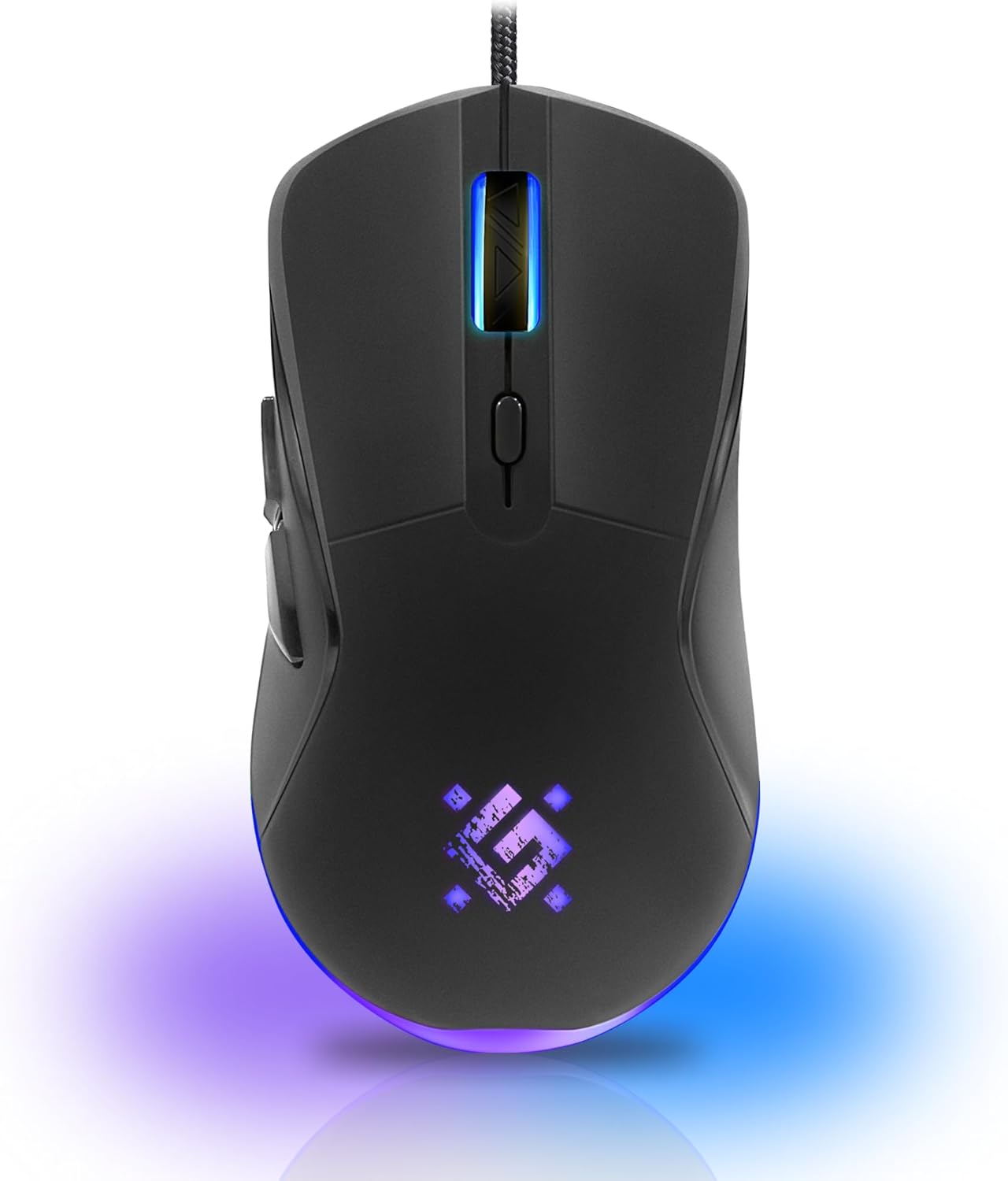
Resim: Ön view of the Defender ARGA GM-049 Gaming Mouse, showcasing its ergonomic design and customizable RGB lighting.
Kurmak
1. Fareyi Bağlama
- Bilgisayarınızda kullanılabilir bir USB bağlantı noktası bulun.
- Plug the gold-plated USB connector of the Defender ARGA GM-049 mouse into the USB port.
- İşletim sistemi gerekli sürücüleri otomatik olarak algılayıp yükleyecektir. Bu işlem birkaç dakika sürebilir.
2. Yazılım Kurulumu (İsteğe Bağlı)
For advanced customization, including macro programming and button remapping, install the Defender Game Center Software.
- Visit the official Defender website to download the latest version of the Defender Game Center Software.
- Kurulumu tamamlamak için ekrandaki talimatları izleyin.
- Kurulum tamamlandıktan sonra, fare ayarlarınızı yapılandırmak için yazılımı başlatın.

Image: Diagram illustrating the Defender Game Center Software, macro editor, optical sensor, and compatibility with Windows 2000/XP/Vista/7/8/10+ and macOS X10+.
Kullanım Talimatları
1. Temel İşlevler
- Sol tık: Birincil eylem.
- Sağ tık: İkincil işlem, genellikle bağlam menülerini açar.
- Kaydırma tekerleği: Belgeleri yukarı/aşağı kaydırın veya web Sayfalar. Fare tekerleğine basmak genellikle orta tıklama işlevi görür.
2. DPI Ayarlaması
The Defender ARGA GM-049 features adjustable DPI (Dots Per Inch) settings, allowing you to change mouse sensitivity on the fly. The available DPI levels are 1200, 1800, 2400, and 3600.
- Press the dedicated DPI button (usually located behind the scroll wheel) to cycle through the preset DPI levels.
- Each DPI level may correspond to a different LED lighting color for easy identification (refer to software for customization).
3. Programlanabilir Düğmeler
The mouse is equipped with 6 buttons, 5 of which are programmable using the Defender Game Center Software. These include the two main clicks, the scroll wheel click, and two side buttons.
- Launch the Defender Game Center Software.
- Navigate to the button assignment section.
- Select a button and assign a desired function, macro, or key combination.
4. RGB Aydınlatma
The ARGA GM-049 features customizable RGB lighting. The lighting effects and colors can be configured through the Defender Game Center Software to match your preferences or current DPI setting.

Image: Visual representation of the mouse's features including 10 million clicks lifespan, 5 programmable buttons, RGB lighting, and DPI settings (1200/1800/2400/3600).
Bakım
Doğru bakım, oyun farenizin uzun ömürlü olmasını ve optimum performans göstermesini sağlar.
1. Temizlik
- Temizlemeden önce fareyi bilgisayarınızdan ayırın.
- Fare yüzeyini silmek için yumuşak, kuru ve tüy bırakmayan bir bez kullanın.
- İnatçı kirler için hafifçeampBezi su veya hafif, aşındırıcı olmayan bir temizleyici ile silin. Sert kimyasallardan kaçının.
- Use a cotton swab or compressed air to clean around the buttons and scroll wheel.
- Farenin içine sıvı girmesine izin vermeyin.asing.
2. Genel Bakım
- Fareyi düşürmekten veya sert darbelere maruz bırakmaktan kaçının.
- Keep the mouse away from extreme temperatures and direct sunlight.
- Do not attempt to disassemble the mouse, as this may void your warranty.
Sorun giderme
If you encounter issues with your Defender ARGA GM-049 mouse, refer to the following common solutions:
| Sorun | Olası Çözüm |
|---|---|
| Fare yanıt vermiyor |
|
| Düz imleç hareketi |
|
| Düğmeler veya kaydırma tekerleği çalışmıyor. |
|
| LED aydınlatma çalışmıyor |
|
Özellikler
| Özellik | Detay |
|---|---|
| Marka | Savunmacı |
| Örnek | ARGA GM-049 |
| Bağlantı Teknolojisi | Wired USB (Gold-plated connector) |
| Hareket Algılama Teknolojisi | Optik |
| DPI Seviyeleri | 1200 / 1800 / 2400 / 3600 |
| Düğme Sayısı | 6 (5 programlanabilir) |
| Özel Özellikler | RGB LED lighting, Programmable buttons, Macro editor, Durable rubberized surface, Teflon feet, Ferrite noise filter |
| Kablo Uzunluğu | 1.5 meters (Braided cable structure) |
| Düğme Ömrü | 10 milyona kadar tıklama |
| Uyumluluk | Windows 2000/XP/Vista/7/8/10+, macOS X10+ |
| Dahil Aksesuar | Mouse Pad (220 x 180 mm) |

Image: Product packaging highlighting key features such as rainbow backlight, 2 thumb buttons, 4 resolution modes up to 3600 DPI, wide rubberized backlit scroll wheel, 5 customizable buttons, durable Teflon feet, ferrite noise filter, gold-plated USB connector, and bonus mouse pad.

Image: The Defender ARGA GM-049 Gaming Mouse shown alongside its included mouse pad, indicating dimensions of 220mm by 180mm.
Garanti ve Destek
Garanti Bilgileri
For detailed warranty information regarding your Defender ARGA GM-049 Gaming Mouse, please refer to the warranty card included with your product or consult the retailer from whom you purchased the device. Warranty terms and conditions may vary by region and retailer.
Teknik Destek
If you require further assistance or encounter issues not covered in this manual, please visit the official Defender website for support resources, FAQs, and contact information for technical support.


