1. Giriş
This manual provides detailed instructions for the safe and efficient use of your Baseus Picogo 10000mAh 45W Portable Charger. Please read this manual thoroughly before using the product and retain it for future reference.
The Baseus Picogo portable charger is designed to provide fast and reliable power to a wide range of electronic devices, including smartphones, tablets, and laptops. It features a 10000mAh capacity, 45W Power Delivery (PD) output, multiple charging ports, and a built-in USB-C cable for convenience.

Image 1.1: The Baseus Picogo 10000mAh 45W Portable Charger, showcasing its compact size and built-in cable.
2. Ürün Özellikleri
- 45W Ultra Hızlı Şarj: Delivers up to 45W Power Delivery (PD) output for rapid charging of compatible devices. The built-in USB-C cable supports this fast charging.
- 10000mAh Yüksek Kapasite: Provides sufficient power for multiple charges of smartphones and can also charge tablets and some laptops.
- Dahili USB-C Kablosu: Features an integrated USB-C cable for convenient charging and recharging, supporting 30W fast recharging for the power bank itself.
- Aynı anda 3 cihazı şarj etme: Equipped with two 45W PD USB-C ports (one built-in cable, one external port) and one 22.5W QC USB-A port, allowing simultaneous charging of up to three devices.
- Akıllı LED Dijital Ekran: An LED screen displays the remaining battery percentage and real-time input/output power, keeping you informed of the power bank's status.
- Kompakt ve Taşınabilir Tasarım: With dimensions of approximately 3.47 × 2.35 × 1.06 inches, it is designed for easy portability and is air-travel friendly.
- Çoklu Koruma Güvenlik Sistemi: Incorporates various safety features including over-voltage, cilt altıtagAşırı şarj, aşırı deşarj, NTC sıcaklık, aşırı akım, kısa devre ve aşırı güç koruması.

Image 2.1: Illustrates the 45W fast charging capability, showing an iPhone 16 Pro charging to 57% and an S24 Ultra to 63% in 30 minutes.

Image 2.2: The power bank simultaneously charging a smartphone, a tablet, and wireless earbuds, demonstrating its multi-device charging capability.
3. Kurulum
3.1 Power Bank'ın İlk Şarjı
- Before first use, fully charge the Baseus Picogo power bank.
- Connect the built-in USB-C cable to a compatible USB-C wall charger (not included) or use an external USB-C to USB-C cable with the dedicated USB-C input port.
- The LED digital display will show the charging progress. The power bank is fully charged when the display shows 100%.
- A full charge typically takes approximately 2 hours with a 30W or higher power adapter.
3.2 Şarj İçin Cihazların Bağlanması
The power bank offers multiple options for connecting your devices:
- Dahili USB-C Kablosu: Extend the built-in USB-C cable and plug it directly into your device's USB-C port.
- USB-C Çıkış Portu: Use your own USB-C to USB-C cable to connect your device to the external USB-C output port.
- USB-A Çıkış Bağlantı Noktası: Use your own USB-A to compatible cable to connect your device to the USB-A output port.
Ensure your device's charging port matches the cable type you are using.
4. Kullanım Talimatları
4.1 Cihazlarınızı Şarj Etme
- Connect your device to the power bank using one of the available output options (built-in USB-C cable, USB-C port, or USB-A port).
- The power bank will automatically detect the connected device and begin charging. The LED display will show the current battery percentage ve çıkış gücü.
- Şarj işlemini durdurmak için cihazınızı power bank'ten ayırmanız yeterlidir.
4.2 Power Bank'in Şarj Edilmesi
When the power bank's battery level is low, recharge it using the built-in USB-C cable or an external USB-C cable connected to a power adapter. The LED display will indicate the charging status.

Image 4.1: Demonstrates the simultaneous input and output capability, where the power bank is being recharged from a wall adapter while also charging a smartphone.
4.3 Understanding the LED Digital Display

Resim 4.2: Ayrıntılı view of the smart digital display, indicating battery percentage and current power output/input.
- Pil Yüzdesitage: Shows the remaining charge level of the power bank (e.g., "100%").
- Giriş/Çıkış Gücü: Displays the current power being drawn by devices or supplied to the power bank (e.g., "45W").
- Hızlı Şarj Göstergesi: A small icon (e.g., a lightning bolt) may appear to indicate fast charging is active.
5. Bakım
- Temizlik: Power bank'in yüzeyini temizlemek için yumuşak, kuru bir bez kullanın. Sert kimyasallar veya aşındırıcı malzemeler kullanmaktan kaçının.
- Depolamak: Powerbank'i serin, kuru ve doğrudan güneş ışığından, aşırı sıcaklıklardan ve nemden uzak bir yerde saklayın.
- Pil Bakım: Pil ömrünü uzatmak için, düzenli olarak kullanılmıyorsa, power bank'i en az üç ayda bir tamamen şarj edin. Pilin sık sık tamamen boşalmasından kaçının.
- Fiziksel Hasardan Kaçının: Do not drop, puncture, or disassemble the power bank. This can damage internal components and void the warranty.
6. Sorun Giderme
- Q: The power bank is not charging my device.
- A: Ensure the power bank has sufficient charge. Check if the cable is securely connected to both the power bank and your device. Try a different cable or port. Verify your device is compatible with the power bank's output specifications.
- Q: The power bank is charging slowly.
- A: Ensure your device supports fast charging and that you are using a compatible cable. Simultaneous charging of multiple devices may reduce individual charging speeds. Check the power bank's LED display for current output wattage.
- Q: The LED display is not working.
- A: Try pressing the power button (if available) to activate the display. If the issue persists, the power bank may be completely discharged or require service.
- Q: The power bank is not recharging.
- A: Ensure the charging cable is properly connected to a working power adapter and the power bank's input port. Try a different power adapter or cable. Verify the power adapter meets the required input specifications.
If these steps do not resolve the issue, please refer to the warranty and support section for assistance.
7. Özellikler
| Özellik | Detay |
|---|---|
| Model Numarası | PPPG-1W45C |
| Pil Kapasitesi | 10000 Miliamp Saat (mAh) |
| Çıkış Gücü | Up to 45W (USB-C PD) |
| Giriş Gücü | 30W'a kadar (USB-C) |
| Limanlar | 1x Dahili USB-C Kablosu, 1x USB-C Bağlantı Noktası, 1x USB-A Bağlantı Noktası |
| Ürün Boyutları | 3.47 × 2.35 × 1.06 inç |
| Ürün Ağırlığı | 7.1 ons |
| Renk | Beyaz |
| Özel Özellikler | Built-in USB-C cable, LED digital display, Multi-protection safety system |
8. Güvenlik Bilgileri
Ürüne zarar gelmemesi veya kendinizin yaralanmaması için lütfen aşağıdaki güvenlik yönergelerine uyun:
- Powerbank'i aşırı sıcaklıklara (sıcak veya soğuk), doğrudan güneş ışığına veya yüksek neme maruz bırakmayın.
- Güç bankasını su ve diğer sıvılardan uzak tutun.
- Do not disassemble, modify, or attempt to repair the device yourself. This may cause damage, fire, or electric shock.
- Güç bankasını düşürmekten veya güçlü darbelere maruz bırakmaktan kaçının.
- Çocukların erişemeyeceği yerde saklayınız.
- Yalnızca uyumlu ve sertifikalı şarj kablolarını ve adaptörlerini kullanın.
- If the power bank swells, emits an odor, or becomes excessively hot during use or charging, discontinue use immediately and contact support.
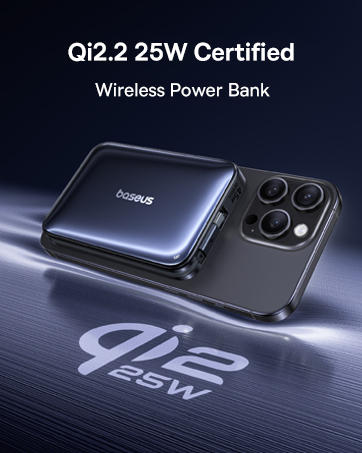
Image 8.1: Visual representation of the multiple safety protections integrated into the power bank, including over-voltage, cilt altıtage, overcharge, and short circuit protection.
9. Garanti ve Destek
Your Baseus Picogo portable charger comes with a 2 yıllık garanti and lifetime technical support.
For any product issues, technical assistance, or warranty claims, please contact Baseus customer support through the retailer where you purchased the product or visit the official Baseus webiletişim bilgileri için site.
Lütfen garanti hizmeti için satın alma belgenizi saklayın.


