giriiş
The R-MUSIC Party Boost S speaker is designed to provide an immersive audio experience, perfect for parties and events. This high-power speaker features Bluetooth 5.3 connectivity, dynamic RGB light effects, a dedicated karaoke mode, and an impressive battery life, combining robust performance with portable design.
This manual provides essential information for setting up, operating, and maintaining your Party Boost S speaker to ensure optimal performance and longevity.
Kutuda Neler Var?
Upon unboxing your R-MUSIC Party Boost S, please verify that all components are present:
- Party Boost S Speaker
- Kablolu Mikrofon
- Şarj kablosu
- Şarj cihazı
- Kullanım Kılavuzu (bu belge)
Ürün Bittiview
Familiarize yourself with the key features and components of your Party Boost S speaker.

The R-MUSIC Party Boost S speaker, showcasing its integrated RGB lighting on the front grille and top control panel. The speaker is black with a textured finish on the sides and a convenient carry handle on top.
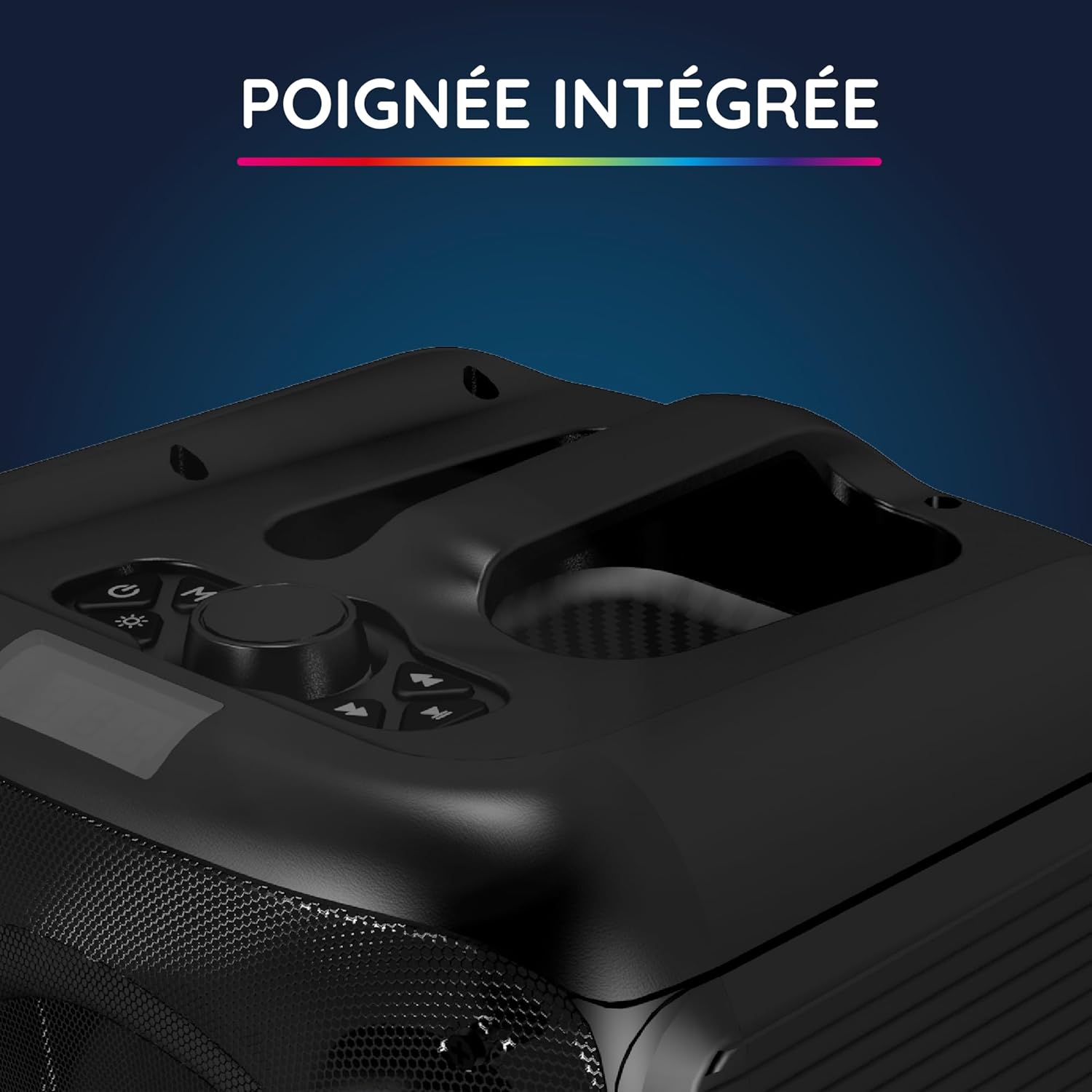
Yakın çekim view of the integrated handle located on the top of the Party Boost S speaker, designed for easy portability and transport.

The connectivity panel of the Party Boost S speaker, featuring various input ports including USB, USB-C, AUX, and Micro-SD slots for versatile device connections.

The top control panel of the Party Boost S speaker, showing buttons for equalizer settings, volume adjustment, and echo control, along with a digital display.
Kurmak
Hoparlörü Şarj Etme
Before first use, fully charge the speaker. Connect the provided charging cable to the speaker's charging port and the other end to the charger. Plug the charger into a power outlet. The charging indicator will show the charging status. A full charge takes approximately 5 hours and provides up to 10 hours of continuous playback.
İlk Güç Açık
Locate the power button on the speaker's control panel. Press and hold the power button for a few seconds until the speaker powers on and the LED lights illuminate.
Kullanım Talimatları
Bluetooth Bağlantısı
- Ensure the Party Boost S speaker is powered on.
- Activate Bluetooth on your smartphone, tablet, PC, or laptop.
- Arama "R-MUSIC Party Boost S" in your device's Bluetooth settings.
- Select the speaker to pair. A confirmation sound will indicate a successful connection.
- Hoparlör, 10 metreye kadar istikrarlı bir bağlantı için Bluetooth 5.3 kullanıyor.
Using Other Connectivity Options
- USB Bağlantı Noktası: Ses içeren bir USB sürücüsü takın fileUSB bağlantı noktasına takın. Hoparlör otomatik olarak algılayacak ve müziği çalacaktır.
- AUX Girişi: Connect an external audio device (e.g., MP3 player) using a 3.5mm AUX cable to the AUX port.
- Mikro SD kart: Ses dosyaları içeren bir Micro SD kart takın. fileMikro SD yuvasına takın.
- 6.35mm Jak: This port is primarily for the wired microphone.
Karaoke Mode and Microphone Use
To use the karaoke feature:
- Connect the wired microphone to the 6.35mm jack port on the speaker.
- Play your desired instrumental track via Bluetooth or other input methods.
- Adjust the microphone volume and echo effects using the controls on the speaker's top panel for an optimal karaoke experience.

The wired microphone included with the Party Boost S speaker, featuring an on/off switch and a standard audio jack for connection.
Sound Adjustment (Bass & Treble)
Use the dedicated controls on the speaker's top panel to adjust the bass and treble levels according to your audio preferences. This allows for fine-tuning the sound output for various music genres or environments.
RGB Işık Efektleri
The speaker features integrated RGB light shows that synchronize with your music. Use the light mode button on the control panel to cycle through different light animations or turn them off.
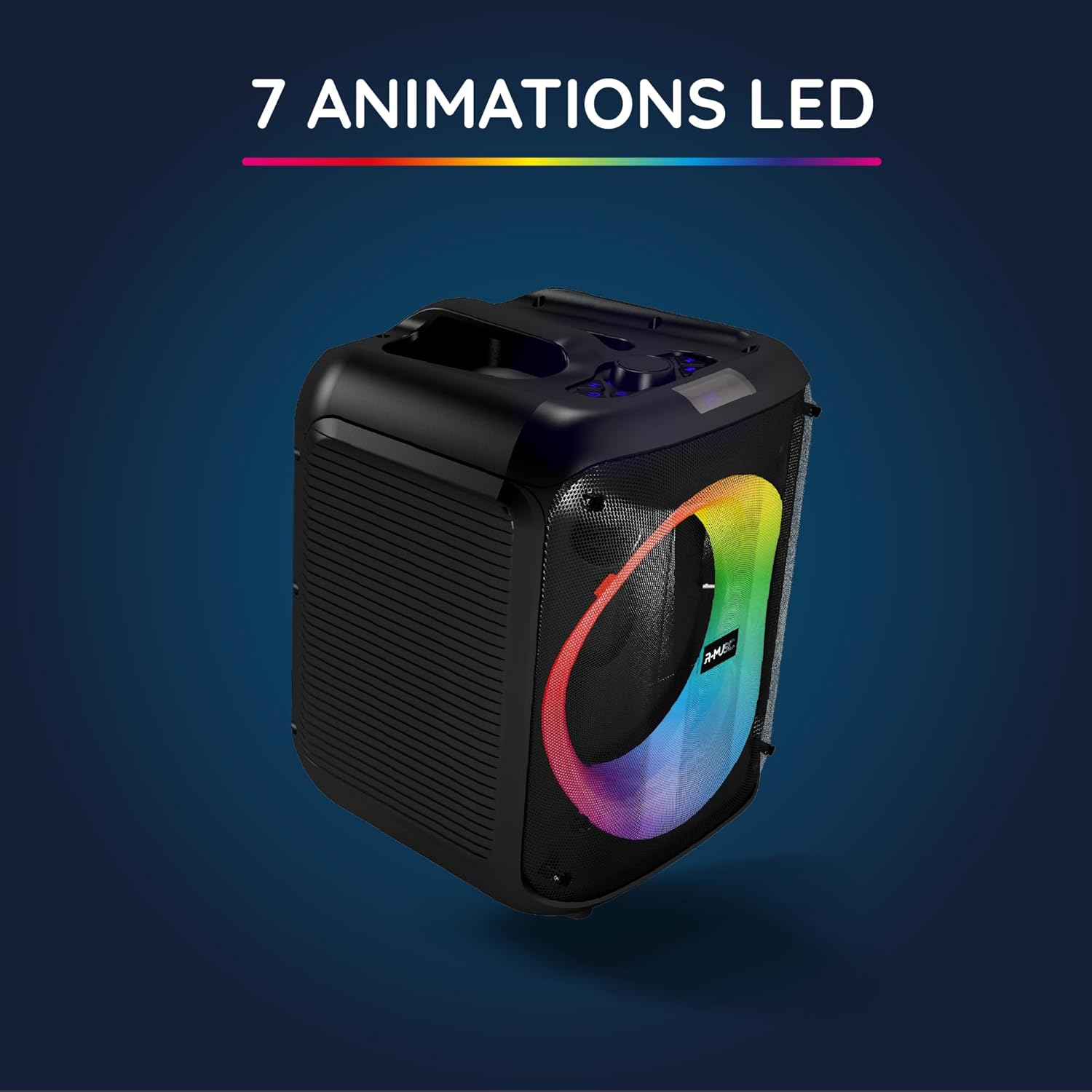
The Party Boost S speaker illuminated with vibrant RGB LED animations, showcasing its ability to create a dynamic visual experience synchronized with audio.
Çoklu Hoparlör Bağlantısı
For an enhanced stereo experience, you can connect two Party Boost S speakers together. Refer to the specific instructions for TWS (True Wireless Stereo) pairing, usually initiated by a dedicated button or a long press on the Bluetooth button on both speakers. Ensure both speakers are in pairing mode before attempting to connect them to each other.
Bakım
- Temizlik: Hoparlörün dış yüzeyini temizlemek için yumuşak ve kuru bir bez kullanın. Aşındırıcı temizleyiciler, cilalar veya çözücüler kullanmayın.
- Depolamak: Uzun süre kullanılmayacaksa hoparlörü serin, kuru ve doğrudan güneş ışığından ve aşırı sıcaklıklardan uzak bir yerde saklayın.
- Pil Bakım: Pil ömrünü uzatmak için pili sık sık tamamen boşaltmaktan kaçının. Hoparlörü, kullanılmasa bile düzenli olarak şarj edin.
- Suya Dayanıklılık: This speaker is not water-resistant. Avoid exposure to liquids.
Sorun giderme
| Sorun | Olası Neden | Çözüm |
|---|---|---|
| Güç yok | Pil bitmiş; güç kablosu düzgün bağlanmamış. | Charge the speaker fully; Ensure power cable is securely connected. |
| Ses yok | Volume is too low; Incorrect input source selected; Device not paired correctly. | Increase volume on speaker and connected device; Select correct input (Bluetooth, AUX, USB, SD); Re-pair Bluetooth device. |
| Bluetooth bağlantısı kararsız | Device is out of range; Interference from other devices. | Move device closer to speaker (within 10m); Move speaker away from other wireless devices. |
| Mikrofon çalışmıyor | Microphone not plugged in correctly; Microphone switch is off. | Ensure microphone is fully inserted into the 6.35mm jack; Turn on the microphone switch. |
Özellikler
| Model Numarası | RM484529 |
| Marka | R-MÜZİK |
| Bağlantı Türü | Bluetooth 5.3 |
| Ses girişleri | Bluetooth, USB, 6.35mm Jack, AUX, Micro SD |
| Frekans Tepkisi | 20 Hz - 20 kHz |
| Pil Ömrü | Up to 10 hours (3600mAh Lithium-ion) |
| Şarj Süresi | Yaklaşık 5 saat |
| Boyutlar (U x G x Y) | 29x34x26 cm |
| Ağırlık | 3.95 kilo |
| Renk | Siyah |
| Uyumlu Cihazlar | Smartphones, Tablets, PCs, Laptops |
| Özel Özellikler | Integrated RGB Lights, Karaoke Mode, Wired Microphone Included, Bass & Treble Adjustment, Multi-speaker Connection (TWS), Integrated Handle |
Garanti ve Destek
Üretici Garantisi
The R-MUSIC Party Boost S speaker comes with a 2 yıllık üretici garantisi Satın alma tarihinden itibaren geçerlidir. Bu garanti, normal kullanım koşullarında malzeme ve işçilik kusurlarını kapsar. Yanlış kullanım, kazalar, yetkisiz değişiklikler veya normal aşınma ve yıpranmadan kaynaklanan hasarları kapsamaz.
Garanti talepleri için lütfen satın alma belgenizi saklayın.
Müşteri Desteği
For technical assistance, warranty claims, or any questions regarding your R-MUSIC Party Boost S speaker, please contact your retailer or the manufacturer's customer support. Refer to the product packaging or the retailer's webiletişim bilgileri için site.


