1. Ürün Bittiview
The Ruko F11PRO 2 Drone is a professional-grade quadcopter designed for aerial photography and videography. It features a 6K camera with a 3-axis brushless gimbal for stable and smooth footage, extended flight time, and intelligent GPS flight modes for enhanced control and cinematic possibilities.
Temel Özellikler:
- 6K Camera & 3-Axis Gimbal: Captures crisp 6K photos and smooth 4K/30fps video with superior stability and enhanced wind resistance.
- Uzatılmış Uçuş Süresi: Two batteries provide a total of 70 minutes of flight (35 minutes per battery).
- Intelligent GPS Flight Modes: Includes Follow-Me, Orbit Flight, Cruise Control, and Waypoint Planning for simplified operation and professional footage.
- 10,000ft FPV Transmission: Offers ultra-long-range transmission and stable digital connection for expansive exploration.
- Gece Modu: Designed for enhanced aerial adventures after dark with frame retention technology for captivating visuals.
- Başlangıç modu: Limits height, distance, and speed for easier control.
- Built-in Remote ID Module: Compliant with FAA regulations.
2. Paket İçeriği
Your Ruko F11PRO 2 Drone package includes the following items:
- 1 x Ruko F11PRO 2 Drone
- 2 x Flight Batteries
- 1 x Rechargeable Remote Control
- 1 x Taşıma Çantası
- Complete Set of Accessories (Charging Cable, Extra Propeller Blades, Screws, Screwdriver, User Manual)
Note: Charger is not included. For optimal charging performance, please use the Ruko charger and avoid chargers with an output higher than 12V.

Image: All components included in the Ruko F11PRO 2 Drone package, neatly arranged.
3. Kurulum Kılavuzu
3.1 Unfolding the Drone:
- Carefully unfold the front arms of the drone first.
- Then, unfold the rear arms. Ensure all arms are securely locked into place.
3.2 Pil Kurulumu:
- Insert a fully charged flight battery into the drone's battery compartment until it clicks securely.
3.3 Gimbal Cover Removal:
Önemli: Before turning on the drone, please remove the gimbal cover. Starting the drone without removing the cover can cause the gimbal to get stuck during its self-check process, potentially leading to damage.
3.4 Remote Control Setup:
- Extend the phone holder on the remote control.
- Place your smartphone securely into the holder.
- Connect your smartphone to the remote control using the appropriate RC cable (USB-C or Lightning).
- Download and install the Ruko Pro app on your smartphone. A QR code for the app can be found in the user manual.

Image: The Ruko F11PRO 2 Drone with its remote control and a smartphone attached, ready for setup.
4. Kullanım Talimatları
4.1 Cihazı Çalıştırma:
- İHA'nın güç düğmesine gösterge ışıkları yanana kadar basılı tutun.
- Press and hold the power button on the remote control until it powers on and connects to the drone.
4.2 GPS Calibration:
For stable flight and intelligent features, GPS calibration is crucial. Follow the on-screen prompts in the Ruko Pro app to complete calibration. This typically involves rotating the drone horizontally and vertically.
4.3 Takeoff and Landing:
- Tek Tuşla Kalkış/İniş: Press the dedicated takeoff/landing button on the remote control for automatic ascent or descent.
- Manuel Kalkış: Push both joysticks simultaneously towards the bottom-inner corners to start the propellers, then gently push the left joystick up to ascend.
4.4 Uçuş Modu:
The Ruko F11PRO 2 offers various intelligent flight modes accessible via the app:
- GPS Takibi: The drone will automatically follow the remote control's GPS signal. Ensure the drone is 26 to 164 feet above you for this mode.
- Yörünge Uçuşu: The drone will circle a designated point.
- Yol Noktası Planlaması: Set custom flight paths on the map for automated flight.
- Seyir Kontrolü: Maintain a steady speed and direction.
- Başlangıç modu: Limits height, distance, and speed for easier control.

Image: The Ruko F11PRO 2 Drone utilizing its GPS positioning for stable flight.
5. Medya Galerisi
Ürün Görselleri:

The drone features a 3-axis brushless gimbal for superior stability.
All accessories included in the F11PRO 2 package.
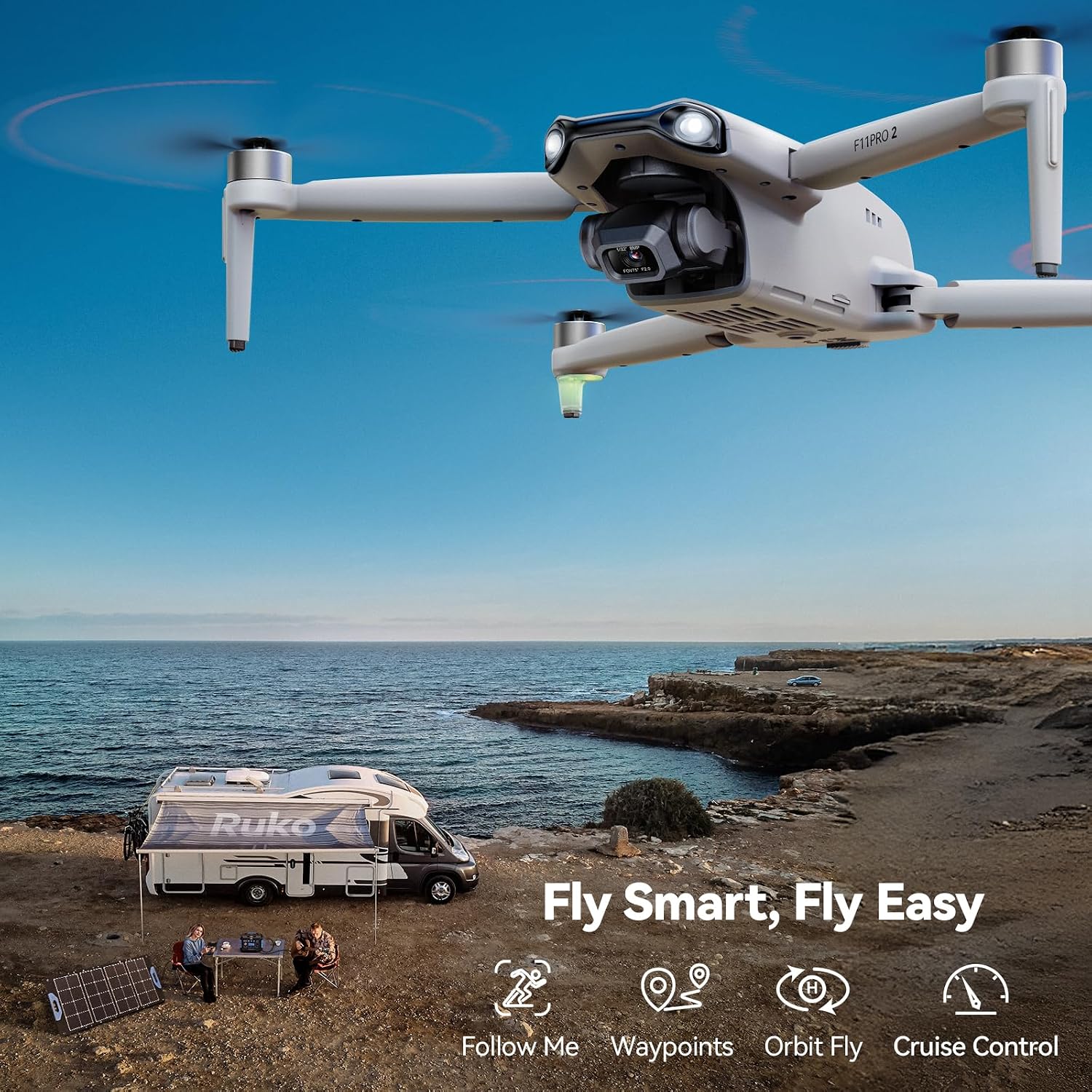
The drone and remote control ready for outdoor use.
Resmi Ürün Videoları:
Video shot with Ruko F11PRO 2 Drone, showcasing its 4K/30fps video capabilities in various landscapes.
F11PRO 2 - Unboxing video, detailing the contents and initial setup of the drone.
F11PRO 2 - Recall the beauty of vocation, a short promotional video highlighting scenic flights.
6. Bakım
- Pil Bakım: For optimal charging performance, always use the Ruko charger. Avoid using chargers designed for other devices or those with an output higher than 12V.
- Pervane Muayenesi: Regularly check propellers for any damage or wear. Replace damaged blades immediately using the provided spare propellers and screwdriver.
- Gimbal Koruması: Always remove the gimbal cover before powering on the drone to prevent damage during self-check.
- Depolamak: Store the drone and all accessories in the provided carrying case to protect them from dust and physical damage.
7. Sorun Giderme
Yaygın Sorunlar:
- Drone Açılmıyor: Pilin tam şarjlı olduğundan ve doğru şekilde takıldığından emin olun.
- Uzaktan Kumanda Bağlantı Kurmuyor: Verify both the drone and remote control are powered on. Re-attempt the pairing process as described in the user manual.
- GPS Sinyal Sorunları: Ensure you are in an open area with clear sky. Perform GPS calibration as instructed in the setup guide.
- Kararsız Uçuş: Re-calibrate the drone's compass and IMU (Inertial Measurement Unit) as per the user manual. Check propellers for damage.
- Kamera Arızası: Ensure the gimbal cover is removed. Check app settings for camera mode and resolution. If issues persist, contact customer support.
FAA Compliance:
The Ruko F11PRO 2 Drone is Remote ID compliant. For recreational flyers, registration with the FAA and passing a free safety test may be required. Refer to the official FAA website for current regulations and the drone's user manual for its Remote ID serial number location.
8. Özellikler
| Bağlanmak | Detay |
|---|---|
| Marka | RUKO |
| Model Adı | F11PRO 2 |
| Boyutlar | 15.16"U x 13.78"G x 2.56"Y |
| Ürün Ağırlığı | 12.6 ons (357 Gram) |
| Video Yakalama Çözünürlüğü | 4K@30fps |
| Kamera Özellikleri | 6K Photo, 3-Axis Brushless Gimbal, Night Vision, LED Light, Supports Portrait Shooting |
| Maksimum aralığı | 10,000 Ayak |
| Uçuş Süresi | 70 dakika (2 pil ile) |
| Kontrol Türü | Uzaktan kumanda |
| Beceri Seviyesi | All (Beginner - Professional) |
9. Garanti ve Destek
Ruko is committed to providing reliable care for its products. Your Ruko F11PRO 2 Drone comes with:
- 30-Day Returns or Exchanges: For any initial issues or dissatisfaction.
- 90-Day Coverage: For manufacturing defects or malfunctions.
- Ongoing Expert Assistance: Dedicated customer support is available for any questions or issues you may encounter.
Ek Kaynaklar:
- Kullanım Kılavuzu (PDF)
- Kullanım Kılavuzu (PDF)
- For direct support, please refer to the contact information provided in your physical user manual or visit the official Ruko webalan.


