1. Giriş
The Bose QuietComfort Wireless Noise Cancelling Earbuds deliver a high-quality audio experience with advanced noise cancellation capabilities. This manual provides essential information for the proper setup, operation, and maintenance of your earbuds to ensure optimal performance and longevity.
Key features include active noise cancellation, customizable tap controls, IPX4 water resistance, up to 8.5 hours of battery life per charge, and advanced Bluetooth 5.3 connectivity. The Bose QCE app allows for personalized sound adjustments and device management.
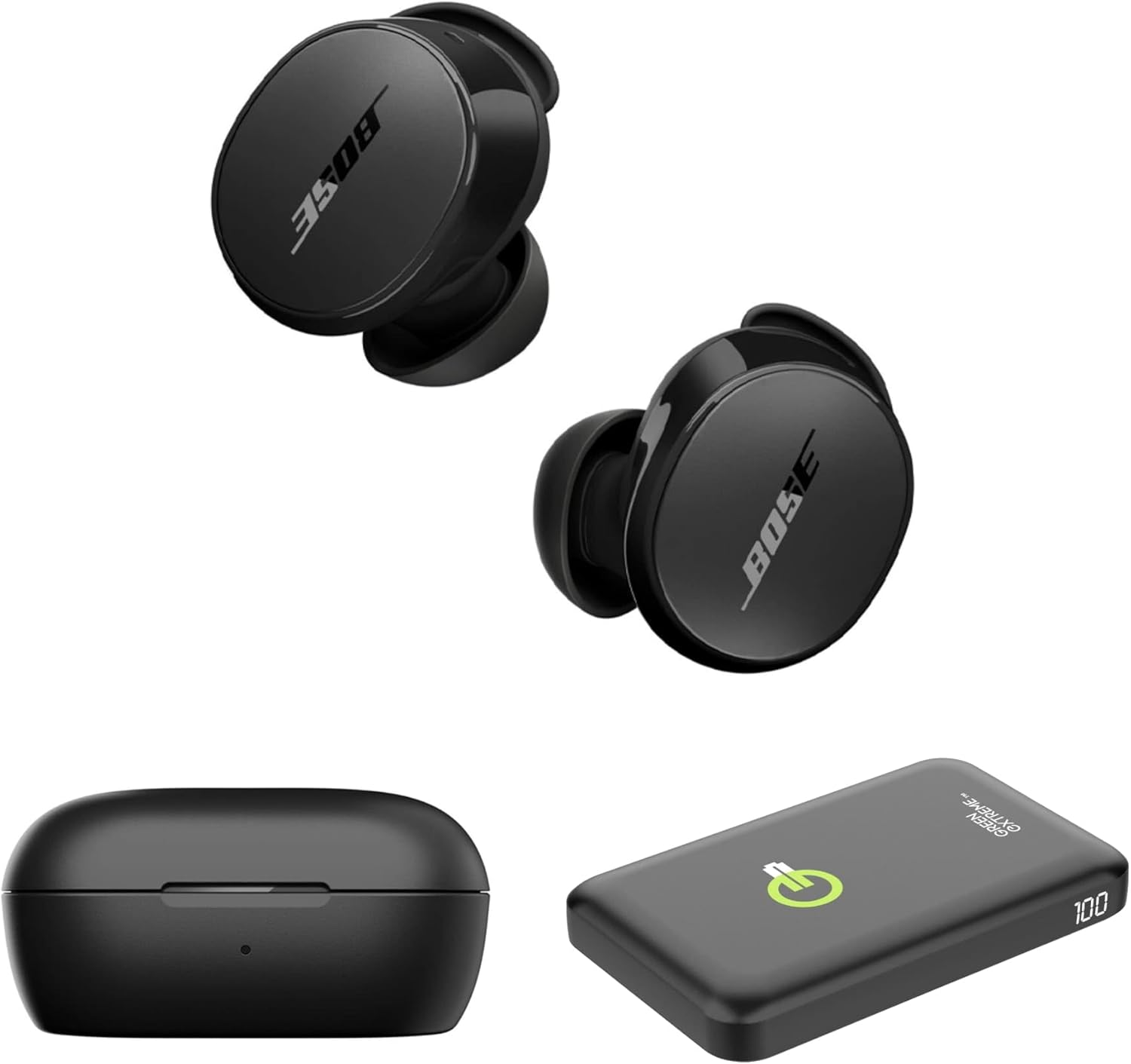
Image 1.1: Bose QuietComfort Earbuds, charging case, and Green Extreme portable charger.
2. Kurulum
2.1 Kutudan Çıkarma ve Bileşenler
Ambalajda tüm bileşenlerin mevcut olduğunu doğrulayın:
- Bose QuietComfort Earbuds (Black)
- Şarj Kutusu
- USB-A - USB-C Kablosu
- Small, Medium, and Large Eartips & Stability Bands
- Green Extreme 10000mAh Qi Power Bank

Image 2.1: Bose QuietComfort Earbuds in open charging case with included eartips and stability bands.
2.2 Kulaklıkları ve Kutuyu Şarj Etme
- Kulaklıkları şarj kutusuna yerleştirin. Yerlerine tam oturduğundan emin olun.
- Connect the USB-A to USB-C cable to the charging case and a power source.
- The charging case can also be charged wirelessly.
- A 20-minute charge provides approximately 2 hours of playback. Full charge provides up to 8.5 hours of playback. The case holds an additional 2.5 charges.

Image 2.2: Hand holding the Bose QuietComfort Earbuds charging case.
2.3 Selecting the Correct Fit
The earbuds come with three sizes of eartips and stability bands (S, M, L) to ensure a comfortable and secure fit. Experiment with different sizes to find the best seal for optimal sound quality and noise cancellation.
- Gently pull the eartip and stability band off the earbud.
- Select a new size and align it with the earbud.
- Press firmly until it clicks into place.

Image 2.3: Close-up of Bose QuietComfort Earbuds, highlighting the design and fit components.
2.4 Bluetooth Eşleştirme
The earbuds utilize Bluetooth 5.3 for stable and efficient wireless connectivity.
- Şarj kutusunu açın. Kulaklıklar eşleştirme moduna girecektir.
- Cihazınızda (akıllı telefon, tablet, bilgisayar) Bluetooth'u etkinleştirin ve kullanılabilir cihazları arayın.
- Select "Bose QuietComfort Earbuds" from the list.
- The earbuds support multipoint connection, allowing seamless switching between multiple paired devices.
3. Kullanım Talimatları
3.1 Customizable Tap Controls
The earbuds feature customizable tap controls for managing audio playback and calls. These controls can be configured via the Bose QCE app.
- Oynat/Duraklat: Her iki kulaklığa da bir kez dokunun.
- Parçayı Atla: Sağ kulaklığa iki kez dokunun.
- Ses Kontrolü: Swipe up or down on the earbud surface (customizable).
- Çağrıyı Cevapla/Sonlandır: Her iki kulaklığa da bir kez dokunun.
3.2 Aktif Gürültü Önleme (ANC)
The earbuds feature active noise cancellation to reduce ambient sound. ANC settings can be adjusted through the Bose QCE app.
- Sessiz Mod: Maximizes noise cancellation for immersive listening.
- Farkındalık Modu: Allows some ambient sound to pass through, enhancing situational awareness.
- Kapalı: Gürültü engelleme özelliğini devre dışı bırakır.
3.3 Bose QCE App Integration
The Bose QCE app provides comprehensive control and customization options for your earbuds:
- Ayarlanabilir Ekolayzır: Fine-tune bass, mid-range, and treble levels.
- ANC Settings: Switch between Quiet, Aware, and Off modes.
- Pil Ömrü: Monitor the current battery level of each earbud and the charging case.
- Özel Kısayollar: Personalize tap control functions.
- Cihaz Yönetimi: View and manage connected Bluetooth devices.
Video 3.1: Bir overview of the Bose QuietComfort Wireless Noise Cancelling Earbuds, demonstrating key features and design.
4. Bakım
4.1 Temizlik
Düzenli temizlik, kulaklığınızın performansını ve hijyenini korumanıza yardımcı olur.
- Kulaklıkları ve şarj kutusunu yumuşak, kuru bir bezle silin.
- Kulaklık uçlarını kulaklıklardan çıkarın ve hafif bir sabunlu suyla temizleyin, ardından iyice durulayın ve tekrar takmadan önce kurulayın.
- Aşındırıcı malzemeler veya sert kimyasallar kullanmaktan kaçının.
4.2 Suya Dayanıklılık
The earbuds have an IPX4 rating, meaning they are resistant to splashes, drips, and sweat. This rating does not indicate resistance to submersion in water. Avoid exposing the earbuds to excessive moisture or liquids.
5. Sorun Giderme
If you encounter issues with your Bose QuietComfort Earbuds, refer to the following common solutions:
- Ses Yok/Ses Kalitesi Zayıf: Ensure earbuds are properly seated in your ears with a good seal. Check the volume levels on both your device and the earbuds. Verify EQ settings in the Bose QCE app.
- Bağlantı Sorunları: Ensure Bluetooth is enabled on your device and the earbuds are in pairing mode. Try unpairing and re-pairing the earbuds. Ensure your device is within the 30-foot Bluetooth range.
- Kulaklıklar Şarj Edilmiyor: Ensure the earbuds are correctly placed in the charging case. Check that the charging case itself is charged or connected to a power source. Clean charging contacts if necessary.
- Gürültü Önleme Çalışmıyor: Verify ANC settings in the Bose QCE app. Ensure a proper fit of the eartips and stability bands to create an effective seal.
Daha fazla yardım için Bose destek ekibiyle iletişime geçin. website veya müşteri hizmetleriyle iletişime geçin.
6. Özellikler
| Özellik | Şartname |
|---|---|
| Marka | Bose |
| Model Numarası | 888507-Kit |
| UPC | 192223262270 |
| Bluetooth Sürümü | 5.3 |
| Bluetooth Menzili | 30 Ayak |
| Pil Ömrü (Kulaklıklar) | 8.5 Saate Kadar |
| Charging Case Charges | 2.5 additional charges |
| Hızlı Şarj | 2 saatlik oynatma için 20 dakika |
| Gürültü Kontrol Özellikleri | Aktif Gürültü Önleme |
| Su Direnç Seviyesi | IPX4 (Suya Dayanıklı) |
| Kontrol Yöntemi | Dokunmak |
| Ses Sürücüsü Türü | Dinamik Sürücü |
| Kulaklık Şekli | Yuvarlak uç |
| Malzeme | Plastic or Aluminum (Case) |
7. Garanti ve Destek
Your Bose QuietComfort Wireless Noise Cancelling Earbuds are covered by a manufacturer's warranty. Please refer to the warranty card included in your product packaging for specific terms and conditions.
For product support, frequently asked questions, and additional resources, visit the official Bose support websitesine bakın veya müşteri hizmetleri departmanıyla iletişime geçin.


