giriiş
The HEXGAMING PHANTOM Pro Gaming Controller is engineered for competitive gameplay across multiple platforms, including PlayStation 5, PC, and mobile devices. This controller features an ergonomic design, remappable back buttons, adjustable triggers, interchangeable thumbsticks, and advanced Drifix technology to ensure precision and comfort during extended gaming sessions. This manual provides detailed instructions for setup, operation, maintenance, and troubleshooting to help you maximize your gaming experience.
Video: PHANTOM Controller: Quick Overview of Its Key Features
Paket İçeriği
Paketinizde tüm öğelerin mevcut olduğundan emin olun:
- PHANTOM eSports controller for PS5 and PC
- 8 interchangeable thumbsticks
- Ayar aracı
- Kullanıcı kılavuzu
Note: The wireless controller does not come with a cable or other accessories.

Image: The HEXGAMING PHANTOM Pro Controller package showing the controller, 8 interchangeable thumbsticks, and an adjustment tool.
Video: PHANTOM Controller - Unboxing
Ürün Özellikleri
Ergonomik Tasarım
The PHANTOM Pro controller is built with an ergonomic design, integrated structure, and soft rubber grips to enhance comfort and reduce fatigue during long gaming sessions. This design allows for detailed control and a professional gaming experience.

Resim: Yukarıdan aşağıya view of the HEXGAMING PHANTOM Pro Controller in Chaos Black, highlighting its ergonomic shape and button layout.
Remappable Back Buttons and Profiles
The controller features 4 fully remappable back buttons and 6 swappable profiles, allowing you to customize controls and switch layouts seamlessly. These tactile buttons are ergonomically placed for excellent feedback and precise pressing.

Image: A user's hands gripping the PHANTOM Pro Controller, with a clear view of the four remappable back buttons on the underside.
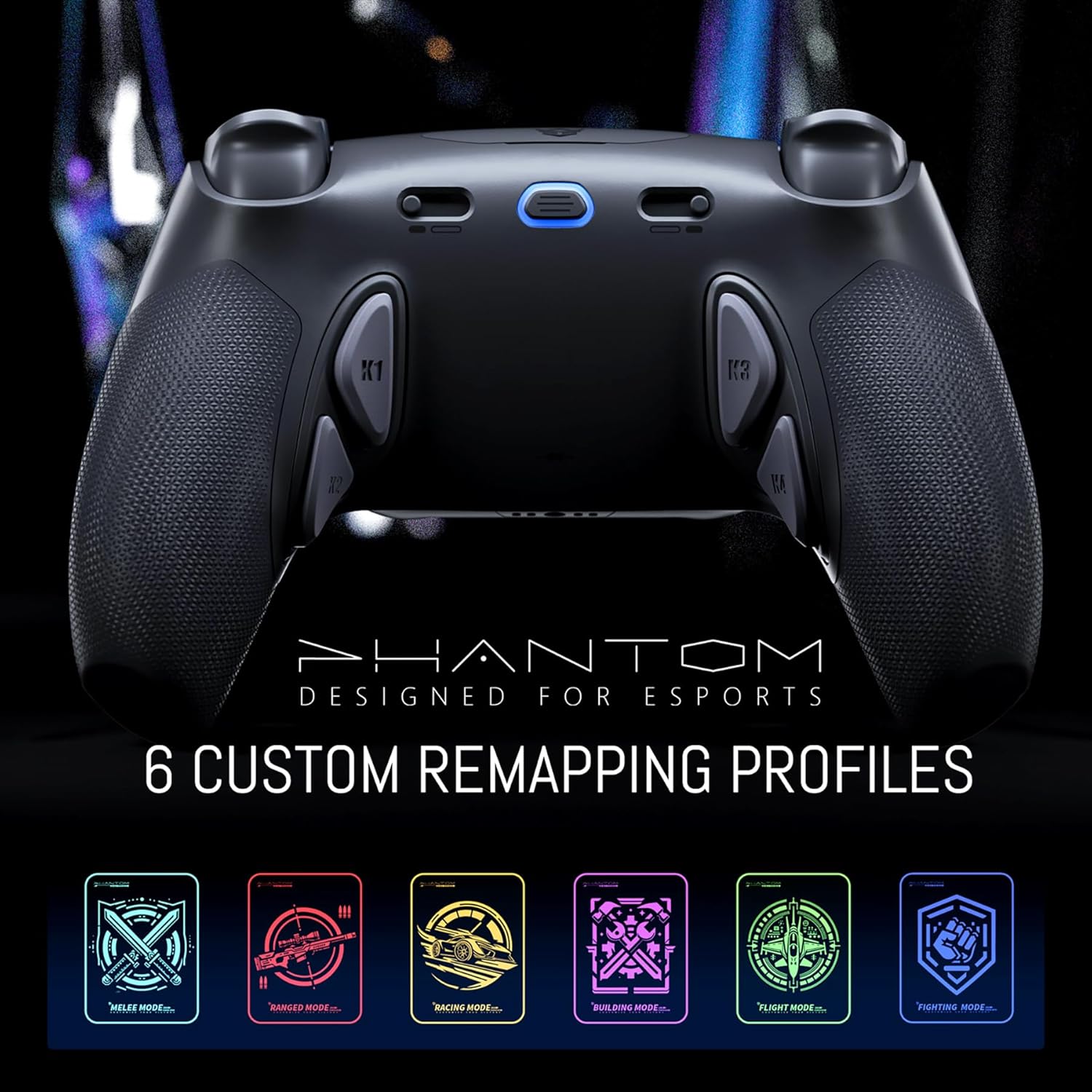
Image: An illustration of the PHANTOM Pro Controller with six distinct custom remapping profiles, each represented by a unique icon and color.
Video: How to Remap Your HexGaming PHANTOM Controller Buttons
Ayarlanabilir Tetikler
Instantly switch between adaptive and digital triggers using convenient trigger-mode switches. Digital triggers offer a short travel distance (1.5 to 2mm) for fast, mouse-click-like action, ideal for FPS games. Adaptive triggers provide precise control for games like racing simulators.

Resim: Ayrıntılı view of the PHANTOM Pro Controller's micro switch triggers, highlighting their internal mechanism for quick response.
Değiştirilebilir Kontrol Çubukları
Customize your thumbsticks to match your playstyle. The controller includes 8 interchangeable textured sticks (concave, domed, and extended options) for optimal comfort, precision, and performance.

Image: The PHANTOM Pro Controller displayed alongside its set of 8 interchangeable thumbsticks, offering various shapes and heights for customization.
Video: Swappable Thumbsticks in Action
Drifix Technology
The exclusive Drifix technology allows you to offset stick drift by adjusting joystick modules within a 0.12 range. This ensures pinpoint accuracy and maintains peak controller performance.

Image: A technical diagram showing the Drifix technology on the PHANTOM Pro Controller, illustrating how joystick axis deviations can be adjusted.
Video: How the HEX DRIFIX module works wonders!
Kurmak
Connecting to PS5/PC/Mobile
To connect your PHANTOM Pro controller, ensure your console or device is powered on. The controller can be connected wirelessly via Bluetooth or wired using a compatible USB-C cable (not included). For initial pairing, follow your device's standard Bluetooth pairing instructions. For PC, a wired connection is often plug-and-play.
Kullanım Talimatları
Düğme Eşlemesi
The PHANTOM Pro controller allows you to remap its back buttons to suit your preferences. Follow these steps:
- First, sync the controller with your console or PC before entering mapping mode. The indicator light will remain lit.
- Press and hold the Setting Button for 3 seconds to enter mapping mode. The indicator light will flash rapidly, indicating that mapping mode has been activated.
- Under mapping mode, press and hold the desired back button (e.g., K1) and the target button (e.g., X) together for 3 seconds. The indicator light will quickly flash red three times, indicating successful mapping. The indicator light will then continue to flash rapidly, awaiting the next setting.
- After mapping all desired buttons, hold down the Setting Button for about 3 seconds to exit mapping mode. The indicator light will stay solid, confirming you have exited mapping mode.
Video: How to Remap Your HexGaming PHANTOM Controller Buttons
Clearing Specific Button Mappings
To clear a specific K button mapping in the current profile:
- Enter mapping mode by pressing and holding the Setting Button for 3 seconds.
- Hold down the same two buttons that were previously mapped (e.g., K1 and X) again for 3 seconds. The indicator light will turn red and flash slowly three times, signaling that the current mapping for the K button has been successfully cleared.
Clearing All Button Mappings
To clear all K button mappings that have been set in the current profile:
- When the indicator light remains solid (not in mapping mode).
- Press and hold the combination of L1 + Up + Left + R1 + Triangle + Square for about 5 seconds.
- The indicator light will turn red and flash slowly three times, indicating that all K button mappings in the current profile have been successfully cleared.
Profesyonel Değiştirmefiles
The controller supports 6 memory profiles, each represented by a different color. Double-click the Setting Button to switch to the next memory profile:
- Mavi
- Yeşil
- Mavi-yeşil
- Mor
- Sarı
- Beyaz
Disabling Back Buttons
When you switch to the no lighting (non-lit) setting, the mapping function enters an inactive mode. This means the back buttons are disabled.
Bakım
Denetleyiciyi Temizleme
It is recommended to clean the plastic surfaces of your controller with a wipe dampened with less than 70% alcohol. After cleaning, place the controller in a ventilated area to dry completely. Do not spray water or alcohol directly onto the product surface, and avoid using any other organic solvents for cleaning.

Image: Visual guide on how to clean the PHANTOM Pro Controller, emphasizing the use of a damp wipe and proper drying.
Sorun giderme
Yaygın Sorunlar ve Çözümleri
- Kontrol Cihazı Bağlanmıyor: Ensure the controller is fully charged or connected via USB-C. Verify Bluetooth is enabled on your device and attempt re-pairing.
- Button Mapping Issues: If a remapped button is not functioning as expected, re-enter mapping mode and clear the specific mapping or all mappings, then re-program as needed.
- Stick Drift: Utilize the Drifix technology with the provided adjustment tool to calibrate the joystick modules and correct any axis deviations. Refer to the 'How the HEX DRIFIX module works wonders!' video for detailed instructions.
- Back Buttons Unresponsive: Check if the controller is in a profile where back buttons are disabled (no lighting setting). Switch to an active profile.
For further assistance, visit the HEXGAMING Knowledge Base and FAQs online at hexgaming.com/guide Ve hexgaming.com/faq.
Özellikler
| ASIN | B0DHCV9JSS |
| Ürün Boyutları | 6.3 x 3.94 x 2.36 inç |
| Ürün Ağırlığı | 11.6 ons |
| Üretici | hexgaming |
| Piller | 1 Lityum İyon pil gereklidir (dahil) |
| İlk Mevcut Tarih | 18 Eylül 2024 |
Garanti ve Destek
For warranty information and product support, please refer to the official HEXGAMING website. You can find detailed guides and frequently asked questions (FAQs) to assist you with your PHANTOM Pro controller.
- Knowledge Base and Guides: hexgaming.com/guide
- Sıkça Sorulan Sorular: hexgaming.com/faq


