giriiş
This manual provides comprehensive instructions for setting up, operating, and maintaining your THOMSON 32" HD LED Fire TV (Model: 32HF2S34). This television combines useful technology with user-friendly features, offering easy access to applications, games, and streaming services through the intuitive Fire TV operating system. It supports Alexa voice control, AirPlay for Apple devices, and includes an integrated Smart Home dashboard. With a built-in Triple Tuner, Dolby Audio, and HDR10 visuals, this TV is designed to enhance your home entertainment experience.
Kurulum Kılavuzu
1. Kutudan Çıkarma ve Paket İçeriği
Tüm bileşenleri ambalajından dikkatlice çıkarın. Aşağıda listelenen tüm öğelerin mevcut olduğundan emin olun:
- THOMSON 32" HD LED Fire TV
- Uzaktan kumanda
- Güç kablosu
- TV Sehpaları (2) ve Vidalar
- Kullanım Kılavuzu (bu belge)
Not: The remote control is included in the box.
2. TV Sehpalarının Takılması
Place the TV screen face down on a soft, clean surface to prevent scratches. Align each stand with the corresponding screw holes on the bottom of the TV. Secure the stands using the provided screws.

Resim: Ön view of the Thomson 32-inch HD Fire TV.

Resim: Yan profile of the Thomson 32-inch HD Fire TV.

Resim: Arka view of the Thomson 32-inch HD Fire TV, highlighting the various input and output ports. These include Audio Out, CI+, Headphones, AV In, USB 2.0, 2x HDMI 1.4, Antenna, LAN, and Satellite connections.
3. Harici Cihazları Bağlama
Connect your external devices such as cable boxes, gaming consoles, or Blu-ray players to the appropriate ports on the back of the TV. The TV features 2 HDMI ports, 1 USB port, AV In, and a CI+ slot.
- HDMI: Yüksek çözünürlüklü ses ve video için.
- USB BAĞLANTI: USB depolama aygıtlarını bağlamak için.
- AV Girişi: Eski analog cihazlar için.
- CI+: For encrypted cable or satellite channels.
- Anten/Uydu: Karasal veya uydu antenlerini bağlamak için.
- LAN: Kablolu internet bağlantısı için.
4. Açma ve İlk Kurulum
Plug the power cable into the TV and then into a wall outlet. Press the power button on the remote control or on the TV. Follow the on-screen instructions to complete the initial setup, including language selection, network connection (Wi-Fi or Ethernet), and Fire TV account login.
Televizyonunuzu Çalıştırma
1. Fire TV Operating System
The Thomson Fire TV provides an intuitive interface for accessing a wide range of content. The home screen offers personalized recommendations and quick access to your favorite apps and streaming services.

Image: The Fire TV interface displaying popular streaming applications such as Netflix, Prime Video, Disney+, YouTube, Spotify, and Apple TV.
2. Alexa Ses Kontrolü
Your TV comes with Alexa voice control integrated into the remote. Press the Alexa button on your remote and speak commands to control your TV, search for content, get recommendations, or manage smart home devices.

Image: Demonstrates the use of Alexa voice control with the Thomson Fire TV remote. Examples of voice commands include checking the weather, playing music, opening apps like Netflix, and controlling smart home lights.
3. AirPlay İşlevselliği
Stream content directly from your Apple devices (iPhone, iPad, Mac) to your Thomson Fire TV using AirPlay. Ensure both devices are connected to the same Wi-Fi network.

Image: Shows content being cast from an iOS device to the Thomson TV via Apple AirPlay.
4. Akıllı Ev Kontrol Paneli
Control your connected smart home devices directly from your TV using the integrated Smart Home dashboard. This feature allows you to monitor and manage various smart devices from a single interface.
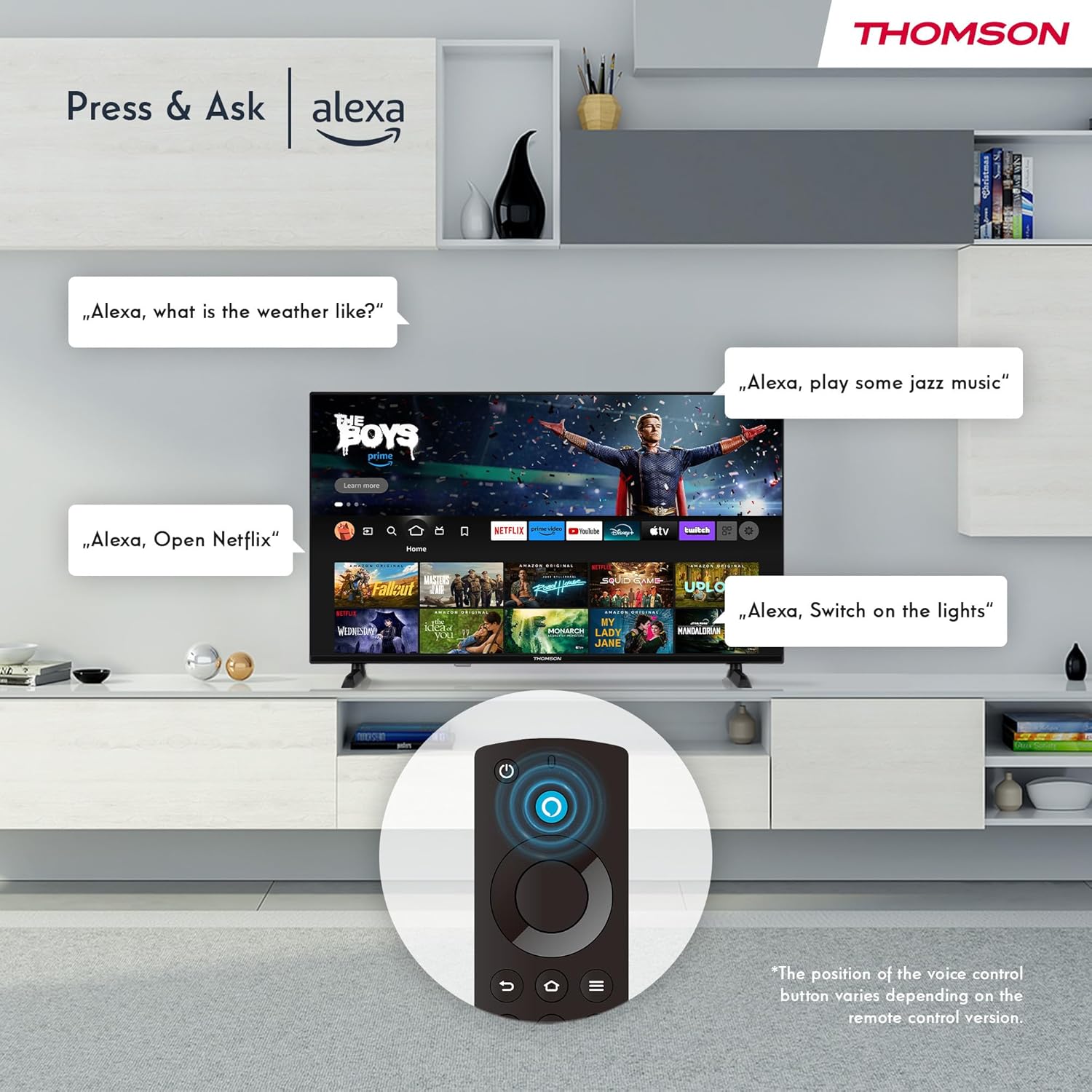
Image: The Smart Home dashboard on the Thomson TV, providing centralized control for various smart devices like cameras, lights, and plugs.
5. Multiple User Profiles
Birden fazla profesyonel oluşturunfiles on your Fire TV to receive personalized recommendations and settings for each user in your household.

Image: The Fire TV interface allowing creation of multiple user profileKişiselleştirilmiş içerik önerileri için.
6. Triple Tuner and CI+
The integrated Triple Tuner allows you to receive signals from various sources:
- DVB-C: Kablolu televizyon
- DVB-S2: Uydu televizyonu
- DVB T2: Terrestrial (antenna) television
Insert a CI+ card into the CI+ slot to access encrypted channels from your service provider.
7. Audio and Video Enhancements
Experience rich and clear sound with Dolby Audio and Dolby Digital Plus. Enjoy stunning visuals in HD resolution with HDR10 support for enhanced contrast and color.

Image: Visual representation of Dolby Audio technology enhancing the sound experience on the Thomson TV.

Image: A visual comparison demonstrating the superior image quality of HDR10 compared to SDR, highlighting enhanced colors and contrast.
8. Uzaktan Kumanda
The Bluetooth remote control provides easy navigation with direct access buttons for popular streaming services like Netflix and Prime Video, as well as the Amazon Silk browser. The Alexa button activates voice commands.
Bakım
TV'nizi Temizleme
Ekranı temizlemek için yumuşak, tiftiksiz bir bezle hafifçe silin. İnatçı lekeler için,ampBezi su veya ekran temizleme solüsyonuyla hafifçe nemlendirin. Sert kimyasallar veya aşındırıcı malzemeler kullanmaktan kaçının. Televizyon gövdesi için kuru, yumuşak bir bez kullanın.
Yazılım Güncellemeleri
Your Fire TV will periodically receive software updates to improve performance and add new features. Ensure your TV is connected to the internet to receive these updates automatically. You can also manually check for updates in the settings menu.
Sorun giderme
| Sorun | Olası Neden / Çözüm |
|---|---|
| Güç Yok / TV açılmıyor |
|
| Resim Yok / Siyah Ekran |
|
| Ses Yok |
|
| Uzaktan Kumanda Çalışmıyor |
|
| Ağ Bağlantı Sorunları |
|
Özellikler
| Özellik | Detay |
|---|---|
| Marka | THOMSON |
| Model Numarası | 32HF2S34 |
| Ekran Boyutu (Köşegen) | 32 inç (80 cm) |
| Ekran Teknolojisi | NEDEN OLMUŞ |
| Çözünürlük | HD (1366 x 768 Piksel) |
| Yenileme Hızı | 50 Hz |
| İşletim Sistemi | Yangın TV |
| Ses Kontrolü | Alexa yerleşik |
| Kablosuz Bağlantı | Wi-Fi, Bluetooth 5.0, AirPlay |
| Kablolu Bağlantı | 2x HDMI 1.4, 1x USB, AV In, CI+, Ethernet (LAN) |
| Ayarlayıcılar | Triple Tuner (DVB-C, DVB-S2, DVB-T2) |
| Ses Teknolojisi | Dolby Audio, Dolby Digital Plus |
| HDR Desteği | HDR10 |
| Boyutlar (U x G x Y) | 71.9 x 45.6 x 15 cm (standlı) |
| Ağırlık | 4 kilo |
| Enerji Verimliliği Sınıfı | E |
Garanti Bilgileri
Your THOMSON 32" HD LED Fire TV (Model: 32HF2S34) is covered by a manufacturer's warranty of 3 yıl from the date of purchase. This warranty covers defects in materials and workmanship under normal use. Please retain your proof of purchase for warranty claims. For detailed terms and conditions, refer to the warranty card included with your product or visit the official THOMSON support webalan.
Destek
For further assistance, technical support, or service requests, please contact THOMSON customer support through one of the following methods:
- Çevrimiçi destek: Visit the official THOMSON support webSSS, sorun giderme kılavuzları ve yazılım indirmeleri için site. www.thomsonconsumer.com/support (Not: Bu bir yer tutucudur URL, please refer to your product's specific support information.)
- E-posta Desteği: support@thomsonconsumer.com (Note: This is a placeholder email, please refer to your product's specific support information.)
- Telefon Desteği: Refer to the contact numbers provided in your product packaging or on the official THOMSON webBölgeniz için site.
When contacting support, please have your TV's model number (32HF2S34) and serial number ready.