1. Giriş
This manual provides instructions for the safe and effective use of your GT POWER AC/DC Power Adapter, Model 109. This adapter is designed to provide power to compatible TP-Link Mesh Wi-Fi 7 Systems, specifically Deco BE63, BE10000, and BE11000 models. Please read this manual thoroughly before use and retain it for future reference.
2. Güvenlik Bilgileri
WARNING: To reduce the risk of fire or electric shock, carefully follow these instructions.
- Adaptörün ses seviyesini kontrol edin.tage and current ratings match the requirements of your device.
- Adaptörü yağmur veya neme maruz bırakmayın.
- Do not open the adapter casing. İçerisinde kullanıcının müdahale edebileceği herhangi bir parça bulunmamaktadır.
- Keep the adapter away from excessive heat sources.
- Temizlemeden önce veya uzun süre kullanılmayacaksa adaptörü daima elektrik prizinden çıkarın.
- Kablo veya fiş hasarlıysa adaptörü kullanmayın.
- Bu adaptör yalnızca iç mekan kullanımı için tasarlanmıştır.
- The adapter features Over Voltage Protection (OVP), Over Current Protection (OCP), and Short Circuit Protection (SCP) for enhanced safety.
3. Ürün Bittiview
The GT POWER AC Adapter (Model 109) is a compact power supply unit designed for specific TP-Link Deco Mesh Wi-Fi systems. It converts AC wall power to the DC power required by your device.

Şekil 1: Ön view of the GT POWER AC Adapter. The label indicates input voltage (AC100-240V) and output (DC12V 3A).
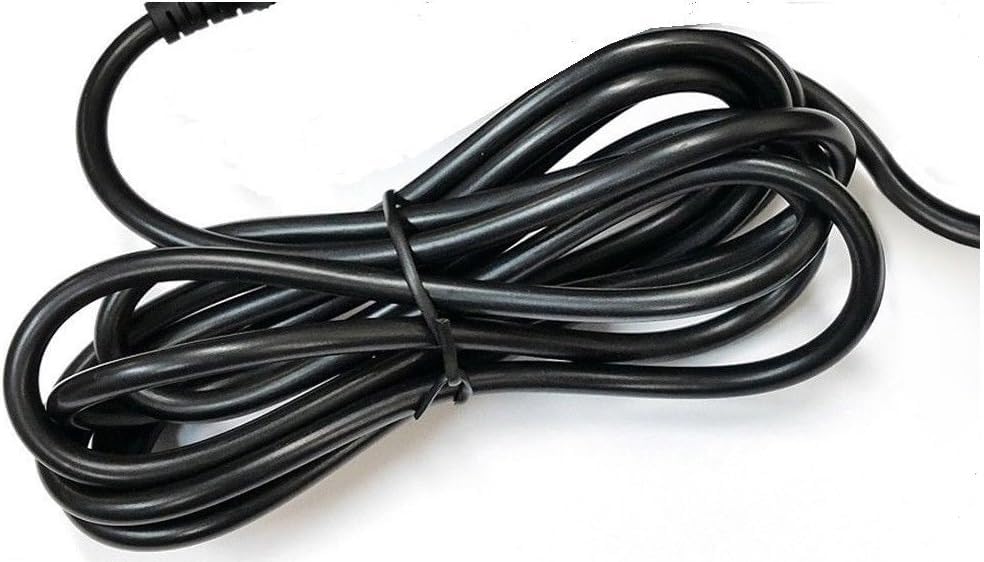
Şekil 2: Taraf view of the adapter, highlighting the barrel connector that plugs into your device.
4. Kurulum
Follow these steps to connect your GT POWER AC Adapter to your TP-Link Deco Mesh Wi-Fi System:
- Ensure your TP-Link Deco device is powered off.
- Locate the power input port on your TP-Link Deco device. This is typically a circular port.
- Insert the barrel connector of the GT POWER AC Adapter firmly into the power input port of your Deco device.
- AC adaptörünü standart 110V AC duvar prizine takın.
- Power on your TP-Link Deco device.
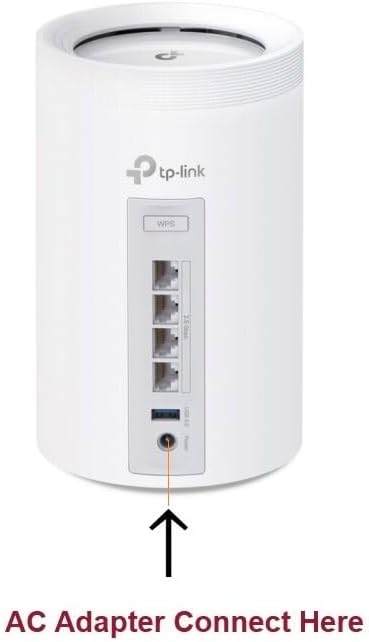
Şekil 3: Example of connecting the AC adapter to a compatible TP-Link Deco device. The arrow indicates the power input port.
5. Kullanım Talimatları
Once properly connected and plugged into a power outlet, the GT POWER AC Adapter will continuously supply power to your TP-Link Deco device. No further user interaction is required for operation.
- Ensure the adapter is always plugged into a functional power outlet.
- Avoid disconnecting the adapter during critical operations of your Deco device.
6. Bakım
The GT POWER AC Adapter requires minimal maintenance:
- Keep the adapter clean and free from dust. Use a dry, soft cloth for cleaning.
- Sıvı temizleyiciler veya aerosoller kullanmayınız.
- Regularly inspect the power cord and connector for any signs of damage. If damage is observed, discontinue use immediately.
- Adaptörü kullanılmadığı zamanlarda serin ve kuru bir yerde saklayın.
7. Sorun Giderme
If your TP-Link Deco device is not receiving power, consider the following:
- Güç Yok:
- Verify the adapter is securely plugged into both the wall outlet and the Deco device.
- Duvar prizinin düzgün çalıştığından emin olmak için başka bir cihazla test edin.
- Inspect the adapter's cable and connector for any visible damage.
- Aralıklı Güç:
- Tüm bağlantıların sıkı olduğundan emin olun.
- Avoid bending or stressing the power cord.
Sorunlar devam ederse müşteri desteğiyle iletişime geçin.
8. Özellikler
| Özellik | Detay |
|---|---|
| Marka | GT GÜÇ |
| Model Numarası | 109 |
| Giriş Voltage | AC 100-240V |
| Çıkış Hacmitage/Akım | DC 12V / 3A |
| Fiş Biçimi | Type A (US Standard) |
| Koruma Özellikleri | OVP (Hacim Fazlasıtage Protection), OCP (Over Current Protection), SCP (Short Circuit Protection) |
| UPC | 781834735527 |
9. Garanti ve Destek
This GT POWER AC Adapter comes with a Bir Yıl GarantiEk olarak, bir 30 Günlük Para İadesi guarantee is offered.
For technical support or warranty claims, please contact the seller, GTXPower, through the platform where the product was purchased.


