giriiş
Thank you for choosing the BUGANI Bluetooth Speaker. This powerful and versatile speaker is designed to deliver high-fidelity audio with deep bass and clear highs, perfect for both indoor and outdoor environments. Featuring advanced Bluetooth 5.4 technology, TWS connectivity, and a durable, portable design, it ensures an immersive listening experience wherever you go. Please read this manual carefully to ensure proper use and maintenance of your speaker.

Resim: Ön view of the BUGANI Bluetooth Speaker in gold and black, showcasinŞık tasarımı ve entegre sapıyla dikkat çekiyor.
Kutuda Neler Var?
Lütfen paketinizin içeriğini kontrol ederek tüm öğelerin mevcut olduğundan emin olun:
- 1 x BUGANI Brief Pro Speaker
- 1 x USB-C Kablosu
- 1 x AUX IN Cable
- 1 x Kullanım Kılavuzu
- 1 x Hızlı Başlangıç Kılavuzu

Image: The BUGANI Brief Pro speaker, USB-C cable, AUX cable, user manual, and quick start guide laid out, indicating package contents.
Ürün Özellikleri
Powerful 160W Audio System
Experience thunderous low-end clarity and rich sound with the BUGANI speaker's 160W peak output. It features a rear-mounted super-sized passive bass radiator, two 4-inch subwoofers, and two 1.6-inch tweeters (41mmx2) with AK-Y Silk Film Material for low distortion and natural sound up to 50kHz.

Resim: Patlamış bir view of the speaker's internal components, highlighting the 4-inch subwoofers and 1.6-inch tweeters, and the 160W power output.
Hi-Res Audio Support
The BUGANI Brief Pro is Hi-Res Audio certified, delivering exceptional detail and clarity to your music. Rediscover the charm of jazz and other genres with pure, rich sound that brings melodies, rhythms, and bass lines to life.

Image: The BUGANI speaker prominently displaying Hi-Res Audio and Hi-Res Audio Wireless certifications, emphasizing its high-fidelity sound capabilities.
Bluetooth 5.4 and TWS Connectivity
Equipped with the latest Bluetooth 5.4 module, the speaker ensures stable pairing, extended range, and high-fidelity sound. Utilize True Wireless Stereo (TWS) technology to connect two BUGANI Brief Pro speakers for an even more immersive stereo sound experience.
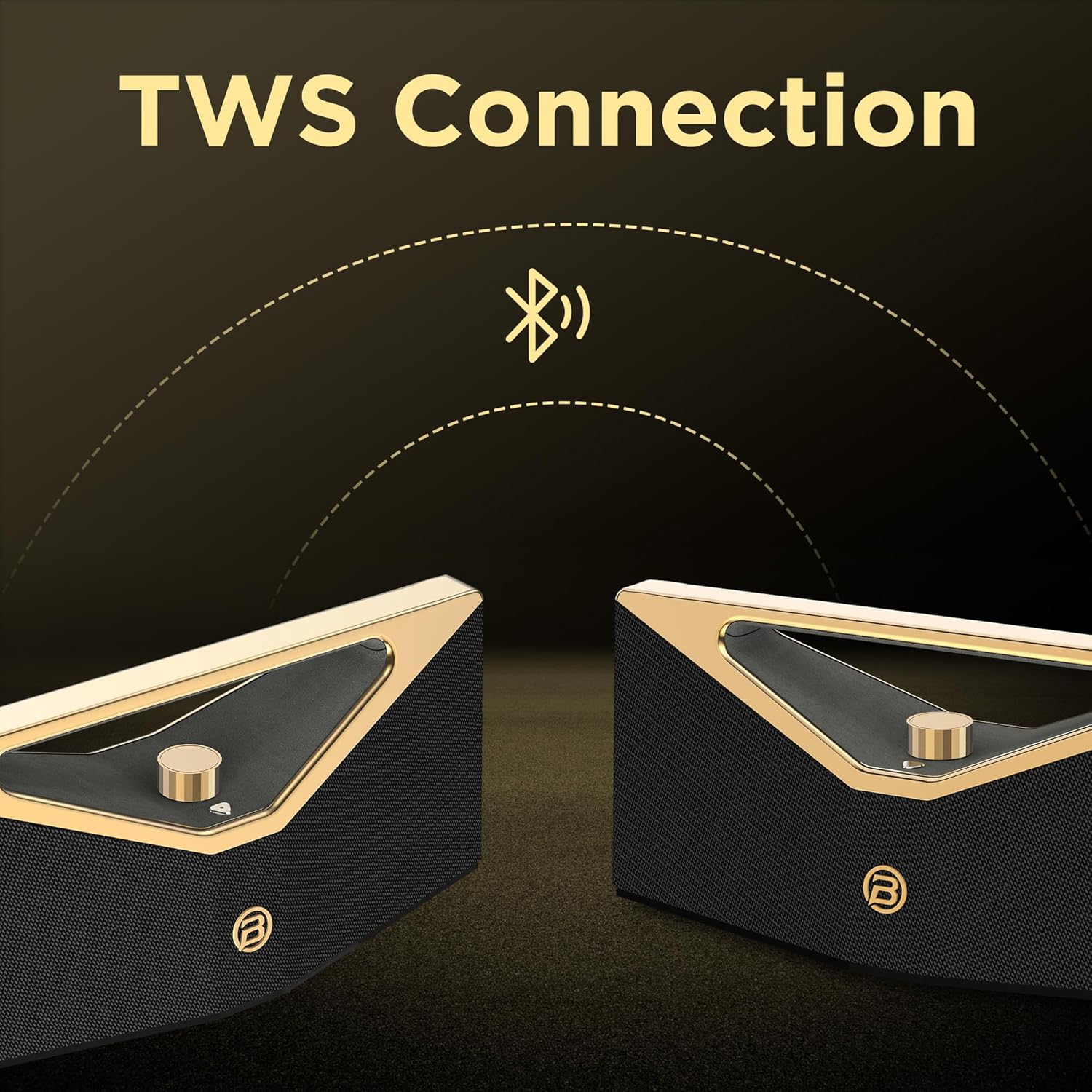
Image: Two BUGANI speakers shown connecting wirelessly via TWS (True Wireless Stereo) technology, indicating stereo pairing capability.
12-Hour Playtime & Portable Design
Enjoy up to 12 hours of continuous playtime on a single charge, making it ideal for all-day outdoor use. The speaker features an ergonomic handle design, making it easy to carry and enjoy music anytime, anywhere.

Image: The BUGANI speaker on a golden pedestal, highlighting its 12-hour continuous playtime feature.

Image: A person carrying the BUGANI speaker by its integrated handle, emphasizing its portability and ease of transport.
Versatile Connectivity & IPX5 Water Resistance
In addition to Bluetooth, the speaker supports AUX and USB inputs, allowing you to connect various devices. With IPX5 water resistance, it is protected against splashing water from any direction, making it suitable for outdoor adventures, beach parties, or poolside enjoyment.

Image: The BUGANI speaker with water droplets on its surface, illustrating its IPX5 water-resistant feature for outdoor use.
Kurmak
1. Hoparlörü Şarj Etme
Before first use, fully charge the speaker. Connect the provided USB-C cable to the speaker's charging port and the other end to a compatible USB power adapter (not included). The charging indicator light will show the charging status. A full charge takes approximately 5 hours.
2. Açma/Kapama
To power on the speaker, press and hold the power button located on the control panel until you hear an audible prompt. To power off, press and hold the power button again.
3. Bluetooth Eşleştirme
- Hoparlörün açık ve Bluetooth eşleştirme modunda olduğundan emin olun (yanıp sönen bir LED ile gösterilir).
- Cihazınızda (akıllı telefon, tablet vb.) Bluetooth'u etkinleştirin ve kullanılabilir cihazları arayın.
- Select "BUGANI Brief Pro" from the list of devices.
- Bağlantı kurulduktan sonra bir onay sesi duyacaksınız ve LED göstergesi sürekli yanacaktır.
4. Gerçek Kablosuz Stereo (TWS) Eşleştirme
For an enhanced stereo experience, you can pair two BUGANI Brief Pro speakers together:
- Her iki hoparlörün de açık olduğundan ve başka bir Bluetooth cihazına bağlı olmadığından emin olun.
- On one speaker (this will be the primary speaker), press and hold the TWS button (if available, or a specific button designated for TWS pairing, usually indicated in the quick start guide).
- The speakers will automatically search for and connect to each other. Once paired, you will hear a confirmation sound.
- Connect your device to the primary speaker via Bluetooth as described in step 3. Audio will now play in stereo through both speakers.
5. AUX/USB Connection
To play audio from devices without Bluetooth, use the provided AUX IN cable or a USB drive:
- AUX Girişi: Connect one end of the 3.5mm AUX cable to the speaker's AUX IN port and the other end to your audio device's headphone jack. The speaker will automatically switch to AUX mode.
- USB Girişi: Ses dosyaları içeren bir USB bellek takın. files into the speaker's USB port. The speaker will automatically switch to USB mode and begin playing.
Kullanım Talimatları
Ses Kontrolü
The speaker features a prominent rotary knob for volume adjustment. Rotate the knob clockwise to increase volume and counter-clockwise to decrease volume.
Resim: Yakın çekim view of the gold rotary volume knob on the BUGANI speaker, indicating its control functionality.
Oynatma Kontrolü
Specific playback controls (play/pause, next/previous track) are typically integrated into the speaker's control panel. Refer to the Quick Start Guide for detailed button functions.
Mod Değiştirme
The speaker automatically switches modes when an AUX cable or USB drive is inserted. To manually switch between Bluetooth, AUX, and USB modes, press the mode button (if available) on the control panel.
Video: Resmi bir ürün videosu gösterimiasing the BUGANI Brief Pro Speaker's design, internal components, and key features like 160W power, Bluetooth 5.3 (note: product specs say 5.4, video might be older), and TWS connectivity. This video provides a visual overview of the speaker's capabilities and aesthetic.
Bakım
- Temizlik: Hoparlörün yüzeyini temizlemek için yumuşak, kuru bir bez kullanın. İnatçı kirler için, biraz daha yumuşak bir bez yeterli olacaktır.amp bez kullanılabilir. Sert kimyasallar veya aşındırıcı temizleyiciler kullanmayın.
- Suya Dayanıklılık: The speaker is IPX5 water-resistant, meaning it can withstand splashes. Do not submerge the speaker in water or expose it to strong jets of water. Ensure the charging port cover is securely closed when near water.
- Depolamak: Hoparlörü serin, kuru ve doğrudan güneş ışığından ve aşırı sıcaklıklardan uzak bir yerde saklayın.
- Pil Bakım: Pil ömrünü uzatmak için hoparlörün şarjını sık sık tamamen boşaltmaktan kaçının. Uzun süre kullanılmasa bile düzenli olarak şarj edin.
Sorun giderme
| Sorun | Olası Neden | Çözüm |
|---|---|---|
| Hoparlör açılmıyor. | Pil zayıf; Güç düğmesine yeterince uzun süre basılmamış. | Hoparlörü tamamen şarj edin. Güç düğmesini 3-5 saniye basılı tutun. |
| Bluetooth üzerinden eşleştirme yapılamıyor. | Speaker not in pairing mode; Device Bluetooth off; Too far from speaker; Already connected to another device. | Ensure speaker is flashing LED for pairing. Turn device Bluetooth off/on. Move device closer. Disconnect from other devices. |
| Ses yok veya ses seviyesi düşük. | Volume too low on speaker/device; Incorrect input mode; Cable not fully inserted (AUX). | Increase volume on both speaker and device. Check if speaker is in correct mode (Bluetooth/AUX/USB). Re-insert AUX cable firmly. |
| Ses bozulması. | Ses seviyesi çok yüksek; Pil zayıf; Parazit. | Sesi kısın. Hoparlörü şarj edin. Hoparlörü diğer elektronik cihazlardan uzaklaştırın. |
| TWS eşleştirmesi başarısız oldu. | Speakers already connected to other devices; Speakers too far apart. | Ensure both speakers are disconnected from other devices. Place speakers close to each other during pairing. |
Özellikler
| Özellik | Detay |
|---|---|
| Model Adı | Brief Pro (M192) |
| Çıkış Gücü | 160W (En Yüksek) |
| Hoparlör Tipi | Subwoofer |
| Woofer | 4" x 2 |
| Tweeter | 1.6" x 2 (41mm x 2) |
| Bluetooth Sürümü | 5.4 (Note: Video mentions 5.3, product specs indicate 5.4) |
| Özel Özellik | Hi-Res Audio, TWS Function |
| Pil Kapasitesi | 52.92Wh (Lithium Polymer) |
| Şarj Süresi | Yaklaşık 5 saat |
| Oyun Zamanı | Approx. 12 hours (Normal Volume) |
| Şarj Portu | USB-C |
| Suya Dayanıklılık | IPX5 |
| Ürün Boyutları | 18.5"D x 7.9"G x 7.9"Y |
| Ürün Ağırlığı | 10.08 pound |
| Bağlantı Protokolü | Bluetooth |
| Uyumlu Cihazlar | Projector, Laptop, MP3 Player, Television, Tablet, Smartphone |

Image: A visual representation of the BUGANI Brief Pro speaker's technical specifications, including output power, input types, speaker dimensions, and battery life.
Garanti ve Destek
The BUGANI Bluetooth Speaker comes with a Sınırlı Garanti. For specific warranty terms and conditions, please refer to the warranty card included in your package or contact BUGANI customer support.
If you encounter any issues or have questions not covered in this manual, please contact BUGANI customer support through the retailer's platform or the official BUGANI webyardım için site.


