1. Giriş
This manual provides detailed instructions for the setup, operation, and maintenance of your AOCHUAN 3-Axis Gimbal Stabilizer Smart X Complete Combo1. Please read this manual thoroughly before using the product to ensure proper functionality and to maximize your user experience.

Image 1: AOCHUAN Smart X Gimbal Stabilizer with included accessories.
2. Kutuda Neler Var?
Aşağıda listelenen tüm öğelerin paketinizde bulunduğunu doğrulayın:
- 1x Smart X Gimbal (Black)
- 1x Multifunctional Tripod
- 1x RGB Magnetic Light
- 3x Kullanım Kılavuzu
- 2x Charging Cables
- 1x All-in Storage Bag
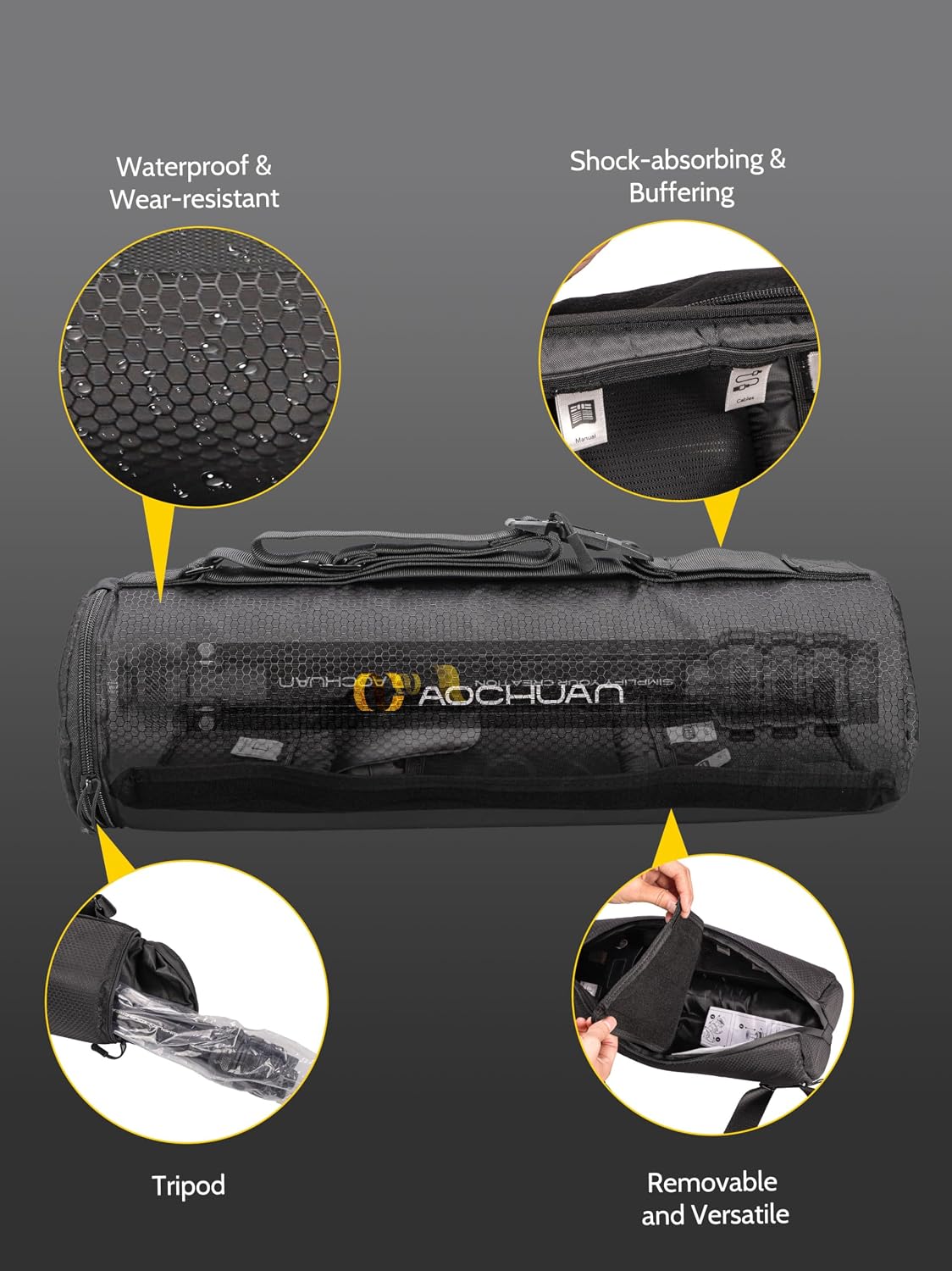
Image 2: The cylindrical padded carry bag, designed for organized storage of all components.
3. Ürün Özellikleri
3.1. SMART 7.0 Anti-Shake Algorithm
The Smart X Gimbal incorporates an enhanced brushless motor and the SMART 7.0 anti-shake algorithm. This technology ensures stable and smooth video footage, even during movement, making it suitable for dynamic content creation.

Image 3: Visual representation of improved stability with the gimbal's anti-shake algorithm.
3.2. Yapay Zeka Takibi ve Hareket Kontrolü
The AOCHUAN APP features Smart 4.0 AI tracking capabilities, including face tracking, object tracking, and body tracking. This allows the gimbal to automatically follow subjects, keeping them centered in the frame. Additionally, the gimbal supports AI gesture control for convenient operation.

Image 4: The gimbal's AI tracking feature in action, following a subject.

Resim 5: Örn.amples of AI gesture controls for operating the gimbal.
3.3. Integrated Lighting Equipment
The gimbal includes a built-in ring light with three adjustable brightness levels to adapt to various environmental conditions. The complete combo also includes a long-lasting 7-color magnetic RGB light, which can be adjusted to add specific atmospheric effects to your video content.
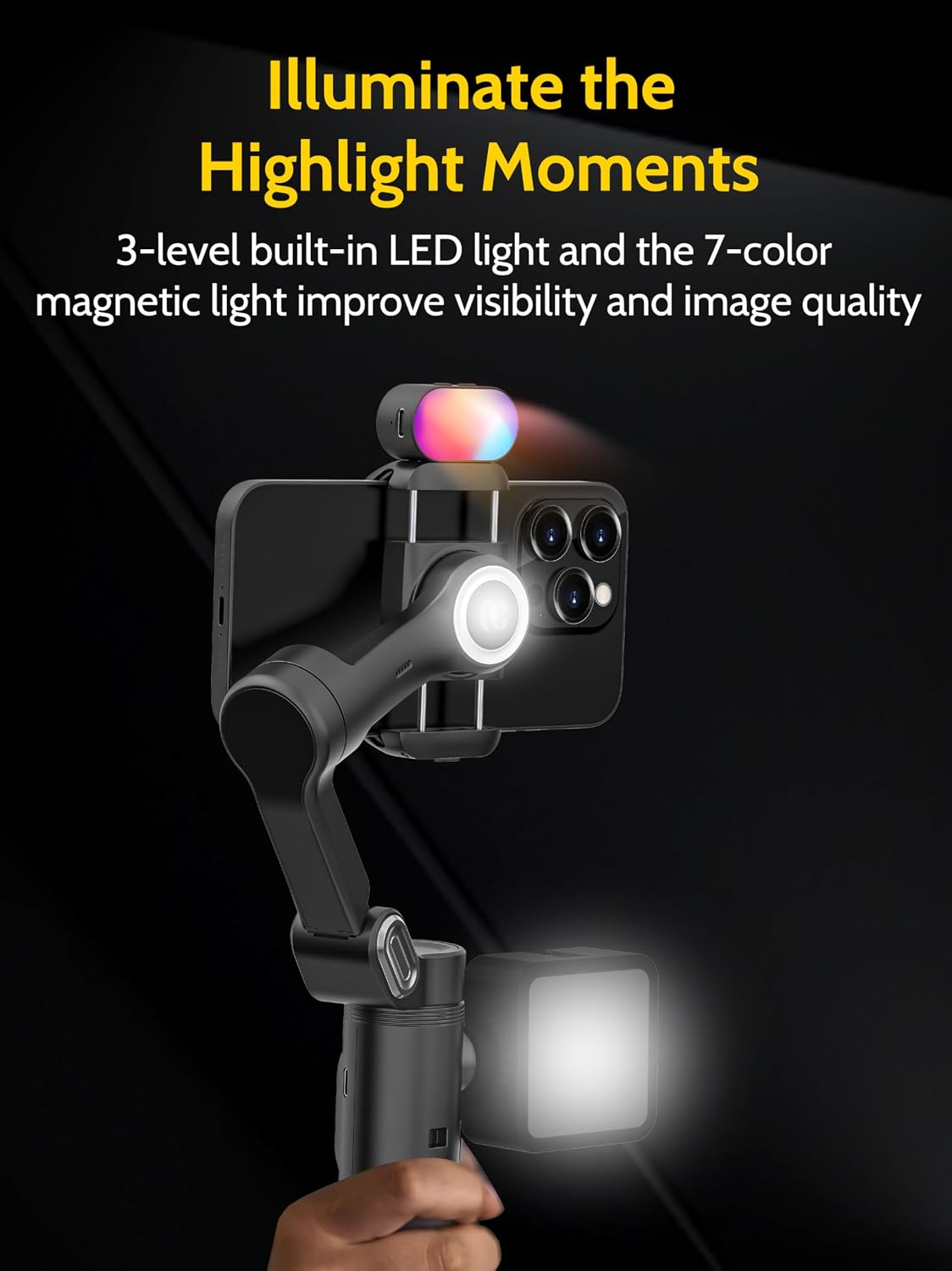
Image 6: The gimbal's built-in ring light and magnetic RGB light providing illumination.
3.4. Universal 1/4" Thread Design
A 1/4-inch standard thread is located on the left side of the gimbal, allowing for the attachment of various accessories such as external lights or microphones. An additional 1/4" thread at the bottom enables connection to the extendable tripod for ground-level shooting.

Image 7: The 1/4" universal thread for attaching additional accessories.
3.5. 3-Stage Extendable Tripod
The included versatile tripod is compatible with a range of devices, including the gimbal, smartphones, and compact cameras. Its lightweight design features three adjustable levels, extending from 14.76 inches to 50 inches, to accommodate various shooting heights.

Image 8: The 3-stage extendable tripod in use, demonstrating its adjustable height.
4. Kurulum Kılavuzu
4.1. Kutudan Çıkarma ve İlk İnceleme
Carefully remove all components from the storage bag. Inspect each item for any signs of damage. Ensure all listed accessories are present.
4.2. Gimbal'ı Şarj Etme
Connect the gimbal to a power source using one of the provided USB-C charging cables. The indicator lights on the gimbal will show the charging status. A full charge is recommended before first use.
4.3. Tripodun Takılması
The small tripod can be screwed directly into the 1/4" thread at the bottom of the gimbal. For the extendable tripod, ensure it is securely attached to the gimbal's base.
4.4. Akıllı Telefonunuzu Monte Etme
Gently expand the phone clamp on the gimbal and insert your smartphone. Ensure the phone is balanced as centrally as possible within the clamp to optimize gimbal performance.
4.5. Uygulama Kurulumu ve Bağlantısı
Download the official AOCHUAN APP from your smartphone's app store. Power on the gimbal. Open the app and follow the on-screen instructions to connect your gimbal via Bluetooth. This connection is essential for accessing advanced features like AI tracking and specific shooting modes.
Video 1: Bir overview of the AOCHUAN Smart X Complete Combo1, demonstrating its components and basic setup.
5. Kullanım Talimatları
5.1. Güç Açma/Kapatma
Press and hold the power button on the gimbal for a few seconds to turn it on or off.
5.2. Mod Seçimi
The gimbal offers various modes (e.g., Pan Follow, Lock, POV). Refer to the gimbal's display or the app interface to select the desired mode for your shooting scenario.
5.3. Using the AI Tracking Features
Within the AOCHUAN APP, select your preferred tracking mode (Face, Body, or Object). Frame your subject, and the gimbal will automatically adjust to keep it in focus and centered.
5.4. Adjusting Lighting
The built-in ring light can be activated and adjusted for brightness directly on the gimbal. The magnetic RGB light can be attached to the gimbal and its color and mode adjusted to suit your creative needs.
5.5. Yakınlaştırma ve Odak Kontrolü
The AOCHUAN APP includes an innovative focus switch and zoom slider, allowing for precise control over your camera's focus and zoom, including effects like the Hitchcock-style zoom.
Video 2: A demonstration of the 3-Axis Gimbal Stabilizer's features, including AI tracking and lighting options.
6. Özellikler
| Özellik | Detay |
|---|---|
| Örnek | Akıllı X |
| Marka | AOCHUAN |
| Paket Boyutları | 17.28 x 6.02 x 5.98 inç |
| Ürün Ağırlığı | 2.86 pound (1.3 Kilogram) |
| Piller | 1 Lityum İyon pil gereklidir (dahil) |
| Uyumlu Cihazlar | Cep telefonu |
| Folded Size (Tripod) | 14.76 inches (or less) |
| Extendable Tripod Height | 50 inçe kadar |
7. Supported Mobile Phone Functions
The following table outlines the functions supported by various iPhone and Samsung models. For a comprehensive compatibility list, please refer to the official AOCHUAN website veya uygulama.
| Üretici | Makine Tipi | Supporting Lens | Yakınlaştır | Video Kaydı | Yavaş Çekim | Hitchcock | Zaman atlamalı fotoğrafçılık | Trajectory delay |
|---|---|---|---|---|---|---|---|---|
| iPhone | iPhone 15 Pro/Pro Max | Super wide angle + wide angle + telephoto | 1.0x~5.0x | 4k 60fps | 1080p 240 kare/sn | 4k 60fps | 4k 30fps | 4k 30fps |
| iPhone 15 | Super wide angle + wide angle + telephoto | 1.0x~5.0x | 4k 60fps | 1080p 240 kare/sn | 4k 60fps | 4k 30fps | 4k 30fps | |
| iPhone 14 Pro/Pro Max | Super wide angle + wide angle + telephoto | 1.0x~5.0x | 4k 60fps | 1080p 240 kare/sn | 4k 60fps | 4k 30fps | 4k 30fps | |
| iPhone 14 | Super wide angle + wide angle + telephoto | 1.0x~5.0x | 4k 60fps | 1080p 240 kare/sn | 4k 60fps | 4k 30fps | 4k 30fps | |
| iPhone | iPhone 13 Pro/Pro Max | 1.0x~5.0x | 4k 60fps | 1080p 240 kare/sn | 4k 60fps | 4k 30fps | 4k 30fps | |
| iPhone 13 | 1.0x~5.0x | 4k 60fps | 1080p 240 kare/sn | 4k 60fps | 4k 30fps | 4k 30fps | ||
| SAMSUNG | Galaksi S23 Ultra | Main lens + an unknown lens | 1.0x~9.0x | 4k 30fps | NA | 4k 30fps | 1080p 30 kare/sn | 1080p 30 kare/sn |
| Galaksi S23 | Main lens + an unknown lens | 1.0x~9.0x | 4k 30fps | NA | 4k 30fps | 1080p 30 kare/sn | 1080p 30 kare/sn | |
| Galaxy S22/21 Ultra | Main lens + an unknown lens | 1.0x~9.0x | 4k 30fps | NA | 4k 30fps | 1080p 30 kare/sn | 1080p 30 kare/sn | |
| Pixel 7/6/5 | Main lens + an unknown lens | 1.0x~8.0x | 4k 30fps | NA | 4k 30fps | 1080p 30 kare/sn | 1080p 30 kare/sn |
Note: The above list is not exhaustive. Compatibility may vary based on phone model and software updates. Always refer to the latest information in the AOCHUAN APP.
8. Bakım
8.1. Temizlik
Wipe the gimbal and accessories with a soft, dry cloth. Avoid using harsh chemicals or abrasive materials that could damage the finish. Do not immerse the gimbal in water.
8.2. Depolama
When not in use, store the gimbal and its accessories in the provided padded carry bag to protect them from dust and physical damage. Store in a cool, dry place away from direct sunlight.
8.3. Pil Bakımı
To prolong battery life, avoid fully discharging the gimbal's battery frequently. If storing for an extended period, charge the battery to approximately 50-60% and recharge every three months.
9. Sorun Giderme
9.1. Gimbal Çalışmıyor
- Pilin yeterince şarj edildiğinden emin olun.
- Güç düğmesinin gerekli süre boyunca basılı tutulduğundan emin olun.
9.2. Unstable Footage
- Check if the smartphone is properly balanced in the clamp.
- Ensure the gimbal is fully charged.
- Recalibrate the gimbal via the AOCHUAN APP if necessary.
9.3. Uygulama Bağlantı Sorunları
- Akıllı telefonunuzda Bluetooth'un etkinleştirildiğinden emin olun.
- Restart both the gimbal and the AOCHUAN APP.
- Akıllı telefonunuzun uygulama mağazasında uygulama güncellemelerini kontrol edin.
10. Garanti ve Destek
For warranty information, technical support, or service inquiries, please refer to the official AOCHUAN website veya doğrudan müşteri hizmetleriyle iletişime geçin. Garanti talepleri için satın alma kanıtı olarak satın alma makbuzunuzu saklayın.


