giriiş
This manual provides comprehensive instructions for the safe and effective use of your boAt Nirvana Ivy True Wireless Stereo (TWS) Earbuds. Please read this manual thoroughly before using the product and retain it for future reference.
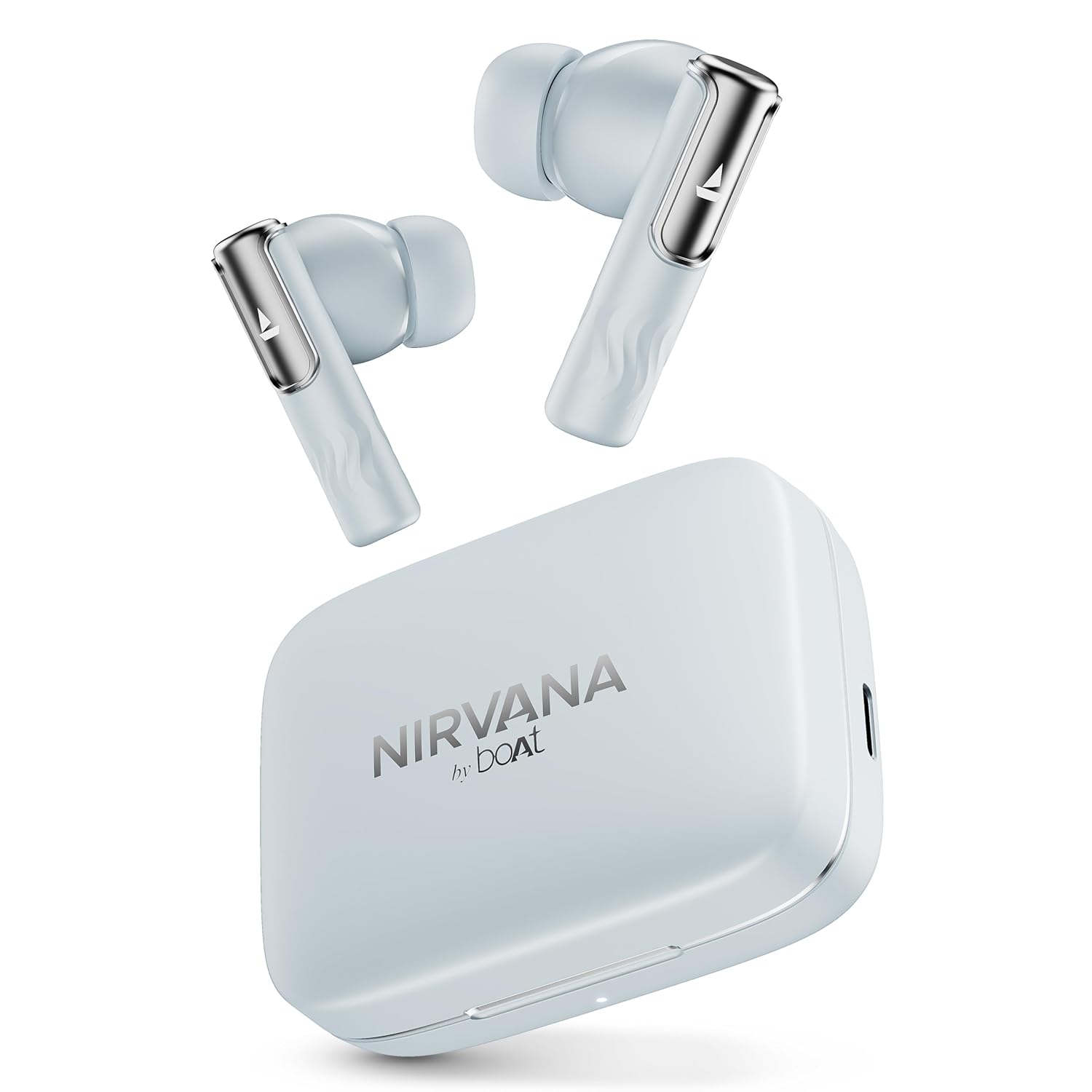
Image: boAt Nirvana Ivy TWS Earbuds and their charging case in Quartz Cyan color.
Kutuda Neler Var?
- 1 x TWS Kulaklık
- 1 x Şarj Kablosu
- 1 x Garanti Kartı
Ürün Bittiview
The boAt Nirvana Ivy TWS Earbuds are designed to deliver an immersive audio experience with advanced features. Key components include the earbuds and the charging case.

Image: A four-panel graphic illustrating key features: 360° Spatial Audio with Head Tracking, Hybrid Active Noise Cancellation (~50dB), boAt Hearables App, and 11mm Dynamic Drivers.
Temel Özellikler:
- 50 dB Hibrit Aktif Gürültü Engelleme (ANC): Dış gürültüyü azaltarak daha odaklı dinleme sağlar.
- 360° Spatial Audio with Dynamic Head Tracking: Provides an immersive, theatre-like audio experience where sound adapts to your head movements.
- 11mm Dinamik Sürücüler: Engineered for clear and powerful audio output.
- AI-ENx™ Technology: Enhances call clarity by minimizing background noise during voice calls.
- Çok Noktalı Bağlantı: Allows simultaneous connection to two devices, enabling seamless switching.
- Instant In-Ear Detection: Automatically plays audio when earbuds are worn and pauses when removed.
- BEAST™ Modu: Offers ultra-low latency (60ms) for an optimized gaming experience.
- Ortam Modu: Ses dinlerken çevrenizdeki sesleri duymanızı sağlar.
- Google Fast Pair Support: Enables quick and easy pairing with compatible Android devices.
- boAt Hearables App Support: Provides customization options, controls, and access to additional features.
Kurmak
İlk Eşleştirme:
- Kulaklıkların şarj edildiğinden emin olun.
- Şarj kutusunu açın. Kulaklıklar otomatik olarak eşleştirme moduna geçecektir.
- Cihazınızda (akıllı telefon, tablet, dizüstü bilgisayar) Bluetooth'u etkinleştirin.
- Arama 'Nirvana Ivy' in the list of available Bluetooth devices.
- Select 'Nirvana Ivy' to connect. A voice prompt will confirm successful pairing.
boAt Hearables App:
Download the boAt Hearables App for enhanced control and customization of your Nirvana Ivy earbuds. The app allows you to adjust EQ settings, manage ANC modes, and personalize your listening experience.

Image: A smartphone screen showing the boAt Hearables App with a QR code for download. The Nirvana Ivy earbuds and charging case are visible next to the phone. Scan the QR code or visit l.ead.me/bdAX6k Uygulamayı indirmek için.
Google Hızlı Çift:
For compatible Android devices, simply open the charging case near your phone, and a pop-up notification will appear for quick pairing.

Image: A smartphone displaying a Google Fast Pair notification for the Nirvana Ivy earbuds. Below, an earbud is shown with sound waves indicating Ambient Mode.
Kullanım Talimatları
Active Noise Cancellation (ANC) & Ambient Mode:
The Nirvana Ivy earbuds feature Hybrid ANC up to 50dB to reduce ambient noise. You can switch between ANC, Ambient Mode, and Normal Mode using the touch controls on the earbuds or through the boAt Hearables App.

Image: A woman wearing boAt Nirvana Ivy earbuds, with visual effects indicating active noise cancellation around her ear.
360° Spatial Audio with Dynamic Head Tracking:
Experience immersive audio that adapts to your head movements, creating a dynamic soundstage. This feature can be activated and managed via the boAt Hearables App.

Image: boAt Nirvana Ivy earbuds surrounded by concentric circles, depicting 360° Spatial Audio with audio dynamically adjusting as the head moves.
Video: Kısa bir ön izlemeview demonstrating the 360° Spatial Audio with Dynamic Head Tracking feature of the Nirvana Ivy earbuds.
Call Functions (AI-ENx™ Technology):
AI-ENx™ Technology ensures clear voice calls by isolating your voice from background noise. Use the touch controls to answer, end, or reject calls.

Resim: Şeffaf view of a boAt Nirvana Ivy earbud highlighting the internal components and AI-ENx™ Technology for crystal-clear calling.
Çok Noktalı Bağlantı:
Connect your earbuds to two devices simultaneously, such as a phone and a laptop. The earbuds will intelligently switch between devices based on audio playback or incoming calls.
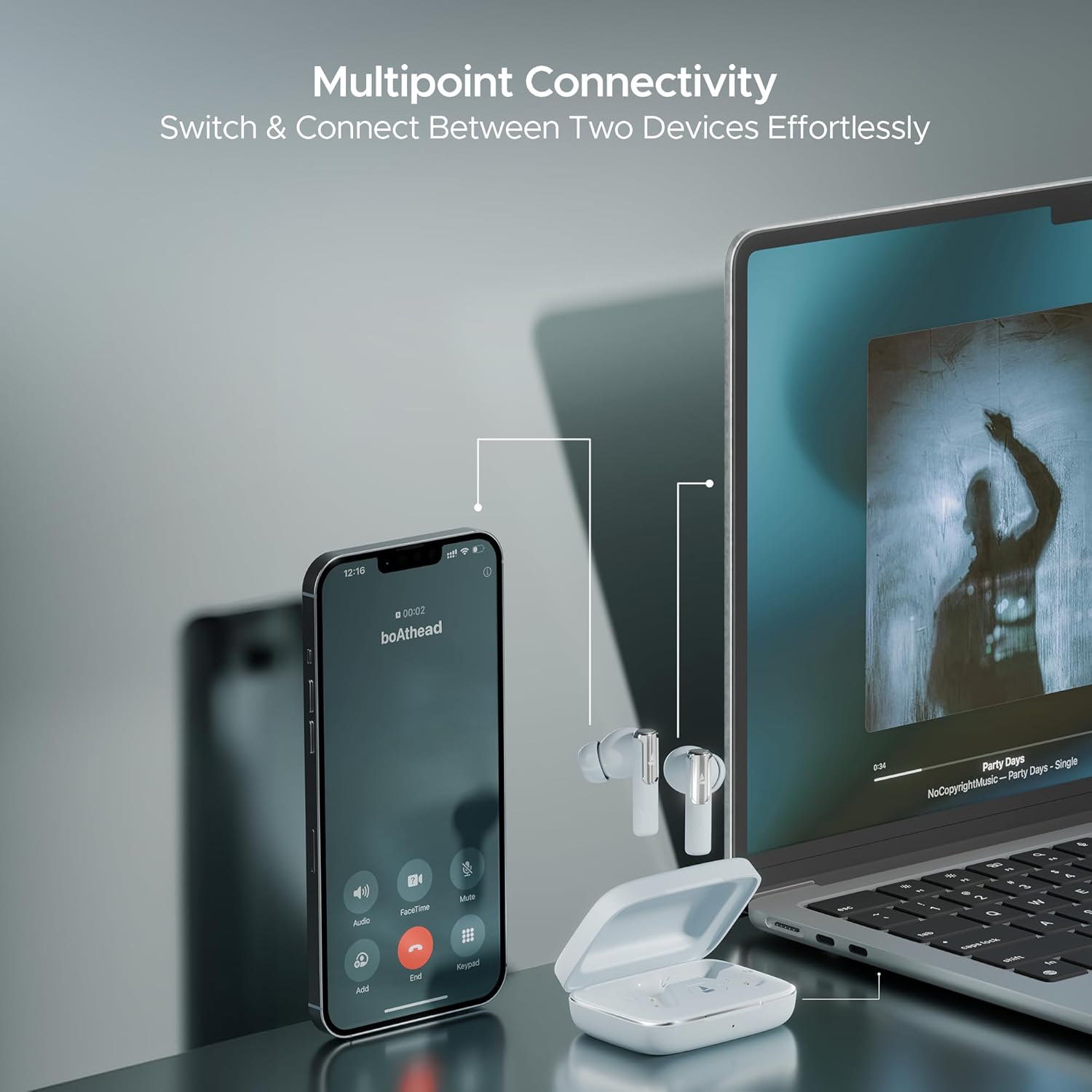
Image: A smartphone displaying an incoming call and a laptop playing music, with the Nirvana Ivy earbuds connected to both, illustrating seamless multipoint connectivity.
Instant In-Ear Detection:
The earbuds automatically detect when they are in your ears. Audio playback will start when inserted and pause when removed.

Image: A man and a woman wearing Nirvana Ivy earbuds, with text indicating 'Plug In to Play' and 'Take Out to Pause', demonstrating the in-ear detection feature.
BEAST™ Modu:
Activate BEAST™ Mode for a low-latency audio experience, ideal for gaming. This mode reduces audio delay to 60ms.

Image: Nirvana Ivy earbuds floating above a stylized race car, representing the BEAST™ Mode for low-latency audio.
Şarj & Pil
The boAt Nirvana Ivy earbuds offer up to 50 hours of total playtime. The ASAP Charge feature provides 240 minutes of playback with just 10 minutes of charging.
Kulaklıkların Şarj Edilmesi:
Place the earbuds into the charging case. Ensure they are correctly seated. The LED indicator on the case will show the charging status.
Kasanın Şarj Edilmesi:
Connect the provided USB charging cable to the charging port on the case and to a power source. The LED indicator will show the charging progress.
Bakım
- Temizlik: Kulaklıklarınızı ve şarj kutusunu düzenli olarak yumuşak ve kuru bir bezle temizleyin. Sert kimyasallar veya aşındırıcı malzemeler kullanmaktan kaçının.
- Suya Dayanıklılık: The earbuds have an IPX5 water resistance rating, protecting them from splashes and sweat. Do not submerge them in water.
- Depolamak: Kulakiçi kulaklıkları, kullanılmadığında onları korumak ve şarjlı halde tutmak için şarj kutusunda saklayın.
- Sıcaklık: Kulaklıkları aşırı sıcaklıklara (sıcak veya soğuk) maruz bırakmaktan kaçının.
Sorun giderme
Kulaklıklar eşleşmiyor:
- Her iki kulaklığın da şarjlı olduğundan emin olun.
- Cihazınızın Bluetooth'unu kapatın, ardından tekrar açın.
- Forget 'Nirvana Ivy' from your device's Bluetooth settings and try pairing again.
- Reset the earbuds (refer to the boAt Hearables App or product support for specific reset instructions).
Düşük ses seviyesi veya zayıf ses kalitesi:
- Hem cihazınızın hem de kulaklığınızın sesini ayarlayın.
- Ensure the ear tips are properly sealed in your ear canal. Try different sized ear tips for a better fit.
- Kulaklık başlıklarındaki kalıntıları temizleyin.
Kulaklıklar şarj olmuyor:
- Şarj kablosunun hem kasaya hem de güç kaynağına güvenli bir şekilde bağlandığından emin olun.
- Kulaklıkların ve kutunun içindeki şarj bağlantı noktalarının temiz ve kalıntılardan arınmış olduğundan emin olun.
- Farklı bir şarj kablosu veya güç adaptörü deneyin.
Özellikler
| Model Adı | Nirvana Ivy |
| Bağlantı Teknolojisi | Bluetooth v5.3 |
| Gürültü Kontrolü | Hibrit Gürültü Engelleme (50 dB'ye kadar) |
| Ses Sürücüsü Boyutu | 11 Milimetre |
| Oyun zamanı | 50 saate kadar |
| en kısa sürede şarj | 10 mins charge = 240 mins playback |
| Su Direnç Seviyesi | IPX5 |
| Kontrol Türü | Touch Control, Application Control |
| Malzeme | Plastik |
| Ürün Ağırlığı | 50 Gram |
| Ürün Boyutları | 5x3x5 cm |
| Pil Hücresi Kompozisyonu | Lityum Polimer |
Garanti ve Destek
Your boAt Nirvana Ivy TWS Earbuds come with a 1-year warranty from the date of purchase. Please refer to the included warranty card for detailed terms and conditions.
For further assistance, troubleshooting, or to register your product, please visit the official boAt website or contact customer support. You can also find more information on the boAt Store on Amazon.


