1. Giriş
This manual provides essential information for the safe and efficient operation of your TESLA QLED Smart TV, Model Q55S939GUS. Please read these instructions thoroughly before using your television and retain them for future reference. This television features a 55-inch (140 cm) QLED display, Google TV operating system, Ultra HD resolution, HDR10, Dolby Atmos audio, built-in Wi-Fi, Bluetooth, and Chromecast.

Resim 1.1: Ön view of the TESLA QLED Smart TV, highlighting key features.
2. Güvenlik Bilgileri
Always follow basic safety precautions when using this television to reduce the risk of fire, electric shock, and injury. Keep the television away from moisture and heat sources. Ensure proper ventilation. Do not block ventilation openings. Use only attachments/accessories specified by the manufacturer. Refer all servicing to qualified service personnel.
3. Paket İçeriği
Paketin içinde tüm öğelerin mevcut olduğundan emin olun:
- TESLA QLED Smart TV (Model Q55S939GUS)
- Uzaktan kumanda
- Güç Kabloları
- TV Stand/Base
- Uzaktan Kumanda Pilleri
- Kullanım Kılavuzu (bu belge)
4. Kurulum
4.1 Fiziksel Kurulum
Standı Takma: Carefully place the TV screen-down on a soft, flat surface. Align the stand with the mounting holes on the bottom of the TV and secure it with the provided screws. Ensure the stand is firmly attached before placing the TV upright.

Image 4.1: TESLA QLED Smart TV with stand.
Duvara Montaj: If you plan to wall mount the TV, refer to the instructions provided with your wall mount kit. Ensure the wall mount is compatible with the VESA mounting pattern of your TV. The back of the TV includes mounting points for this purpose.
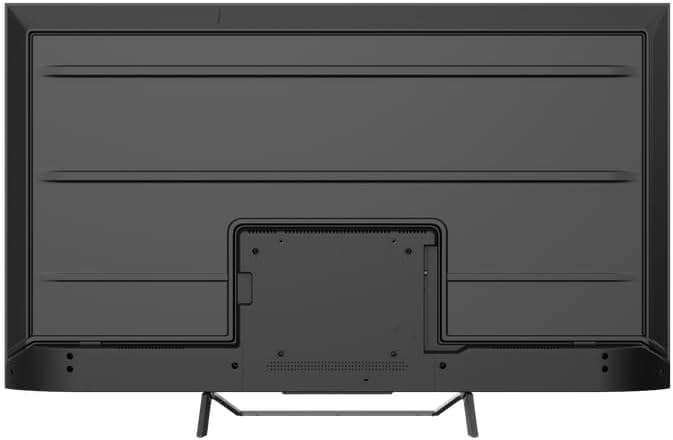
Resim 4.2: Arka view of the TV, indicating mounting points.
4.2 İlk Çalıştırma ve Ağ Bağlantısı
- Güç kablosunu televizyona ve ardından elektrik prizine bağlayın.
- Uzaktan kumandadaki veya televizyonun üzerindeki güç düğmesine basın.
- Follow the on-screen instructions to select your language, country, and connect to your Wi-Fi network. You can also connect via Ethernet for a wired connection.
4.3 Google TV Kurulumu
During the initial setup, you will be guided through setting up your Google TV account. This allows access to Google Assistant, Google Play Store apps, and personalized content recommendations. You will need a Google account to fully utilize these features.
5. TV'nin çalıştırılması
5.1 Uzaktan Kumandaview
The remote control provides access to all TV functions. Insert the provided batteries into the remote control. Familiarize yourself with the button layout for easy navigation.

Image 5.1: TESLA Smart TV Remote Control.
5.2 Temel Fonksiyonlar
- Güç: Televizyonu açmak veya kapatmak için güç düğmesine basın.
- Hacim: Ses seviyesini ayarlamak için VOL +/- düğmelerini kullanın.
- Kanallar: Use the P +/- buttons to change channels.
- Navigasyon: Menülerde gezinmek ve seçenekleri belirlemek için yön tuşlarını ve Tamam düğmesini kullanın.
- Ev: Google TV ana ekranına dönmek için Ana Sayfa düğmesine basın.
5.3 Smart TV Features (Google TV, Apps, Chromecast)
Your TESLA QLED Smart TV runs on Google TV, offering an intuitive interface and access to a vast library of content.
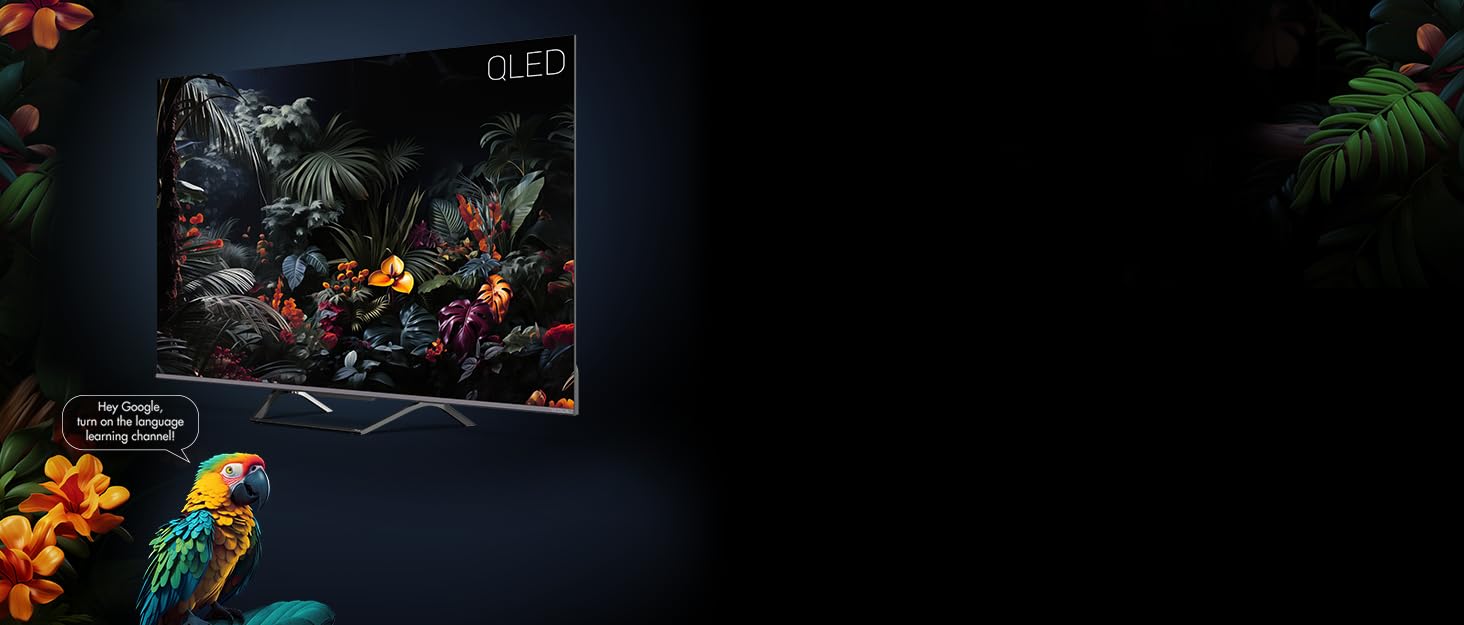
Image 5.2: Google Assistant integration on TESLA QLED TV.
- Google TV Arayüzü: The home screen provides personalized recommendations, quick access to installed apps like Netflix, YouTube, and Prime Video, and live TV options.
- Google Asistan: Uzaktan kumanda aracılığıyla sesli komutlar kullanarak içerik arayabilir, akıllı ev cihazlarını kontrol edebilir, sorularınıza cevap alabilir ve daha fazlasını yapabilirsiniz.
- Chromecast Yerleşik: Cast content (videos, photos, music) directly from your compatible mobile devices or computer to the TV screen.
- Google Play Mağazası: Download and install over 10,000 additional applications and games.
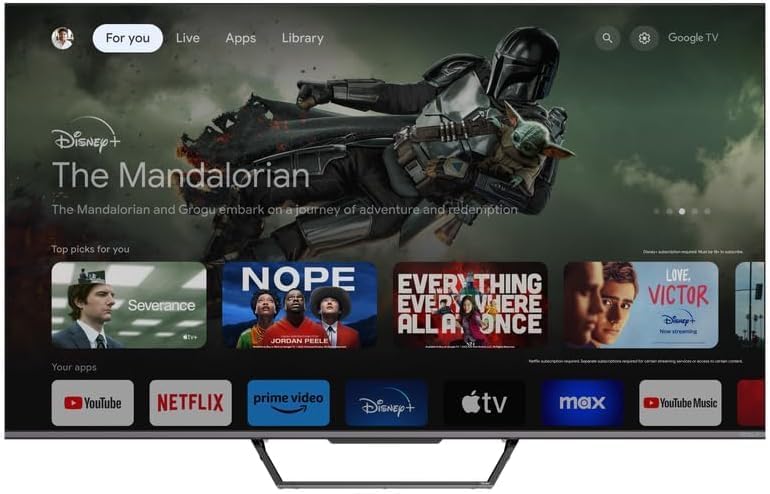
Image 5.3: Google TV home screen with app access.
5.4 Bağlantı
Televizyon, harici cihazları bağlamak için çeşitli bağlantı noktaları sunmaktadır:
- HDMI Bağlantı Noktaları (x3): Connect gaming consoles, Blu-ray players, soundbars, and other HDMI-enabled devices.
- USB Bağlantı Noktaları (x2): Medya oynatma veya harici depolama için USB sürücülerini bağlayın.
- Wifi: İnternet erişimi için ev ağınıza kablosuz olarak bağlanın.
- Bluetooth: Connect wireless headphones, speakers, or other Bluetooth accessories.
- Ethernet: Sabit kablolu internet bağlantısı için.
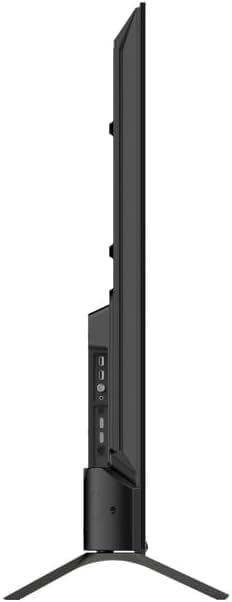
Resim 5.4: Yan view of TV with connectivity ports.
5.5 Audio and Picture Settings
- Dolby Atmos & Ultra Surround: Experience immersive, three-dimensional audio. Adjust audio settings in the TV menu to optimize sound for your environment.
- QLED Teknolojisi: Quantum Dot technology delivers over a billion shades of color, enhanced brightness, and superior contrast.
- HDR10: High Dynamic Range 10 provides a wider range of colors and contrasts, resulting in a more realistic image.
- Resim Modları: Select from various preset picture modes (e.g., Standard, Vivid, Movie, Game) or customize settings like brightness, contrast, color, and sharpness to suit your preferences.
6. Bakım
6.1 Temizlik
Temizlemeden önce daima televizyonun fişini çekin. Ekranı ve kasayı silmek için yumuşak, kuru bir bez kullanın. İnatçı lekeler için hafifçe silin.ampen the cloth with water or a specialized screen cleaner. Never use abrasive cleaners, waxes, or solvents.
6.2 Yazılım Güncellemeleri
Your Google TV will periodically receive software updates to improve performance and add new features. Ensure your TV is connected to the internet to receive these updates. You can check for updates manually in the TV's settings menu.
7. Sorun Giderme
Televizyonunuzda sorunlarla karşılaşırsanız, aşağıdaki yaygın sorunlara ve çözümlere bakın:
| Sorun | Olası Çözüm |
|---|---|
| Güç yok | Check if the power cable is securely connected to the TV and the power outlet. Ensure the outlet is working. |
| Görüntü yok, ancak ses mevcut | Giriş kaynağını kontrol edin. Harici cihazların düzgün şekilde bağlandığından ve açık olduğundan emin olun. |
| Ses yok ama görüntü var | Check the volume level. Ensure Mute is not activated. Check audio output settings. |
| Uzaktan kumanda çalışmıyor | Pilleri değiştirin. Kumanda ile televizyon arasında herhangi bir engel olmadığından emin olun. |
| Wi-Fi'ye bağlanılamıyor | Check your router and internet connection. Re-enter the Wi-Fi password. Try restarting the TV and router. |
For further assistance, consult the TESLA support website veya müşteri hizmetleriyle iletişime geçin.
8. Özellikler
Key technical specifications for the TESLA QLED Smart TV Model Q55S939GUS:
| Özellik | Şartname |
|---|---|
| Marka | TESLA |
| Model Numarası | Q55S939GUS |
| Ekran Boyutu | 55 İnç (140 cm) |
| Ekran Teknolojisi | QLED |
| Çözünürlük | 4K (3840x2160) |
| İşletim Sistemi | Google televizyon |
| Yenileme Hızı | 60 Hz |
| Özel Özellikler | Chromecast, Built-in Speaker, Game Mode, Flat Panel, Wide Color Enhancer |
| Ses Teknolojisi | Dolby Atmos, Ultra Surround, 2 x 10W Speakers |
| Bağlantı | Bluetooth, HDMI (x3), RF, USB (x2), Wi-Fi, Ethernet |
| Ürün Boyutları (D x G x Y) | 26.5x122.5x72 cm |
| Renk | Metalik Gümüş |

Image 8.1: Illustrative diagram of TV dimensions and remote control. Note: This product is 55 inches, not 75 inches as shown in the diagram.
9. Garanti ve Destek
For warranty information, please refer to the warranty card included with your product or visit the official TESLA website. Keep your proof of purchase for warranty claims. For technical support, troubleshooting assistance, or service requests, please contact TESLA customer support through their official channels.


