1. Giriş
Thank you for choosing the FLEXISPOT Standing Desk. This manual provides essential information for the safe and efficient assembly, operation, and maintenance of your new adjustable height desk. Please read this manual thoroughly before use and retain it for future reference.
2. Güvenlik Bilgileri
Güvenli çalışmayı sağlamak ve hasarı önlemek için lütfen aşağıdaki güvenlik önlemlerine uyun:
- Maksimum ağırlık kapasitesini aşmayın 154 pound (70 kg). Overloading may cause instability or damage.
- Çalışma sırasında çocukları ve evcil hayvanları masadan uzak tutun.
- Yükseklik ayarlamaları sırasında masanın yolunda herhangi bir engel bulunmadığından emin olun.
- Masanın üzerine oturmayın veya ayakta durmayın.
- Masayı yalnızca iç mekanlarda ve kuru bir ortamda kullanın.
- Temizlik veya bakım yapmadan önce elektrik bağlantısını kesin.
- If any parts are damaged or missing, contact customer support immediately. Do not attempt to repair the desk yourself.
Önemli: This desk is designed for office and home use. Any other use is considered improper and may lead to injury or damage.
3. Paket İçeriği
Verify that all components are present and undamaged before beginning assembly. Refer to the image below for a visual representation of the package contents.
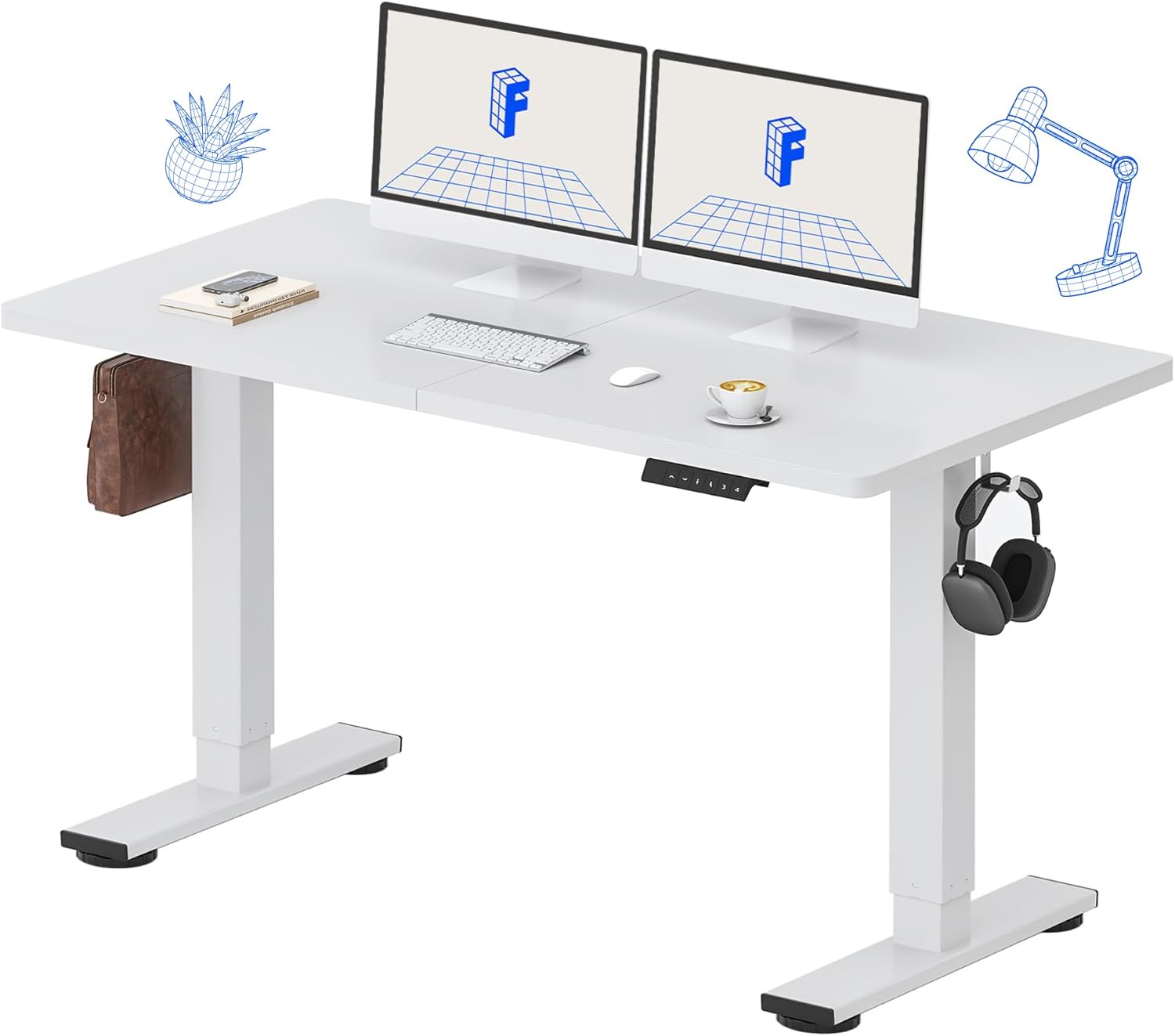
Image: All components of the FLEXISPOT Standing Desk, including the white desktop, white frame, and control panel.
- Desktop (55" x 24" White)
- Desk Frame (White)
- LED Ekranlı Kontrol Paneli
- Güç Adaptörü
- Montaj Aletleri
- Masa Düzenleyici
- Side Storage Hooks (Set of 2)
4. Kurulum ve Montaj
Assembly is straightforward and all necessary tools are included. For detailed visual instructions, please refer to the included instruction booklet.
Montaj Adımları:
- Tüm bileşenleri ambalajından çıkarın ve temiz, düz bir yüzeye yerleştirin.
- Attach the lifting columns to the desktop using the provided screws and tools.
- Secure the foot supports to the bottom of the lifting columns.
- Mount the control panel to the underside of the desktop in a convenient location.
- Connect all cables (motor, control panel, power adapter) according to the diagram in the included instruction booklet.
- Güç adaptörünü duvar prizine takın.
- Perform the initial reset (refer to Operating Instructions).

Image: The FLEXISPOT Standing Desk is shipped in a single package for convenience.
5. Kullanım Talimatları
Kontrol Paneli Fonksiyonları:

Resim: Ayrıntılı view of the multi-function keypad, showing the LED display, Up/Down keys, and memory function buttons.
- LED ekran: Masanın mevcut yüksekliğini inç cinsinden gösterir.
- Up/Down Keys (∧ / ∨): Press and hold to adjust the desk height upwards or downwards. Release to stop.
- Bellek Ön Ayarları (1, 2, 3, 4):
- To save a height: Adjust the desk to your desired height, then press the 'M' button (or similar memory set button, if present) followed by the desired number (1, 2, 3, or 4). The display will show 'S-' followed by the number to confirm.
- To recall a height: Press the corresponding number button (1, 2, 3, or 4). The desk will automatically move to the saved position.
Yükseklik Ayar Aralığı:
The desk can be adjusted from a minimum height of 28.9 inç to a maximum height of 46.5 inç.

Image: Illustration showing the adjustable height range of the desk from 28.9 inches to 46.5 inches.
Initial Reset Procedure:
After initial setup or if the desk encounters an error, a reset may be required:
- Press and hold the 'Down' (∨) button until the desk reaches its lowest position and slightly retracts.
- Release the button. The desk is now reset and ready for use.
6. Bakım
Regular maintenance ensures the longevity and optimal performance of your FLEXISPOT Standing Desk.
- Temizlik: Masaüstünü ve çerçeveyi yumuşak bir bezle silin.amp cloth. Avoid abrasive cleaners or harsh chemicals. Ensure the desk is unplugged before cleaning. The desktop is waterproof and scratch-resistant.
- Kablo yönetimi: Periodically check all cables to ensure they are securely connected and not pinched or damaged.
- Ağırlık Kapasitesi: Do not exceed the 154 lb weight limit. Distribute weight evenly across the desktop.
- Motor Gürültüsü: The desk features a whisper-quiet motor (<50dB). If you notice unusual noises, discontinue use and contact support.

Image: The desk's high-quality desktop is waterproof, scratch-resistant, and smooth.

Image: A comparison chart illustrating the low noise level of the desk's motor (under 50dB) compared to other common sounds.
7. Sorun Giderme
If you encounter issues with your FLEXISPOT Standing Desk, refer to the table below for common problems and solutions.
| Sorun | Olası Neden | Çözüm |
|---|---|---|
| Masa hareket etmiyor. | Güç kablosu bağlantısı kesildi; Aşırı yüklenme; Motor arızası. | Check power connection. Reduce weight on desk. Perform reset procedure. |
| Masa dengesiz bir şekilde hareket ediyor. | Uneven weight distribution; Obstruction. | Redistribute weight. Check for obstructions under or around the desk. Perform reset procedure. |
| Ekranda hata kodu görünüyor. | Sistem arızası. | Unplug the desk for 10 minutes, then plug back in. If error persists, contact customer support. |
| Bellek ön ayarları çalışmıyor. | Ön ayarlar doğru şekilde kaydedilmedi. | Re-save your desired height settings following the instructions in Section 5. |
If the problem persists after attempting these solutions, please contact FLEXISPOT customer support.
8. Özellikler
| Özellik | Detay |
|---|---|
| Model Numarası | MAH0002206 |
| Masaüstü Boyutları | 55" (W) x 24" (D) |
| Yükseklik Ayar Aralığı | 28.9" - 46.5" |
| Maksimum Ağırlık Kapasitesi | 154 lbs (70 kg) |
| Material (Desktop) | Mühendislik Ahşap |
| Malzeme (Çerçeve) | Alaşımlı Çelik |
| Motor Gürültü Seviyesi | <50dB |
| Renk | White Top + White Frame |
| Dahil Bileşenler | Desk Organizer, Side Storage Hooks |

Image: The FLEXISPOT Standing Desk in use, demonstrating its versatility for both sitting and standing work, even accommodating a walking pad.

Resim: Yakın çekim view of the side storage hooks, useful for hanging headphones or bags.

Image: Technical diagram illustrating the desktop and frame dimensions, including the adjustable height range.
9. Garanti ve Destek
FLEXISPOT products come with a warranty to ensure your satisfaction. The specific warranty type is either 'Limited' or 'Lifetime' as per product registration and terms.
- Garanti: Refer to your product registration or the official FLEXISPOT webAyrıntılı garanti şartları ve koşulları için siteyi ziyaret edin.
- İade: 30 gün içinde kolayca iade edebilirsiniz.
- Müşteri Desteği: If you have any questions, require assistance with assembly, or encounter any issues not covered in this manual, please contact FLEXISPOT customer support.
For further assistance, visit the official FLEXISPOT Store: FLEXISPOT Mağazası Amazon'da


