1. Giriş
This manual provides detailed instructions for the installation, configuration, and operation of your SODOLA 12 Port 10Gb Managed Switch. This device is designed to enhance network performance with high-speed connectivity and advanced management features, suitable for home labs, small businesses, and professional network environments.
2. Ürün Bittiview
The SODOLA 12 Port 10Gb Managed Switch features a robust design with a combination of 10 Gigabit Ethernet ports to support diverse network requirements.
2.1 Temel Özellikler
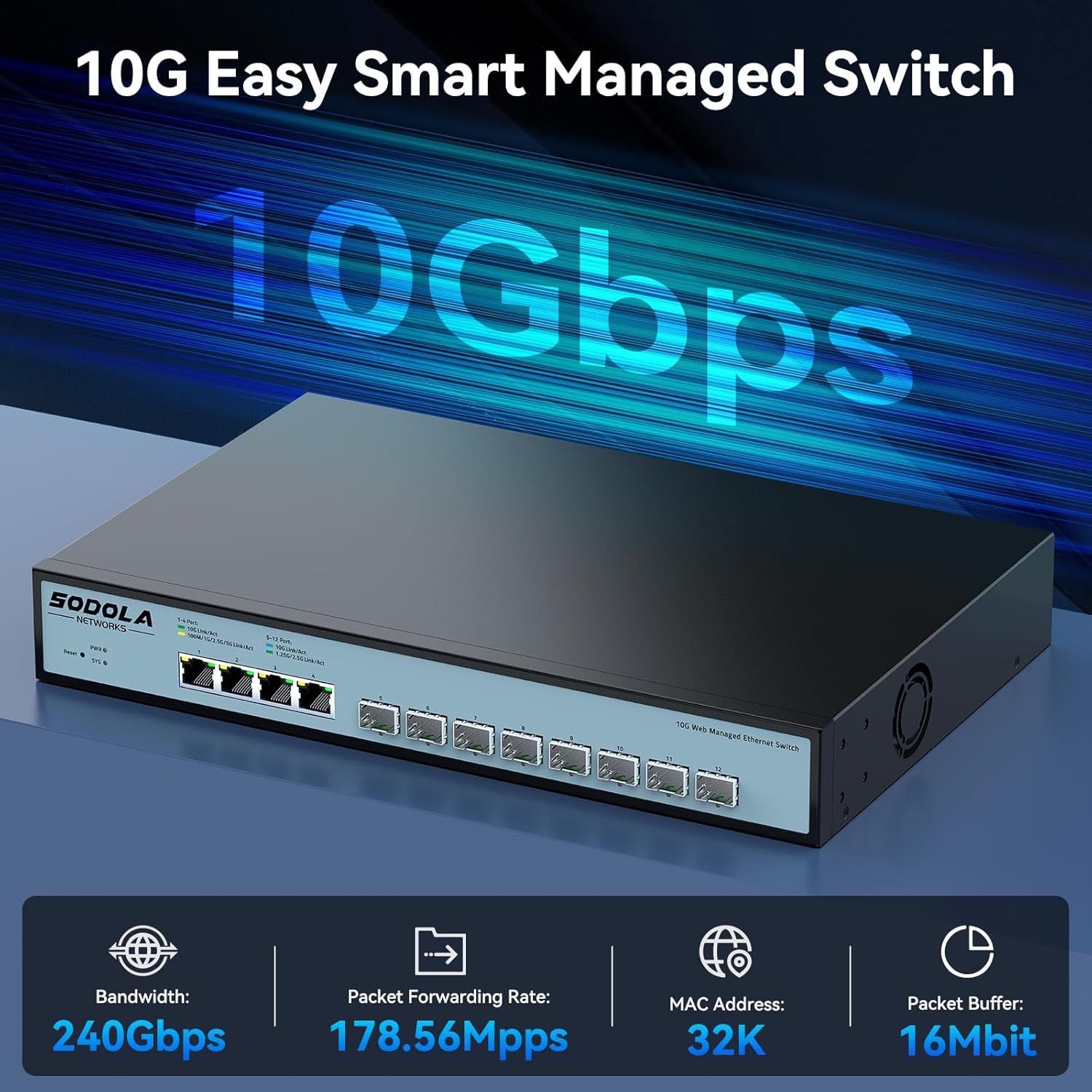
- Hybrid 10G Port Flexibility: 8x10G SFP+ ports for fiber/DAC and 4x10GBase-T RJ45 ports for versatile high-speed connections.
- Web Yönetmek: Kullanıcı dostu web GUI for configuring LACP, QoS, VLAN, SNMP, and other network management functions.
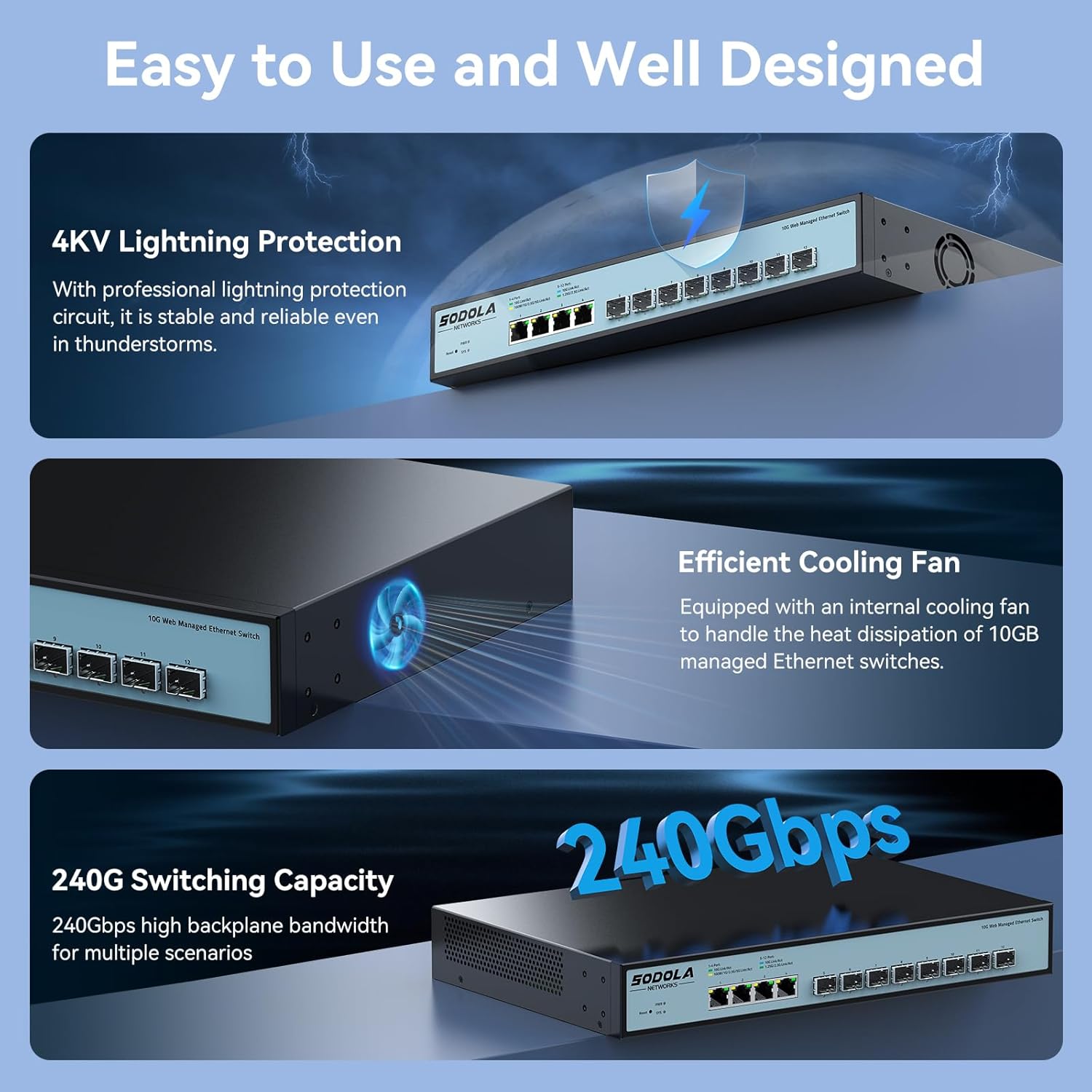
- Verimli Soğutma: Built-in fans dynamically adjust speed to maintain stable 10G performance and prevent overheating.
- Rafa Monte Edilebilir Tasarım: 1U compact design with included mounting brackets for easy installation in racks or cabinets.
- Geniş Uyumluluk: RJ45 ports support 10G/5G/2.5G/1G/100M speeds, ensuring backward compatibility with existing network devices.
2.2 Ön Panel Düzeni

Resim 2.2.1: Ön panel view highlighting the Reset Button, Power Indicator, 4x10G RJ45 Ports, and 8x10G SFP+ Ports.
2.3 Bağlantı Noktası Yapılandırması

Resim 2.3.1: Detailed port configuration, illustrating adaptive speed rates for RJ45 ports (1G/2.5G/5G/10G) and SFP+ ports (1G/2.5G/10G modules). Compatible cables include CAT5e, CAT6, and CAT7 for RJ45 connections.
3. Paket İçeriği
Verify the contents of your package upon unboxing. If any items are missing or damaged, please contact customer support.

Resim 3.1.1: Illustration of included accessories and the switch unit.
- SODOLA 12 Port 10G Managed Ethernet Switch (Model: SL-SWTGW2C48NS)
- Güç Kablosu
- Rack Ears (for 1U rack mounting)
- Kullanıcı Kılavuzu
- Certificate of Inspection
4. Kurulum ve Kurulum
4.1 Fiziksel Kurulum
The switch can be installed on a desktop or mounted in a standard 1U rack.
- Masaüstü Yerleşimi: Anahtarı düz ve sağlam bir yüzeye yerleştirin. Cihazın etrafında yeterli havalandırma olduğundan emin olun.
- Raf Montajı: Attach the included rack ears to the sides of the switch using the provided screws. Secure the switch into a standard 19-inch rack.
4.2 Güç Bağlantısı
Connect the power cord to the AC input port on the rear of the switch and then to a suitable power outlet (AC 100-240V). The Power Indicator LED on the front panel will illuminate when the device receives power.
4.3 Ağ Bağlantıları
Connect your network devices (servers, workstations, NAS, routers, access points) to the RJ45 or SFP+ ports using appropriate Ethernet cables or SFP/SFP+ modules and fiber optic cables.
- RJ45 Bağlantı Noktaları: Use CAT5e, CAT6, or CAT7 cables for optimal performance. These ports support auto-negotiation for speed (100M/1G/2.5G/5G/10G) and Auto-MDI/MDIX.
- SFP+ Bağlantı Noktaları: Insert compatible 1G, 2.5G, or 10G SFP/SFP+ transceiver modules and connect with appropriate fiber optic or DAC cables.
5. Web Yönetim Arayüzü
The SODOLA 12 Port 10Gb Managed Switch can be configured and monitored via a web-tabanlı grafiksel kullanıcı arayüzü (GUI).
5.1 Erişim Web Arayüz

Resim 5.1.1: Steps for accessing the web yönetim arayüzü.
- Tarayıcı önbelleğini temizle: Sizin emin olun web browser's cache is cleared to prevent issues with loading the interface.
- Adjust Network Settings: Connect your computer directly to one of the switch's RJ45 ports.
- Set PC IP to Match Switch Subnet: Configure your computer's network adapter with a static IP address within the same subnet as the switch's default IP. For example, if the switch's default IP is 192.168.2.1, set your PC's IP to 192.168.2.100 alt ağ maskesi ile 255.255.255.0.
- Giriş sayfasına erişin: Bir tane aç web Tarayıcıyı açın ve varsayılan IP adresine gidin: http://192.168.2.1.
- Giriş yapmak: Varsayılan kimlik bilgilerini girin:
Kullanıcı adı: yönetici
Şifre: yönetici
5.2 Temel Yönetim Fonksiyonları

Resim 5.2.1: Üzerindeview Mevcut web yönetim özellikleri.
The web interface provides access to various advanced network management features, including:
- LACP (Bağlantı Birleştirme Kontrol Protokolü): Bant genişliğini ve yedekliliği artırmak için birden fazla fiziksel bağlantıyı tek bir mantıksal bağlantıda birleştirin.
- QoS (Hizmet Kalitesi): Kritik uygulamaların yeterli bant genişliğine sahip olmasını sağlamak için ağ trafiğini önceliklendirin.
- VLAN (Sanal Yerel Alan Ağı): Segment your network into smaller, isolated broadcast domains for improved security and performance.
- SNMP (Basit Ağ Yönetim Protokolü): Ağ aygıtlarını izleyin ve ağ performansını yönetin.
- çok noktaya yayın: Efficiently send data to a group of recipients.
- DHCP: Configure DHCP server or relay functions.
- IP Ayarı: Configure the switch's IP address and related network parameters.
- Bağlantı Noktası Yansıtma: Bir porttan diğerine paketlerin bir kopyasını göndererek ağ trafiğini izleyin.
6. Yapılandırma Örn.amples
6.1 Bağlantı Noktası Ayarları
Resim 6.1.1: Example of port configuration in the web arayüz.
İçinde web interface, navigate to the port settings section to configure individual port parameters such as speed, duplex mode, and flow control. Remember to click "Apply" after making changes and then "Save" to retain configurations after a reboot.
6.2 10G LAN Setup Case

Resim 6.2.1: Example network topology for a 10G LAN setup.
This diagram illustrates a common setup for a 10G Local Area Network (LAN) suitable for home or Small Office/Home Office (SOHO) environments. It demonstrates how the SODOLA switch can integrate with a router, Network Attached Storage (NAS) utilizing LACP for increased throughput, WiFi 7 Access Points, 10G-capable PCs, and segmented VLANs for different device groups like printers.
7. Bakım
7.1 Soğutma Sistemi
Resim 7.1.1: Internal cooling fan for heat dissipation.
The switch is equipped with an efficient cooling fan to manage heat dissipation, ensuring stable operation, especially during high workloads. Ensure that the fan vents are not obstructed to allow for proper airflow.
7.2 Genel Bakım
- Keep the device in a clean, dry environment, away from direct sunlight and heat sources.
- Anahtarı neme veya aşırı sıcaklıklara maruz bırakmaktan kaçının.
- Anahtarın dış yüzeyini yumuşak, kuru bir bezle temizleyin. Sıvı veya aerosol temizleyiciler kullanmayın.
- Üreticinin web sitesinden düzenli olarak ürün yazılımı güncellemelerini kontrol edin. webSitenin optimum performans ve güvenliğini sağlamak için.
8. Sorun Giderme
Bu bölümde karşılaşabileceğiniz yaygın sorunlara çözümler sunulmaktadır.
8.1 Güç Yok
- Güç kablosunun hem şaltere hem de çalışan bir elektrik prizine güvenli bir şekilde bağlı olduğundan emin olun.
- Başka bir cihazı takarak elektrik prizinin çalışır durumda olduğunu doğrulayın.
- Check the Power Indicator LED on the front panel. If it is off, there may be a power supply issue.
8.2 Ağ Bağlantısı Yok
- Check the Link/Act LEDs for the connected ports. A solid green or amber light indicates a link, and blinking indicates activity. If the LED is off, check the cable connection and the connected device.
- Ensure that the Ethernet cables are properly seated and not damaged.
- Verify that the connected devices are powered on and configured correctly.
- If using SFP+ ports, ensure the SFP/SFP+ modules are correctly inserted and compatible with the connected device.
8.3 Erişim Sağlanamıyor Web Arayüz
- Confirm your computer's IP address is within the same subnet as the switch's default IP (e.g., 192.168.2.x).
- Ensure you are using the correct default IP address (192.168.2.1) and credentials (admin/admin).
- Temizlemeyi deneyin web Tarayıcının önbelleğini temizlemek veya farklı bir tarayıcı kullanmak.
- If the switch's IP address has been changed and forgotten, a factory reset may be necessary. Refer to the reset procedure in the full manual (if available) or contact support.
9. Özellikler
| Marka | Sodola |
| Model Numarası | 4x10G RJ45+8x10G SFP+(Managed) |
| Arayüz Türü | 4x10G RJ45, 8x10G SFP+ |
| Port Sayısı | 12 |
| Veri Aktarım Hızı | Saniyede 10 Gigabit |
| Kasa Malzemesi | Metal |
| Ürün Ağırlığı | 4.4 pound |
| Paket Boyutları | 14.57 x 11.42 x 3.35 inç |
| Uyumlu Cihazlar | Masaüstü, Dizüstü, Sunucu |
10. Güvenlik Bilgileri
- Cihazı çalıştırmadan önce tüm talimatları dikkatlice okuyunuz.
- Cihazı açmayınasing. İçerisinde kullanıcının müdahale edebileceği herhangi bir parça bulunmamaktadır.
- Yalnızca cihazla birlikte verilen güç adaptörünü kullanın.
- Ensure proper grounding for the device.
- Avoid installing the device in areas with high humidity, dust, or extreme temperatures.
- Cihazı temizlemeden veya taşımadan önce güç bağlantısını kesin.
11. Garanti ve Destek
SODOLA products are designed for reliability and performance. For warranty information or technical support, please refer to the official SODOLA webSatın alma fişinizi saklayın veya yerel distribütörünüzle iletişime geçin. Garanti talepleriniz için satın alma fişinizi saklayın.
Üretici: Shenzhen hongyavision Technology Co.,Ltd.


