giriiş
Satın aldığınız için teşekkür ederizasing the Greadio GB-W18 Portable CD Player Boombox. This device offers multiple audio playback options including CD, cassette, FM radio, Bluetooth, USB, AUX, and TF/SD card. Please read this manual carefully before using the product to ensure proper operation and to maximize your listening experience. Keep this manual for future reference.
Güvenlik Bilgileri
- Yangın veya elektrik çarpmasını önlemek için üniteyi yağmura veya neme maruz bırakmayın.
- C'yi açmayınasing. Tüm servis işlemlerini yetkili personele yaptırın.
- Üniteyi ısı kaynaklarının yakınına veya doğrudan güneş ışığına maruz bırakmayın.
- Ünite çevresinde uygun havalandırmanın olduğundan emin olun.
- Use only the specified power adapter (if applicable) or charge with a compatible 5V/2A Type-C charger.
- Çocukların erişemeyeceği yerde saklayınız.
Paket İçeriği
Lütfen tüm öğelerin mevcut olduğundan emin olun:
- Greadio GB-W18 Portable CD Player Boombox
- Uzaktan Kumanda (1)
- Kullanım Kılavuzu (bu belge)
- USB Şarj Kablosu (Tip-C)
Ürün Bittiview
Familiarize yourself with the various parts and controls of your Greadio GB-W18 boombox.
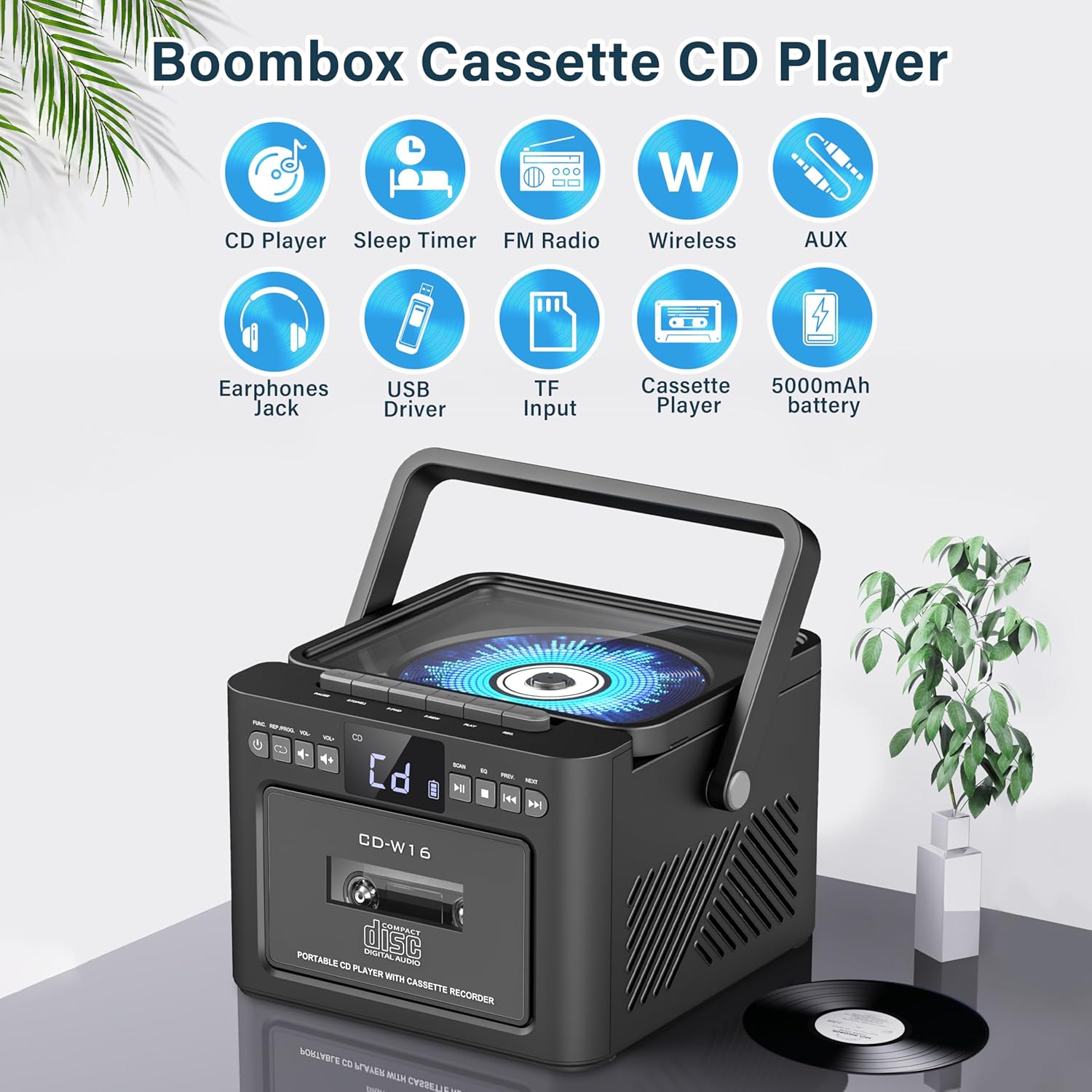
Resim: Üzerindeview of the Greadio GB-W18 Portable CD Player Boombox, highlighting its multi-functional capabilities including CD, cassette, FM radio, Bluetooth, USB, TF/SD card, AUX, and a built-in 5000mAh rechargeable battery.
Ön Panel Kontrolleri
- LED ekran: Geçerli modu, parça numarasını, frekansı vb. gösterir.
- Güç Düğmesi: Üniteyi açar/kapatır.
- Mod Düğmesi: Switches between CD, Cassette, FM, Bluetooth, USB, AUX, TF/SD modes.
- Ses Kontrolü: Ses çıkış seviyesini ayarlar.
- Oynat/Duraklat Düğmesi: Controls playback for CD, USB, TF/SD, Bluetooth.
- Durdurma düğmesi: Oynatmayı durdurur.
- Atla/Ara Butonları: Skips tracks or searches radio frequencies.
- Kayıt Düğmesi: Initiates cassette recording.
Side/Rear Panel Ports
- CD Bölmesi: Üstten yüklemeli CD çalar.
- Kaset Destesi: Front-loading cassette player/recorder.
- USB Bağlantı Noktası: USB bellekten oynatma için.
- TF/SD Kart Yuvası: For TF/SD card playback.
- AUX Girişi: Harici ses cihazları için 3.5 mm jak girişi.
- Kulaklık girişi: Özel dinleme için 3.5 mm jak girişi.
- DC 5V Input (Type-C): Dahili bataryayı şarj etmek için.
- FM Anteni: Radyo yayını alımı için teleskopik anten.
Kurmak
Üniteye Güç Verme
The Greadio GB-W18 can be powered by its built-in rechargeable battery or via a Type-C USB power source.
- Pilin Şarj Edilmesi: Connect the provided USB Type-C cable to the DC 5V input port on the unit and the other end to a compatible USB power adapter (e.g., car charger, power bank, computer USB port). The LED display will indicate charging status. A full charge provides extended portable use.

Resim: The Greadio GB-W18 boombox with its USB and TF/SD card slots highlighted, along with illustrations of various 5V Type-C charging methods: car charger, power bank, and computer.
İlk Güç Verme
Basın Güç button to turn on the unit. The LED display will light up, and the unit will typically default to the last used mode or CD mode.
Kullanım Talimatları
Kullanın Mod button to switch between different playback sources.
CD Çalma
- Basın Mod Ekranda 'CD' görünene kadar düğmeye basın.
- CD bölmesinin kapağını açın.
- Place a CD (CD, CD-R, CD-RW) with the label side facing up onto the spindle.
- Close the CD compartment lid. The CD will begin to play automatically.
- Kullanın Oynat/Duraklat, Durmak, Ve Atla/Ara oynatmayı kontrol etmek için düğmeler.

Resim: A user operating the Greadio GB-W18 boombox, demonstrating CD playback and the use of the remote control for convenient operation.
Cassette Playback and Recording
- Basın Mod button until 'TAPE' appears on the display.
- Kaset çalar kapağını açın.
- Açık kenarı yukarı bakacak şekilde kaset bandını yerleştirin.
- Kaset çalar kapağını kapatın.
- Basın Oynamak button on the cassette deck controls to start playback.
- İle Kayıt: Ensure a blank or recordable cassette is inserted. Select your desired input source (e.g., FM radio, AUX, Bluetooth). Press the Kayıt button on the unit. Press Durmak Kaydı bitirmek için

Resim: The Greadio GB-W18 boombox in a social setting, illustrating the cassette player function with a hand inserting a tape.
FM Radyo İşlemi
- En iyi sinyal alımı için teleskopik FM antenini uzatın.
- Basın Mod Ekranda 'FM' görünene kadar düğmeye basın.
- Basılı tutun Atla/Ara buttons to automatically scan for available stations. The unit can preset up to 30 stations.
- Basın Atla/Ara buttons briefly to manually tune or cycle through preset stations.
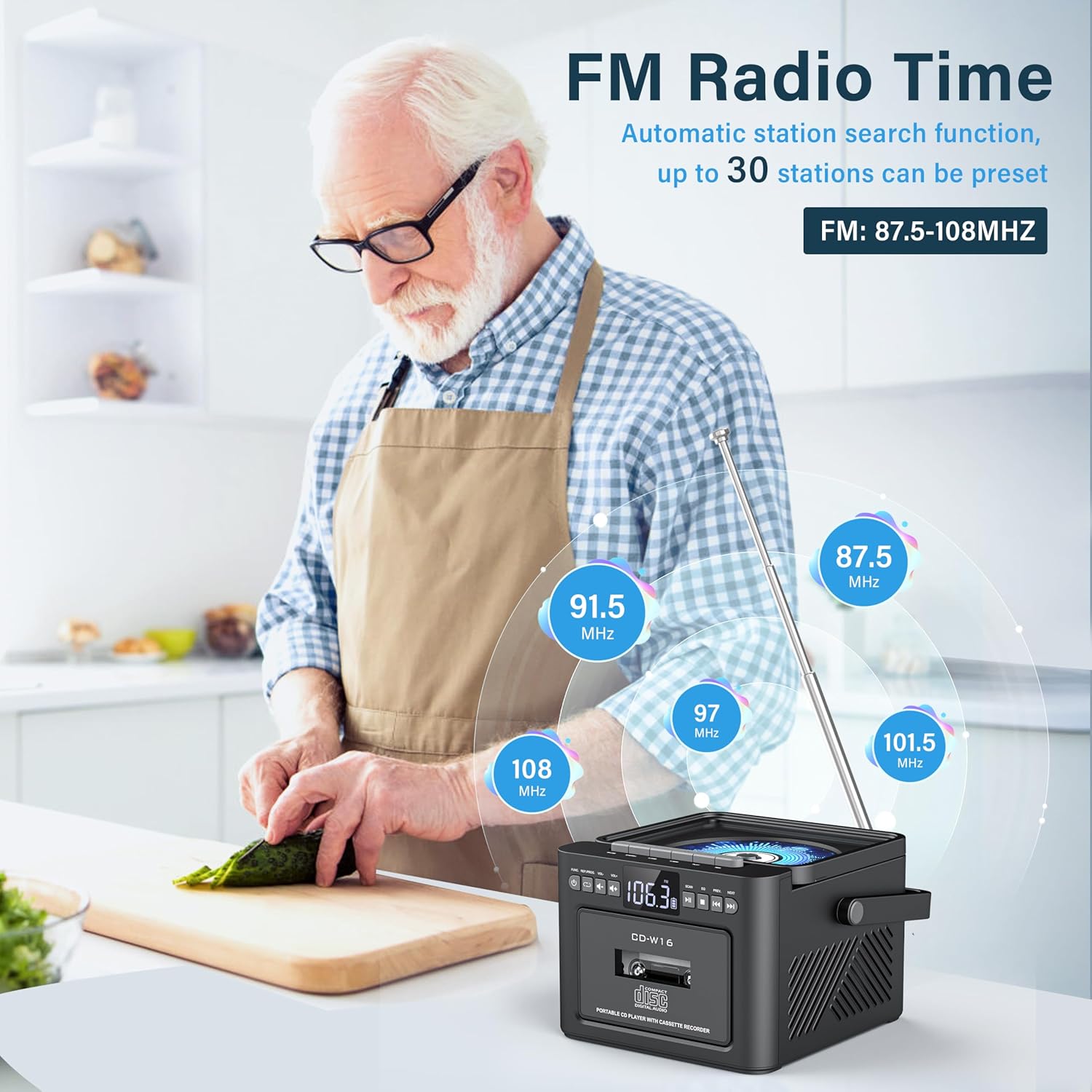
Resim: A user in a kitchen setting with the Greadio GB-W18 boombox, demonstrating its FM radio capabilities and the range of frequencies it can receive.
Bluetooth (Wireless Receiver)
- Basın Mod button until 'BLUE' or 'BT' appears on the display. The unit will enter pairing mode, indicated by a flashing Bluetooth icon.
- Mobil cihazınızda (akıllı telefon, tablet vb.) Bluetooth'u etkinleştirin ve kullanılabilir cihazları arayın.
- Select 'Greadio GB-W18' (or similar name) from the list to pair.
- Eşleştirme işlemi tamamlandıktan sonra, cihazınızdaki sesleri boombox üzerinden çalabilirsiniz.
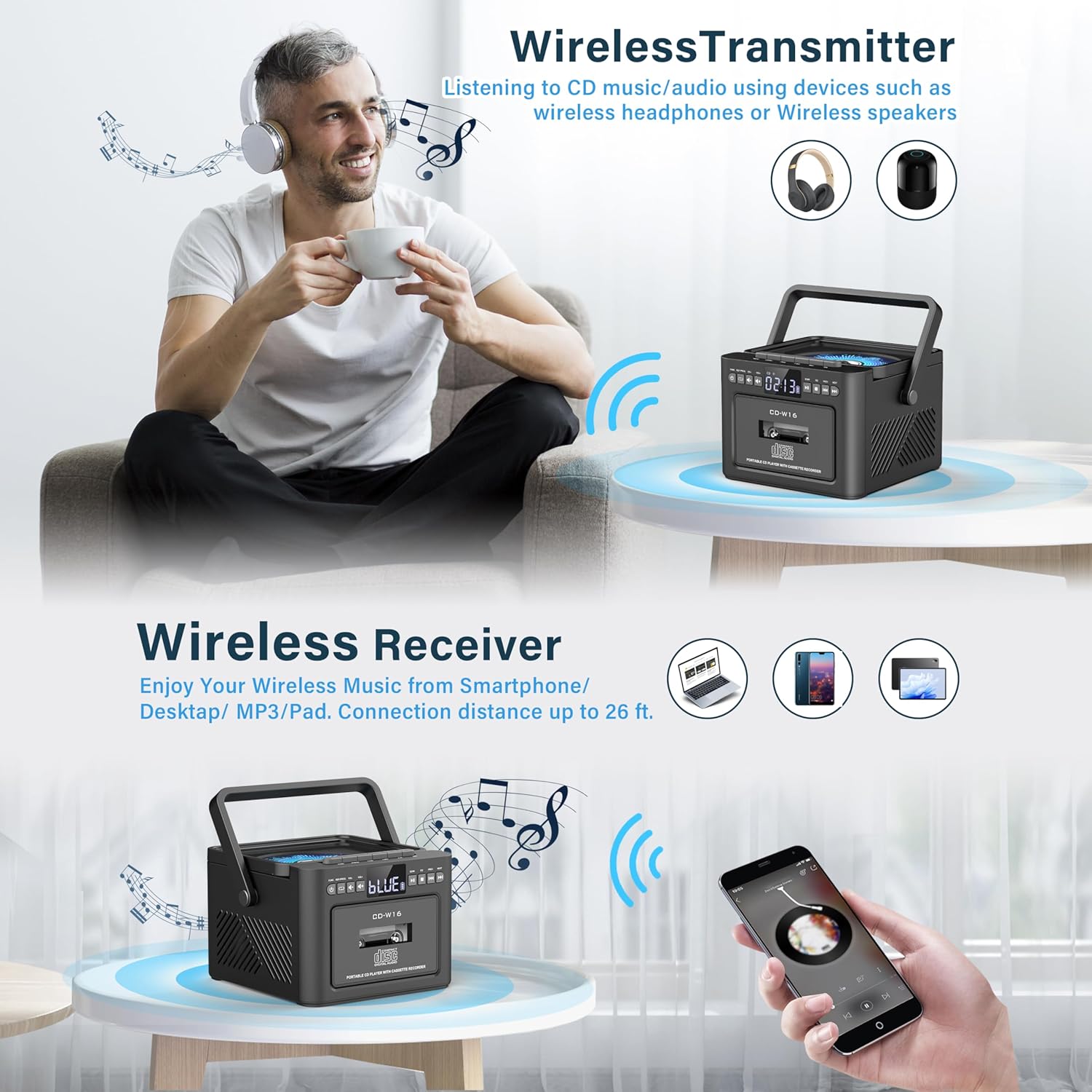
Resim: The Greadio GB-W18 boombox demonstrating its wireless capabilities, functioning as both a wireless transmitter (for headphones/speakers) and a wireless receiver (for streaming from smartphones/tablets).
USB Drive & TF/SD Card Playback
- Insert a USB drive into the USB port or a TF/SD card into the TF/SD card slot.
- Basın Mod button until 'USB' or 'TF' appears on the display.
- Cihaz MP3 dosyalarını otomatik olarak algılayacak ve çalacaktır. fileDepolama aygıtından s.
- Kullanın Oynat/Duraklat, Durmak, Ve Atla/Ara oynatmayı kontrol etmek için düğmeler.
AUX Girişi
- Connect an external audio device (e.g., MP3 player, smartphone) to the AUX input jack using a 3.5mm audio cable (not included).
- Basın Mod Ekranda 'AUX' görünene kadar düğmeye basın.
- Harici cihazınızdan ses çalın. Ses, taşınabilir müzik çalar hoparlörlerinden verilecektir.
Uzaktan kumanda
The included remote control allows for convenient operation of most functions from a distance. Point the remote control directly at the front panel of the boombox. Functions include power on/off, mode selection, volume adjustment, playback controls (play, pause, stop, skip), and radio tuning.
Uyku Zamanlayıcısı
The unit features a sleep timer function. Refer to the remote control or specific button on the unit (if available) to set a timer for automatic power-off. This feature is useful for falling asleep to music.
Bakım
- Temizlik: Cihazın dış yüzeyini temizlemek için yumuşak, kuru bir bez kullanın. Aşındırıcı temizleyiciler veya çözücüler kullanmayın.
- CD Lens Bakımı: CD çalma sorunları yaşarsanız, özel bir CD lens temizleme diski kullanın.
- Kaset Kafası Temizliği: Kaset başlıklarını düzenli olarak pamuklu çubukla hafifçe temizleyin.ampEn iyi ses kalitesini sağlamak ve kasetin zarar görmesini önlemek için izopropil alkol ile sonlandırılmıştır.
- Pil Bakım: For optimal battery life, avoid fully discharging the battery frequently. Charge the unit regularly, even if not in use for extended periods.
- Depolamak: When not in use for a long time, store the unit in a cool, dry place away from direct sunlight and extreme temperatures.
Sorun giderme
| Sorun | Olası Neden | Çözüm |
|---|---|---|
| Ünite açılmıyor. | Pil bitmiş. | Cihazı Type-C USB kablosu kullanarak bir güç kaynağına bağlayın ve şarj olmasına izin verin. |
| Hoparlörlerden ses gelmiyor. | Volume is too low or muted. Incorrect mode selected. Headphones connected. | Sesi artırın. Basın. Mod button to select the correct source. Disconnect headphones. |
| CD atlıyor veya çalmıyor. | CD is dirty, scratched, or inserted incorrectly. CD lens is dirty. | Clean the CD. Reinsert the CD correctly. Use a CD lens cleaner. |
| FM radyo alımı zayıf. | Antenna not extended. Weak signal. | FM antenini tamamen açın. Daha iyi sinyal alımı için cihazı yeniden konumlandırın. |
| Bluetooth cihazı eşleştirilemiyor. | Boombox not in pairing mode. Device too far. | Ensure boombox is in Bluetooth mode and flashing. Move device closer (within 26 ft). |
| Cassette playback distorted. | Cassette heads are dirty. Tape is old or damaged. | Clean cassette heads. Try a different tape. |
Özellikler
- Model Numarası: GB-W18
- Ürün Ölçüleri: 7.56 x 7.56 x 5.16 inç
- Ürün Ağırlığı: 2.99 pound
- Bağlantı Teknolojisi: Bluetooth 5.0
- Hoparlör Tipi: Çift Stereo Hoparlör
- Pil: Built-in 5000mAh Rechargeable Lithium Ion Battery
- Güç Girişi: DC 5V (Tip-C)
- Desteklenen Medya: CD, CD-R, CD-RW, Cassette Tape, USB Drive (MP3 format, up to 32GB), TF/SD Card (MP3 format, up to 32GB), AUX Input
- FM Radyo Frekansı: 87.5-108 MHz
Garanti ve Destek
Greadio products are designed for reliability and performance. For any questions, technical support, or warranty inquiries, please refer to the contact information provided with your purchase or visit the official Greadio webLütfen garanti talepleriniz için satın alma belgenizi saklayın.


