1. Giriş
This manual provides comprehensive instructions for the ShanWan Bluetooth Gamepad Keychain Sized Mini Controller. Please read this manual carefully before use to ensure proper operation and to maximize your gaming experience. This device is designed for use with Android phones and tablets, PS4/Slim/Pro, iPhone, iPad, Nintendo Switch, and Windows PCs.
2. Ürün Bittiview
The ShanWan Mini Controller is a compact and versatile gamepad designed for portability and multi-platform compatibility. It features 17 buttons and a D-Pad, all within a keychain-sized form factor.
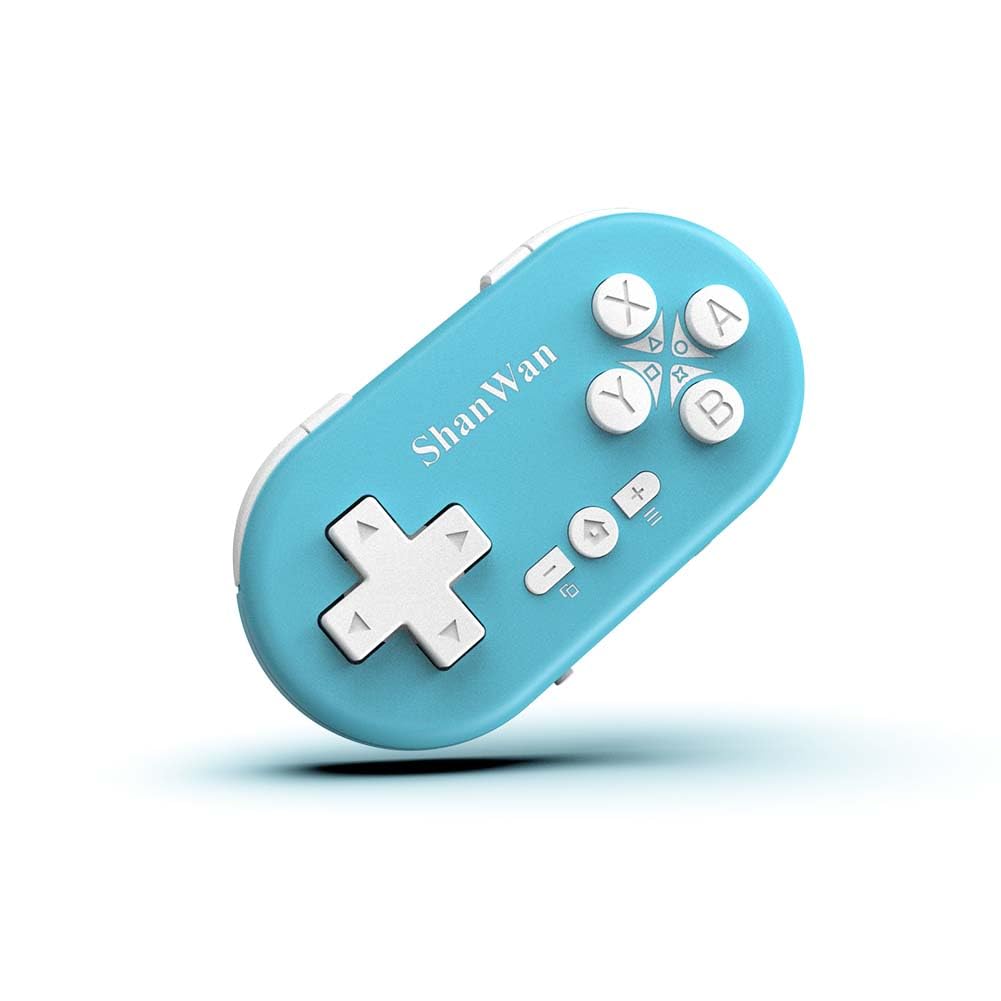
Figure 2.1: ShanWan Mini Bluetooth Gamepad, showcasinkompakt tasarımı ve düğme düzeniyle.

Figure 2.2: Dimensions of the ShanWan Mini Bluetooth Gamepad, measuring 2.83 inches in length, 1.57 inches in width, and 0.55 inches in thickness.
2.1 Paket İçeriği
- ShanWan Bluetooth Gamepad Keychain Sized Mini Controller
- USB Şarj Kablosu
- Kullanım Kılavuzu (bu belge)
3. Özellikler
| Özellik | Detay |
|---|---|
| Model Numarası | Q36-XPS-KABRILAN |
| Bağlantı | Bluetooth Kablosuz |
| Uyumluluk | Android, iOS, Windows, Nintendo Switch, PlayStation 4 |
| Pil Kapasitesi | 180mAh Lityum Polimer (dahil) |
| Şarj Süresi | Yaklaşık 1 saat |
| Çalışma Süresi | 5-6 saate kadar |
| kablosuz Menzil | 10 metreye (33 feet) kadar |
| Ürün Boyutları | 2.83 x 1.57 x 0.55 inç |
| Ürün Ağırlığı | 1.44 ons (yaklaşık 41 gram) |
| Özel Özellikler | Gyroscope motion sensing, One-button wake-up function |
4. Kurulum ve Eşleştirme
4.1 Kontrol Ünitesinin Şarj Edilmesi
Before first use, fully charge the controller. Connect the provided USB charging cable to the controller's charging port and the other end to a USB power source (e.g., computer, USB wall adapter). The charging indicator light will show the charging status and turn off when fully charged. A full charge typically takes about 1 hour.
4.2 Açma/Kapatma
- Güç Açık: Press and hold the Home button (usually the button with a house icon) for a few seconds until the indicator lights turn on.
- Kapat: Press and hold the Home button for approximately 5 seconds until the indicator lights turn off. The controller will also automatically power off after a period of inactivity to conserve battery.
4.3 Bluetooth Pairing Instructions
The controller supports multiple platforms. Ensure the mode switch on the controller is set to the correct platform before pairing.
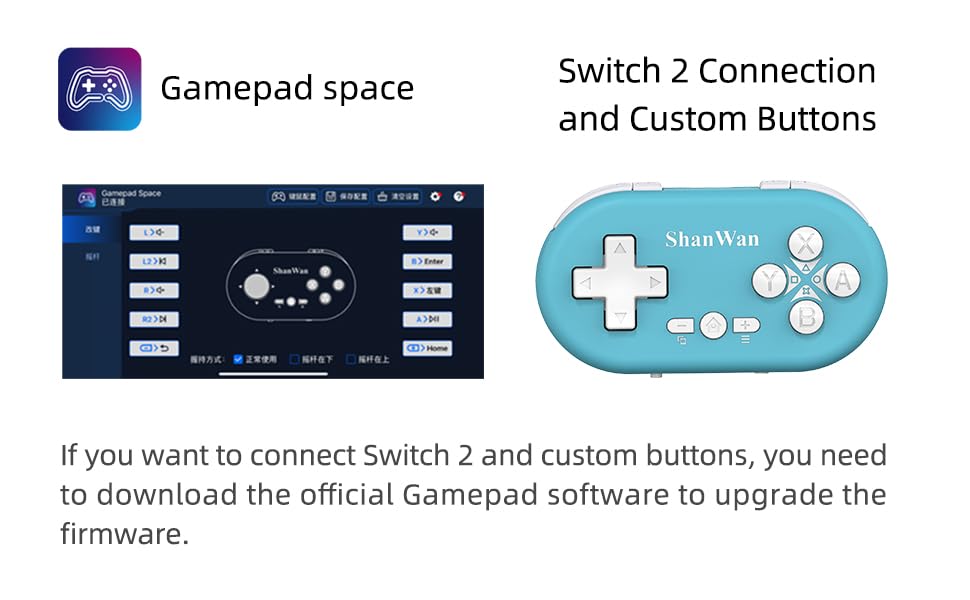
Figure 4.1: The mode switch on the controller, allowing selection between X (Xbox/PC), S (Switch), and P (PlayStation) modes for multi-device compatibility.
4.3.1 Pairing with Nintendo Switch
- Nintendo Switch'inizde, Ana Menü'ye gidin.
- "Kontrolcüler"i ve ardından "Tutuş/Sıra Değiştir"i seçin.
- Set the controller's mode switch to "S" (Switch mode).
- Press and hold the "Pair" button on the controller until the indicator lights begin to blink rapidly.
- The Switch will detect the controller. Once paired, the LED indicator on the controller will remain solid, and the controller will be displayed on the Switch host screen.

Figure 4.2: Visual guide for connecting the controller to a Nintendo Switch, showing menu navigation and the pairing button location.
4.3.2 Pairing with Android/iOS Devices
- Set the controller's mode switch to the appropriate mode (e.g., "X" for Android, or a specific iOS mode if available, refer to device-specific instructions).
- On your Android or iOS device, go to Bluetooth settings.
- Bluetooth'un etkinleştirildiğinden emin olun.
- Press and hold the "Pair" button on the controller until the indicator lights blink rapidly.
- Select "ShanWan Controller" or a similar name from the list of available devices on your phone/tablet.
- Bağlantı kurulduktan sonra, kumanda üzerindeki gösterge ışığı sürekli yanacaktır.
4.3.3 Pairing with PS4
- Set the controller's mode switch to "P" (PlayStation mode).
- On your PS4, go to "Settings" > "Devices" > "Bluetooth Devices".
- Press and hold the "Pair" button on the controller until the indicator lights blink rapidly.
- Select "ShanWan Controller" or a similar name from the list of available devices on your PS4.
- Bağlantı kurulduktan sonra, kumanda üzerindeki gösterge ışığı sürekli yanacaktır.
4.3.4 Pairing with Windows PC
- Set the controller's mode switch to "X" (Xbox/PC mode).
- Windows bilgisayarınızda "Ayarlar" > "Cihazlar" > "Bluetooth ve diğer cihazlar" yolunu izleyin.
- Ensure Bluetooth is enabled and click "Add Bluetooth or other device".
- "Bluetooth" seçeneğini seçin.
- Press and hold the "Pair" button on the controller until the indicator lights blink rapidly.
- Select "ShanWan Controller" or a similar name from the list of available devices.
- Bağlantı kurulduktan sonra, kumanda üzerindeki gösterge ışığı sürekli yanacaktır.
5. Kullanım Talimatları
5.1 Düğme Fonksiyonları
The controller features standard gamepad buttons. Their specific function may vary slightly depending on the platform and game.
- Yön Düğmesi: Yönlü giriş.
- A, B, X, Y Düğmeleri: Eylem düğmeleri.
- L1, L2, R1, R2 Düğmeleri: Omuz ve tetik düğmeleri.
- Ana menü tuşu: Power on/off, return to home screen (platform dependent).
- Artı (+) / Eksi (-) Butonları: Start/Select or menu functions.
- Çift Düğmesi: Bluetooth eşleştirmesini başlatır.
5.2 Özel Özellikler
5.2.1 One-Button Wake-Up Function
After initial pairing, you can wake up the controller and reconnect it to the last paired device by simply pressing the Home button. This feature allows for quick resumption of gameplay.
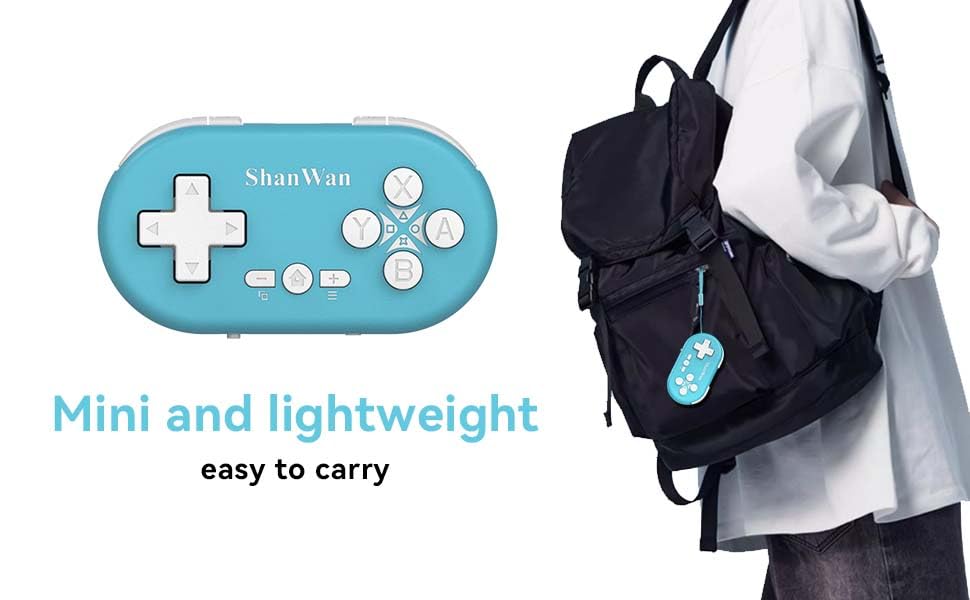
Figure 5.1: Illustration of the one-button wake-up function, highlighting the Home button used to quickly reactivate the controller.
5.2.2 Gyroscope Motion Sensing
The controller is equipped with a gyroscope for motion sensing effects, providing an immersive gaming experience in supported games, particularly on platforms like Nintendo Switch.
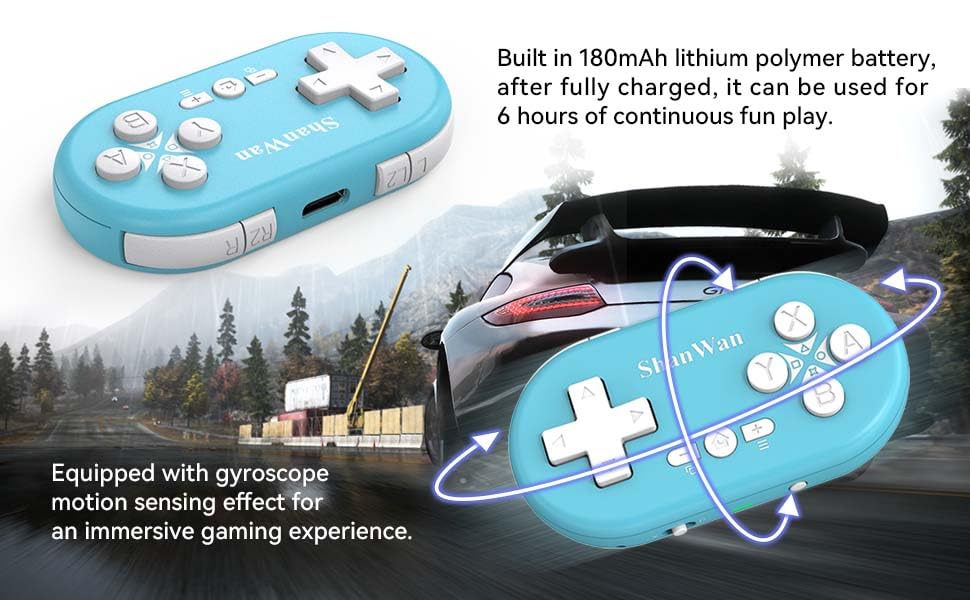
Figure 5.2: Visual representation of the gyroscope motion sensing effect, showing the controller being tilted to influence in-game actions.
5.2.3 Firmware Upgrade for Switch 2 and Custom Buttons
For compatibility with Switch 2 and to customize button mappings, it may be necessary to download the official Gamepad software and upgrade the controller's firmware. Refer to the manufacturer's official webEn yeni yazılımlar ve talimatlar için siteyi ziyaret edin.

Figure 5.3: Screenshot illustrating the "Gamepad Space" software interface, used for firmware upgrades and custom button configurations, particularly for Switch 2 compatibility.
6. Bakım
- Temizlik: Kumandayı temizlemek için yumuşak ve kuru bir bez kullanın. Sert kimyasallar veya aşındırıcı malzemeler kullanmaktan kaçının.
- Depolamak: Kontrol cihazını serin, kuru ve doğrudan güneş ışığından ve aşırı sıcaklıklardan uzak bir yerde saklayın.
- Pil Bakım: Pil ömrünü uzatmak için pili sık sık tamamen boşaltmaktan kaçının. Kumanda cihazını uzun süre kullanılmasa bile düzenli olarak şarj edin.
- Etkiden Kaçının: Kontrol cihazını düşürmeyin veya sert darbelere maruz bırakmayın; bu, dahili bileşenlerine zarar verebilir.
7. Sorun Giderme
7.1 Controller Does Not Power On
- Kontrol cihazının tamamen şarj olduğundan emin olun. Cihazı bir güç kaynağına bağlayın ve tekrar açmayı denemeden önce en az 15 dakika şarj olmasına izin verin.
- Şarj kablosunun ve güç kaynağının doğru şekilde çalıştığını doğrulayın.
7.2 Unable to Pair Controller
- Ensure the controller is in pairing mode (indicator lights blinking rapidly).
- Check that the mode switch on the controller is set to the correct platform (S for Switch, X for Android/Windows, P for PS4).
- Make sure Bluetooth is enabled on your device (Switch, phone, PC, PS4).
- Move the controller closer to the device you are trying to pair with.
- Remove any previous pairings of the controller from your device's Bluetooth settings and try pairing again.
- Hem kumanda cihazını hem de cihazınızı yeniden başlatın.
7.3 Giriş Gecikmesi veya Bağlantı Kesilmeleri
- Kontrol cihazının, cihazınızın 10 metrelik kablosuz menzili içinde olduğundan emin olun.
- Diğer kablosuz cihazlardan (Wi-Fi yönlendiriciler, diğer Bluetooth cihazları) kaynaklanan parazitleri en aza indirin.
- Ensure the controller is fully charged. Low battery can affect connection stability.
- Kumandayı cihazınızla yeniden eşleştirmeyi deneyin.
- Update the controller's firmware if available (refer to Section 5.2.3).
7.4 Düğmeler Doğru Şekilde Yanıt Vermiyor
- Test the controller on a different game or application to determine if the issue is game-specific.
- Ensure the controller's firmware is up to date.
- Perform a factory reset if possible (refer to manufacturer's support for specific instructions, as this model may not have a dedicated reset button).
8. Garanti ve Destek
ShanWan products are designed for reliability and performance. For warranty information, technical support, or further assistance, please visit the official ShanWan webSite üzerinden satın alabilir veya müşteri hizmetleriyle iletişime geçebilirsiniz. Garanti talepleriniz için satın alma belgenizi saklayın.
Official ShanWan Store: ShanWan Store on Amazon
9. Ek Bilgiler
The ShanWan Mini Controller's compact and lightweight design makes it highly portable, allowing users to carry it easily and enjoy gaming on the go.

Figure 9.1: The ShanWan Mini Bluetooth Gamepad attached to a backpack, illustrating its keychain-sized portability and ease of transport.

Figure 9.2: The ShanWan Mini Bluetooth Gamepad being used outdoors with a portable screen, demonstrating its ease of transport and use anywhere.


