1. Giriş
This manual provides essential information for the safe and effective operation of your MOKA SFX Professional 3D Kinetic Light LED Lifting Ball System. Please read this manual thoroughly before installation and use, and retain it for future reference. This system is designed to create dynamic visual effects for professional stage, nightclub, bar, and theater environments.
2. Güvenlik Bilgileri
UYARI: Bu güvenlik talimatlarına uyulmaması yangına, elektrik çarpmasına, yaralanmaya veya ürüne ya da mülke zarar verilmesine neden olabilir.
- Üniteyi her zaman topraklı bir elektrik prizine bağlayın.
- Güç kaynağı hacmini sağlayıntage matches the unit's requirements (AC90-240V, 50-60Hz).
- Üniteyi yağmura veya neme maruz bırakmayın.
- Temizleme veya bakım işlemlerinden önce güç bağlantısını kesin.
- Installation must be performed by qualified personnel and adhere to local electrical codes.
- Ensure secure mounting to truss, grid, or ceiling points using appropriate safety cables.
- Çalışma sırasında hareketli parçalardan güvenli bir mesafe bırakın.
- Güç kablosu hasarlıysa çalıştırmayın.
- LED ışık kaynağının doğrudan gözlerinize temas etmesinden kaçının.
3. Paket İçeriği
Paket açıldığında tüm eşyaların mevcut ve iyi durumda olduğundan emin olun:
- 1 x 3D LED Light Lifting System (Kinetic Light)
- 1 x Güç Kablosu
- Accessories (including safety-rated suspension rope)
- 1 x Kullanım Kılavuzu

Image: Contents of the MOKA SFX Kinetic Light System package, including the main unit, power cord, accessories, and user manual.
4. Ürün Özellikleri
- Dynamic Vertical Motion: 20cm luminous sphere with 0-3 meter vertical range for mesmerizing visual effects.
- Sessiz Çalışma: Engineered for smooth vertical motion with minimal operational noise, suitable for live performances.
- DMX512 Kontrolü: 6 independent DMX channels for precise control over RGB intensity, master dimming, strobe speed, and exact lift height.
- Kusursuz Entegrasyon: Easily daisy-chain with other DMX devices via standard 3-pin DMX.
- Dayanıklı Yapı: Features a durable heat-resistant housing and includes a safety-rated suspension rope.
- Yüksek Kaliteli LED Boncuklar: Equipped with 42PCS 0.5W RGB 3in1 LED beads for long lifespan and low power consumption.
- Çoklu Kontrol Modları: Supports DMX512, Sound-Activated, and Auto modes.

Image: Diagram illustrating the 20cm ball diameter and 0-3 meter lifting height capability of the kinetic light system.

Resim: Yakın çekim view highlighting the high-quality LED beads (42PCS 0.5W RGB 3in1) and their estimated 50,000-hour lifespan.
5. Özellikler
| Parametre | Değer |
|---|---|
| Model Numarası | MK-LB01 |
| Çalışma Hacmitage | AC90-240V, 50-60Hz |
| Ürün Gücü | 150W |
| Işık Kaynağı Wattage | 120 Watt |
| Işık Kaynağı Türü | Light Emitting Diode (RGB LED) |
| Işık Kaynağı Sayısı | 42 (0.5W RGB 3in1 beads) |
| Küre Çapı | 20 cm |
| Vertical Motion Range | 0-3 metre |
| Kontrol Modu | DMX512, Sound-Activated, Auto |
| DMX Kanalları | 6 kanal |
| Ürün Boyutları | 9.84"U x 7.48"G x 6.1"Y (Ana Ünite) |
| Net ağırlığı | 12.35 pound (yaklaşık 5.6 kg) |
| Malzeme | Iron (housing), Plastic (shade) |
| Montaj Tipi | Floor Mount (can be adapted for truss/ceiling) |

Image: Visual representation of key product parameters and specifications.
6. Kurulum Talimatları
6.1 Montaj
- Identify a suitable mounting location (truss, grid, or ceiling) that can safely support the weight of the unit and withstand dynamic motion.
- Securely attach the main lifting mechanism to the chosen mounting point using appropriate clamps or hardware (not included, unless specified in accessories).
- Attach the safety-rated suspension rope from the unit to a separate, independent support structure as a backup.
- Connect the 20cm RGB sphere to the lifting cable mechanism. Ensure it is securely fastened.
6.2 Elektrik Bağlantısı
- Ensure the power switch on the unit is in the "OFF" position.
- Connect the provided power cord to the unit's power input.
- Plug the power cord into a grounded AC90-240V, 50-60Hz power outlet.
6.3 DMX Bağlantısı (İsteğe Bağlı)
- For DMX control, connect a standard 3-pin DMX cable from your DMX controller's output to the DMX IN port on the kinetic light unit.
- To daisy-chain multiple units, connect a DMX cable from the DMX OUT port of the first unit to the DMX IN port of the next unit, and so on.
- Ensure the last unit in the DMX chain has a DMX terminator connected to its DMX OUT port (if available and recommended by your DMX controller).
7. Kullanım Talimatları
7.1 Güç Açma/Kapatma
Flip the main power switch to the "ON" position to power on the unit. Flip to "OFF" to power down.
7.2 Kontrol Modları
The unit supports three primary control modes:
- Otomatik mod: The unit will cycle through pre-programmed patterns and colors automatically.
- Ses Kontrol Modu: The unit will react to ambient sound, changing patterns and motion based on audio input.
- DMX Console Mode: Provides full control over all parameters via an external DMX512 controller.
Select the desired mode using the control panel on the unit or via DMX if applicable.
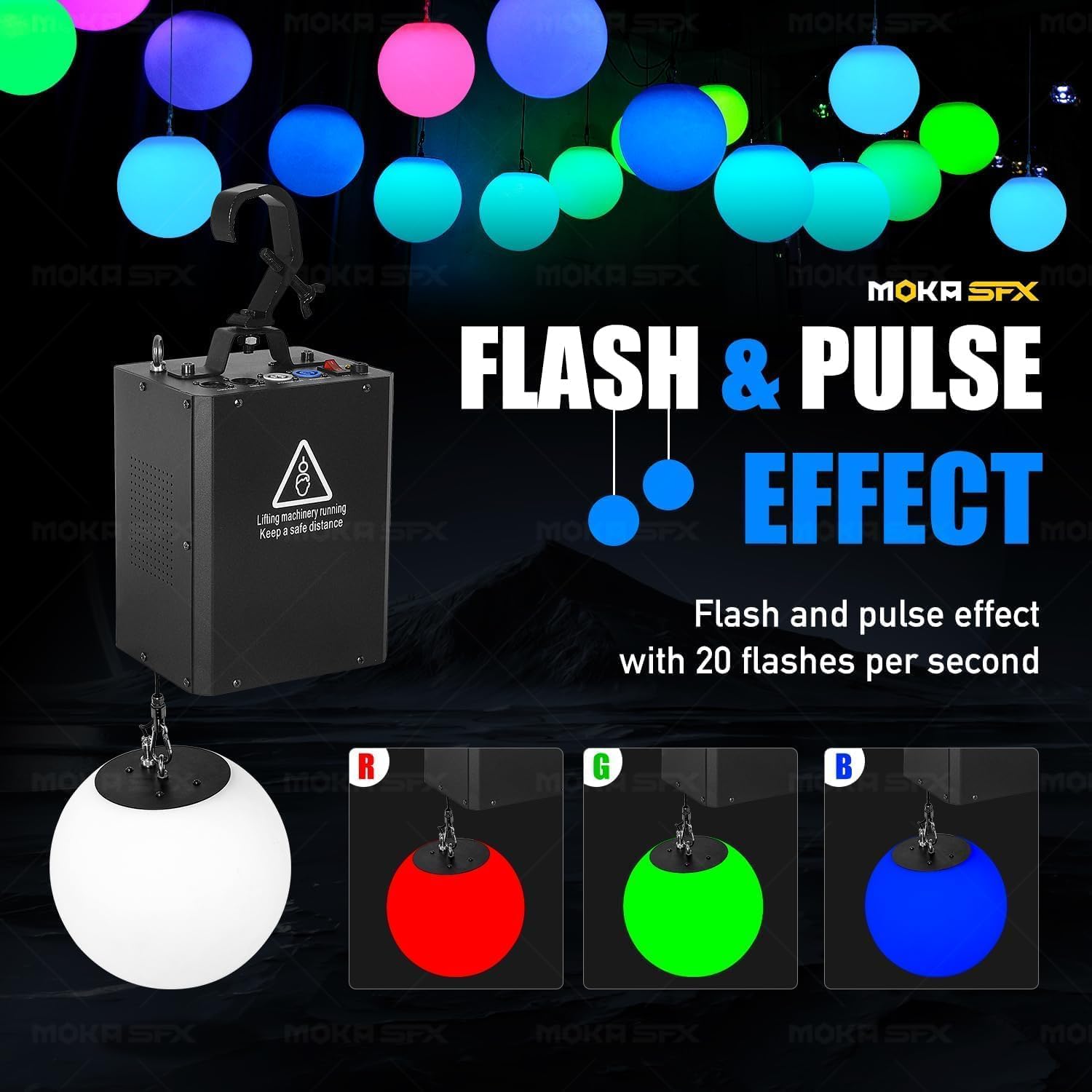
Image: Illustration of the available control modes: Auto, Sound Control, and DMX Console, with a DMX controller shown.
7.3 DMX Control (6 Channels)
When in DMX mode, the unit responds to 6 DMX channels:
- Channel 1: Red Intensity (0-255 for 0-100% Red)
- Channel 2: Green Intensity (0-255 for 0-100% Green)
- Channel 3: Blue Intensity (0-255 for 0-100% Blue)
- Channel 4: Master Dimming & Strobe Speed (Controls overall brightness and strobe effects from subtle pulse to rapid flash)
- Channel 5: Lift Height Control (0-255 for 0-3 meter vertical position)
- Channel 6: Special Effects/Macros (Triggers pre-programmed patterns or movements)
Refer to your DMX controller's manual for detailed programming instructions. Experiment with channel values to achieve desired lighting and motion effects.
Video: Demonstration of the MOKA SFX Kinetic Light LED Lifting Ball System in operation, showcasing various dynamic lighting and motion effects in a large venue setting.
8. Bakım
Regular maintenance ensures optimal performance and extends the lifespan of your kinetic light system.
- Temizlik: Periodically clean the exterior of the unit and the LED sphere with a soft, dry cloth. Do not use abrasive cleaners or solvents. Ensure the unit is powered off and unplugged before cleaning.
- Denetleme: Regularly inspect all cables (power, DMX, lifting cable) for any signs of wear, damage, or fraying. Check mounting hardware for tightness and security.
- Havalandırma: Ensure that the ventilation openings on the main unit are clear and not obstructed to prevent overheating.
- Depolamak: If storing the unit for an extended period, ensure it is clean, dry, and protected from extreme temperatures and humidity.
9. Sorun Giderme
| Sorun | Olası Neden | Çözüm |
|---|---|---|
| Ünite açılmıyor. | No power supply; power cord damaged; unit switch off. | Check power connection and outlet; inspect power cord; ensure power switch is ON. |
| DMX kontrolü yok. | Incorrect DMX cabling; wrong DMX address; unit not in DMX mode; faulty DMX controller. | Verify DMX cable connections; set correct DMX address on unit; ensure unit is in DMX mode; test with another DMX controller. |
| LED sphere not moving. | Lifting mechanism obstructed; DMX lift channel set to 0; motor fault. | Check for obstructions; adjust DMX lift channel; contact support if motor fault is suspected. |
| LEDs not lighting up or incorrect colors. | DMX RGB channels set to 0; unit not in correct mode; LED fault. | Adjust DMX RGB channels; switch to Auto or Sound mode to test LEDs; contact support if LED fault. |
| Çalışma sırasında aşırı gürültü var. | Gevşek parçalar; motor sorunu; tıkanıklık. | Inspect for loose parts; ensure no obstructions; contact support if motor issue. |
10. Garanti ve Destek
MOKA SFX products are manufactured to high quality standards. For warranty information, please refer to the warranty card included with your product or visit the official MOKA SFX webalan.
For technical support, service, or replacement parts, please contact MOKA SFX customer service directly. Provide your product model number (MK-LB01) and purchase date when contacting support.
MOKA SFX Store: Visit MOKA SFX Store on Amazon


