1. Giriş
The ALLmeter OBD2 Scanner is a professional diagnostic tool designed to help you quickly and accurately identify and resolve vehicle issues. This device supports 9 major OBD2/EOBD protocols, ensuring broad compatibility with most vehicles manufactured after 1996. It features a 2.4-inch color screen for clear display of diagnostic data and offers a range of functions including reading and clearing fault codes, real-time data streaming, battery voltage testing, and more.

Figure 1.1: The ALLmeter OBD2 Scanner assists in diagnosing and resolving common vehicle problems, such as engine issues, flat tires, and general maintenance.
2. Güvenlik Bilgileri
Always observe the following safety precautions when using the ALLmeter OBD2 Scanner:
- Aracın güvenli ve iyi havalandırılmış bir alanda olduğundan emin olun.
- Araç kullanırken tarayıcıyı çalıştırmayın.
- Tarayıcıyı sudan, yağdan ve aşırı sıcaklıklardan uzak tutun.
- Avoid touching hot engine components when connecting or disconnecting the scanner.
- Refer to your vehicle's service manual for specific diagnostic procedures.
3. Kutuda Neler Var?
Paketi açtığınızda, tüm öğelerin mevcut olduğundan emin olun:
- ALLmeter OBD2 Scanner Unit
- Kullanıcı Kılavuzu
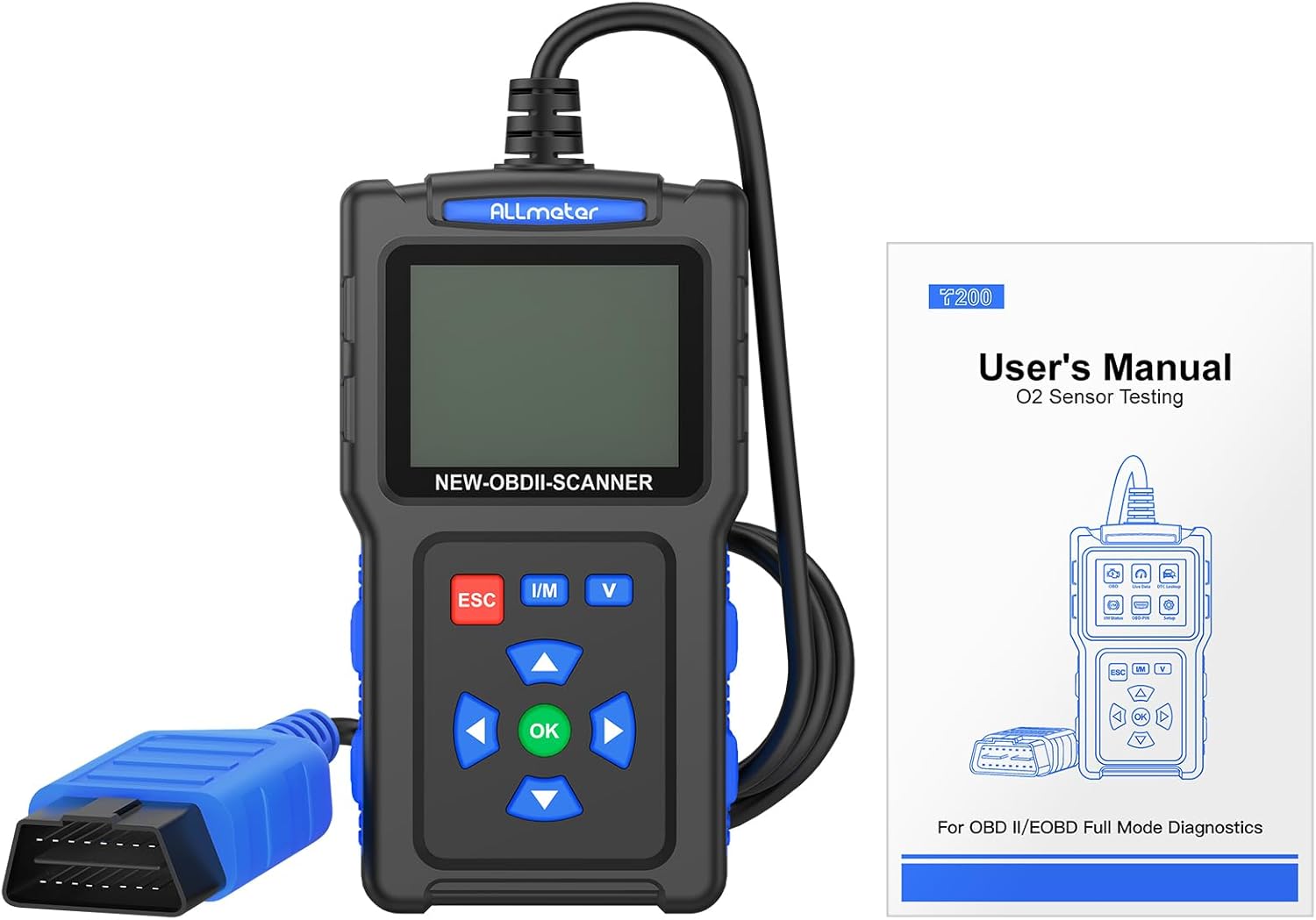
Figure 3.1: The package includes the ALLmeter OBD2 Scanner and a user manual for detailed instructions.
4. Ürün Bittiview
The ALLmeter OBD2 Scanner features a compact design with a 2.4-inch color screen and intuitive button layout for easy operation.

Figure 4.1: The ALLmeter OBD2 Scanner, showing its 2.4-inch color screen, navigation buttons, and OBD2 connector cable.
4.1. Bileşenler ve Kontroller
- 2.4 inç Renkli Ekran: Displays diagnostic data and menu options.
- OBD II Konektörü: Tarayıcıyı aracın OBD2 portuna bağlar.
- ESC Düğmesi: Mevcut menüden çıkar veya bir işlemi iptal eder.
- I/M Düğmesi: I/M Hazırlık durumuna hızlı erişim.
- V Düğmesi: Quick access to Battery Voltage Test.
- Ok Tuşları (Yukarı, Aşağı, Sol, Sağ): Menüler ve seçenekler arasında gezinin.
- Tamam Düğmesi: Seçimi onaylar veya menüye girer.

Şekil 4.2: Ayrıntılı view of the scanner's screen and control panel, highlighting the independent shortcut buttons for quick access to key functions.
5. Kurulum
5.1. Araç Uyumluluğu
The ALLmeter OBD2 Scanner is compatible with most US vehicles manufactured after 1996, and most European and Asian vehicles manufactured after 2000. It supports the following protocols:
- ISO9141-2 (5 baud başlangıç, 10.4 Kbaud)
- SAE J1850 PWM (41.6 Kbaud)
- SAE J1850 VPW (10.4 Kbaud)
- ISO14230-4 KWP (5 baud init, 10.4 Kbaud)
- ISO14230-4 KWP (hızlı başlatma, 10.4 Kbaud)
- ISO15765-4 CAN (11bit Kimliği, 500 Kubbesi)
- ISO15765-4 CAN (29bit Kimliği, 500 Kubbesi)
- ISO15765-4 CAN (11bit Kimliği, 250 Kubbesi)
- ISO15765-4 CAN (29bit Kimliği, 250 Kubbesi)
Note: This scanner does not support SRS, ABS, or advanced system diagnostics.

Şekil 5.1: Uyumlulukview for US, EU, and Asian vehicles, detailing the 9 supported OBD2 protocols and multilingual support.
5.2. Tarayıcının Bağlanması
- Aracın 16 pinli Veri Bağlantı Konnektörünü (DLC) bulun. Bu genellikle sürücü tarafındaki gösterge panelinin altında bulunur.
- Aracın kontak anahtarını 'AÇIK' konumuna getirin (motor kapalı).
- Plug the ALLmeter OBD2 Scanner's connector into the vehicle's DLC. The scanner will power on automatically.
- The main menu will appear on the screen.
5.3. Dil Seçimi
The scanner supports 9 languages. To change the language:
- From the main menu, navigate to 'Settings' or 'Language' (exact menu name may vary).
- Use the Arrow buttons to select your desired language (English, French, Spanish, German, Italian, Russian, Chinese, Portuguese, Polish).
- Seçiminizi onaylamak için 'Tamam' düğmesine basın.
6. Kullanım Talimatları
The ALLmeter OBD2 Scanner provides a comprehensive suite of diagnostic functions. Navigate through the menus using the Arrow buttons and confirm selections with the 'OK' button. Use 'ESC' to go back.

Şekil 6.1: Üzeriview of the comprehensive diagnostic functions, including Read Codes, Erase Codes, Live Data, and more.
6.1. Arıza Teşhis Kodlarının (DTC'ler) Okunması ve Silinmesi
- From the main menu, select 'Read DTC' to view current, pending, and historic trouble codes.
- To clear codes and turn off the Check Engine Light, select 'Clear DTC'. Confirm the action when prompted.

Figure 6.2: The scanner can read and then clear diagnostic trouble codes, effectively turning off the Check Engine Light after a repair.
6.2. ViewCanlı Veriler
This function displays real-time operational parameters from the vehicle's sensors and modules.
- Ana menüden 'Canlı Veriler'i seçin.
- Choose the parameters you wish to monitor. The scanner can record and playback data streams.
6.3. I/M Readiness Check
The I/M Readiness function indicates whether the various emissions-related systems on the vehicle are operating correctly and are ready for Inspection and Maintenance testing.
- Press the 'I/M' shortcut button or select 'I/M Status' from the menu.
- Monitors will display as 'OK' (complete), 'INC' (incomplete), or 'N/A' (not applicable).
6.4. DTC Arama
The built-in DTC library allows you to look up the meaning of over 7000 diagnostic trouble codes directly on the device.
- Select 'DTC Lookup' from the menu.
- Enter the DTC code using the navigation buttons to view onun tanımı.
6.5. Pil Hacmitage testi
Monitor your vehicle's battery health and voltage gerçek zamanlı olarak.
- Press the 'V' shortcut button or select 'Battery Voltage Test' from the menu.
- The screen will display the current battery voltage and a voltage eğrisi.
6.6. Diğer Fonksiyonlar
- O2 Sensör Testi: Monitors the performance of vehicle oxygen sensors.
- EVAP Testi: Performs a test on the evaporative emission system.
- Retrieve VIN: Reads vehicle identification number and other vehicle information.
- Çerçeve Verilerini Dondur: Displays a snapshot of vehicle conditions at the time a fault code was set.

Şekil 6.3: Ör.amples of multiple test data functions, including I/M Status, Live Data, and Waveform Testing for battery voltage.
7. Bakım
7.1. Cihazın Temizlenmesi
To maintain the scanner's performance and appearance:
- Yumuşak bir d kullanınamp Tarayıcının dış yüzeyini temizlemek için bez.
- Aşındırıcı temizleyiciler veya çözücüler kullanmayınız.
- Saklamadan önce cihazın tamamen kuru olduğundan emin olun.
7.2. Yazılım Güncellemeleri
The ALLmeter OBD2 Scanner supports free lifetime updates to ensure compatibility with new vehicle models and diagnostic protocols.
- Visit the official ALLmeter webEn yeni yazılımlar ve güncelleme talimatları için siteyi ziyaret edin.
- Typically, updates involve connecting the scanner to a computer via a USB cable (not included) and running the update tool.
8. Sorun Giderme
| Sorun | Olası Neden | Çözüm |
|---|---|---|
| Tarayıcı açılmıyor. | Loose connection to DLC; vehicle ignition not ON; vehicle battery low. | Ensure secure connection. Turn ignition ON. Check vehicle battery. |
| "Failed to Connect" message. | Vehicle not OBD2 compliant; incorrect protocol; faulty DLC. | Verify vehicle year/model for OBD2 compliance. Try on another vehicle. Consult a mechanic if DLC is suspected faulty. |
| Hata kodları silinemiyor. | Fault causing the code is still present; ignition not ON. | Ensure the underlying vehicle fault has been repaired. Turn ignition ON (engine off). |
| Ekran soluk veya okunamıyor. | Low light conditions; screen brightness setting. | The 2.4-inch TFT backlit color screen is designed for clarity. Check if there's a brightness setting in the menu (refer to manual if available). |
9. Özellikler
- Marka: ALLmeter
- Modeli: OBD2 Tarayıcı Kod Okuyucu
- Ürün Ağırlığı: 8.2 ons
- Ürün Ölçüleri: 5.12 x 1.42 x 6.89 inç
- Ekran: 2.4-inch TFT backlit color screen (320*240 resolution)
- Desteklenen Protokoller: ISO9141-2, SAE J1850 PWM, SAE J1850 VPW, ISO14230-4 KWP, ISO15765-4 CAN (9 protocols total)
- İşletim Sistemi: No external operating system required (standalone device)
- Desteklenen Diller: English, French, Spanish, German, Italian, Russian, Chinese, Portuguese, Polish
10. Garanti ve Destek
ALLmeter provides free lifetime software updates for this OBD2 scanner. For technical support, warranty claims, or further assistance, please refer to the contact information provided in the original product packaging or visit the official ALLmeter webalan.
Official ALLmeter Store: Visit the ALLmeter Store on Amazon


