1. Giriş
This manual provides instructions for the proper installation, use, and maintenance of your OtterBox Symmetry Series 360 Elite Case. This case is designed to protect your compatible iPad Air while offering versatile functionality and maintaining access to all device features.
2. Uyumluluk
The OtterBox Symmetry Series 360 Elite Case (Model 77-94794) is specifically designed for:
- 10.9-inch iPad Air (4th Generation)
- 10.9-inch iPad Air (5th Generation)
Ensure your iPad model matches these specifications for optimal fit and protection. This case is not compatible with other iPad models.
3. Paket İçeriği
Your OtterBox Symmetry Series 360 Elite Case package includes:
- 1 x OtterBox Symmetry Series 360 Elite Case
4. Kurulum Kılavuzu
Follow these steps to properly install your iPad into the OtterBox Symmetry Series 360 Elite Case:
- Prepare Your iPad: iPad'inizin temiz ve tozdan veya kirden arındırılmış olduğundan emin olun.
-
Open the Folio: Open the front folio cover of the case completely.
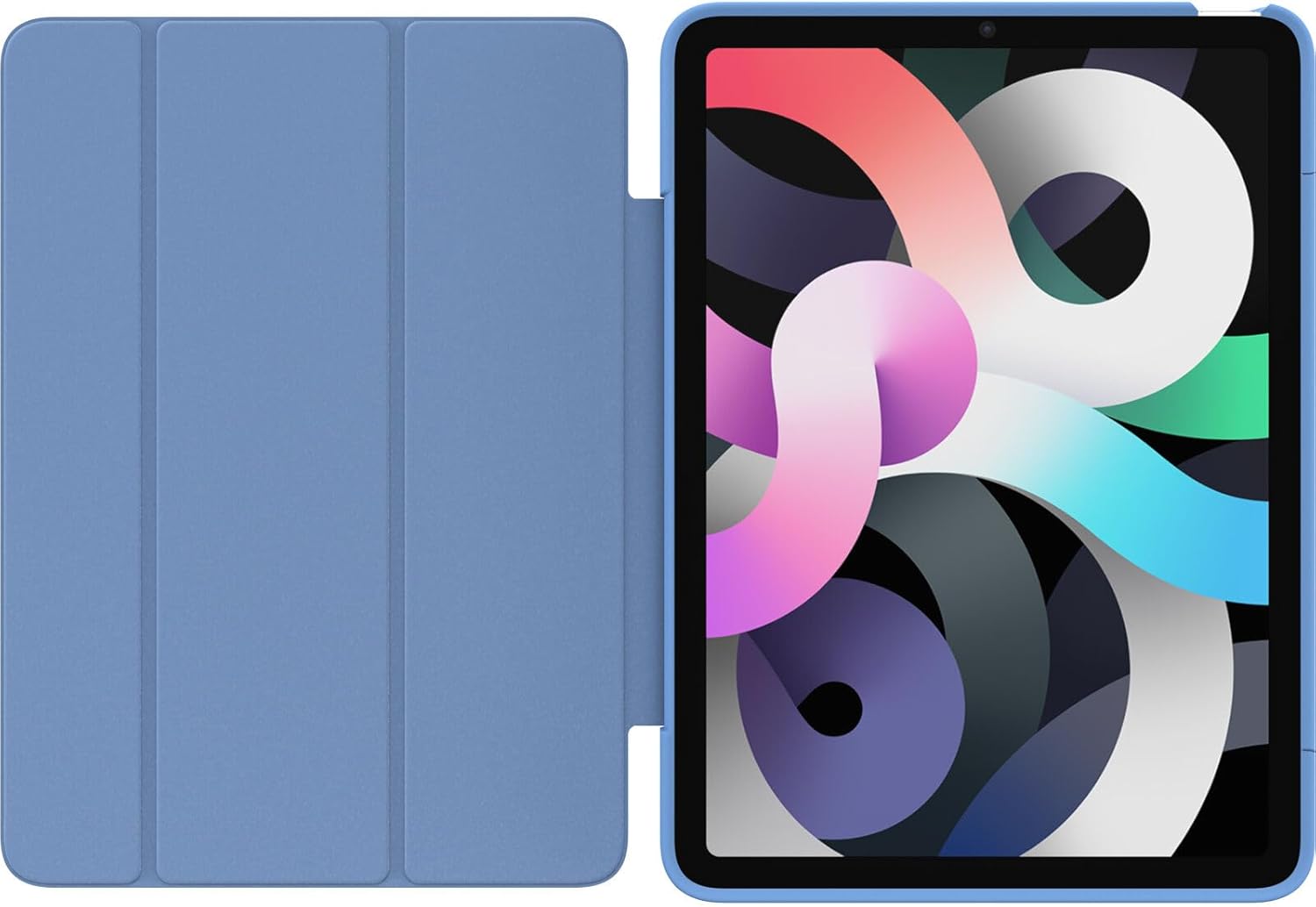
Image: The OtterBox Symmetry Series 360 Elite Case with its folio cover fully opened, revealing the clear back panel designed to showcase the iPad and the blue accents of the case.
-
iPad'i yerleştirin: Carefully align your iPad with the clear back shell of the case. Start by inserting one side of the iPad into the case, then gently press the remaining edges until the iPad is securely seated. Ensure all ports, buttons, and the camera align with the case's cutouts.

Resim: Arka view of the OtterBox Symmetry Series 360 Elite Case with an iPad securely placed inside. The clear back allows the iPad's design to be visible, complemented by the blue side accents of the case.
- Uygunluğu Doğrulayın: Double-check that the iPad is fully seated and all edges are protected by the case. The case should fit snugly around the device.
-
Close the Folio: Close the front folio cover to protect the screen. The magnetic closure will help keep it secure.

Image: The OtterBox Symmetry Series 360 Elite Case in Bell Bottom Blue, shown from the front with the folio cover closed, providing full screen protection.
5. Temel Özellikler ve Çalışma
5.1. Screen Protection Folio
The versatile folio cover protects your iPad's screen from scratches and minor impacts when closed. It also supports the iPad's auto sleep/wake function, turning the screen on or off when opened or closed.
5.2. Multi-Position Stand
The folio cover can be folded into multiple stand angles for comfortable typing, viewing, or drawing. Simply fold the cover back and adjust it to your desired position.

Image: The OtterBox Symmetry Series 360 Elite Case holding an iPad in an angled stand position, suitable for viewiçerik.

Resim: Bir ön yüz view of the OtterBox Symmetry Series 360 Elite Case with an iPad positioned in a stable stand mode, ideal for hands-free use.
5.3. Apple Pencil Tutucu
The case features a discreet holder for your Apple Pencil, keeping it secure and accessible. Insert your Apple Pencil into the designated slot on the side of the case.

Resim: Bir yan profesyonelfile of the OtterBox Symmetry Series 360 Elite Case, highlighting the integrated Apple Pencil holder with an Apple Pencil stored within it.
5.4. Clear, Scratch-Resistant Back
The transparent back panel allows the original design of your iPad to be visible while providing scratch resistance and protection against minor drops and bumps.

Resim: Ayrıntılı view of the back of the OtterBox Symmetry Series 360 Elite Case, with the folio open, showcasing the clear, scratch-resistant material that protects the iPad while allowing its aesthetic to show through.
6. Bakım ve Özen
To ensure the longevity and appearance of your OtterBox Symmetry Series 360 Elite Case, follow these care instructions:
- Temizlik: Yumuşak bir d kullanınamp cloth to wipe down the exterior of the case. For stubborn marks, a mild soap solution can be used. Avoid harsh chemicals or abrasive cleaners, as these may damage the case material.
- Toz ve Enkaz: Periodically remove your iPad from the case and clean both the device and the interior of the case to prevent dust and debris from accumulating and potentially scratching your iPad.
- Aşırı Koşullardan Kaçının: Kılıfı aşırı sıcaklıklara, uzun süre doğrudan güneş ışığına veya aşındırıcı maddelere maruz bırakmayın.
7. Sorun Giderme
If you encounter any issues with your OtterBox Symmetry Series 360 Elite Case, consider the following:
- Kılıf Uygun Değil:
- Verify that your iPad model is either the 10.9-inch iPad Air 4th Generation or 5th Generation. This case is not compatible with other iPad models.
- Ensure the iPad is correctly aligned and fully seated within the case, pressing firmly around all edges during installation.
- Folio Cover Does Not Stay Closed:
- Check for any obstructions between the folio cover and the iPad screen.
- Ensure the case is not damaged or warped.
- Apple Pencil Does Not Fit in Holder:
- Ensure you are using a compatible Apple Pencil model (e.g., Apple Pencil 2nd Generation, which magnetically attaches to the iPad Air 4th/5th Gen).
- Check for any debris in the holder slot.
8. Özellikler
| Ürün Adı | OtterBox Symmetry Series 360 Elite Case |
| Model Numarası | 77-94794 |
| Uyumluluk | 10.9-inch iPad Air (4th/5th Generations) |
| Boyutlar | 9.97 x 7.57 x 0.6 inç |
| Ürün Ağırlığı | 13.7 ons |
| Malzeme | Durable, scratch-resistant materials |
| Renk | Bell Bottom Blue |
| Özel Özellikler | Slim fit, folio screen protection, multi-position stand, Apple Pencil holder, clear back |
9. Garanti ve Destek
OtterBox products are backed by a limited lifetime warranty. For detailed warranty information, product support, or to contact customer service, please visit the official OtterBox webalan:
Garanti talepleri için lütfen satın alma belgenizi saklayın.


