1. Giriş
Thank you for choosing the N-Gear NRG 200 Bluetooth Speaker. This portable speaker is designed to deliver powerful stereo sound with dynamic LED lighting, suitable for various indoor and outdoor environments. Its robust, splash-proof design (IPX5) and multiple connectivity options make it a versatile audio companion. Please read this manual carefully to ensure proper use and to maximize your listening experience.
2. Güvenlik Bilgileri
- Hoparlörü aşırı sıcaklıklara, doğrudan güneş ışığına veya açık aleve maruz bırakmayın.
- Hoparlör IPX5 su sıçramalarına karşı dayanıklı olsa da, suya batırmayın.
- Hoparlörü çocuklardan ve evcil hayvanlardan uzak tutun.
- Yalnızca verilen şarj kablosunu veya sertifikalı bir eşdeğerini kullanın.
- Hoparlörü sökmeye, tamir etmeye veya üzerinde değişiklik yapmaya çalışmayın. Bu, garantiyi geçersiz kılacaktır.
- İşitme hasarını önlemek için uzun süre aşırı yüksek sesle dinlemekten kaçının.
3. Paket İçeriği
Paketin içerisinde tüm ürünlerin mevcut olduğundan emin olun:
- 1 x N-Gear NRG 200 Bluetooth Speaker
- 1 x Şarj Kablosu (USB-C)
- 1 x Hızlı Başlangıç Kılavuzu
- 1 x Kullanım Kılavuzu (bu belge)
4. Ürün Bittiview
The N-Gear NRG 200 features intuitive controls and a robust design for portable audio. Familiarize yourself with the speaker's components and controls.
4.1. Hoparlör Bileşenleri

Resim 4.1: Ön view of the N-Gear NRG 200 speaker, showing the main body, handle, and control panel.
- Entegre Taşıma Sapı: Kolay taşınabilirlik için.
- Kontrol Paneli: Buttons for power, mode, volume, and light effects.
- Hoparlör Izgarası: Protects the audio drivers.
- Pasif Radyatörler: Located on the sides for enhanced bass.
- LED Işık Şeritleri: Dynamic multi-color lighting effects.
4.2. Kontrol Paneli İşlevleri

Resim 4.2: Ayrıntılı view of the control buttons on the N-Gear NRG 200 speaker.
- Güç düğmesi (①): Açmak/kapatmak için basılı tutun. Bluetooth modunda oynatmak/durdurmak için kısa basın.
- Mod Düğmesi (M): Short press to switch between Bluetooth, AUX, USB, and SD card modes.
- Işık Düğmesi (✴): Short press to cycle through LED light modes or turn lights off.
- Önceki Parça / Ses Kısma (◀): Önceki parçaya geçmek için kısa basın. Sesi kısmak için uzun basın.
- Sonraki Parça / Sesi Yükselt (▶): Sonraki parçaya geçmek için kısa basın. Sesi açmak için uzun basın.
- TWS Pairing Button (∞): Press to initiate True Wireless Stereo pairing with another NRG 200 speaker.
4.3. Giriş/Çıkış Portları
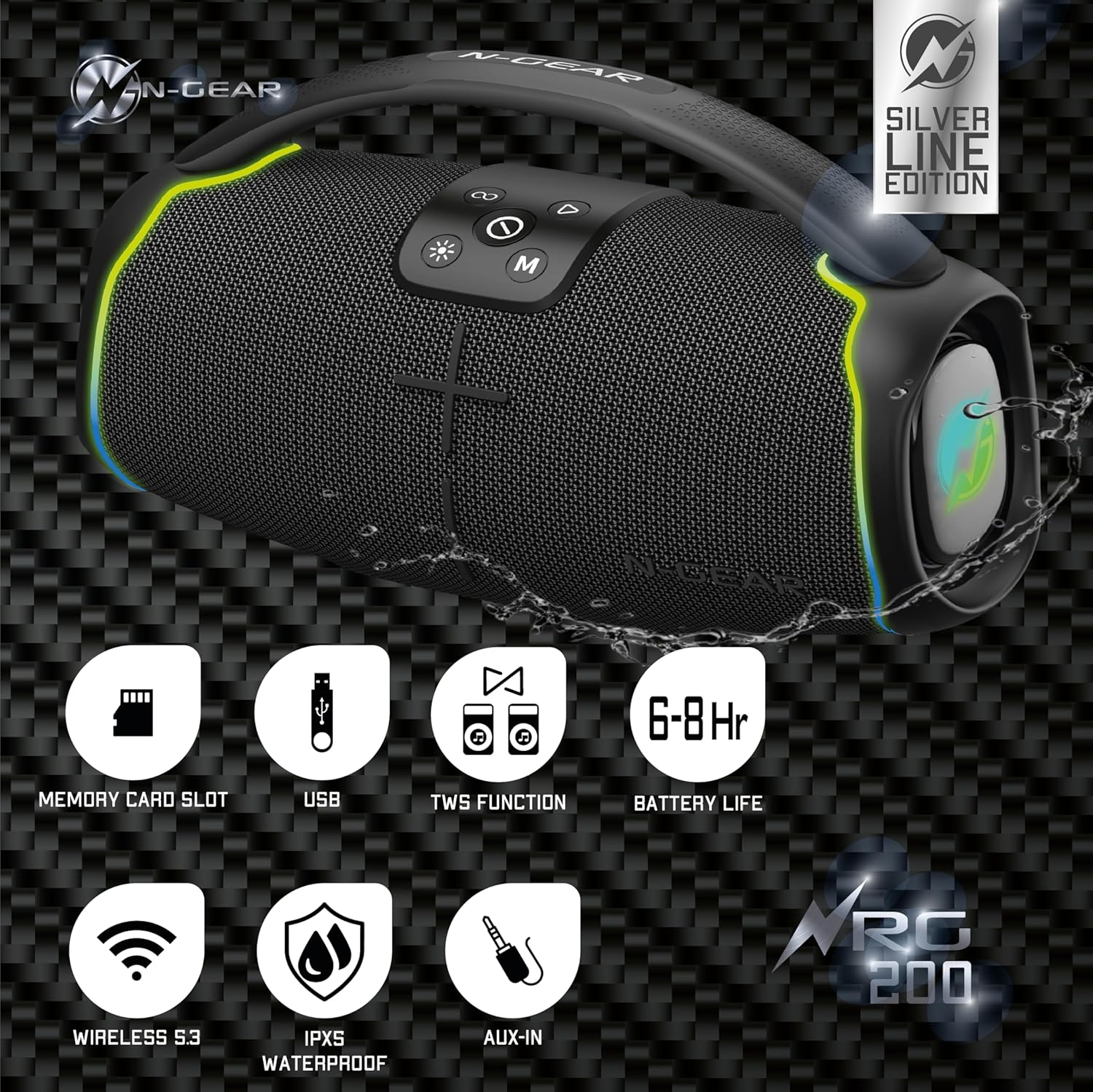
Resim 4.3: Arka view of the N-Gear NRG 200, highlighting the protected input ports for charging, USB, AUX, and SD card.
- USB-C Şarj Portu: Hoparlörün dahili pilini şarj etmek için.
- USB Bağlantı Noktası: USB flash bellekten ses çalmak için.
- AUX Girişi (3.5 mm): Harici ses cihazlarını ses kablosuyla bağlamak için.
- SD Kart Yuvası: For playing audio from a MicroSD/TF card.
5. Kurulum
5.1. Hoparlörü Şarj Etme
- Kutu içeriğinde bulunan USB-C şarj kablosunu hoparlörün USB-C bağlantı noktasına bağlayın.
- Kablonun diğer ucunu bir USB güç adaptörüne (dahil değildir) veya bir bilgisayarın USB portuna bağlayın.
- Şarj gösterge ışığı (varsa), şarj sırasında genellikle kırmızı renkte yanar ve tamamen şarj olduğunda söner veya rengi değişir.
- A full charge takes approximately 3-4 hours and provides 6-8 hours of playback time.
5.2. Açma/Kapama
- Açmak İçin: Güç düğmesini basılı tutun (①) for 2-3 seconds until you hear an audible prompt and the LED lights activate.
- Kapatmak İçin: Güç düğmesini basılı tutun (①) for 2-3 seconds until you hear an audible prompt and the LED lights turn off.
6. Kullanım Talimatları
6.1. Bluetooth Bağlantısı
- Power on the speaker. It will automatically enter Bluetooth pairing mode, indicated by a flashing LED light (often blue).
- Mobil cihazınızda (akıllı telefon, tablet vb.) Bluetooth'u etkinleştirin ve kullanılabilir cihazları arayın.
- Select "N-Gear NRG 200" from the list of devices.
- Bağlantı kurulduktan sonra hoparlör sesli bir onay verecek ve LED ışığı yanıp sönmeyi durduracaktır.
- Artık cihazınızdaki sesleri hoparlörünüz aracılığıyla oynatabilirsiniz.
Not: The speaker supports connecting up to two Bluetooth devices simultaneously, allowing for seamless switching between audio sources.
6.2. AUX Giriş Modu
- 3.5 mm ses kablosunun (dahil değildir) bir ucunu hoparlörün AUX giriş portuna bağlayın.
- Diğer ucunu harici cihazınızın kulaklık girişine veya ses çıkışına bağlayın.
- Press the Mode button (M) repeatedly until the speaker enters AUX mode.
- Bağlı cihazınızdan oynatmayı ve ses seviyesini kontrol edin.
6.3. USB/SD Karttan Oynatma
- USB flash sürücüyü USB bağlantı noktasına veya SD kartı SD kart yuvasına takın.
- Press the Mode button (M) repeatedly until the speaker enters USB or SD card mode.
- Hoparlör otomatik olarak ses çalmaya başlayacaktır. files (MP3, WAV, etc.) from the storage device.
- Use the track control buttons on the speaker to navigate through songs.
6.4. Gerçek Kablosuz Stereo (TWS) Eşleştirme
TWS allows you to connect two N-Gear NRG 200 speakers wirelessly for a stereo sound experience.
- Ensure both NRG 200 speakers are powered on and not connected to any Bluetooth device.
- On one of the speakers (this will be the primary speaker), short press the TWS Pairing button (∞). It will emit a pairing tone.
- İki hoparlör otomatik olarak birbirini arayacak ve birbirine bağlanacaktır. Bağlantı kurulduktan sonra bir onay sesi duyacaksınız.
- Şimdi, mobil cihazınızı 6.1 bölümünde açıklandığı gibi Bluetooth aracılığıyla ana hoparlöre bağlayın.
- Ses artık her iki hoparlörden de stereo olarak çalacak.
6.5. LED Işık Kontrolü

Resim 6.5: The N-Gear NRG 200 speaker displaying its multi-color LED light effects.
- Işık düğmesine basın (✴) to cycle through different LED light modes.
- Continue pressing the button to turn the lights off.
7. Bakım
7.1. Temizlik
- Temizlemeden önce hoparlörün kapalı olduğundan ve herhangi bir güç kaynağından ayrıldığından emin olun.
- Dış yüzeyini yumuşak bir bezle silin.amp Bez kullanın. Aşındırıcı temizleyiciler, alkol veya kimyasal çözücüler kullanmayın.
- Do not allow water to enter any openings.
7.2. Depolama
- Hoparlörü serin, kuru ve doğrudan güneş ışığından ve aşırı sıcaklıklardan uzak bir yerde saklayın.
- If storing for an extended period, charge the battery to approximately 50% every 3-6 months to prolong battery life.
7.3. Pil Bakımı
- The speaker contains a built-in rechargeable Lithium-ion battery. Do not attempt to replace it yourself.
- Pilin ömrünü kısaltabileceğinden, pili sık sık tamamen boşaltmaktan kaçının.
8. Sorun Giderme
| Sorun | Olası Neden | Çözüm |
|---|---|---|
| Hoparlör açılmıyor. | Pil bitmiş. | Hoparlörü en az 30 dakika şarj edin. |
| Ses yok. | Ses seviyesi çok düşük; yanlış giriş modu; cihaz bağlı değil. | Increase volume on both speaker and connected device. Ensure correct mode (Bluetooth, AUX, USB, SD). Reconnect Bluetooth device. |
| Bluetooth bağlantısı başarısız oluyor. | Hoparlör eşleştirme modunda değil; cihaz çok uzakta; parazit. | Ensure speaker is in Bluetooth pairing mode. Move device closer to speaker. Turn off other Bluetooth devices. Forget "N-Gear NRG 200" on your device and re-pair. |
| TWS eşleştirmesi başarısız. | Speakers are already connected to a device; too far apart. | Disconnect both speakers from any Bluetooth devices. Ensure they are close to each other. Try TWS pairing again. |
| LED ışıklar çalışmıyor. | Işıklar kapatıldı. | Işık düğmesine basın (✴) to cycle through modes and turn them on. |
9. Özellikler
| Model Adı | NRG200 |
| Marka | N-Dişli |
| Bağlantı Teknolojisi | Bluetooth 5.3, AUX, USB |
| Kablosuz İletişim Teknolojisi | Bluetooth |
| Hoparlör Tipi | Dış mekan |
| Maksimum Hoparlör Çıkış Gücü | 200 Watt |
| Ses Çıkışı Modu | Stereo |
| Özel Özellikler | Dustproof, Stereo Pairing (TWS), LED Light, Portable, Waterproof (IPX5) |
| Güç Kaynağı | Pille Çalışır (1 adet Lityum iyon pil dahildir) |
| Pil Ömrü | 6-8 saat (yaklaşık) |
| Ürün Boyutları (U x G x Y) | 14.8x33.9x18.7 cm |
| Ürün Ağırlığı | 2.41 kilogram |
| Kontrol Yöntemi | Dokunmak |
| Uyumlu Cihazlar | Smartphone, tablet, laptop, TV, MP3 player |
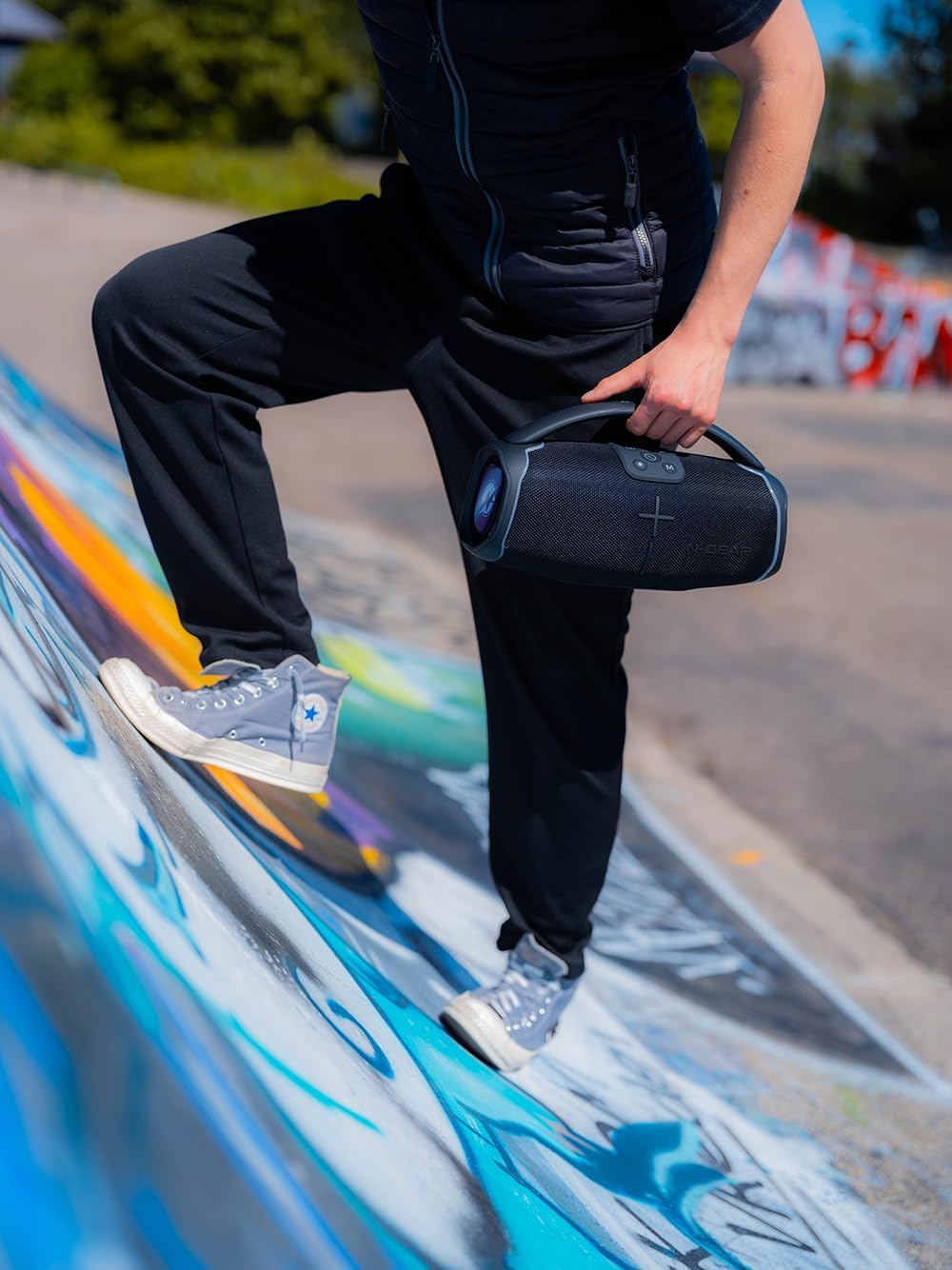
Resim 9.1: The N-Gear NRG 200 speaker being carried, illustrating its compact and portable design.

Resim 9.2: Technical drawing of the N-Gear NRG 200 speaker with its dimensions (length, width, height) indicated.
10. Garanti ve Destek
N-Gear products are designed and manufactured to the highest quality standards. For detailed warranty information, please refer to the warranty card included with your purchase or visit the official N-Gear webalan.
If you encounter any issues or have questions regarding your N-Gear NRG 200 speaker, please contact N-Gear customer support through their official channels. Have your model number (NRG200) and purchase details ready when contacting support.
Çevrimiçi destek: Visit the N-Gear official webSSS'ler, sorun giderme kılavuzları ve iletişim bilgileri için site.


