giriiş
Satın aldığınız için teşekkür ederizasing the MOUNTUP MU1105-W-07 Mobile Gas Spring Monitor/TV Stand. This manual provides detailed instructions for assembly, operation, maintenance, and troubleshooting to ensure safe and optimal use of your product. Please read this manual thoroughly before installation and retain it for future reference.
Ürün Özellikleri
- Uyumluluk: Supports monitors and small TVs up to 36 inches, with a load capacity of 3-12 KG.
- VESA Standartları: Compatible with VESA patterns 75x75mm, 100x100mm, 100x200mm, 200x100mm, and 200x200mm.
- Gas Spring System: Allows smooth and effortless height adjustment with a touch, ranging from 924mm to 1214mm from the floor.
- Çok Açılı Ayarlama: Features tilt (up 90°/down 90°), swivel (left 90°/right 90°), and 180° rotation for flexible viewing orientations (portrait or landscape).
- Hareketlilik: Equipped with five 360° rotating casters for easy movement across various surfaces, making it suitable for homes, offices, meeting rooms, schools, and hospitals.
- Entegre Raf: Includes a shelf for accessories.
- Kablo yönetimi: Built-in system within the stand pole to conceal and organize cables for a tidy appearance.
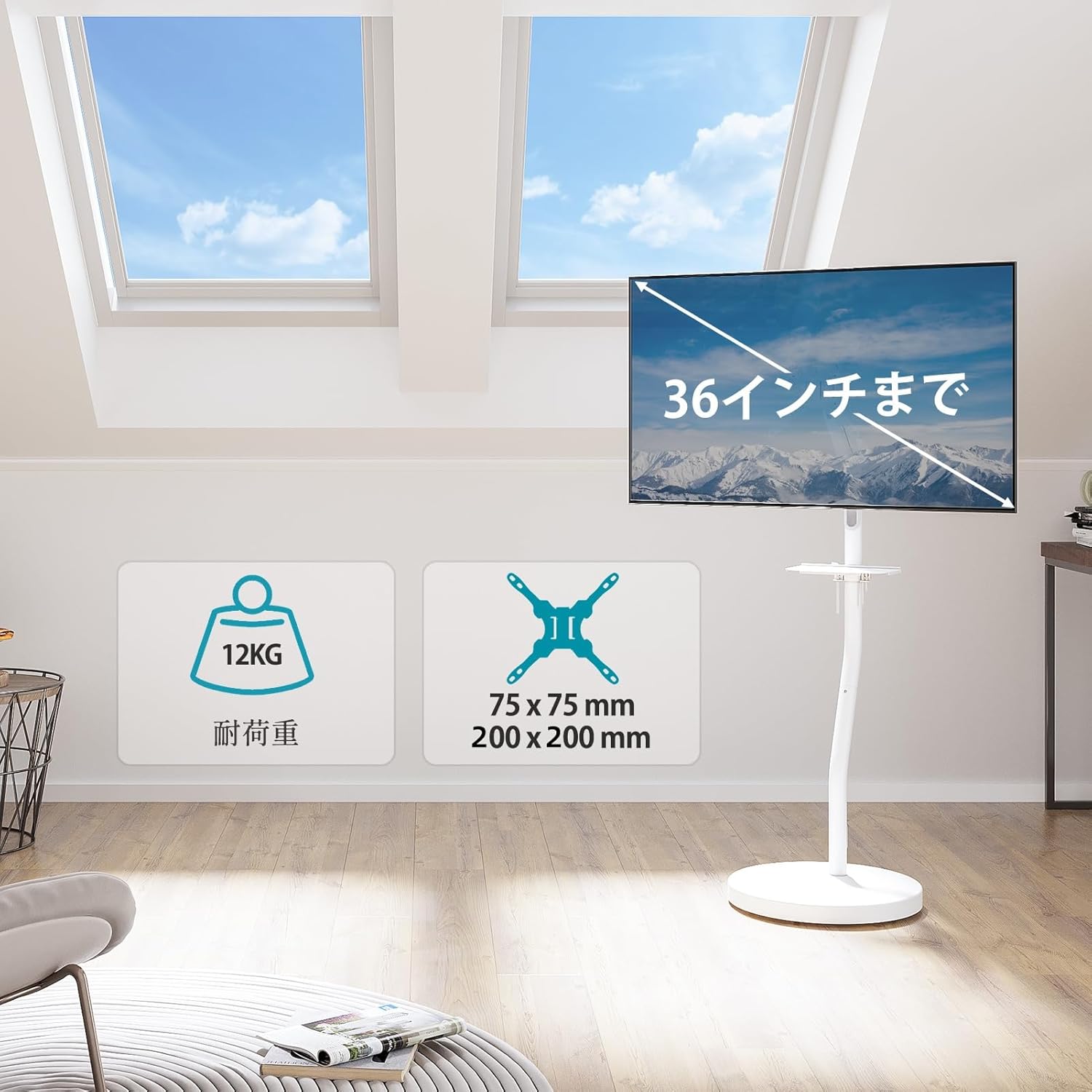
Resim: Üzeriview of the MOUNTUP MU1105-W-07 stand, highlighting its maximum 36-inch display support, 12KG load capacity, and VESA compatibility (75x75mm to 200x200mm).
Güvenlik Bilgileri
Yaralanmayı veya ürüne zarar gelmesini önlemek için lütfen aşağıdaki güvenlik önlemlerine uyun:
- 12 kg olan azami yük kapasitesini aşmayın.
- Ensure the VESA mounting pattern of your display matches the stand's compatibility.
- Assemble the stand on a flat, stable surface.
- Tighten all screws securely during assembly. Do not overtighten.
- Montaj ve kullanım sırasında çocukları ve evcil hayvanları standdan uzak tutun.
- Move the stand carefully, especially on uneven surfaces, to prevent tipping.
Kurulum Talimatları
1. Unpacking and Parts Verification
Carefully remove all components from the packaging. Verify that all parts listed in the package contents (not explicitly provided, but implied) are present and undamaged. If any parts are missing or damaged, do not proceed with assembly and contact customer support.
2. Taban Montajı
Attach the main support pole to the circular base. Ensure the casters are securely attached to the base for mobility. The base has a height of 5cm from the floor.

Image: Detailed dimensions of the stand, including the VESA mounting area (Min: 75x75mm, Max: 200x200mm), shelf dimensions (254mm x 154mm), and base height (5cm from floor).
3. VESA Plate Attachment to Display
Identify the correct screws for your monitor/TV's VESA mounting holes. Attach the VESA plate to the back of your display. Do not overtighten the screws.
4. Ekranın Montajı
Carefully lift your display with the attached VESA plate and hook it onto the stand's arm. Secure the display to the arm using the provided locking mechanism or screws.
5. Shelf and Cable Management Installation
Install the accessory shelf at your desired height on the main pole. Route all necessary cables through the integrated cable management system within the stand pole to maintain a clean and organized setup.

Image: The stand with a monitor, illustrating the removable shelf and the cable management system within the main pole for a neat appearance.
Kullanım Talimatları
1. Yükseklik Ayarı
The integrated gas spring allows for smooth, stepless height adjustment. Gently push or pull the monitor to your desired height between 92.4 cm and 121.4 cm from the floor. No tools are required for this adjustment.

Image: The stand illustrating the gas spring mechanism for easy height adjustment, showing the range from 92.4cm to 121.4cm.
2. Angle Adjustment (Tilt, Swivel, Rotation)
- Tilt: The display can be tilted up to 90° upwards and 90° downwards. Adjust the tilt to reduce glare and optimize viewkonfor.
- Döner: The display can be swiveled 90° to the left and 90° to the right. This allows for flexible viewing angles in different parts of a room.
- Rotasyon: The display can be rotated 180° to switch between landscape and portrait orientations without needing to loosen screws.

Image: Demonstrates the stand's multi-angle capabilities, including 360° rotation, ±90° tilt (up/down), and ±90° swivel (left/right).
3. Hareketlilik
The stand is equipped with five 360° rotating casters. To move the stand, gently push it to the desired location. Ensure the path is clear of obstacles. For stability, engage the caster locks if available (not explicitly mentioned but common for mobile stands).

Image: The stand in a room, highlighting the casters on the base for easy movement and cleaning.
Bakım
- Temizlik: Sehpanın alt kısmını yumuşak bir bezle silin.amp Bez. Cilaya zarar verebilecek aşındırıcı temizleyicilerden veya çözücülerden kaçının.
- Denetleme: Tüm vidaların ve bağlantıların sıkı ve güvenli olduğundan emin olmak için periyodik olarak kontrol edin.
- Gazlı Yay: The gas spring is designed for long-term use and generally requires no maintenance. If you notice any issues with height adjustment, contact customer support.
Sorun giderme
| Sorun | Olası Neden | Çözüm |
|---|---|---|
| Monitör sarkıyor veya konumunu koruyamıyor. | Gas spring tension is too low or monitor weight exceeds capacity. | Ensure monitor weight is within 3-12 KG. Adjust gas spring tension if an adjustment mechanism is present (refer to specific product diagrams if available). If issues persist, contact support. |
| Stand is difficult to move. | Casters are locked or obstructed. | Unlock casters. Clear any obstructions around the casters. Clean casters if dirt is accumulated. |
| Display is not level. | Mounting plate or VESA bracket is not properly aligned. | Re-check the attachment of the VESA plate to the display and the display to the stand arm. Adjust as necessary. |
Özellikler
- Modeli: MU1105-W-07
- Renk: Beyaz
- Malzeme: Alaşımlı Çelik
- Montaj Tipi: Kat Dağı
- Uyumlu Cihazlar: TV, Monitor
- Ekran Boyutu Uyumluluğu: Up to 36 inches (e.g., 17, 22, 24, 27, 32, 36 inches)
- Yük Kapasitesi: 3 KG to 12 KG
- VESA Uyumluluğu: 75x75mm, 100x100mm, 100x200mm, 200x100mm, 200x200mm
- Yükseklik Ayar Aralığı: 924mm to 1214mm (from floor)
- Eğim Açısı: Up 90° / Down 90°
- Dönme Açısı: Left 90° / Right 90°
- Rotasyon: 180°
- Paket Boyutları: 57x57x13.5 cm
- Paket Ağırlığı: 12.44 kilo
Garanti ve Destek
Bu ürün bir 2 yıl kalite garantisi from the date of purchase. In the unlikely event of any issues, such as defects or missing parts, please contact our customer support team.
To contact support, please follow these steps:
- Go to your "Account Service".
- "Sipariş Geçmişi"ne gidin.
- Select the "Seller" for this product.
- Click "Ask a question?".
Our team will assist you promptly.


