1. Giriş
Welcome to the user manual for your Thomson RT850BT Bluetooth Speaker, FM Radio, and Alarm Clock. This guide provides detailed instructions on how to set up, operate, and maintain your device. Please read this manual thoroughly before use to ensure proper functionality and to maximize your experience with the RT850BT.
2. Güvenlik Bilgileri
Güvenli çalışmayı sağlamak ve hasarı önlemek için lütfen aşağıdaki güvenlik önlemlerine uyun:
- Üniteyi yağmura, neme veya aşırı sıcaklıklara maruz bırakmayın.
- Üniteyi ısı kaynaklarının yakınına veya doğrudan güneş ışığına maruz bırakmayın.
- Uygun havalandırmayı sağlayın; havalandırma açıklıklarını kapatmayın.
- Yalnızca verilen güç adaptörünü kullanın.
- Üniteyi sökmeye veya değiştirmeye çalışmayın. Tüm bakım işlemlerini yetkili personele yaptırın.
- Üniteyi güçlü manyetik alanlardan uzak tutun.
3. Paket İçeriği
Paketin içinde tüm öğelerin mevcut olduğundan emin olun:
- Thomson RT850BT Unit
- Güç Adaptörü
- Kullanıcı Kılavuzu

Image: Thomson RT850BT packaging, illustrating the product and its key features.
4. Ürün Bittiview
4.1 Ön Panel
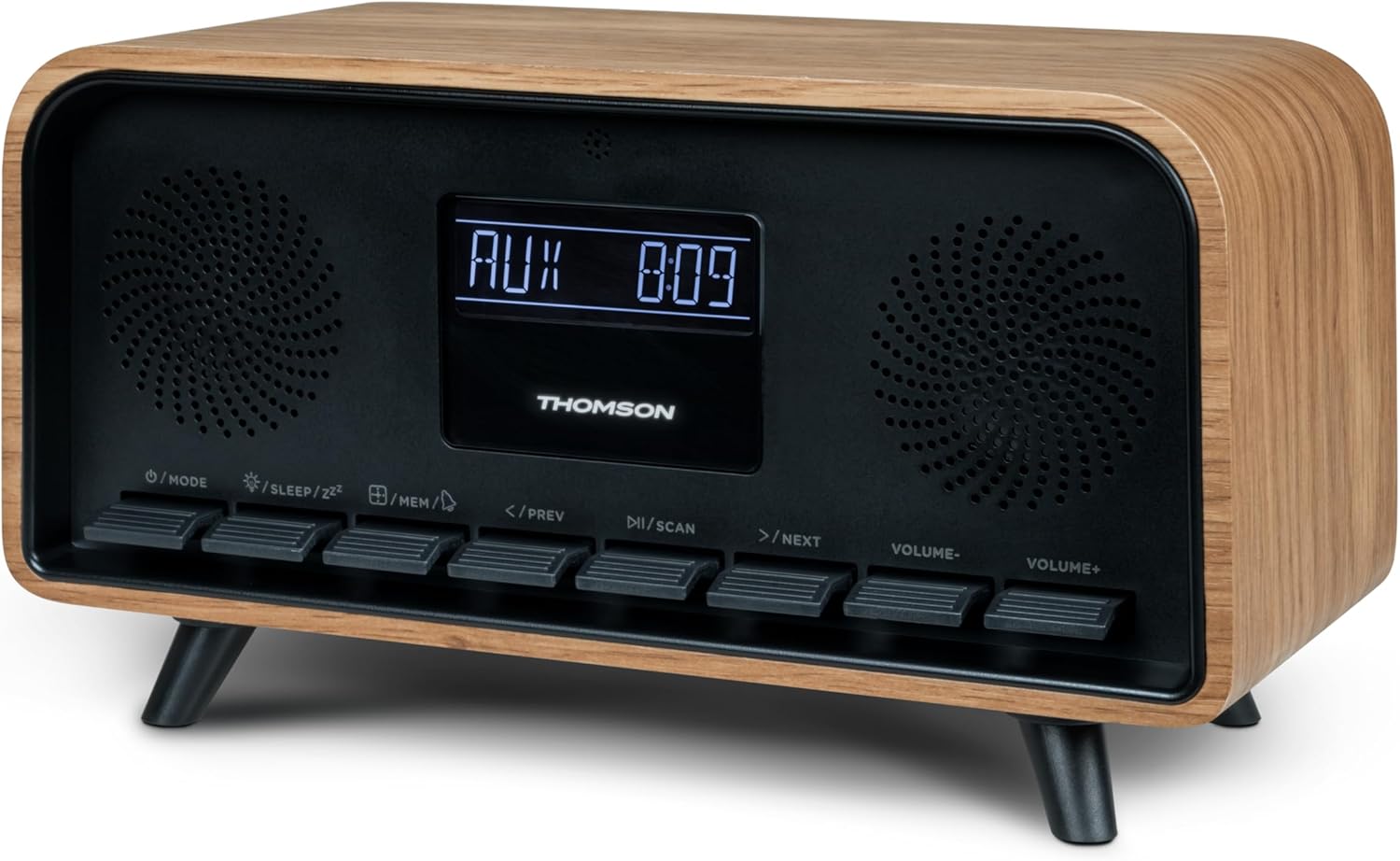
Resim: Ön view of the Thomson RT850BT unit, showing the LCD display, speakers, and control buttons.
- LCD Ekran: Shows time, mode, and other information.
- /MODE Button: Power On/Off, switch between modes (Bluetooth, FM, AUX).
- /SLEEP/ZZ Düğme: Set sleep timer, activate snooze.
- /MEM Button: Set alarm, save/recall radio stations.
- </PREV Button: Previous track (Bluetooth), tune down (FM).
- /SCAN Button: Play/Pause (Bluetooth), auto scan (FM).
- >/NEXT Button: Next track (Bluetooth), tune up (FM).
- VOLUME- Button: Sesi azaltın.
- VOLUME+ Button: Sesi artırın.
4.2 Arka Panel

Resim: Arka view of the Thomson RT850BT, highlighting the power supply, Line In (AUX-IN), and USB-C charge output ports.
- Power Supply (DC IN 5V): Verilen güç adaptörünü bağlayın.
- Line In (AUX-IN): Harici cihazlar için 3.5 mm ses girişi.
- Charge Output (USB-C): USB Type-C port for charging external devices.
5. Kurulum
5.1 Güç Bağlantısı
- Connect the power adapter to the DC IN 5V port on the rear of the RT850BT.
- Güç adaptörünü standart bir duvar prizine takın.
- The unit will power on automatically or enter standby mode.
5.2 Initial Power On and Clock Setting
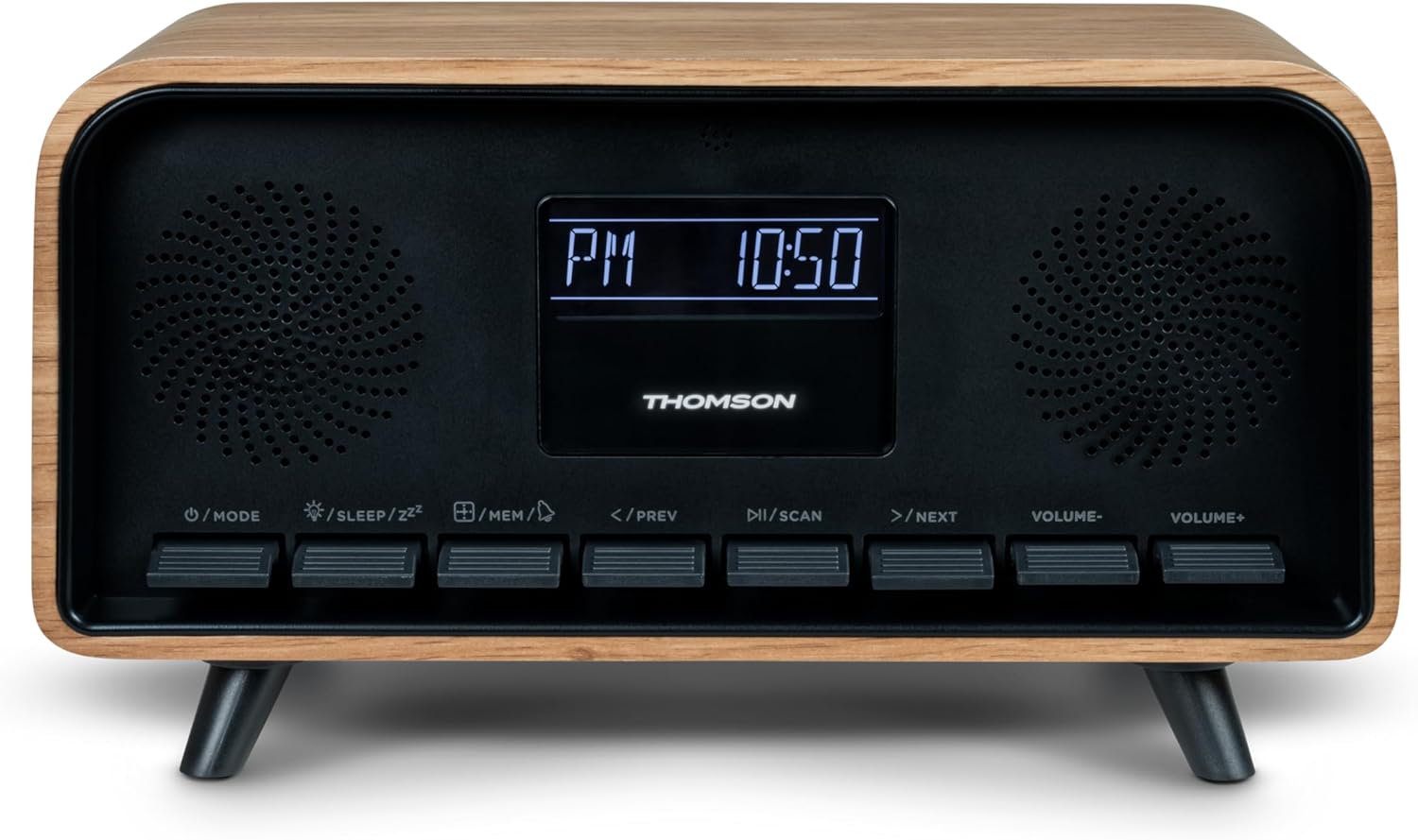
Image: Close-up of the RT850BT's LCD display showing the time, 10:50 PM, and the 'PM' indicator.
- If the unit is in standby, press the /MOD Açmak için düğmeye basın.
- Saati ayarlamak için tuşunu basılı tutun. /MEM Zaman göstergesi yanıp sönene kadar düğmeye basın.
- Kullanın </PREV Ve >/NEXT Saati ayarlamak için düğmelere basın. /MEM onaylamak için.
- Kullanın </PREV Ve >/NEXT Dakikayı ayarlamak için düğmelere basın. /MEM onaylamak için.
- Saat artık ayarlanmıştır.
6. Kullanım Talimatları
6.1 Bluetooth Modu

Image: Close-up of the RT850BT's LCD display indicating 'bt' for Bluetooth mode, along with the current time.
- Basın /MOD button repeatedly until 'bt' appears on the display. The unit is now in Bluetooth pairing mode.
- Mobil cihazınızda Bluetooth'u etkinleştirin ve mevcut cihazları arayın.
- Select 'RT850BT' from the list to pair. A confirmation tone will sound upon successful connection.
- You can now play audio from your device through the RT850BT.
- Kullanın / TARAMA Oynat/Duraklat düğmesi ve </PREV / >/NEXT Parçaları atlamak için düğmeler.
- Kullanarak ses seviyesini ayarlayın. SES- Ve SES+ düğmeler.
6.2 FM Radyo Modu
- Basın /MOD button repeatedly until the FM frequency appears on the display.
- Otomatik tarama: Basılı tutun / TARAMA button to automatically scan and save available FM stations (up to 50 stations).
- Manuel Ayarlama: Kısaca basın </PREV or >/NEXT to fine-tune the frequency. Press and hold to scan for the next available station.
- Recall Saved Stations: Kısaca basın /MEM Kaydedilmiş istasyonlar arasında geçiş yapmak için düğme.
6.3 Çalar Saat Fonksiyonu
The RT850BT supports setting multiple alarms.
- Bekleme modunda, tuşuna basın ve basılı tutun. /MEM button until 'AL1' or 'AL2' flashes.
- Kullanmak </PREV Ve >/NEXT Alarm saatini ayarlamak için ardından basın. /MEM onaylamak için.
- Dakikalarca tekrarlayın.
- Select the alarm source (Buzzer or FM Radio) using </PREV Ve >/NEXT, ardından tuşuna basın /MEM.
- Alarmı etkinleştirmek/devre dışı bırakmak için, düğmeye kısa süre basın. /MEM button in standby mode to cycle through alarm settings (AL1 ON/OFF, AL2 ON/OFF).
- Alarm çaldığında, tuşuna basın. /SLEEP/ZZ for snooze (alarm will sound again after 9 minutes) or press /MOD Alarmı gün için kapatmak.
6.4 AUX-IN Modu
- Connect an external audio device (e.g., MP3 player, smartphone) to the 'Line In' (AUX-IN) port on the rear panel using a 3.5mm audio cable (not included).
- Basın /MOD Ekranda 'AUX' görünene kadar düğmeye art arda basın.
- Audio from the connected device will now play through the RT850BT. Control playback from your external device.
6.5 Dimmer Fonksiyonu
The display brightness can be adjusted to three intensity levels.
- In any mode, briefly press the /SLEEP/ZZ button to cycle through the brightness levels.
6.6 Uyku İşlevi
Set a timer for the unit to automatically turn off.
- Cihaz açıkken, aşağıdaki tuşa basın: /SLEEP/ZZ button repeatedly to select the desired sleep timer duration (e.g., 15, 30, 60, 90 minutes, OFF).
- Cihaz, seçilen süre sonunda otomatik olarak kapanacaktır.
6.7 USB-C Şarj Bağlantı Noktası
The USB-C port on the rear panel is for charging external devices.
- Connect your compatible device's USB-C charging cable to the 'Charge output' port.
- Ensure the RT850BT is powered on or in standby mode for charging functionality.
7. Bakım
To maintain the performance and appearance of your RT850BT:
- Temizlik: Use a soft, dry cloth to clean the exterior. Do not use abrasive cleaners, waxes, or solvents.
- Depolamak: Üniteyi uzun süre saklayacaksanız, fişini prizden çekin ve serin ve kuru bir yerde saklayın.
- Havalandırma: Ensure the ventilation grilles are free from dust and obstructions.
8. Sorun Giderme
If you encounter issues with your RT850BT, refer to the following table for common problems and solutions:
| Sorun | Olası Neden | Çözüm |
|---|---|---|
| Güç yok | Güç adaptörü bağlı değil veya priz arızalı. | Güç adaptörünün güvenli bir şekilde takılı olduğundan ve prizin çalışır durumda olduğundan emin olun. |
| Ses yok | Volume too low, incorrect mode, or device not paired (Bluetooth). | Increase volume. Check if the correct mode (BT, FM, AUX) is selected. Re-pair Bluetooth device. |
| Bluetooth eşleştirme başarısız oldu | Device too far, Bluetooth not enabled on source, or RT850BT not in pairing mode. | Ensure devices are within range. Enable Bluetooth on your device. Set RT850BT to 'bt' mode. |
| Zayıf FM alımı | Zayıf sinyal. | Adjust the unit's position to improve reception. |
| Alarm çalmıyor | Alarm etkinleştirilmemiş veya yanlış ayarlanmış. | Verify alarm settings and ensure it is set to ON. |
9. Özellikler
- Modeli: RT850BT
- Bluetooth Sürümü: 5.3
- Radyo Tuner: FM (87.5-108 MHz)
- İstasyon Anısı: 50 FM istasyonları
- Ses Girişi: AUX-IN (3.5 mm)
- Görüntülemek: LCD with 3-intensity dimmer
- Güç Çıkışı: 30W Total Music Power
- Şarj Portu: USB-C (for external devices)
- Güç Kaynağı: Kablolu Elektrik (DC 5V)
- Ağırlık: 600 Gram
10. Garanti ve Destek
For warranty information and technical support, please refer to the documentation provided at the time of purchase or contact your local Thomson customer service. Keep your proof of purchase for warranty claims.


