1. Ürün Bittiview
The Dzees Wireless Security Camera is designed to provide robust and reliable home security with its advanced features and flexible installation options. This battery-powered camera offers 4MP resolution for clear imaging, AI motion detection, two-way audio communication, and color night vision, ensuring comprehensive surveillance day and night.

Image: Dzees Wireless Security Cameras with Magnetic Mount. The image shows two white security cameras, one attached to a black magnetic base, and a smartphone screen above them displaying a live video feed of children playing outdoors.
Temel Özellikler:
- No-Hole Magnetic Mount: Offers easy installation and repositioning without drilling.
- Real-Time Siren & Two-Way Talk: Deter intruders and communicate with visitors directly via the built-in siren and two-way audio.
- Advanced AI Motion Detection: Accurately tracks people and objects, sending instant notifications to your app.
- High-Definition 2.5K Resolution: Provides clear and detailed images with a 120-degree wide field of view.
- Renkli Gece Görüşü: Ensures clear, full-color images even in low-light conditions.
- Esnek Depolama Seçenekleri: Supports both cloud storage (including a 2-year free 3-day rolling cloud option) and local SD card storage (up to 128GB).
- IP66 Hava Koşullarına Dayanıklılık Derecesi: Designed to withstand harsh outdoor conditions, including dust, rain, and snow.
2. Paket İçeriği
Lütfen aşağıdaki öğelerin kutucuğunu işaretleyin:
- Dzees Wireless Security Camera Unit(s)
- Magnetic Mount(s)
- USB Şarj Kablosu
- Mounting Screws and Anchors (for optional screw mount)
- Hızlı Başlangıç Kılavuzu
3. Kurulum ve Kurulum
3.1 Kamerayı Şarj Etme
Before initial use, fully charge the camera using the provided USB charging cable. Connect the cable to the camera's charging port and a standard USB power adapter (not included). The charging indicator light will show the charging status.
3.2 Uygulama Yükleme ve Hesap Oluşturma
Download the "DzeesHome" or "Vicohome" app from your smartphone's app store (iOS or Android). Follow the on-screen instructions to create an account and log in.
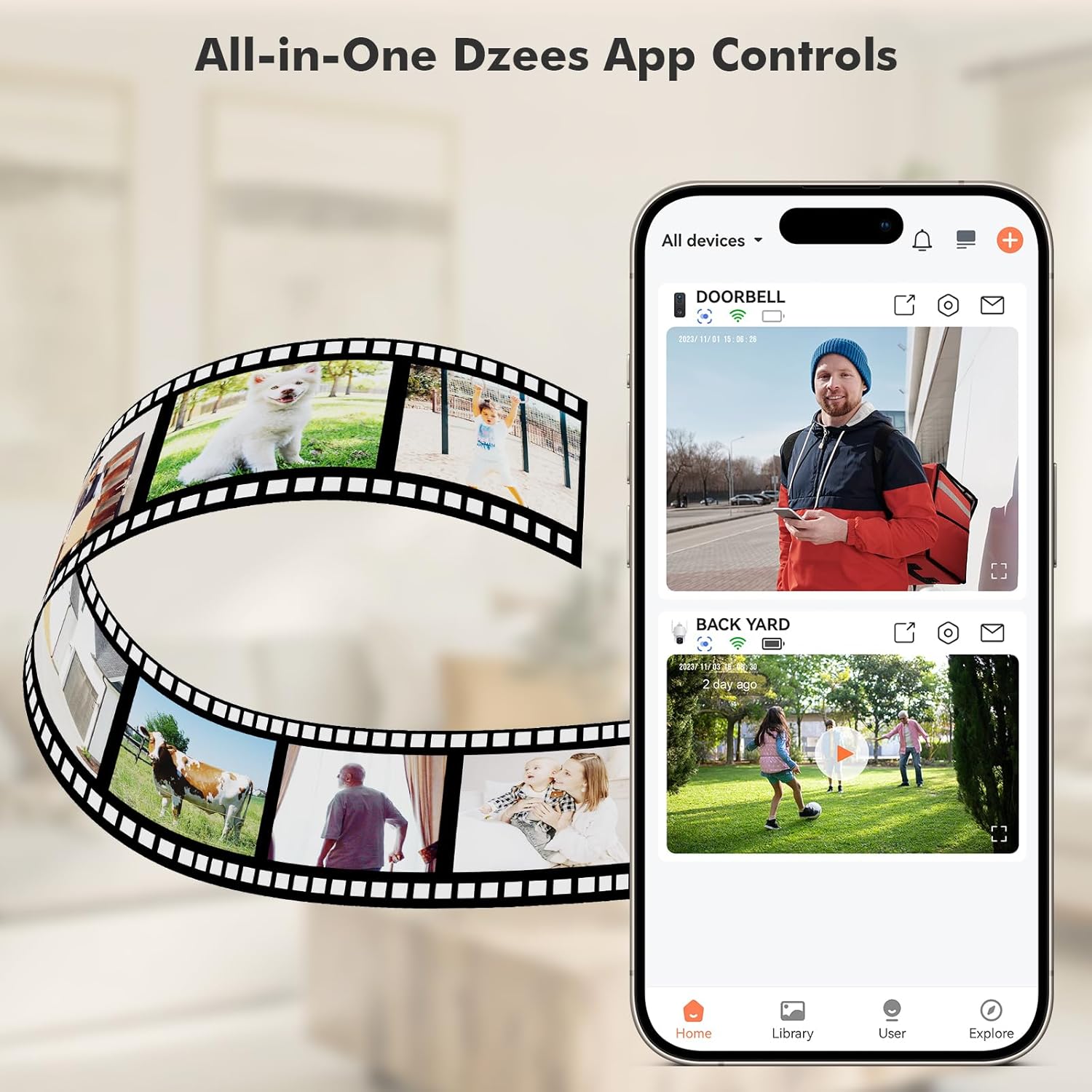
Image: All-in-One Dzees App Controls. The image shows a smartphone displaying the DzeesHome application, with a list of connected devices and live video feeds, demonstrating centralized control.
3.3 Kamerayı Wi-Fi'ye Bağlama
- Open the DzeesHome/Vicohome app and tap the "+" icon to add a new device.
- Lütfen listeden kamera modelinizi seçin.
- Power on the camera. The camera will enter pairing mode (indicated by a flashing LED).
- Kamerayı cihazınıza bağlamak için uygulamanın talimatlarını izleyin. 2.4GHz Wi-Fi ağı. Note: This camera is not compatible with 5GHz Wi-Fi networks.
- Scan the QR code displayed on your phone screen with the camera lens. You will hear a confirmation sound once connected.

Image: 2.4GHz Wifi Only. This diagram shows a house with a Wi-Fi router and a Dzees camera, indicating that the camera only supports 2.4GHz Wi-Fi, not 5GHz.
3.4 Kamerayı Monte Etme
The Dzees camera offers versatile mounting options:
- Manyetik Montaj: For easy, drill-free installation and repositioning. Simply attach the magnetic base to a clean, flat surface using the adhesive pad, then snap the camera onto the magnetic ball joint.
- Vidalı Montaj: For a more permanent installation, use the provided screws and anchors to secure the mount to a wall or ceiling.

Image: Flexibility In Installation. A woman is shown adjusting a Dzees security camera mounted on an outdoor wall, while holding a smartphone, illustrating the ease of installation and positioning.

Image: Stand, Wall Mount, Ceiling Mount. This composite image displays three different ways to install the Dzees camera: on a flat surface using its base, mounted on a wall, and mounted on a ceiling.
4. Operasyon
4.1 Canlı View ve Kayıt
Access the DzeesHome/Vicohome app to view canlı footage from your camera. You can manually record video or capture screenshots directly from the live view arayüz.
4.2 Hareket Algılama ve Uyarılar
The camera features advanced AI motion detection. When motion is detected, the camera will automatically record and send instant notifications to your smartphone. You can customize activity zones within the app to minimize unwanted alerts.

Image: Instant Security Alerts. A smartphone screen shows a notification from the Dzees app indicating motion detection, with a person standing at a front door in the background.

Image: Customizable Zone to Minimize Unwanted Alerts. This image illustrates a house with its surrounding area divided into three distinct zones (Zone 1, Zone 2, Zone 3), demonstrating how users can customize detection areas to reduce false alarms.
4.3 Çift Yönlü Ses ve Siren
Use the two-way talk feature in the app to communicate with people near the camera. You can also remotely activate the built-in siren to deter unwanted visitors.
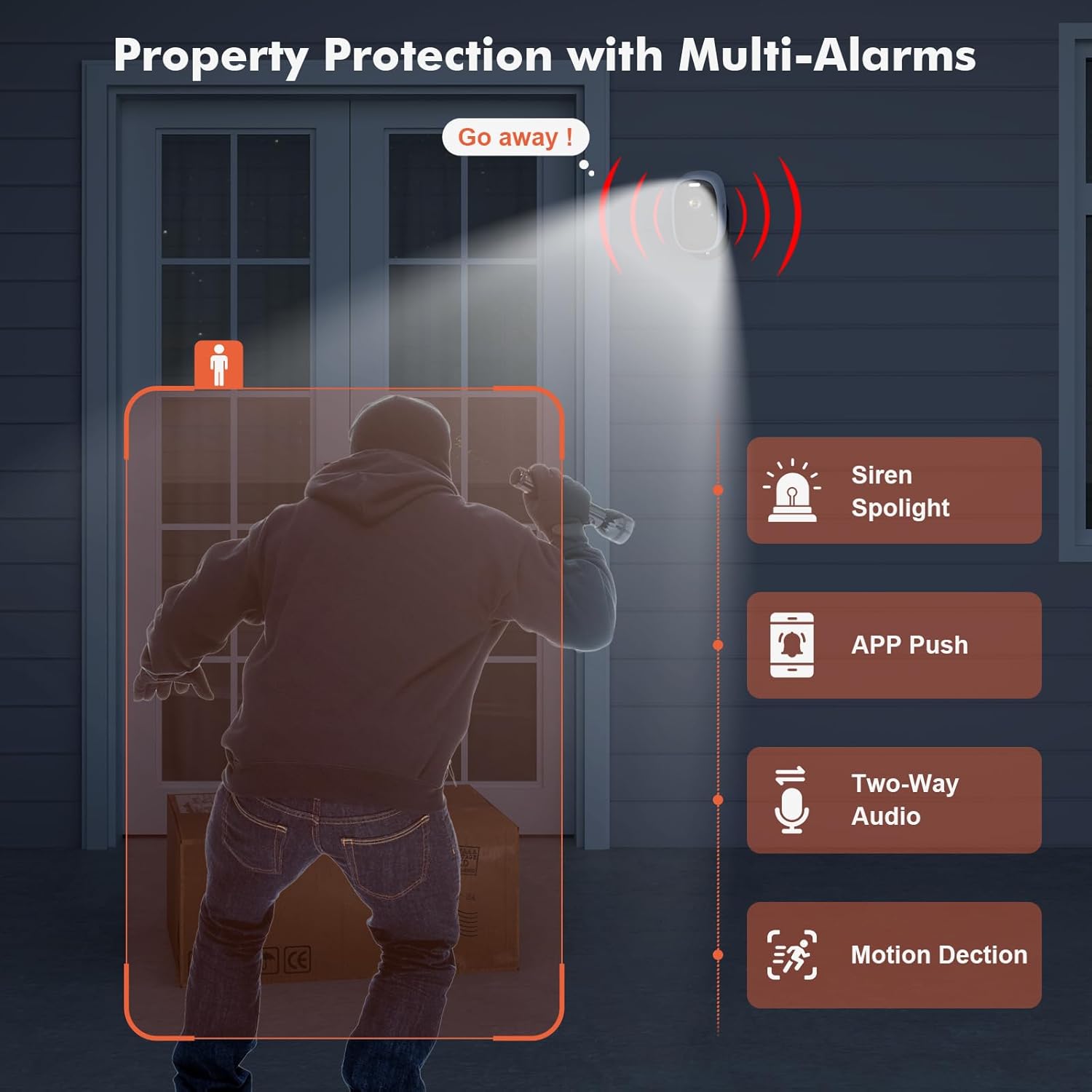
Image: Property Protection with Multi-Alarms. This image depicts a security camera deterring an intruder with a spotlight and siren, alongside icons representing app push notifications, two-way audio, and motion detection.
4.4 Gece Görüşü
The camera is equipped with color night vision, providing clear, full-color images even in very low light conditions, enhancing visibility and identification at night.
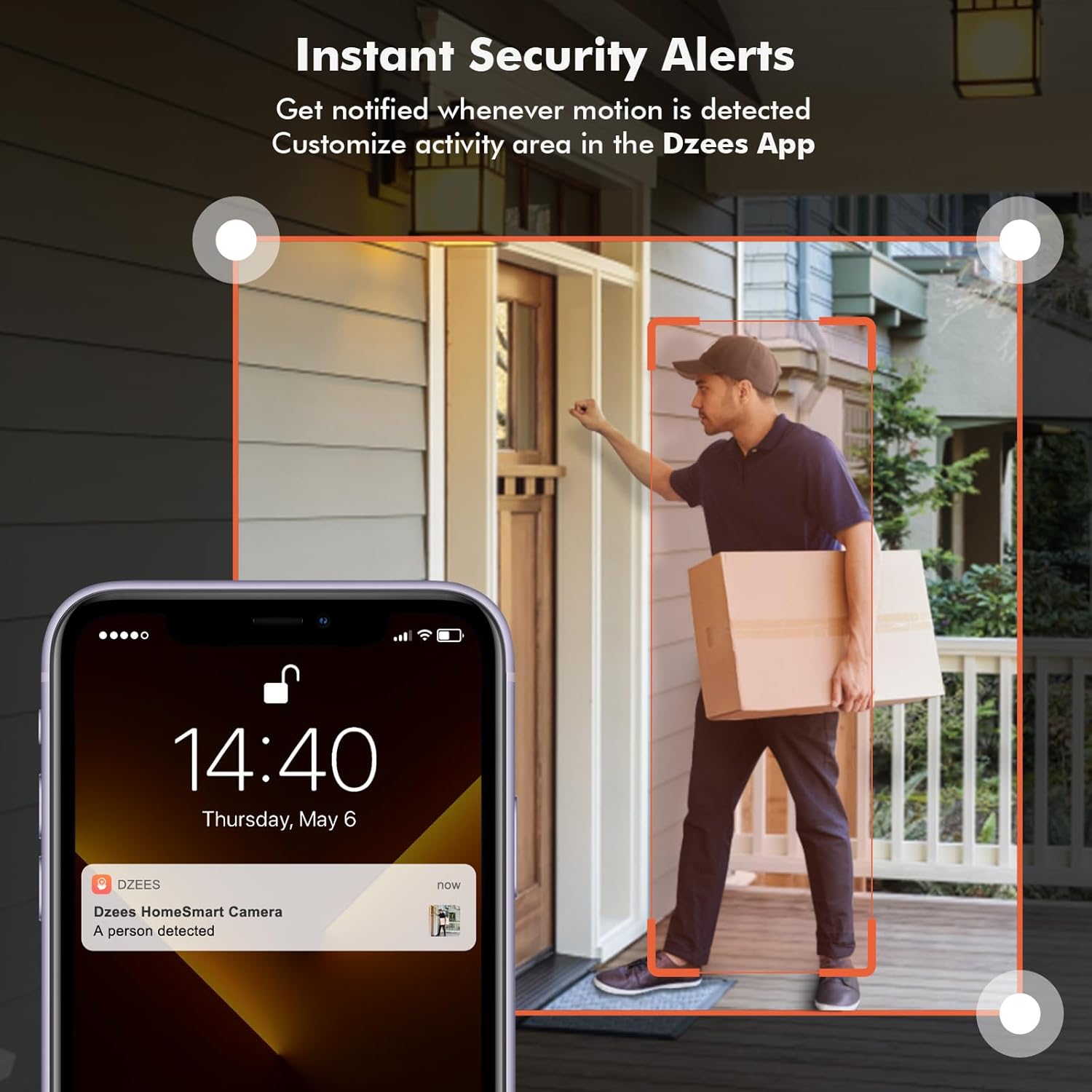
Image: Color Night Vision. This split image compares traditional black-and-white night vision with the Dzees camera's color night vision, showing a house at night in both modes.
4.5 Depolama Yönetimi
Fotoğraf makineniz iki depolama yöntemini destekliyor:
- Bulut Depolama: Enjoy a 2-year free 3-day rolling cloud storage cycle. Optional paid plans are available for extended storage and AI recognition features.
- SD Kart Depolama: Insert a microSD card (up to 128GB, not included) into the camera's SD card slot for local video storage.

Image: Dzees Cloud, Privacy, Storage Card. This image shows three distinct panels: one for Dzees Cloud storage with a "FREE 3 DAYS Video History" label, another for privacy protection with a shield icon, and a third for "Up to 128 GB" storage via an SD card.
5. Bakım
5.1 Pil Yönetimi
The camera is powered by a 6700 mAh rechargeable battery. Battery life varies based on usage (e.g., frequency of motion detection, live view access). Recharge the camera when the battery level is low, typically every few weeks to months depending on activity.
5.2 Temizlik
To ensure optimal performance, periodically clean the camera lens and body with a soft, dry cloth. Avoid using harsh chemicals or abrasive materials.
5.3 Hava Koşullarına Dayanıklılık
With an IP66 rating, your Dzees camera is designed to withstand dust, rain, and snow. However, avoid submerging the camera in water or exposing it to extreme temperatures beyond its operating range.

Image: IP66 for harsh outdoor conditions. This image shows a Dzees camera, with one half depicting it in rainy and dusty conditions and the other half in snowy conditions, emphasizing its IP66 weather resistance.
6. Sorun Giderme
| Sorun | Olası Neden | Çözüm |
|---|---|---|
| Kamera Wi-Fi'ye bağlanmıyor. | Yanlış Wi-Fi bandı (5GHz), zayıf sinyal, yanlış parola. | Ensure your router is broadcasting a 2.4GHz network. Move the camera closer to the router. Double-check your Wi-Fi password. |
| Kısa pil ömrü. | Frequent motion detection, extensive live view usage, cold weather. | Hareket algılama hassasiyetini veya sıklığını azaltın. Canlı yayınları sınırlayın. view sessions. Ensure camera is fully charged. Consider a solar panel accessory if available. |
| Hareket algılama uyarısı yok. | Motion detection disabled, incorrect sensitivity, app notifications off. | Check motion detection settings in the app. Adjust sensitivity. Enable app notifications for DzeesHome/Vicohome. |
| Kötü görüntü kalitesi. | Kirli lens, düşük ışık koşulları, ağ bant genişliği sorunları. | Clean the camera lens. Ensure adequate lighting for optimal color night vision. Check your internet connection speed. |
7. Özellikler
| Özellik | Detay |
|---|---|
| Model Adı | G1-D |
| İç/Dış Mekan Kullanımı | İç mekan, dış mekan |
| Video Yakalama Çözünürlüğü | 4 MP (2.5K) |
| Bağlantı Teknolojisi | Kablosuz (yalnızca Wi-Fi 2.4GHz) |
| Güç Kaynağı | Pil ile çalışır |
| Pil Kapasitesi | 6700 MiliampSaat (mAh) |
| Denetleyici Türü | DzeesHome, Vicohome |
| Montaj Tipi | Magnetic, Screw (anywhere) |
| Özel Özellikler | 2-Way Audio, Built-In Light, HD Resolution, Motion Sensor, Night Vision (Color) |
| Uluslararası Koruma Derecelendirmesi | IP66 |
| Ürün Boyutları | 4.84 x 3.7 x 5.94 inç |
| Ürün Ağırlığı | 2.64 pound |
| Depolama Seçenekleri | Cloud, SD Card (up to 128GB) |
8. Garanti ve Destek
Dzees is committed to providing excellent customer service and product support.
- Ömür Boyu Garanti: Dzees offers a lifetime warranty on its products, ensuring long-term reliability.
- Lifetime Trade-in: Benefit from a lifetime trade-in program for future upgrades.
- Profesyonel Teknik Destek: Access a professional technical team for assistance.
- Hızlı Yanıt: Expect prompt responses to your inquiries.
For further assistance, please visit the official Dzees Store on Amazon: Dzees Store.


