1. Giriş
This manual provides essential information for using your new Tecno Spark 20C smartphone. It covers device setup, basic operations, maintenance tips, and troubleshooting common issues. Please read this manual carefully to ensure proper and safe use of your device.
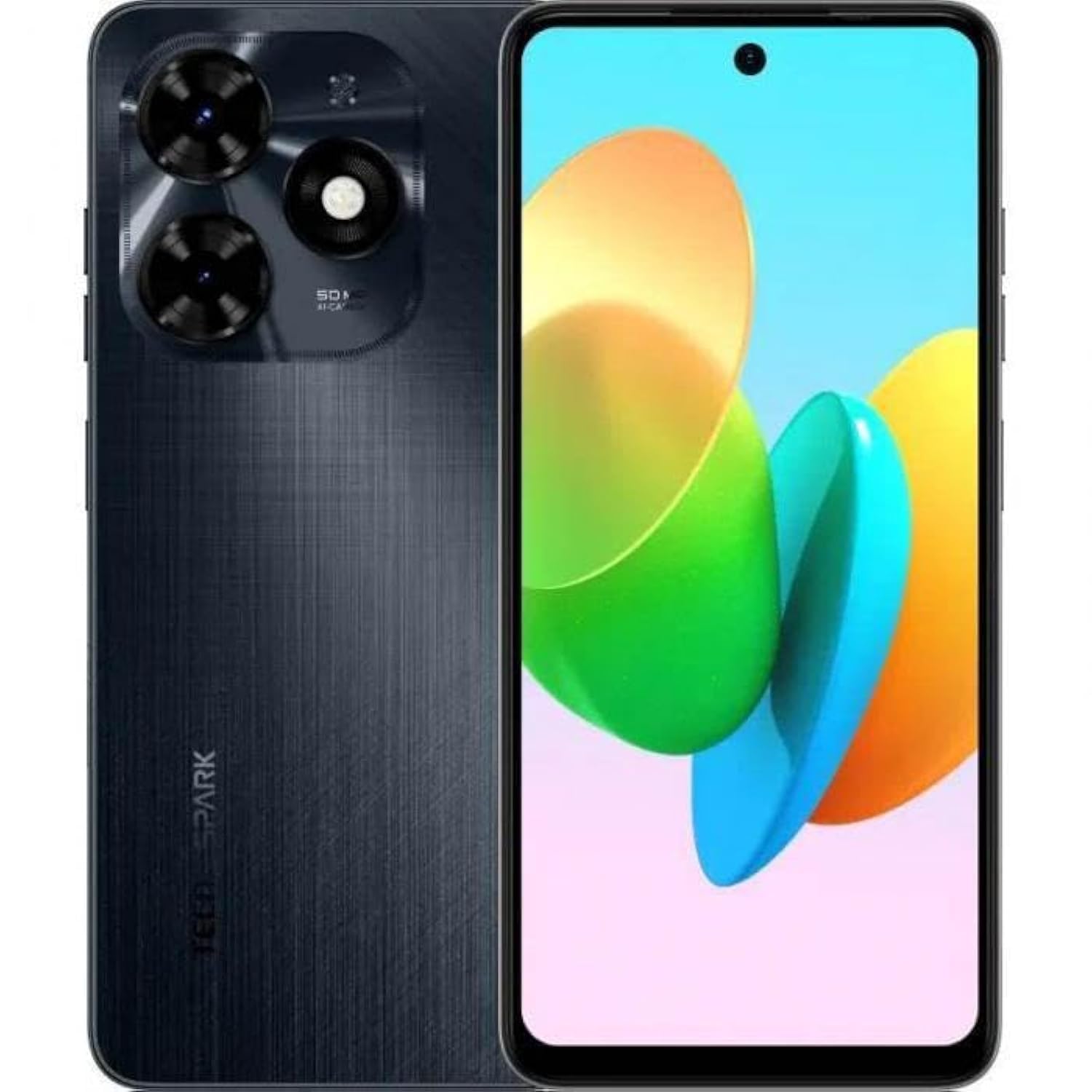
Resim 1.1: Ön view of the Tecno Spark 20C smartphone.
2. Paket İçeriği
Upon unboxing your Tecno Spark 20C, please verify that the following items are included:
- Tecno Spark 20C Akıllı Telefon
- Güç Adaptörü
- USB Şarj Kablosu
- SIM İtici Aracı
- Hızlı Başlangıç Kılavuzu
- Garanti Kartı
3. Cihaz Bittiview
The Tecno Spark 20C features a 6.6-inch HD+ display. The device is equipped with a 50-megapixel main camera on the rear and an 8-megapixel front camera. Physical buttons typically include power/lock and volume controls. Ports usually include a USB charging port and a 3.5mm audio jack.
4. Kurulum
4.1. SIM ve MicroSD Kartların Takılması
- Cihazınızın yan tarafında bulunan SIM kart tepsisini bulun.
- SIM kart çıkarma aracını tepsinin yanındaki küçük deliğe yerleştirin ve tepsi dışarı çıkana kadar hafifçe bastırın.
- Nano-SIM kartınızı/kartlarınızı ve/veya MicroSD kartınızı tepsideki belirtilen yuvalara yerleştirin. Altın temas noktalarının aşağı baktığından emin olun.
- Tepsiyi dikkatlice cihaza yeniden yerleştirin.
4.2. İlk Güç Açma ve Yapılandırma
- Tecno logosu görünene kadar Güç düğmesini basılı tutun.
- Dilinizi, bölgenizi seçmek, bir Wi-Fi ağına bağlanmak ve Google hesabınızı kurmak için ekrandaki talimatları izleyin.
- You may also be prompted to set up a screen lock (PIN, pattern, or fingerprint).
4.3. Cihazın Şarj Edilmesi
Connect the USB cable to the charging port on your phone and the other end to the power adapter. Plug the adapter into a wall outlet. The battery icon on the screen will indicate charging status. For optimal battery life, use the provided charger and cable.
5. Çalıştırma
5.1. Temel Gezinme
Your Tecno Spark 20C uses a touchscreen interface. Common gestures include:
- Musluk: To open apps, select items, or confirm actions.
- Tokatlamak: Ekranlar, listeler veya sayfalar arasında gezinmek için.
- Tutam: Görüntüleri yakınlaştırmak veya uzaklaştırmak için web sayfalar.
- Uzun basma: Bağlamsal menülere erişmek veya uygulama simgelerini taşımak için.
5.2. Arama Yapma ve Mesaj Gönderme
Arama yapmak için, Telefon Uygulamaya girin, numarayı girin ve arama simgesine dokunun. Mesaj göndermek için uygulamayı açın. Mesajlar app, tap the new message icon, enter the recipient's number or select from contacts, and type your message.
5.3. Kamerayı Kullanma
Açın Kamera app. The Tecno Spark 20C features a 50-megapixel main camera with AI image processing algorithms and an 8-megapixel front camera. Tap the shutter button to take a photo. Swipe to switch between photo, video, and other modes like panorama. AI features can automatically optimize settings for different scenes.
5.4. İnternet Bağlantısı
Access the internet via Wi-Fi or mobile data (4G). To connect to Wi-Fi, go to Ayarlar > Ağ ve internet > Wi-Fi, turn Wi-Fi on, and select your desired network. To enable mobile data, go to Ayarlar > Ağ ve internet > Mobil ağ and toggle Mobile data on.
5.5. Temassız Ödemeler için NFC
The Tecno Spark 20C includes an NFC module. To use contactless payments, ensure NFC is enabled in Ayarlar > Bağlı cihazlar > NFC. Set up your preferred payment app and hold your phone near a compatible payment terminal.
6. Bakım
6.1. Cihazınızı Temizleme
Use a soft, lint-free cloth to gently wipe the screen and body of your phone. Avoid using harsh chemicals or abrasive materials, which can damage the device's finish or screen coating.
6.2. Pil Bakımı
To prolong battery life, avoid exposing your phone to extreme temperatures. It is recommended to keep the battery charge between 20% and 80% for daily use. Avoid completely draining the battery frequently.
6.3. Yazılım Güncellemeleri
Cihazınızın en yeni özelliklere, güvenlik yamalarına ve performans iyileştirmelerine sahip olduğundan emin olmak için düzenli olarak yazılım güncellemelerini kontrol edin. Şuraya gidin: Ayarlar > Sistem > Sistem güncellemesi Mevcut güncellemeleri kontrol etmek ve yüklemek için.
7. Sorun Giderme
Bu bölümde, Tecno Spark 20C cihazınızla karşılaşabileceğiniz yaygın sorunlar ele alınmaktadır.
- Cihaz açılmıyor: Ensure the battery is charged. Connect the charger and wait a few minutes before attempting to power on again. If it still doesn't turn on, try a forced restart by holding the Power button for about 10-15 seconds.
- Ekran tepkisiz: If the screen is frozen, perform a forced restart. If the issue persists, ensure your hands are clean and dry, and the screen is free of debris.
- Ağ sorunları (sinyal yok/Wi-Fi yok): Check if Airplane mode is off. For mobile data, ensure your SIM card is properly inserted and mobile data is enabled in settings. For Wi-Fi, try forgetting the network and reconnecting, or restart your router.
- Uygulamaların çökmesi veya donması: Try clearing the app's cache and data in Ayarlar > Uygulamalar > [Uygulama Adı] > Depolama ve önbellek. If the problem continues, uninstall and reinstall the app. Ensure your device's software is up to date.
8. Özellikler
Key technical specifications for the Tecno Spark 20C:
| İşletim Sistemi | Android T |
| İşlemci | Sekiz çekirdekli |
| Ağ | 4G |
| Ekran Boyutu | 6.6 İnç HD+ |
| Çözünürlük | 720*1612 |
| Kurulu RAM | 4 GB |
| Dahili Depolama | 256 GB |
| Pil Kapasitesi | 5000 mAh (as per product description) |
| Bağlantı Teknolojisi | 4G, GSM |
| Kablosuz Taşıyıcı | Tüm Taşıyıcılar için Kilidi Açıldı |
| Ürün Boyutları | 16.3 x 8 x 0.8 cm; 410 g |
9. Garanti ve Destek
Your Tecno Spark 20C smartphone comes with a limited warranty. Please refer to the warranty card included in your package for detailed terms and conditions, including coverage period and service procedures. For technical support or further assistance, please visit the official Tecno websitesine gidin veya müşteri hizmetleriyle iletişime geçin.


