1. Giriş
The Ruko U11MINI is a compact and user-friendly drone designed for both beginners and enthusiasts. Weighing under 250g, it does not require FAA registration, making it an ideal choice for new pilots. This drone features a 4K UHD camera for high-definition photo and video capture, offering a new perspective for capturing family moments and adventures.
Equipped with advanced stabilization systems including GPS and TOF (Time of Flight) sensors, the U11MINI ensures stable flight and safe landings. Its powerful intelligent chip and brushless motors contribute to a smooth and responsive flying experience. With two intelligent Li-Po batteries, you can enjoy up to 70 minutes of flight time (35 minutes per battery).
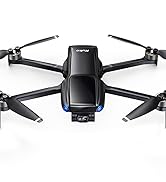
Key features of the Ruko U11MINI drone, highlighting its lightweight design, 4K camera, and extended flight time.
2. Kutuda Neler Var?
Your Ruko U11MINI package includes everything you need to get started:
- Ruko U11MINI Drone x1
- Akıllı Uçuş Bataryaları x2
- Gelişmiş Denetleyici x1
- Taşıma Çantası x1
- 4 Adet Ek Pervane
- USB Kablosu x2
- Tornavida x1
- Vidalar x11
- Kullanıcı Kılavuzu x1

All components included in the Ruko U11MINI drone package.
3. Kurulum
3.1 Pil Kurulumu
Insert one of the intelligent flight batteries into the drone's battery compartment. Ensure it clicks securely into place. The drone will boot up automatically once the battery is properly inserted.
3.2 Denetleyici Kurulumu
Turn on the advanced controller. The drone and controller will automatically pair. The controller features removable joysticks for compact storage, and extra joysticks are provided.
3.3 Uygulama İndirme ve Bağlantı
Resmi indirin Ruko U11 App from your device's app store. Connect your smartphone to the controller using the provided USB-C cable. The app provides a live view from the drone's camera and access to advanced flight features.

The Ruko U11MINI controller with a smartphone attached, displaying the digital transmission capability.
3.4 Camera Cover Removal
Before flying, gently remove the protective cover from the drone's camera. This will expose the actual camera lens for clear photo and video capture.

The Ruko U11MINI drone in hand, showcasing its compact and foldable design for easy portability.
4. Çalıştırma
4.1 Temel Uçuş Kontrolleri
The Ruko U11MINI offers intuitive controls for easy flight. Use the joysticks on the controller to control altitude, direction, and movement. The drone is designed for stable flight, even in light wind conditions, thanks to its 4 stabilization systems (TOF).

The Ruko U11MINI utilizes GPS, barometric altitude hold, and TOF sensors for stable flight and precise landings.
4.2 Akıllı Uçuş Modları
Explore various intelligent flight modes for enhanced creativity and ease of use:
- Beni takip et: Drone, hareketlerinizi otomatik olarak takip edecektir.
- Yol Noktası Uçuşu: Plan a custom flight path by setting multiple waypoints on the app.
- Auto-Return: With GPS functionality, the drone can automatically return to its take-off point in case of low battery or signal loss.

The Auto-return function ensures the drone safely returns home due to low battery, signal loss, or a single button press.
4.3 Kamera Çalışması
The 4K UHD camera captures stunning photos and videos. The lens offers a 120° FOV and 90° adjustable angle, allowing you to capture diverse perspectives. Digital transmission via wire-connection ensures a stable and high-definition visual experience.

The drone's camera features 90-degree adjustment and a 120-degree Field of View for versatile capture.
4.4 Motor and Propeller Design
The U11MINI is equipped with stronger brushless motors, slender blades, and a stiffening shaft, providing enhanced stability and performance in a mini series drone.

Ayrıntılı view of the drone's robust internal components: strong brushless motor, slender blade, and stiffening shaft.
5. Bakım
5.1 Pil Şarjı
For optimal charging performance and battery longevity, always use the Ruko charger provided. Avoid using chargers designed for other devices or those with an output higher than 12V.

The two intelligent flight batteries provide a combined 70 minutes of flight time, allowing for extended exploration.
5.2 Pervane Değişimi
In case of damage, replace propellers using the provided extra propellers and screwdriver. Ensure correct propeller type (A or B) is installed on the corresponding motor arm.
6. Sorun Giderme
If you encounter any issues with your Ruko U11MINI drone, consider the following common troubleshooting steps:
- Bağlantı Sorunları: Ensure both the drone and controller are fully charged and powered on. Verify that the Ruko U11 App is correctly installed and your phone is securely connected to the controller via cable.
- Uçuş Kararsızlığı: Calibrate the drone's compass and gyroscope as per the user manual instructions. Ensure propellers are not damaged and are installed correctly. Fly in open areas away from strong magnetic interference.
- Video Kalitesi: Ensure the camera protective cover is removed before flight. While the U11MINI captures 4K video, it does not feature a mechanical gimbal for stabilization. Therefore, some shakiness may be present in video recordings, especially during rapid movements or turns. This is normal for this model.
- Pil Ömrü: Ensure batteries are fully charged using the recommended Ruko charger. Cold weather can significantly reduce battery performance.
7. Özellikler
| Marka | RUKO |
| Model Adı | U11MINI |
| Ürün Ağırlığı | 239 Gram (8.4 ons) |
| Ürün Boyutları | 9.25"U x 9.25"G x 3.19"Y |
| Video Yakalama Çözünürlüğü | 4K |
| Maksimum aralığı | 9800 Feet (3KM) |
| Pil Kapasitesi | 2200 Miliamp Saat (pil başına) |
| Uçuş Süresi | 70 Mins (with 2 batteries) |
| Bağlantı Teknolojisi | USB (kumanda-telefon bağlantısı için) |
| Optik Sensör Teknolojisi | TÜF |
| Beceri Seviyesi | Acemi |
8. Garanti ve Destek
Ruko is committed to providing excellent customer service. For any questions, concerns, or technical support regarding your U11MINI drone, please contact us directly:
- Telefon: +1 (888) 892-0155 (Mon-Fri: 8 AM to 2 AM (next day) PST, Sat-Sun: 8 AM to 5 PM (PST))
- E-posta: service@rukotoy.com

Ruko's dedicated customer support team is available to assist you.
Ayrıca resmiyete de başvurabilirsiniz Kullanım Kılavuzu (PDF) Daha detaylı bilgi için.


