1. Giriş
Thank you for choosing the THOMSON 24-inch HD Google TV (Model 24HG2S14CW). This manual provides essential information for setting up, operating, and maintaining your new television. Please read these instructions carefully before using the product to ensure safe and optimal performance.
Experience complete entertainment for the whole family with the Thomson 24-inch HD Google TV. Google TV simplifies your entertainment experience by organizing content from your apps and subscriptions per user. Create multiple user profiles and benefit from organized recommendations. Enjoy a wide range of smart features, including access to over 400,000 movies and TV shows from numerous available apps, smart voice control with Google Assistant, and integrated Google Cast for wireless streaming of movies, music, and videos from compatible devices. Its elegant design with a 3-sided bezel-less frame allows you to fully concentrate on the on-screen action. Dolby Audio technology creates a dynamic sound experience. The integrated triple tuner allows reception via satellite antenna, terrestrial antenna, or cable, meaning you can receive all available channels without additional equipment. The ergonomic remote control with backlighting allows you to keep track of everything, even in dim lighting, and a dedicated 'Favorite' button provides quick access to your preferred app.
2. Güvenlik Bilgileri
Yangın, elektrik çarpması ve yaralanma riskini azaltmak için bu ürünü kullanırken her zaman temel güvenlik önlemlerine uyun.
- Güç Kaynağı: Ensure the TV is connected to a power supply that matches the voltage specified on the rating label. For 12V operation, use only the provided 12V adapter.
- Havalandırma: Havalandırma açıklıklarını kapatmayın. Aşırı ısınmayı önlemek için TV'nin etrafında yeterli hava akışı sağlayacak boşluk bırakın.
- Atama: Televizyonu sabit ve düz bir yüzeye yerleştirin. Doğrudan güneş ışığına, ısı kaynaklarının yakınına veya yüksek nemli ya da tozlu ortamlara koymaktan kaçının.
- Su ve Nem: Televizyonunuzu yağmura veya neme maruz bırakmayın. Vazo gibi sıvı dolu nesneleri televizyonun üzerine koymayın.
- Temizlik: Temizlemeden önce televizyonun fişini çekin. Yumuşak ve kuru bir bez kullanın. Sıvı veya aerosol temizleyiciler kullanmayın.
- Servis: Bu ürüne kendiniz servis vermeye çalışmayın. Tüm servis işlemleri için kalifiye servis personeline başvurun.
3. Paket İçeriği
Lütfen paketinizde tüm ürünlerin eksiksiz olarak bulunduğundan emin olun:
- THOMSON 24-inch HD Google TV
- Uzaktan Kumanda (pilli)
- Power Adapter (for standard AC outlet)
- 12V Power Cable (for camping/caravan use)
- TV Üniteleri (2 adet)
- TV Sehpaları için Vidalar
- Hızlı Başlangıç Kılavuzu
- Kullanım Kılavuzu (bu belge)
4. Kurulum
4.1 Fiziksel Kurulum
Standların Takılması:
- Ekran hasarını önlemek için televizyonu dikkatlice, yüzü aşağıya gelecek şekilde yumuşak ve temiz bir yüzeye yerleştirin.
- Align the stands with the screw holes on the bottom of the TV.
- Birlikte verilen vidaları kullanarak ayakları sabitleyin. Sağlam bir şekilde takıldıklarından emin olun.
The TV offers two stand positions to fit various furniture widths. Refer to the image below for guidance.

Duvara Montaj (Opsiyonel):
If you plan to wall mount your TV, please consult a professional installer. Ensure the wall mount is compatible with the TV's VESA mounting pattern and weight.
4.2 Gücün Bağlanması
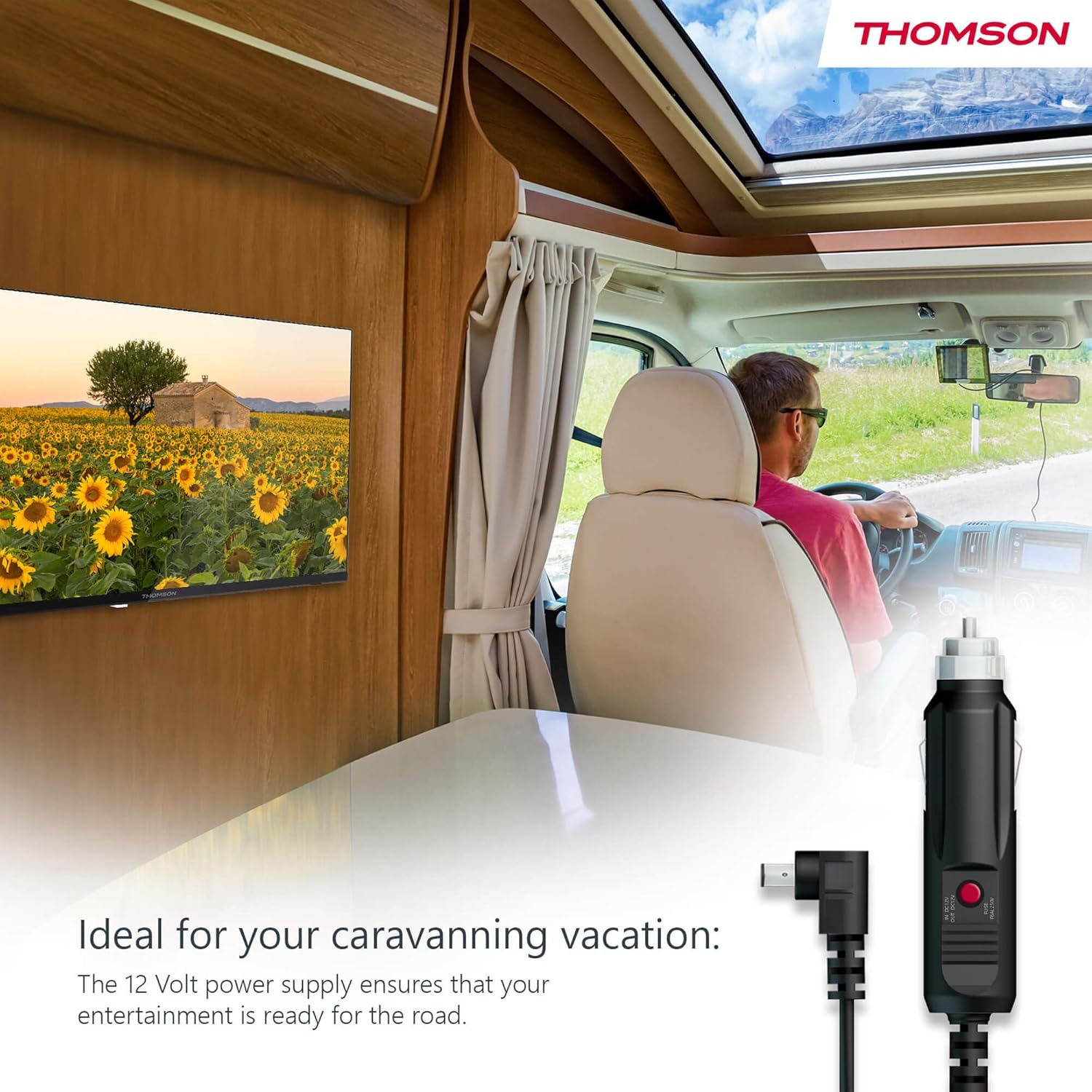
Your THOMSON TV supports both standard AC power and 12V DC power, making it ideal for camping or caravan use.
- Standard AC Power: Connect the provided power adapter to the TV's power input and then plug it into a standard wall outlet.
- 12V DC Power (CampNS): For mobile use, connect the 12V power cable to the TV's power input and then to a compatible 12V power source in your vehicle or caravan.
4.3 Antenlerin/Kabloların Bağlanması
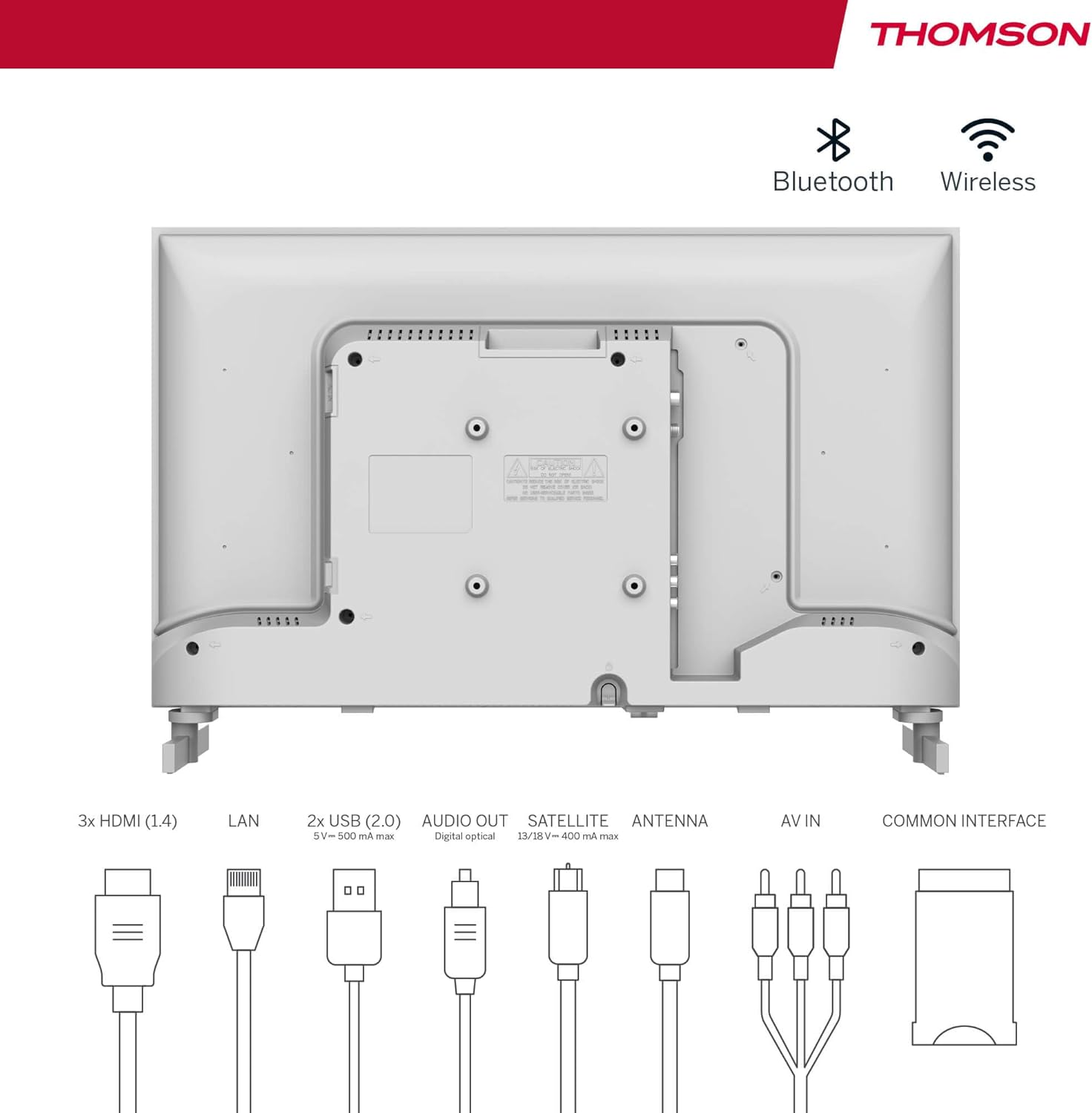
The integrated triple tuner allows reception via DVB-T (terrestrial antenna), cable, or satellite antenna.
- Karasal Anten: Connect a DVB-T/T2 antenna cable to the 'ANTENNA' input on the TV.
- Kablolu TV: Connect your cable TV coaxial cable to the 'ANTENNA' input on the TV.
- Uydu Anteni: Connect your satellite dish cable to the 'SATELLITE' input on the TV.
4.4 Harici Cihazların Bağlanması
- HDMI Cihazları: Connect Blu-ray players, game consoles, or other HDMI devices to the HDMI ports (3 available).
- USB Cihazları: Connect USB drives for media playback or software updates to the USB ports (2 available).
- Ses çıkışı: Use the digital optical audio output to connect to a soundbar or home theater system.
- AV Girişi: For older devices, use the AV In ports.
- LAN: Kablolu internet bağlantısı için, Ethernet kablosunu LAN portuna bağlayın.
- CI+ Modülü: Insert a CI+ module and smart card (if required by your service provider) into the Common Interface slot.
4.5 İlk Kurulum (Google TV)
- Power on the TV. The initial setup wizard will guide you through the process.
- Tercih ettiğiniz dili seçin.
- Connect to a Wi-Fi network or use a wired LAN connection.
- Google TV özelliklerine, uygulamalarına ve kişiselleştirilmiş önerilere erişmek için Google hesabınızla oturum açın.
- Follow the on-screen prompts to set up Google Assistant and tune channels (for antenna/cable/satellite).
5. TV'nizi Çalıştırma
5.1 Uzaktan Kumanda
The included remote control is designed for intuitive navigation of your Google TV.

- Arkadan Aydınlatmalı Düğmeler: The remote features backlighting for easy use in dark environments.
- Ses Kontrolü: Press the Google Assistant button and speak into the remote to control your TV, search for content, or ask questions.
- Favorite App Button: Use the star button to quickly access your most frequently used application.
- Profesyonelfile Anahtar: Farklı kullanıcı profilleri arasında kolayca geçiş yapın.files set up on your Google TV.

5.2 Google TV Arayüzü
Google TV organizes content from your streaming services and apps into a single, easy-to-navigate interface.

- Kişiselleştirilmiş Öneriler: The 'For You' tab provides content suggestions based on your viewing habits across all your streaming services.
- Uygulamalar: Access a wide range of applications from the Google Play Store, including popular streaming platforms.
- Kütüphane: Find your purchased movies and shows from Google Play.
- Profesyonelfiles: Ayrı bir kullanıcı profili oluşturun.files for each family member to get personalized content and recommendations.
5.3 Google Yayını
Integrated Google Cast allows you to wirelessly stream movies, music, and videos from compatible devices (smartphones, tablets, computers) directly to your TV screen.
- Cihazınızın ve televizyonunuzun aynı Wi-Fi ağına bağlı olduğundan emin olun.
- Open a Cast-enabled app on your device (e.g., YouTube, Netflix).
- Yayınla simgesine dokunun (▶) within the app and select your THOMSON TV.
5.4 Dolby Ses
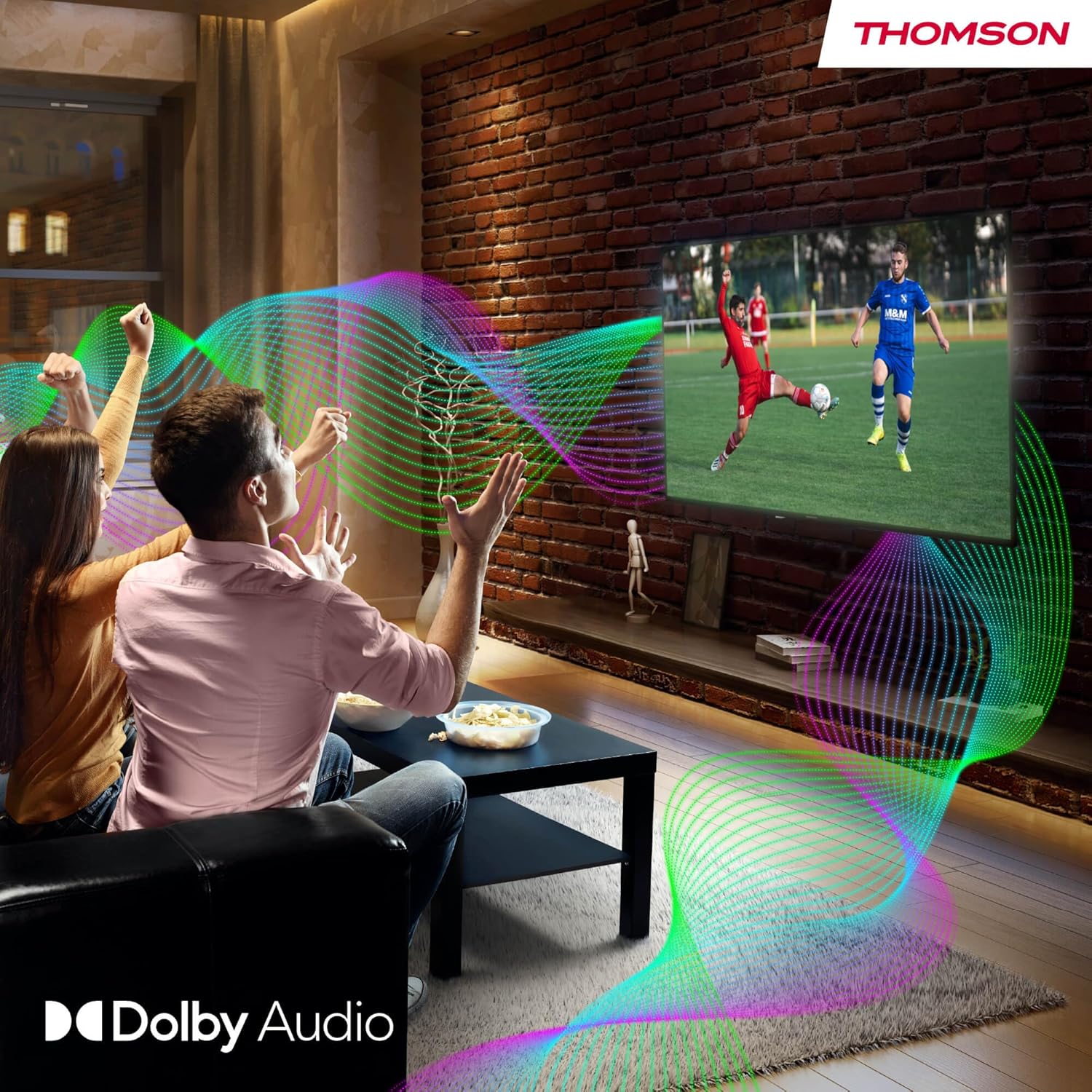
Your TV features Dolby Audio technology for an enhanced sound experience, delivering clear dialogue and immersive audio.
6. Bakım
- Ekranın Temizlenmesi: Ekranı yumuşak, tiftiksiz bir bezle nazikçe silin. İnatçı lekeler için hafifçe silin.ampen the cloth with water or a specialized screen cleaner (ensure it's safe for LED screens). Never spray liquid directly onto the screen.
- TV Gövdesinin Temizlenmesi: Televizyonun dış yüzeyini yumuşak, kuru bir bezle silin.
- Yazılım Güncellemeleri: Your Google TV will periodically check for and install software updates. Ensure your TV is connected to the internet for these updates.
- Kablo yönetimi: Keep cables tidy and organized to prevent damage and ensure proper ventilation.
7. Sorun Giderme
If you encounter any issues with your TV, refer to the following common problems and solutions:
| Sorun | Olası Çözüm |
|---|---|
| Güç yok | Check if the power cable is securely connected to the TV and the power outlet. Ensure the outlet is working. Try a different power source. |
| Görüntü yok, ancak ses mevcut | Giriş kaynağını kontrol edin. Harici cihazların düzgün şekilde bağlandığından ve açık olduğundan emin olun. |
| Ses yok ama görüntü var | Check the volume level. Ensure mute is not activated. Check audio output settings and external audio device connections. |
| Uzaktan kumanda çalışmıyor | Check and replace batteries. Ensure there are no obstructions between the remote and the TV. |
| Wi-Fi'ye bağlanılamıyor | Yönlendiricinizin açık ve çalışır durumda olduğundan emin olun. Wi-Fi şifresini yeniden girin. TV'yi ve yönlendiriciyi yeniden başlatmayı deneyin. |
| Kötü görüntü kalitesi | Check antenna/cable connections. Adjust picture settings. For streaming content, check internet speed. |
8. Özellikler
| Özellik | Detay |
|---|---|
| Marka | Thomson |
| Model Numarası | 24HG2S14CW |
| Ekran Boyutu | 24 inç (60 cm) |
| Çözünürlük | Yüksek Çözünürlük (1366x768) |
| Ekran Teknolojisi | NEDEN OLMUŞ |
| Yenileme Hızı | 60 Hz |
| İşletim Sistemi | Google televizyon |
| Ses Kontrolü | Google Asistan |
| Ses Teknolojisi | Dolby Ses |
| HDR Desteği | HDR10 |
| Bağlantı | Wi-Fi, Bluetooth 5.1, HDMI (3 ports), USB (2 ports), LAN, Digital Optical Audio Out, AV In, CI+ |
| Tuner Türü | Triple Tuner (DVB-T/T2, DVB-C, DVB-S/S2) |
| Güç Kaynağı | 12V DC / Standard AC |
| Renk | Beyaz |
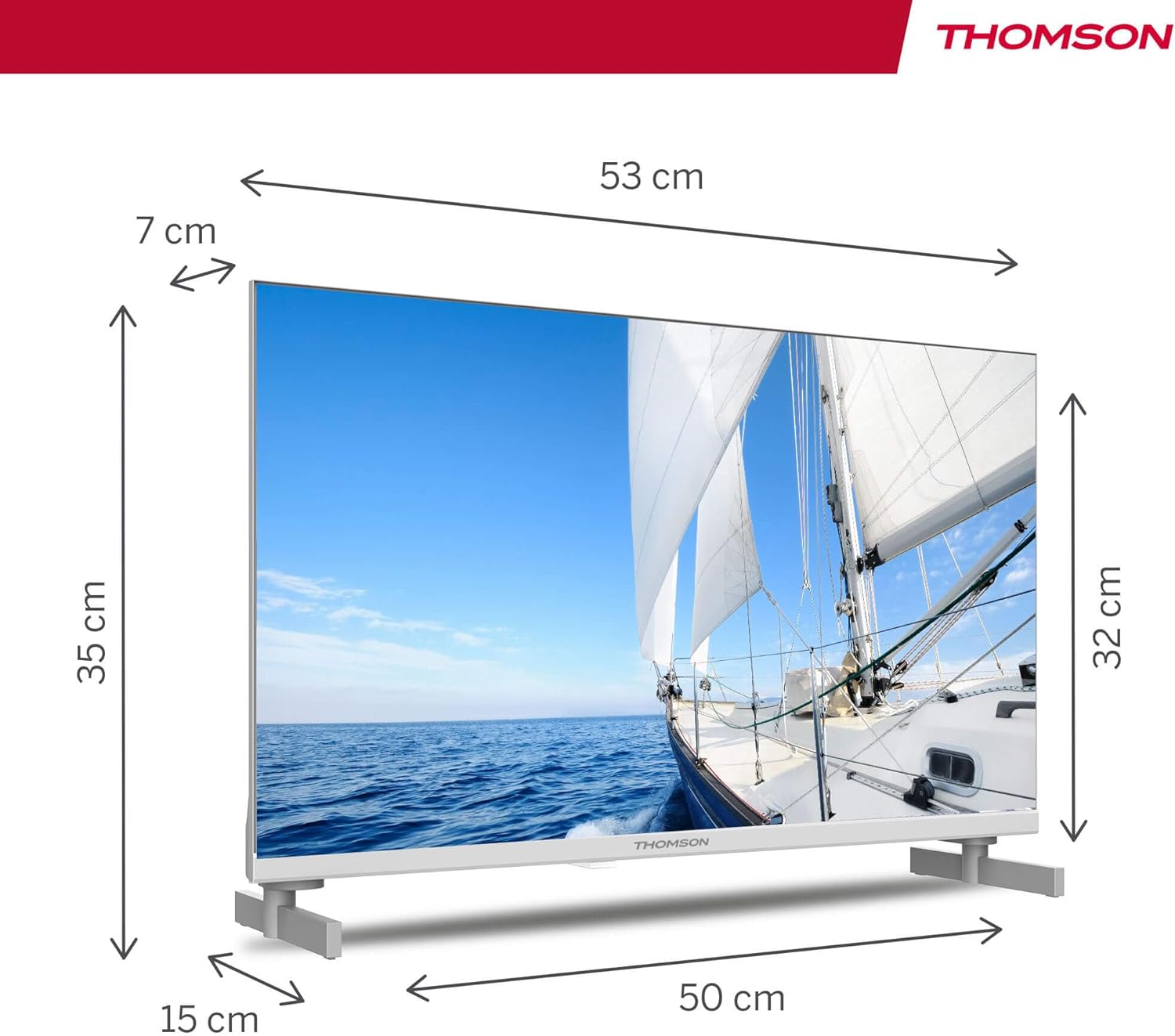
| Ürün Boyutları (U x G x Y) | 53.48x15.05x35.32 cm |
| Ağırlık | 3.5 kilo |
| Enerji Verimliliği Sınıfı | E |
| Güç Tüketimi (1000 saat) | 18 kWh |

9. Garanti ve Destek
THOMSON products are designed and manufactured to the highest quality standards. This product is covered by a manufacturer's warranty. Please refer to the warranty card included in your package for specific terms and conditions, including the warranty period and coverage details.
For technical support, troubleshooting assistance, or warranty claims, please contact THOMSON customer service through their official webSiteyi veya garanti belgelerinizde yer alan iletişim bilgilerini kullanın.


