1. Giriş
This manual provides detailed instructions for setting up, operating, maintaining, and troubleshooting your ASUS RT-BE82U BE6500 Dual-Band WiFi 7 Router. Please read this manual thoroughly before using the device to ensure optimal performance and safety.
Temel Özellikler:
- Ultrafast WiFi 7 (802.11be) dual-band speeds up to 6500 Mbps.
- Five 2.5GbE Ports for optimized wired connectivity.
- Smart AiMesh Extendable Network for whole-home seamless roaming.
- Multi-link Operation for stable internet connections and efficient data transfers.
- Commercial-Grade AiProtection Pro powered by Trend Micro for advanced network security.
- Advanced Parental Controls for managing internet activity.
2. Paket İçeriği
Paketinizde tüm öğelerin mevcut olduğundan emin olun:
- ASUS RT-BE82U Router
- RJ-45 kablosu
- Güç adaptörü
- Hızlı Başlangıç Kılavuzu
- Garanti kartı
3. Kurulum ve Kurulum
Follow these steps to set up your ASUS RT-BE82U router:
- Yönlendiriciyi Paketinden Çıkarın: Yönlendiriciyi ve tüm aksesuarları ambalajından dikkatlice çıkarın.
- Antenleri bağlayın: Ensure all four external antennas are securely attached and positioned for optimal signal.
- İnternete bağlanın:
- Connect one end of the provided RJ-45 cable to the WAN port (blue) on the back of the RT-BE82U router.
- Connect the other end of the RJ-45 cable to your modem's LAN port.
- Güç Açık: Connect the power adapter to the router's DC-IN port and then plug it into a power outlet. Press the power button to turn on the router.
- Initial Configuration (via ASUS Router App):
- Download the ASUS Router app from your mobile device's app store (available on iOS and Android).
- Open the app and follow the on-screen instructions to detect and configure your new router. This includes setting up your Wi-Fi network name (SSID) and password.
- Bağlantıyı Doğrulayın: Once setup is complete, check the LED indicators on the front of the router. The WAN, 2.4GHz, and 5GHz LEDs should be solid white, indicating a successful connection.

Şekil 3.1: Ön view of the ASUS RT-BE82U BE6500 Dual-Band WiFi 7 Router with antennas extended.

Şekil 3.2: Arka view showing the 2.5GbE WAN, 2.5GbE LAN ports, USB WAN, DC-IN, Power button, and Reset button.
4. Yönlendiricinizi Çalıştırma
4.1. Network Management via ASUS Router App
The ASUS Router app provides comprehensive control over your network. You can:
- Ağ trafiğini ve bağlı cihazları izleyin.
- Manage Wi-Fi settings for 2.4GHz and 5GHz bands.
- Ziyaretçiler için misafir ağları kurun.
- Configure advanced security features like AiProtection Pro.
- Implement parental controls to manage internet access for family members.

Figure 4.1: ASUS Router App interface for managing parental controls and network settings.
4.2. AiMesh System
The RT-BE82U supports ASUS AiMesh technology, allowing you to create a whole-home mesh Wi-Fi system by adding compatible ASUS routers. This extends coverage and eliminates Wi-Fi dead zones, providing seamless roaming throughout your home.
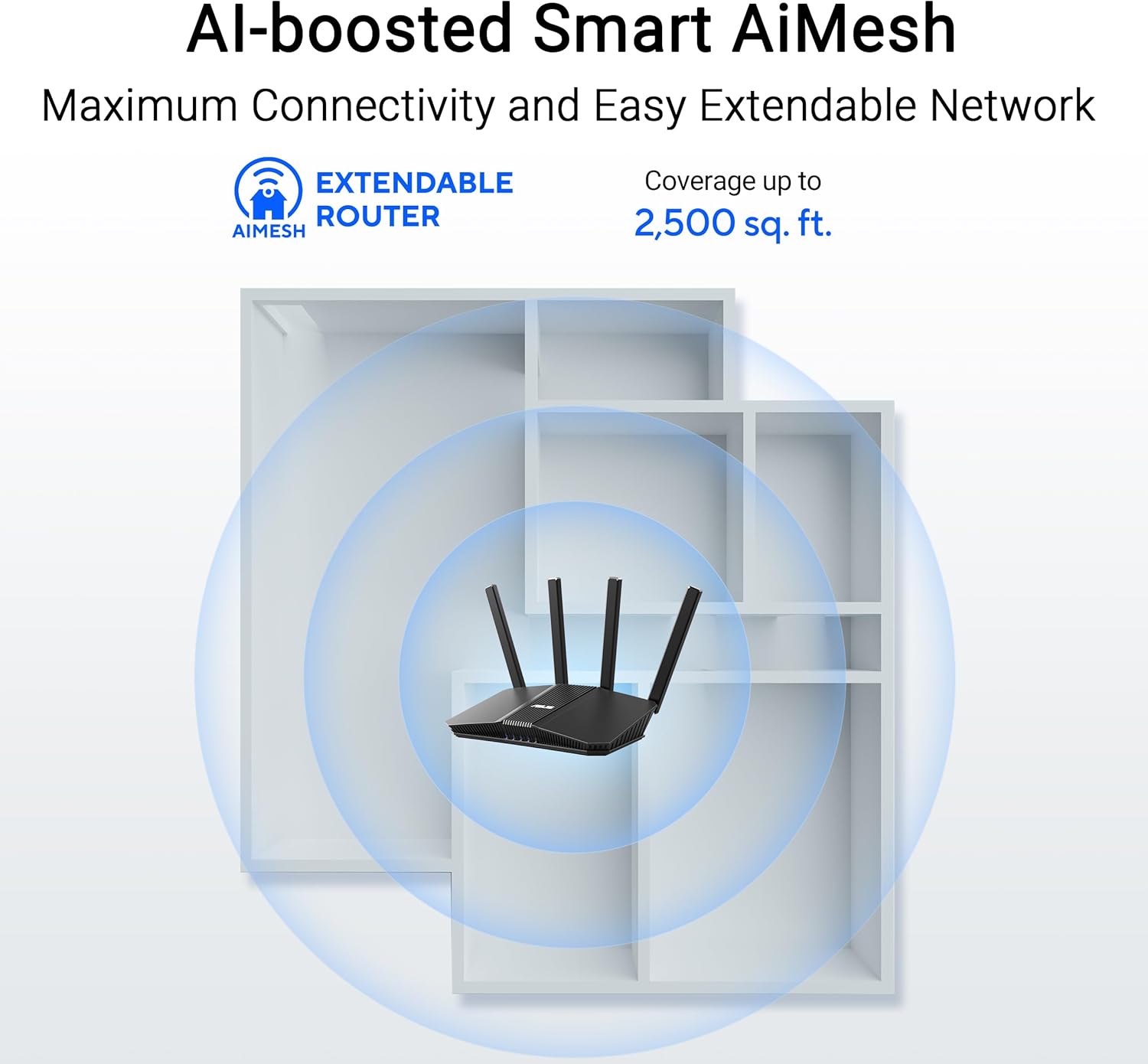
Figure 4.2: AiMesh system extending Wi-Fi coverage up to 2,500 sq. ft.
4.3. Advanced Network Security
The router includes AiProtection Pro, a commercial-grade network security suite. This feature provides real-time network protection against internet threats, malicious websites, and intrusion prevention. It also offers a one-tap security scan and Safe Browsing features.

Figure 4.3: AiProtection Pro interface within the ASUS Router App.
5. Bakım
To ensure the longevity and optimal performance of your router, consider the following maintenance tips:
- Donanım Yazılımı Güncellemeleri: Regularly check for and install firmware updates via the ASUS Router app or the web Arayüz. Güncellemeler genellikle güvenlik yamaları ve performans iyileştirmeleri içerir.
- Atama: Place the router in a central location, away from obstructions and other electronic devices that may cause interference. Ensure good airflow around the device to prevent overheating.
- Temizlik: Keep the router clean and free of dust. Use a soft, dry cloth to wipe the exterior. Do not use liquid cleaners.
- Periyodik Olarak Yeniden Başlatın: A periodic restart (e.g., once a month) can help clear temporary issues and refresh network performance.
6. Sorun Giderme
Yönlendiricinizle ilgili sorunlarla karşılaşırsanız, aşağıdaki sorun giderme adımlarını deneyin:
- İnternet bağlantısı yok:
- Tüm kablo bağlantılarını (WAN, LAN, güç) kontrol ederek güvenli olduklarından emin olun.
- Önce modeminizi, sonra da yönlendiricinizi yeniden başlatın.
- İnternet servis sağlayıcınızın (İSS) bağlantısının aktif olduğunu doğrulayın.
- Yavaş Wi-Fi Hızı:
- Ensure your devices are connected to the 5GHz band for faster speeds, if supported.
- Yönlendiriciyi diğer elektronik cihazlardan uzaklaştırarak paraziti azaltın.
- Arka planda çalışan ve yüksek bant genişliği tüketen uygulamaları kontrol edin.
- Consider adding an AiMesh node to extend coverage if you have dead zones.
- Yönlendirici Ayarlarına Erişilemiyor:
- Cihazınızın yönlendiricinin Wi-Fi ağına veya Ethernet kablosuyla bağlı olduğundan emin olun.
- Yönlendiricinin ayarlarına erişmeyi deneyin. web interface using the default IP address (e.g., 192.168.1.1) or via the ASUS Router app.
- Fabrika ayarları: If all else fails, perform a factory reset. Locate the Reset button on the back of the router (refer to Figure 3.2), press and hold it for 5-10 seconds until the power LED blinks, then release. This will restore the router to its default settings.
7. Özellikler
| Özellik | Detay |
|---|---|
| Marka | ASUS |
| Model Adı | RT-BE82U |
| Frekans Bant Sınıfı | Çift Bant |
| Kablosuz İletişim Standardı | 802.11be (WiFi 7), 802.11ac, 802.11ax, 802.11n |
| Veri Aktarım Hızı | 6500 Mbps'ye kadar (5 GHz'de 5764 Mbps, 2.4 GHz'de 688 Mbps) |
| Port Sayısı | 5 (Five 2.5GbE Ports) |
| Anten Tipi | Fixed (4 Antennas) |
| Güvenlik Protokolü | AiProtection, VPN, Let's Encrypt, DNS-over-TLS, SSH, Security Scan, Firewall, WPS support, WPA/WPA2/WPA3-Personal, WPA/WPA2-Enterprise, WPS |
| AiMesh Support | Yes (Extendable Router) |
| Boyutlar (U x G x Y) | 5.8"U x 3.8"G x 9.3"Y |
| Ürün Ağırlığı | 1.1 Pound |
8. Garanti Bilgileri
The ASUS RT-BE82U BE6500 Dual-Band WiFi 7 Router comes with a 3 yıllık garanti. Please refer to the included Warranty Card in your package for detailed terms and conditions, including information on service and support.
9. Destek
For further assistance, technical support, or to download the latest drivers and firmware, please visit the official ASUS support website or use the ASUS Router app. You can also find additional resources and FAQs on the ASUS webalan.
ASUS Desteği Webalan: www.asus.com/support/
ASUS Yönlendirici Uygulaması: Available on the Apple App Store and Google Play Store.


