1. Giriş
This manual provides detailed instructions for the safe and efficient operation of your HANLIM Portable CD Player, Model HL-108. Please read this manual thoroughly before using the product and retain it for future reference.

Şekil 1: Ön view of the HANLIM Portable CD Player HL-108. This image displays the main unit with its control panel, LCD screen, and integrated handle.
2. Güvenlik Talimatları
- Üniteyi yağmura, neme veya aşırı sıcaklıklara maruz bırakmayın.
- Üniteyi ısı kaynaklarının yakınına veya doğrudan güneş ışığına maruz bırakmayın.
- C'yi açmayınasing; tüm servis işlemlerini kalifiye personele yaptırın.
- Üniteyi güçlü manyetik alanlardan uzak tutun.
- Yalnızca sağlanan güç kablosunu kullanın.
- Aşırı ısınmayı önlemek için yeterli havalandırmayı sağlayın.
3. Paket İçeriği
Lütfen tüm öğelerin mevcut olduğundan emin olun:
- HANLIM Portable CD Player HL-108
- Güç kablosu (1.2m)
- Uzaktan kumanda (piller dahil değildir)
- Kullanıcı Kılavuzu

Şekil 2: The HANLIM Portable CD Player HL-108 shown with its included accessories: the power cable, remote control, and user manual.
4. Ürün Bittiview
The HANLIM Portable CD Player HL-108 features a compact design with multiple playback options and connectivity ports.
4.1 Ön Panel Kontrolleri
- LCD Ekran: Geçerli modu, parça bilgilerini ve FM frekansını gösterir.
- MOD Düğmesi: Switches between CD, FM, Bluetooth, USB, and AUX modes.
- BEKLEME Düğmesi: Üniteyi açar veya kapatır.
- Play/Pause/Scan Button: Plays/pauses media or scans FM radio stations.
- Previous/CH- Button: Skips to previous track/station.
- Next/CH+ Button: Skips to next track/station.
- Ses Düğmesi: Ses seviyesini ayarlar.
- USB Bağlantı Noktası: USB bellekten oynatma için.
- Kulaklık Jakı (3.5 mm): Özel dinleme için.
4.2 Arka Panel Bağlantıları
- AUX GİRİŞİ (3.5 mm): Harici ses aygıtlarını bağlayın.
- MIC Bağlantı Noktası: Connect a microphone for singing.
- AC Güç Girişi: Connect the power cable for charging or continuous power.
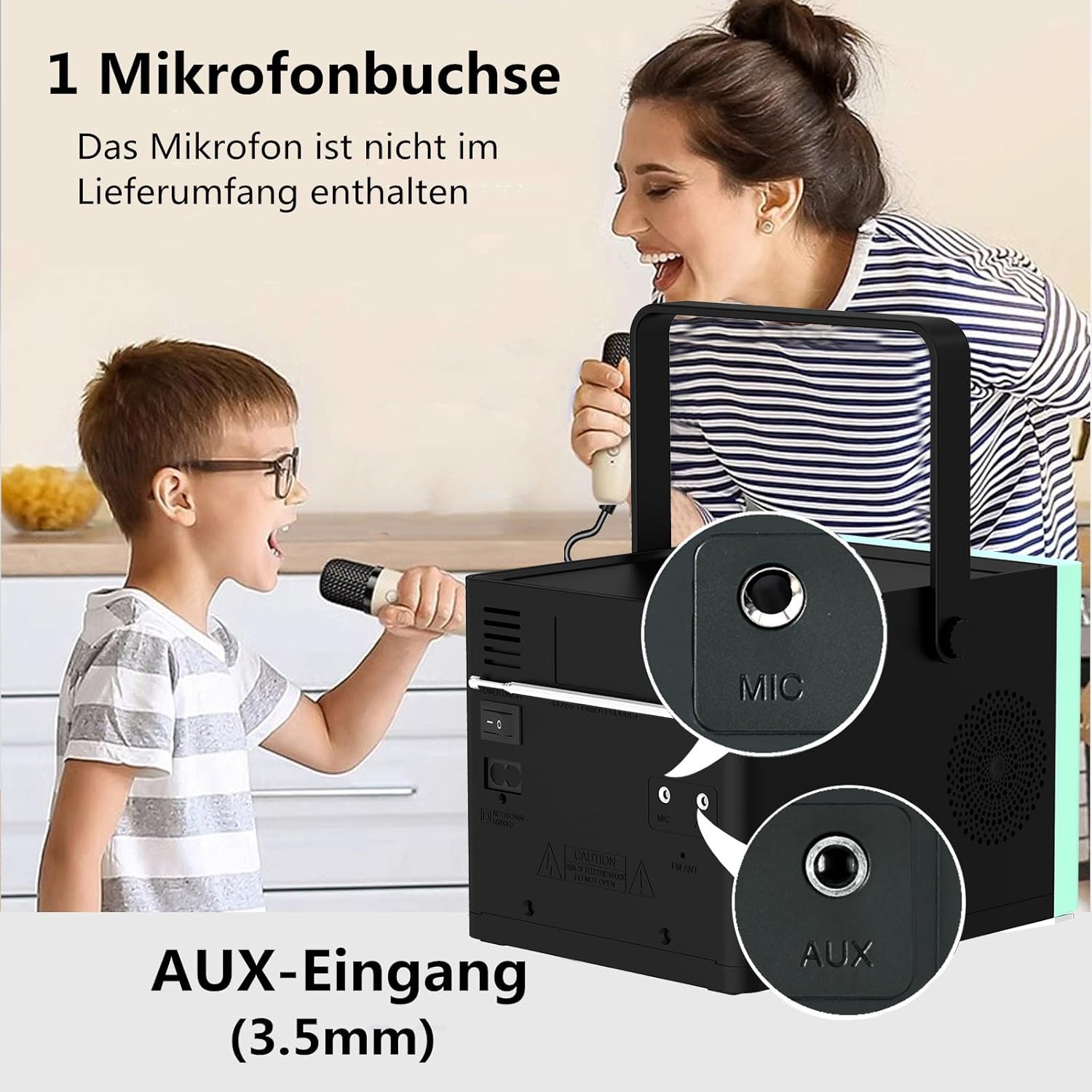
Şekil 3: Arka view of the HANLIM Portable CD Player HL-108, highlighting the microphone input and AUX input ports.
5. Kurulum
5.1 Açma ve Şarj Etme
- Connect the provided power cable to the AC power input on the rear of the unit and plug it into a wall outlet.
- The built-in 2000mAh battery will begin charging automatically. A full charge provides approximately 4.5 to 5 hours of playback at maximum volume.
- Basın YANINDA OLMAK üniteyi açmak için düğmeye basın.
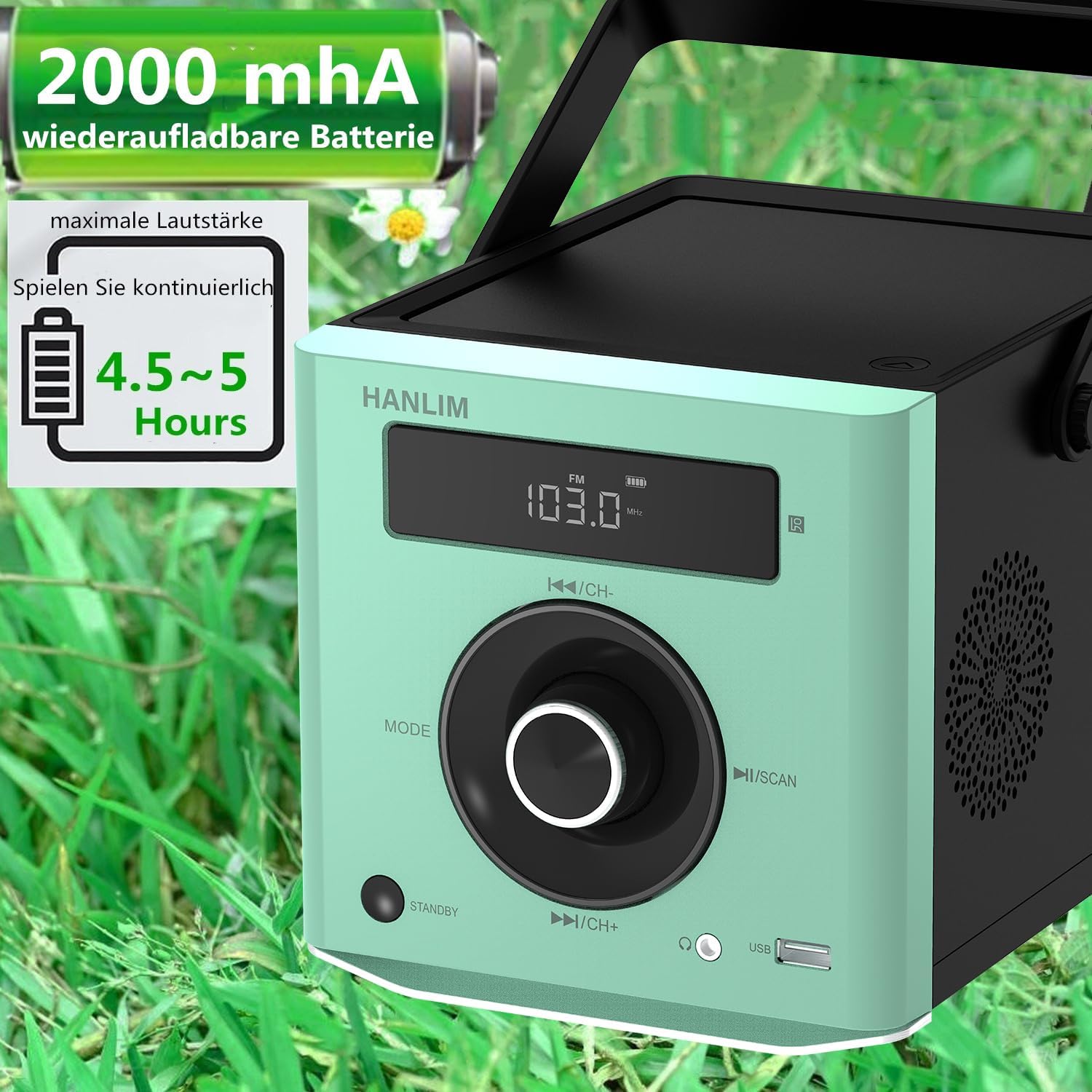
Şekil 4: The HANLIM Portable CD Player HL-108 displaying battery charge status and indicating 4.5-5 hours of continuous playback.
6. Kullanım Talimatları
6.1 CD Oynatma
- CD bölmesinin kapağını açın.
- Place a CD (CD/CD-R/CD-RW/MP3 format) onto the spindle, label side up.
- CD bölmesi kapağını kapatın.
- Basın MOD button until "CD" is displayed.
- Basın Oynat/Duraklat oynatmayı başlatmak için düğmesine basın.
- Kullanın Önceki/Sonraki Parçaları atlamak için düğmeler.
- Tekrarlama İşlevi: Press the repeat button on the remote control to cycle through repeat one, repeat all, or random play.
- Continue Playback: The unit will resume playback from where it was last stopped, useful for language learning.
6.2 FM Radyo
- Basın MOD "FM" görüntülenene kadar düğmeye basın.
- Basılı tutun Tarama button to automatically scan and store available FM stations (87.5-108MHz). Up to 20 stations can be stored.
- Kullanın Ç- Ve ÇİN+ Kaydedilmiş istasyonlar arasında gezinmek için kullanılan düğmeler.

Şekil 5: The HANLIM Portable CD Player HL-108 showing the FM radio frequency on its display.
6.3 Bluetooth Bağlantısı
- Basın MOD button until "Bluetooth" is displayed. The unit will enter pairing mode.
- On your device (phone, tablet, computer), enable Bluetooth and search for "HANLIM HL-108".
- Select the device to pair. Once connected, you will hear a confirmation sound.
- Note: Bluetooth headphones are not supported for connection to this CD player.

Şekil 6: The HANLIM Portable CD Player HL-108 illustrating its Bluetooth connectivity, USB port, and headphone jack.
6.4 USB Oynatma
- Insert a USB flash drive (up to 32GB, supporting MP3/WMA formats) into the USB port.
- Basın MOD "USB" yazısı görünene kadar düğmeye basın.
- Playback will start automatically. Use the Önceki/Sonraki Parçalar arasında gezinmek için düğmeler.
6.5 AUX Girişi
- Connect an external audio device (e.g., phone, computer) to the AUX IN port using a 3.5mm audio cable (not included).
- Basın MOD "AUX" yazısı görünene kadar düğmeye basın.
- Bağlı cihazınızdan oynatmayı kontrol edin.
6.6 Kulaklık Girişi
For private listening, connect 3.5mm headphones to the headphone jack on the front panel.
6.7 Microphone Port
Connect a microphone (not included) to the MIC port on the rear panel for singing along to music.
6.8 Ses Ayarları (Ekolayzır)
The unit offers 5 sound qualities: Pop, Jazz, Rock, Classical, and Flat. Use the EQ button on the remote control to cycle through these modes and adjust the audio output to your preference.
7. Bakım
- Temizlik: Üniteyi yumuşak ve kuru bir bezle silin. Aşındırıcı temizleyiciler veya çözücüler kullanmayın.
- CD Bakımı: CD'leri kenarlarından tutarak taşıyın. Kirli CD'leri yumuşak, tüy bırakmayan bir bezle, merkezden dışa doğru silerek temizleyin.
- Pil Bakım: For optimal battery life, avoid fully discharging the battery frequently. If storing for extended periods, charge the battery to about 50% every few months.
8. Sorun Giderme
| Sorun | Olası Neden | Çözüm |
|---|---|---|
| Ünite açılmıyor. | Pil bitmiş veya güç kablosu bağlı değil. | Connect the power cable and allow the battery to charge, or operate directly from AC power. |
| Ses yok. | Volume is too low, headphones connected, or incorrect mode selected. | Increase volume, disconnect headphones, or ensure the correct input mode (CD, FM, BT, USB, AUX) is selected. |
| CD çalmıyor veya atlama yapıyor. | CD kirli, çizik veya yanlış takılmış. | Clean the CD, try a different CD, or reinsert the CD correctly. Ensure the CD compartment is fully closed. |
| Bluetooth eşleştirme başarısız. | Device is too far, Bluetooth is off on the device, or unit is not in pairing mode. | Ensure the unit is in Bluetooth mode, your device's Bluetooth is on, and they are within range. Try restarting both devices. |
| FM radyo alımı zayıf. | Zayıf sinyal veya anten konumu. | Adjust the unit's position or extend the antenna for better reception. |
9. Özellikler
| Özellik | Şartname |
|---|---|
| Marka | HANLİM |
| Örnek | HL-108 |
| Ürün Boyutları | 15.5 x 20.5 x 16 cm (6.1 x 8.1 x 6.3 inç) |
| Ürün Ağırlığı | 1.7 kg (3.75 lbs) |
| Güç Çıkışı | 20W |
| Pil | Built-in 2000mAh rechargeable Lithium Ion |
| Pil Ömrü | Up to 5 hours (at maximum volume) |
| Desteklenen CD Formatları | CD, CD-R, CD-RW, MP3 |
| FM Radyo Frekansı | 87.5-108 MHz |
| USB Desteği | Up to 32GB, MP3/WMA formats |
| Bağlantı | Bluetooth, USB, AUX (3.5mm), Headphone Jack (3.5mm), Microphone Port |
| Görüntü Türü | LCD |
| Özel Özellikler | Bluetooth, CD-R/RW Compatible, Equalizer, Portable, Rechargeable |
10. Garanti ve Destek
This HANLIM product comes with a bir yıllık garanti Satın alma tarihinden itibaren geçerlidir. Bu garanti, normal kullanım koşullarında üretim ve işçilik hatalarını kapsar.
For technical support, warranty claims, or service inquiries, please contact your retailer or the HANLIM customer service department through the contact information provided at the point of purchase.


